
用vue实现一个可以拖拽的“Popover”弹出框组件
需求背景
需求里说表格项点击之后需要弹出数据详细信息,我直接不假思索的上了一个Popover,效果如下:
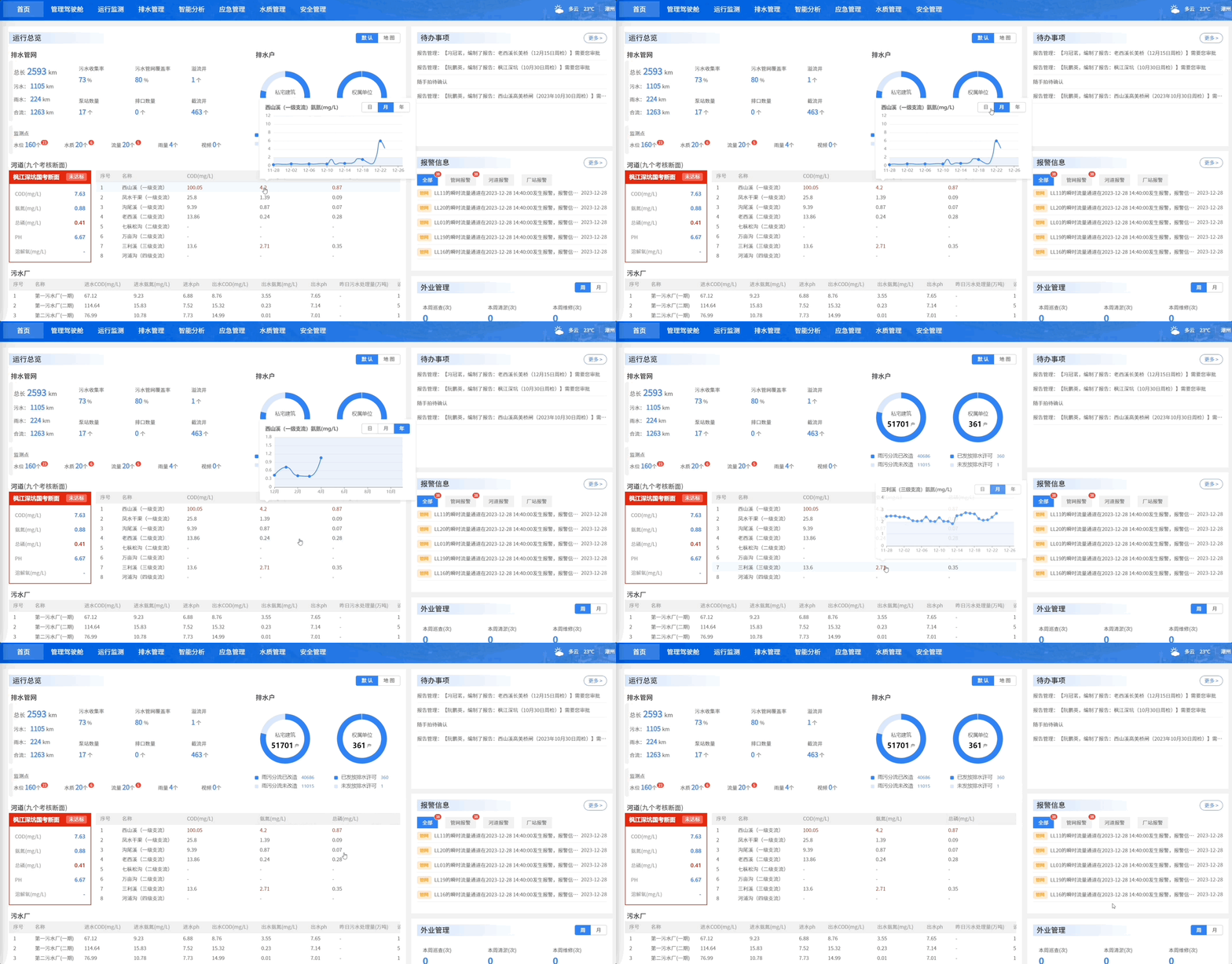
但是领导不满意,提出新的需求:他想要这个弹出框能够直接用鼠标拖动(?意义不明),效果如下:
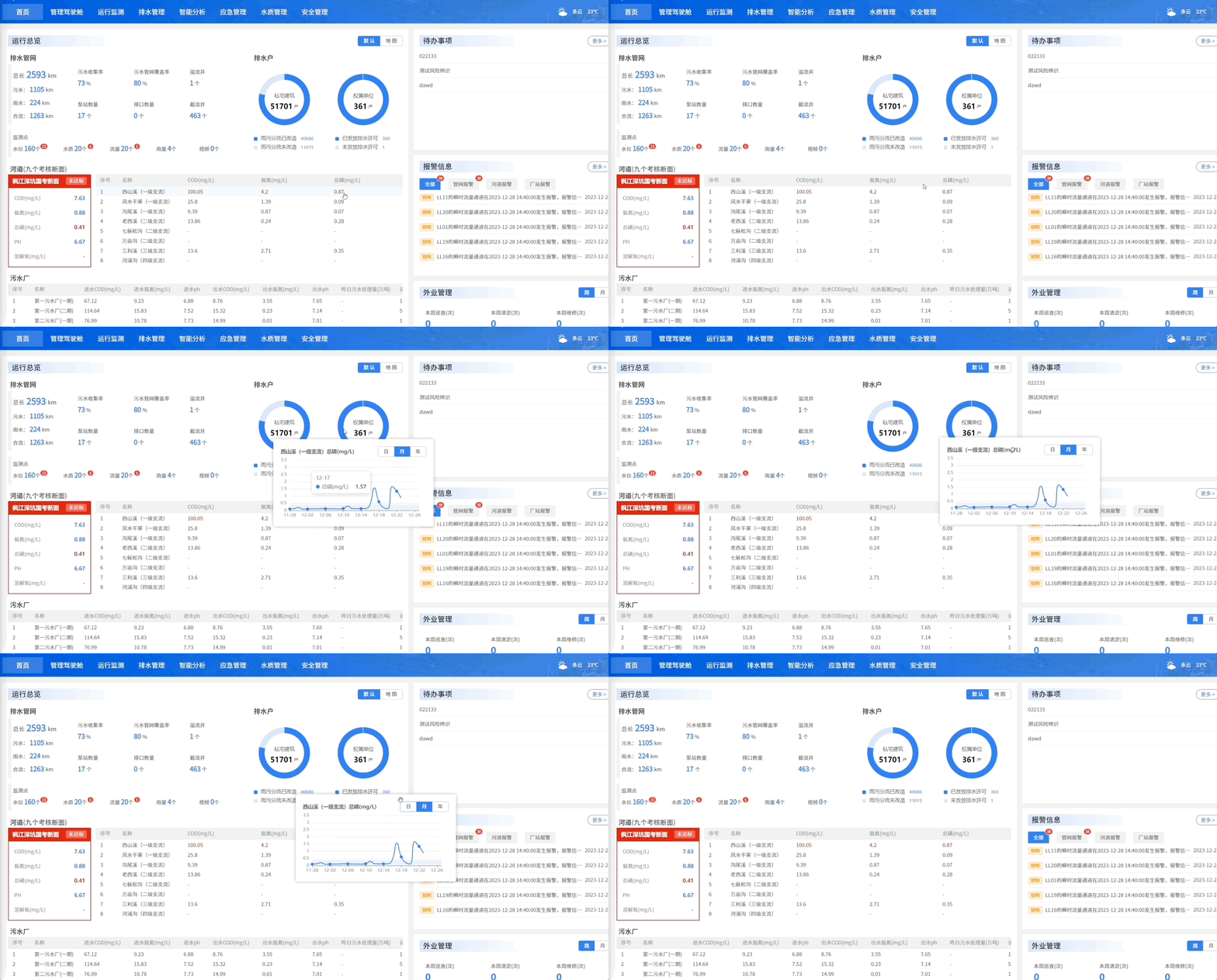
目测是一个很简单的组件,就决定直接手搓一个顺便记录一下。
需求分析
-
初始位置
我要实现的自定义组件grapModal可以看作一个初始位置悬浮在被点击元素上方的、无遮罩、的Modal,所以我首先使用getBoundingClientRect方法获取被点击元素相对视口的位置,然后将自定义组件放在被点击元素的顶上,实现类似Popover的效果。 -
防止遮盖
需要使用document.body.appendChild将grapModal添加到最外层,这样可以防止层叠上下文导致grapModal被其他元素遮盖。 -
点击
grapModal的外部关闭grapModal
在body上添加鼠标点击事件,使用contains方法判断点击元素是否属于grapModal或者其子元素,如果不属于,则说明点击了contains的外层,此时需要触发关闭grapModal的emits -
拖拽的处理
-
拖拽移动弹窗
可以通过给grapModal最外层的元素添加鼠标按下mousedown的事件监听器,如果监听器发现鼠标在grapModal内按下,立即添加鼠标的移动mousemove监听器,并在mousemove更新grapModal的位置,使其跟随鼠标,就可以实现弹窗跟随鼠标移动 -
松手弹窗停止移动
这里比较重要的一点是需要给document添加鼠标抬起mouseup的事件监听器:document.addEventListener("mouseup", this.handleMouseUp);-
为什么不给
grapModal添加mouseup?
因为用户有可能移动的太快,导致渲染跟不上鼠标,抬起的时候已经鼠标已经不在grapModal上了,也就触发不了鼠标抬起的回调函数。 -
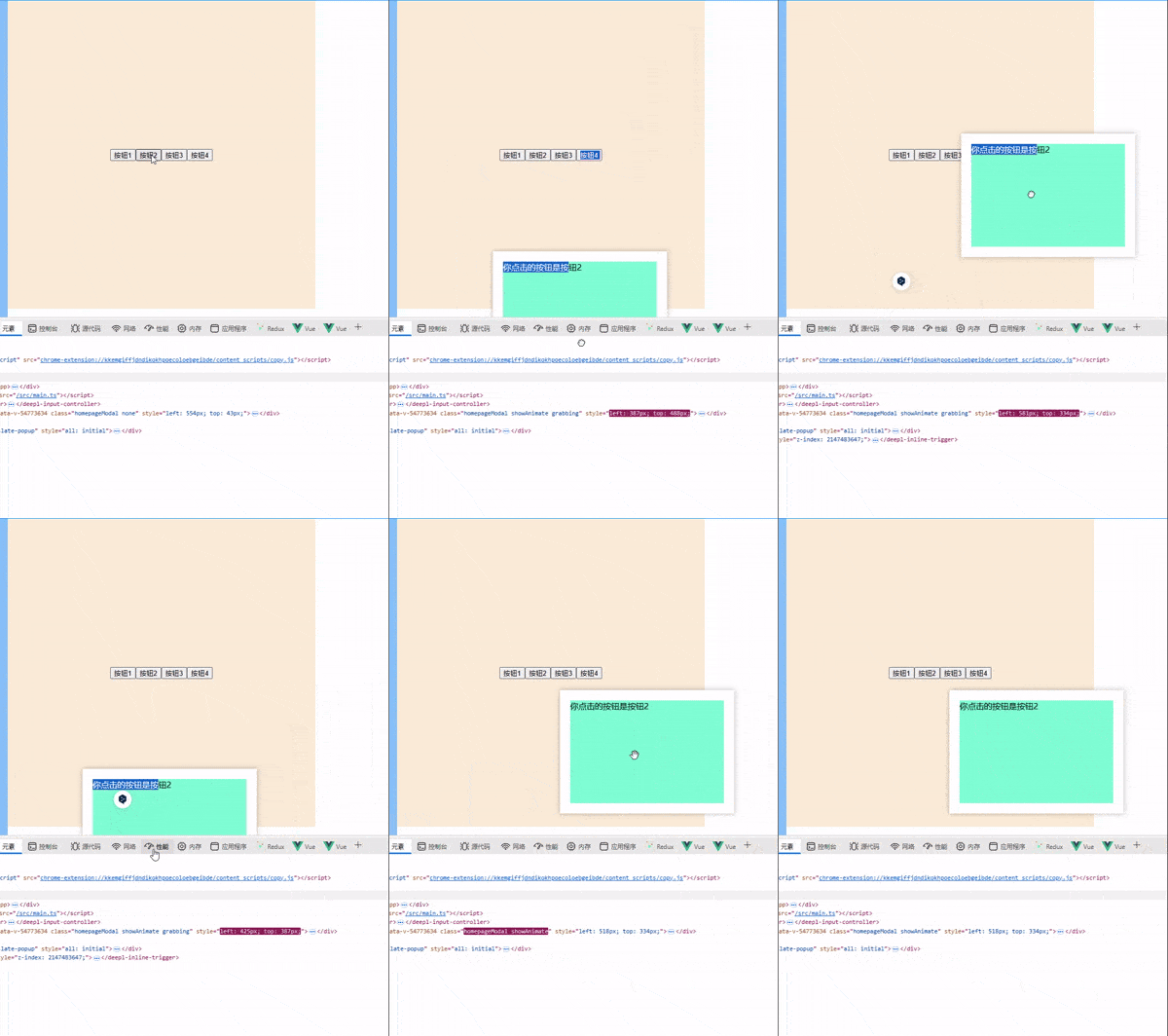
为什么不给
body添加mouseup?
因为用户有可能将鼠标移出浏览器视口范围,移出的时候松手,body上的mouseup监听器无法监听到鼠标抬起,下图中,我的鼠标移到控制台的时候松开了鼠标,但是光标返回视口之后grapModal依然追踪着光标:
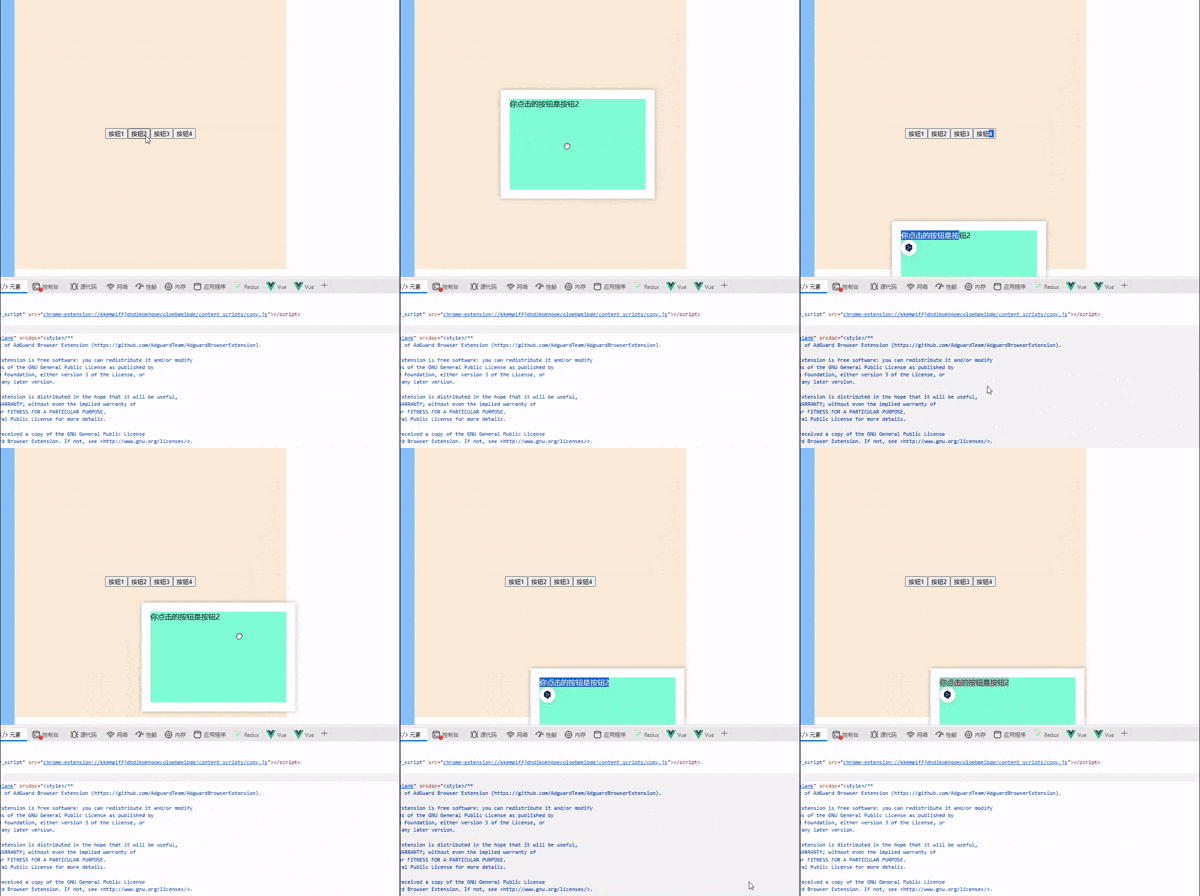
给
document添加mouseup才会符合我们的需求:
-
-
-
组件卸载清理事件监听
完整代码
父组件:
<script setup>
import { ref } from "vue";
import grabModal from "./component.vue";

let visible = ref(false);
let btns = ref(null);
let root = ref(null);
let btnList = ref([1, 2, 3, 4]);
let clickBtn = ref(null);

function open(id) {
  console.log("开启弹窗");
  visible.value = true;
  root.value = btns.value[id - 1];
  clickBtn.value = id;
}

function handleCancel() {
  console.log("关闭弹窗");
  visible.value = false;
  clickBtn.value = null;
}
</script>

<template>
  <div class="btnWrapper">
    <button ref="btns" @click="open(id)" v-for="id in btnList" :key="id">
      按钮{{ id }}
    </button>
  </div>

  <grabModal :root="root" :visible="visible" @cancel="handleCancel">
    <div class="content">
      <span>你点击的按钮是按钮{{ clickBtn }}</span>
    </div>
  </grabModal>
</template>

<style scoped>
.btnWrapper {
  width: 600px;
  height: 600px;
  background-color: antiquewhite;
  display: flex;
  justify-content: center;
  align-items: center;
}
.content {
  width: 300px;
  height: 200px;
  background-color: aquamarine;
}
</style>
子组件:
// component.vue
<template>
  <div
    ref="homepageModal"
    :class="{
      homepageModal: true,
      none: !visible,
      showAnimate: visible,
      grabbing: isGrabbing,
    }"
  >
    <div ref="contentWrap" class="contentWrap" v-if="visible">
      <slot></slot>
    </div>
  </div>
</template>

<script>
export default {
  props: {
    visible: {
      type: Boolean,
    },
    root: {
      type: HTMLElement,
    },
  },
  data() {
    return {
      offsetX: 0, // 鼠标相对元素的位置偏移量
      offsetY: 0, // 鼠标相对元素的位置偏移量
      isGrabbing: false,
    };
  },
  methods: {
    handleClick(e) {
      // 点击非弹窗区域,隐藏弹窗
      if (!this.$refs.homepageModal.contains(e.target)) this.$emit("cancel");
    },
    handleMouseMove(e) {
      // 鼠标移动,更新弹窗位置
      this.$refs.homepageModal.style.left = e.pageX - this.offsetX + "px";
      this.$refs.homepageModal.style.top = e.pageY - this.offsetY + "px";
    },
    handleMouseDown(e) {
      // 左键按下,添加鼠标移动监听,需要计算鼠标相对元素的位置偏移量
      this.offsetX = e.x - this.$refs.homepageModal.offsetLeft;
      this.offsetY = e.y - this.$refs.homepageModal.offsetTop;
      // 设置光标样式
      this.isGrabbing = true;
      document.body.addEventListener("mousemove", this.handleMouseMove);
    },
    handleMouseUp() {
      // 左键抬起,移除鼠标移动监听
      document.body.removeEventListener("mousemove", this.handleMouseMove);
      this.isGrabbing = false;
    },
  },
  mounted() {
    // 弹窗挂载到body
    document.body.appendChild(this.$refs.homepageModal);
    this.$refs.homepageModal.addEventListener(
      "mousedown",
      this.handleMouseDown
    );
    // 使用document.addEventListener,即便鼠标移出视口也可触发
    document.addEventListener("mouseup", this.handleMouseUp);
  },
  unmounted() {
    // 移除点击外层隐藏函数
    document.body.removeEventListener("click", this.handleClick);
    this.$refs.homepageModal.removeEventListener(
      "mousedown",
      this.handleMouseDown
    );
    document.removeEventListener("mouseup", this.handleMouseUp);
  },
  watch: {
    visible(val) {
      if (val) {
        this.$nextTick(() => {
          // 设置弹窗初始位置
          this.$refs.homepageModal.style.left =
            this.root.getBoundingClientRect().left + "px";
          this.$refs.homepageModal.style.top =
            this.root.getBoundingClientRect().top -
            this.$refs.homepageModal.offsetHeight -
            6 +
            "px";
        });

        // 添加点击外层隐藏函数(不可用this.$nextTick,会导致点击事件提前触发)
        setTimeout(() => {
          document.body.addEventListener("click", this.handleClick);
        });
      } else {
        // 移除点击外层隐藏函数
        document.body.removeEventListener("click", this.handleClick);
      }
    },
  },
};
</script>
<style lang="less" scoped>
.homepageModal {
  position: fixed;
  top: 0;
  left: 0;
  z-index: 1001;
  background-color: white;
  box-shadow: 0 0 10px rgba(0, 0, 0, 0.3);
  padding: 20px;
  cursor: grab;

  &.none {
    height: 0;
    width: 0;
    padding: 0;
  }
  &.showAnimate {
    animation: grow 150ms;
  }
  &.grabbing {
    cursor: grabbing;
  }
}

@keyframes grow {
  from {
    transform: scale(0);
  }
  to {
    transform: scale(1);
  }
}
</style>

 浙公网安备 33010602011771号