
一、docker search minio
二、docker pull minio/minio:RELEASE.2021-06-17T00-10-46Z
别拉最新的,有问题不稳定,别这样拉(docker pull minio/minio),最新版本预览会有问题,而且域名有问题
三、启动命令(可以不加restart=always)
docker run -d -p 9000:9000 --name minio -d --restart=always -e "MINIO_ACCESS_KEY=admin" -e "MINIO_SECRET_KEY=Jaw@admin123" -v /data/minio/data/files:/data -v /data/minio/config:/root/.minio minio/minio:RELEASE.2021-06-17T00-10-46Z server /data
默认有个/files的bucket

注意登陆的用户名和密码就是 access key 和secret key
四、minio代码:
Minio相关代码:
<minio.version>8.0.3</minio.version>
server:
port: 8098
tomcat:
max-swallow-size: -1
error:
include-exception: true
include-stacktrace: ALWAYS
include-message: ALWAYS
servlet:
context-path: /sxlinks
compression:
enabled: true
min-response-size: 1024
mime-types: application/javascript,application/json,application/xml,text/html,text/xml,text/plain,text/css,image/*
management:
endpoints:
web:
exposure:
include: metrics,httptrace
spring:
servlet:
multipart:
max-file-size: 50MB
max-request-size: 50MB
mail:
host: smtp.163.com
username: jeecgos@163.com
password: ??
properties:
mail:
smtp:
auth: true
starttls:
enable: true
required: true
## quartz定时任务,采用数据库方式
quartz:
job-store-type: jdbc
initialize-schema: embedded
#设置自动启动,默认为 true
auto-startup: true
#启动时更新己存在的Job
overwrite-existing-jobs: true
properties:
org:
quartz:
scheduler:
instanceName: MyScheduler
instanceId: AUTO
jobStore:
class: org.quartz.impl.jdbcjobstore.JobStoreTX
driverDelegateClass: org.quartz.impl.jdbcjobstore.StdJDBCDelegate
tablePrefix: QRTZ_
isClustered: true
misfireThreshold: 60000
clusterCheckinInterval: 10000
threadPool:
class: org.quartz.simpl.SimpleThreadPool
threadCount: 10
threadPriority: 5
threadsInheritContextClassLoaderOfInitializingThread: true
#json 时间戳统一转换
jackson:
date-format: yyyy-MM-dd HH:mm:ss
time-zone: GMT+8
main:
allow-bean-definition-overriding: true
jpa:
open-in-view: false
hibernate:
use-new-id-generator-mappings: false
activiti:
check-process-definitions: false
#启用作业执行器
async-executor-activate: false
#启用异步执行器
job-executor-activate: false
aop:
proxy-target-class: true
#配置freemarker
freemarker:
# 设置模板后缀名
suffix: .ftl
# 设置文档类型
content-type: text/html
# 设置页面编码格式
charset: UTF-8
# 设置页面缓存
cache: false
prefer-file-system-access: false
# 设置ftl文件路径
template-loader-path:
- classpath:/templates
# 设置静态文件路径,js,css等
mvc:
static-path-pattern: /**
resource:
static-locations: classpath:/static/,classpath:/public/
autoconfigure:
exclude: com.alibaba.druid.spring.boot.autoconfigure.DruidDataSourceAutoConfigure
datasource:
druid:
stat-view-servlet:
enabled: true
loginUsername: admin
loginPassword: 123456
allow:
web-stat-filter:
enabled: true
dynamic:
druid: # 全局druid参数,绝大部分值和默认保持一致。(现已支持的参数如下,不清楚含义不要乱设置)
# 连接池的配置信息
# 初始化大小,最小,最大
initial-size: 5
min-idle: 5
maxActive: 20
# 配置获取连接等待超时的时间
maxWait: 60000
# 配置间隔多久才进行一次检测,检测需要关闭的空闲连接,单位是毫秒
timeBetweenEvictionRunsMillis: 60000
# 配置一个连接在池中最小生存的时间,单位是毫秒
minEvictableIdleTimeMillis: 1800000
maxEvictableIdleTimeMillis: 25200000
validationQuery: SELECT 1 FROM DUAL
testWhileIdle: true
testOnBorrow: false
testOnReturn: false
# 打开PSCache,并且指定每个连接上PSCache的大小
poolPreparedStatements: true
maxPoolPreparedStatementPerConnectionSize: 20
# 配置监控统计拦截的filters,去掉后监控界面sql无法统计,'wall'用于防火墙
filters: stat,wall,slf4j
# 通过connectProperties属性来打开mergeSql功能;慢SQL记录
connectionProperties: druid.stat.mergeSql\=true;druid.stat.slowSqlMillis\=5000
datasource:
master:
url: jdbc:mysql://192.168.3.37:3306/safety_evaluate?characterEncoding=UTF-8&useUnicode=true&useSSL=false&tinyInt1isBit=false&allowPublicKeyRetrieval=true&serverTimezone=Asia/Shanghai
username: safety
password: Jaw@dasd-
driver-class-name: com.mysql.cj.jdbc.Driver
# 多数据源配置
#multi-datasource1:
#url: jdbc:mysql://localhost:3306/jeecg-boot2?useUnicode=true&characterEncoding=utf8&autoReconnect=true&zeroDateTimeBehavior=convertToNull&transformedBitIsBoolean=true&allowPublicKeyRetrieval=true&serverTimezone=Asia/Shanghai
#username: root
#password: root
#driver-class-name: com.mysql.cj.jdbc.Driver
#redis 配置
redis:
database: 0
host: 192.168.3.37
password:
port: 6379
timeout: PT2M
#mybatis plus 设置
mybatis-plus:
mapper-locations: classpath*:com/sxlinks/modules/**/xml/*Mapper.xml
global-config:
# 关闭MP3.0自带的banner
banner: false
db-config:
#主键类型 0:"数据库ID自增",1:"该类型为未设置主键类型", 2:"用户输入ID",3:"全局唯一ID (数字类型唯一ID)", 4:"全局唯一ID UUID",5:"字符串全局唯一ID (idWorker 的字符串表示)";
id-type: ASSIGN_ID
# 默认数据库表下划线命名
table-underline: true
configuration:
# 这个配置会将执行的sql打印出来,在开发或测试的时候可以用
#log-impl: org.apache.ibatis.logging.stdout.StdOutImpl
# 返回类型为Map,显示null对应的字段
call-setters-on-nulls: true
log-impl: org.apache.ibatis.logging.stdout.StdOutImpl
#jeecg专用配置
minidao :
base-package: com.sxlinks.modules.jmreport.*
#DB类型(mysql | postgresql | oracle | sqlserver| other)
db-type: mysql
jeecg :
# 本地:local\Minio:minio\阿里云:alioss
uploadType: local
#传给前端的查看minio的文件url路径
url: https://zhpg.scjs.net.cn
port: 30002
path :
#文件上传根目录 设置
upload: /data/minio/data/files
#webapp文件路径
webapp: /opt/webapp
shiro:
excludeUrls: /test/jeecgDemo/demo3,/test/jeecgDemo/redisDemo/**,/category/**,/visual/**,/map/**,/jmreport/bigscreen2/**,/miniProgram/users/login/**,/miniProgram/users/dev/**,/miniProgram/users/phone/**,/miniProgram/users/sms/**,/miniProgram/common/static/**
#阿里云oss存储和大鱼短信秘钥配置
oss:
accessKey: ??
secretKey: ??
endpoint: oss-cn-beijing.aliyuncs.com
bucketName: ??
# ElasticSearch 6设置
elasticsearch:
#cluster-name: jeecg-ES
cluster-nodes: 127.0.0.1:9200
check-enabled: false
# 表单设计器配置
desform:
# 主题颜色(仅支持 16进制颜色代码)
theme-color: "#1890ff"
# 文件、图片上传方式,可选项:qiniu(七牛云)、system(跟随系统配置)
upload-type: system
map:
# 配置百度地图的AK,申请地址:https://lbs.baidu.com/apiconsole/key?application=key#/home
baidu: ??
# 在线预览文件服务器地址配置
file-view-domain: 127.0.0.1:8012
# minio文件上传
minio:
minio_url: http://127.0.0.1:9000
minio_name: admin
minio_pass: Jaw@admin123
bucketName: files
#大屏报表参数设置
jmreport:
mode: dev
#数据字典是否进行saas数据隔离,自己看自己的字典
saas: false
#是否需要校验token
is_verify_token: true
#必须校验方法
verify_methods: remove,delete,save,add,update
#Wps在线文档
wps:
domain: https://wwo.wps.cn/office/
appid: ??
appsecret: ??
#xxl-job配置
xxljob:
enabled: false
adminAddresses: http://127.0.0.1:9080/xxl-job-admin
appname: ${spring.application.name}
accessToken: ''
address: 127.0.0.1:30007
ip: 127.0.0.1
port: 30007
logPath: logs/jeecg/job/jobhandler/
logRetentionDays: 30
#自定义路由配置 yml nacos database
route:
config:
data-id: jeecg-gateway-router
group: DEFAULT_GROUP
data-type: yml
#分布式锁配置
redisson:
address: 127.0.0.1:6379
password: gl474c@163.com
type: STANDALONE
enabled: true
#cas单点登录
cas:
prefixUrl: http://cas.example.org:9443/cas
#Mybatis输出sql日志
logging:
level:
com.sxlinks.modules.system.mapper : info
#swagger
knife4j:
#开启增强配置
enable: true
production: false
basic:
enable: false
username: sx
password: 123456
#第三方登录
justauth:
enabled: true
type:
GITHUB:
client-id: ??
client-secret: ??
redirect-uri: http://sso.test.com:8080/jeecg-boot/sys/thirdLogin/github/callback
WECHAT_ENTERPRISE:
client-id: ??
client-secret: ??
redirect-uri: http://sso.test.com:8080/jeecg-boot/sys/thirdLogin/wechat_enterprise/callback
agent-id: ??
DINGTALK:
client-id: ??
client-secret: ??
redirect-uri: http://sso.test.com:8080/jeecg-boot/sys/thirdLogin/dingtalk/callback
WECHAT_OPEN:
client-id: ??
client-secret: ??
redirect-uri: http://sso.test.com:8080/jeecg-boot/sys/thirdLogin/wechat_open/callback
cache:
type: default
prefix: 'demo::'
timeout: 1h
#第三方APP对接
third-app:
enabled: false
type:
#企业微信
WECHAT_ENTERPRISE:
enabled: false
#CORP_ID
client-id: ??
#SECRET
client-secret: ??
#自建应用id
agent-id: ??
#自建应用秘钥(新版企微需要配置)
# agent-app-secret: ??
#钉钉
DINGTALK:
enabled: false
# appKey
client-id: ??
# appSecret
client-secret: ??
agent-id: ??
wx:
miniapp:
appid: "wxe42b4799c412a7a5"
secret: "dee460effa90b814a7b079f54bc86ea8"
sms:
ali-sms:
access-key-id: "LTAI5tEPjLXLsCJYWcP69nqk"
access-key-secret: "GKNDCQdGuJAMbOrwi4hyt8sAxKYnvA"
sign: "??"
default-template: "SMS_243261272"
prod-mode: true
filepath:
down: https://zhpg.scjs.net.cn:30000
其它文件(详细代码略):
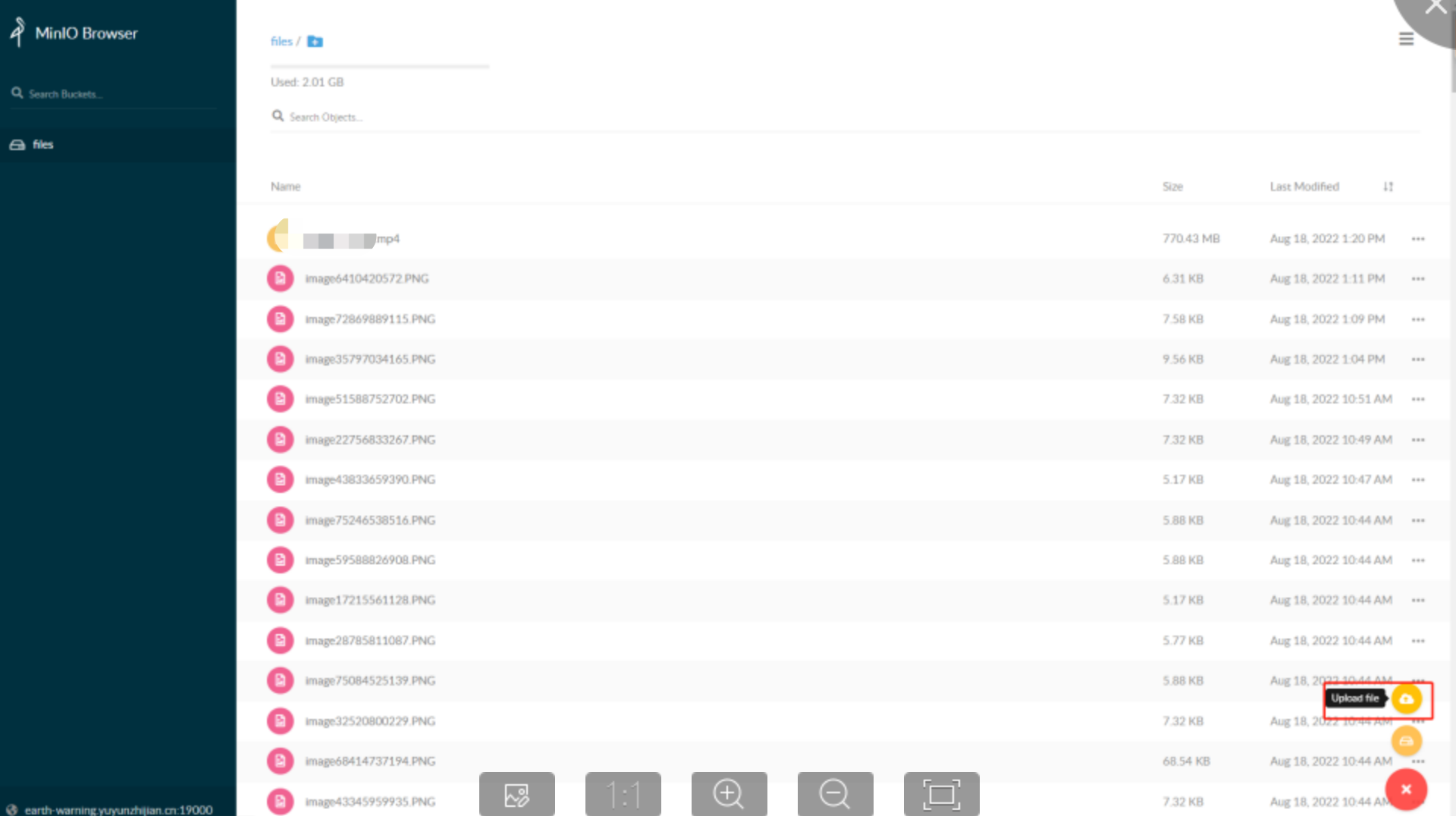
上传文件到minio,如果上传到400M就停止了,就可能是nginx默认的配置,这样就可以了
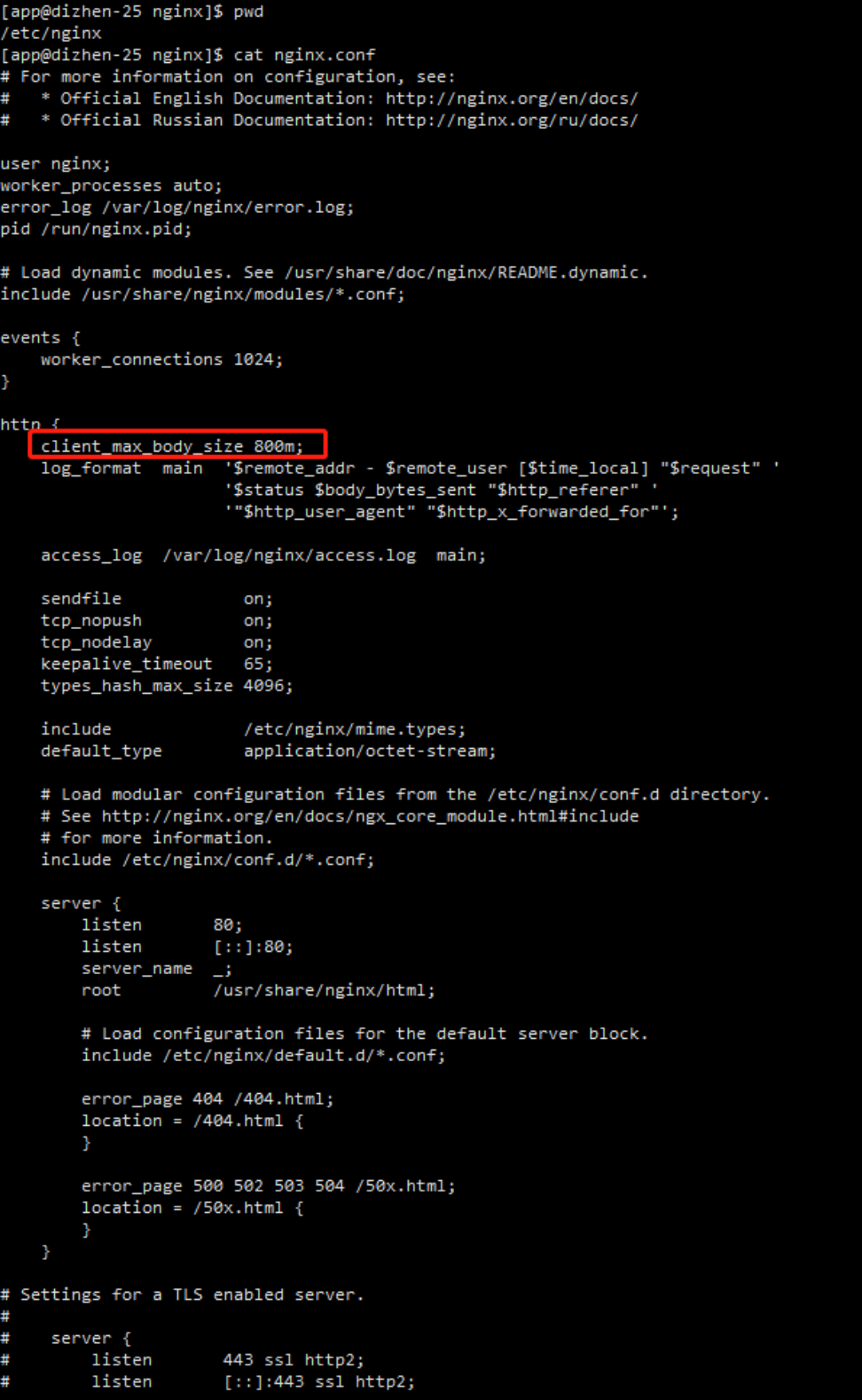
具体的配置见下:
[app@dizhen-25 nginx]$ cat nginx.conf
# For more information on configuration, see:
# * Official English Documentation: http://nginx.org/en/docs/
# * Official Russian Documentation: http://nginx.org/ru/docs/
user nginx;
worker_processes auto;
error_log /var/log/nginx/error.log;
pid /run/nginx.pid;
# Load dynamic modules. See /usr/share/doc/nginx/README.dynamic.
include /usr/share/nginx/modules/*.conf;
events {
worker_connections 1024;
}
http {
client_max_body_size 800m;
log_format main '$remote_addr - $remote_user [$time_local] "$request" '
'$status $body_bytes_sent "$http_referer" '
'"$http_user_agent" "$http_x_forwarded_for"';
access_log /var/log/nginx/access.log main;
sendfile on;
tcp_nopush on;
tcp_nodelay on;
keepalive_timeout 65;
types_hash_max_size 4096;
include /etc/nginx/mime.types;
default_type application/octet-stream;
# Load modular configuration files from the /etc/nginx/conf.d directory.
# See http://nginx.org/en/docs/ngx_core_module.html#include
# for more information.
include /etc/nginx/conf.d/*.conf;
server {
listen 80;
listen [::]:80;
server_name _;
root /usr/share/nginx/html;
# Load configuration files for the default server block.
include /etc/nginx/default.d/*.conf;
error_page 404 /404.html;
location = /404.html {
}
error_page 500 502 503 504 /50x.html;
location = /50x.html {
}
}
# Settings for a TLS enabled server.
#
# server {
# listen 443 ssl http2;
# listen [::]:443 ssl http2;
# server_name _;
# root /usr/share/nginx/html;
#
# ssl_certificate "/etc/pki/nginx/server.crt";
# ssl_certificate_key "/etc/pki/nginx/private/server.key";
# ssl_session_cache shared:SSL:1m;
# ssl_session_timeout 10m;
# ssl_ciphers HIGH:!aNULL:!MD5;
# ssl_prefer_server_ciphers on;
#
# # Load configuration files for the default server block.
# include /etc/nginx/default.d/*.conf;
#
# error_page 404 /404.html;
# location = /40x.html {
# }
#
# error_page 500 502 503 504 /50x.html;
# location = /50x.html {
# }
# }
}
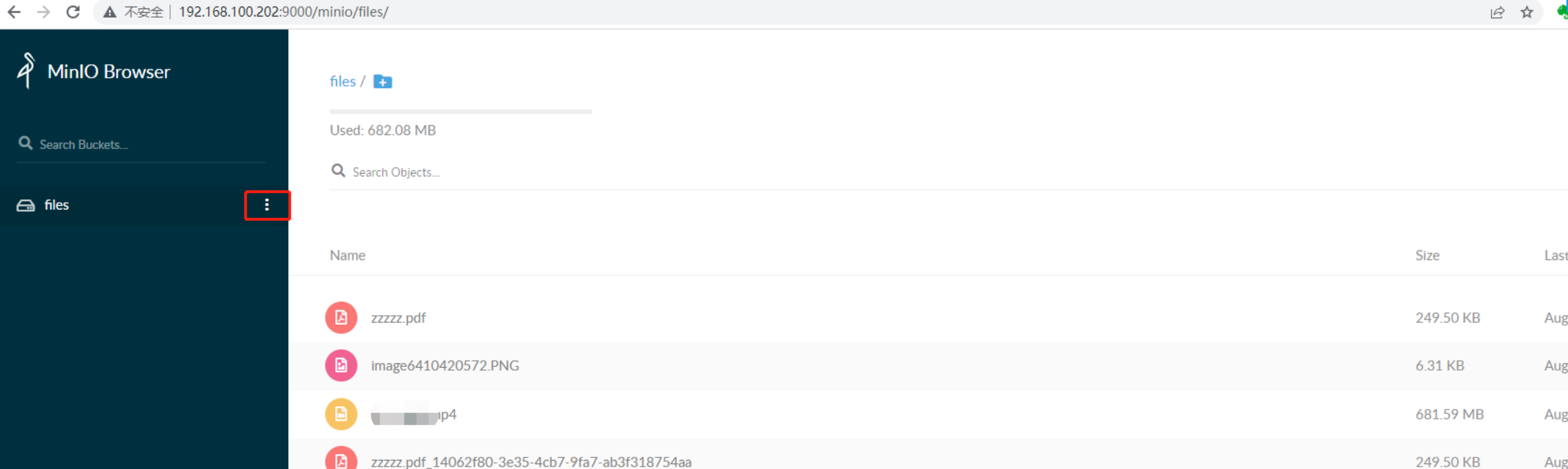
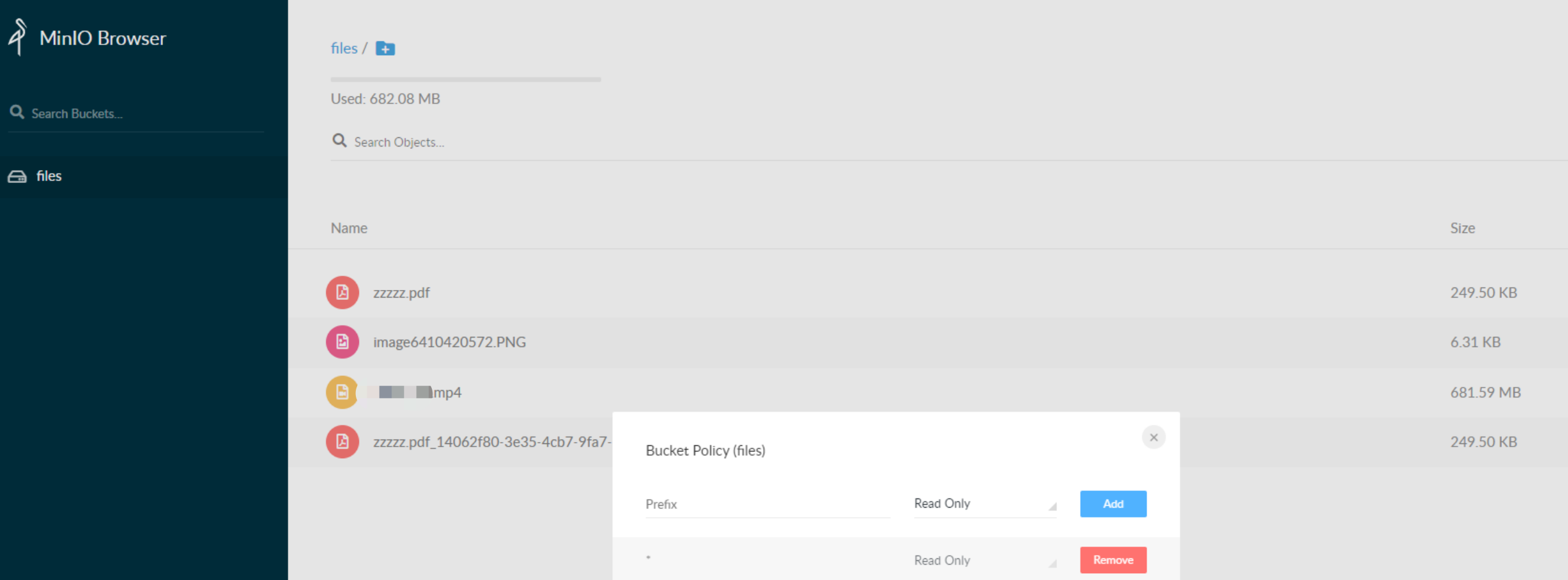
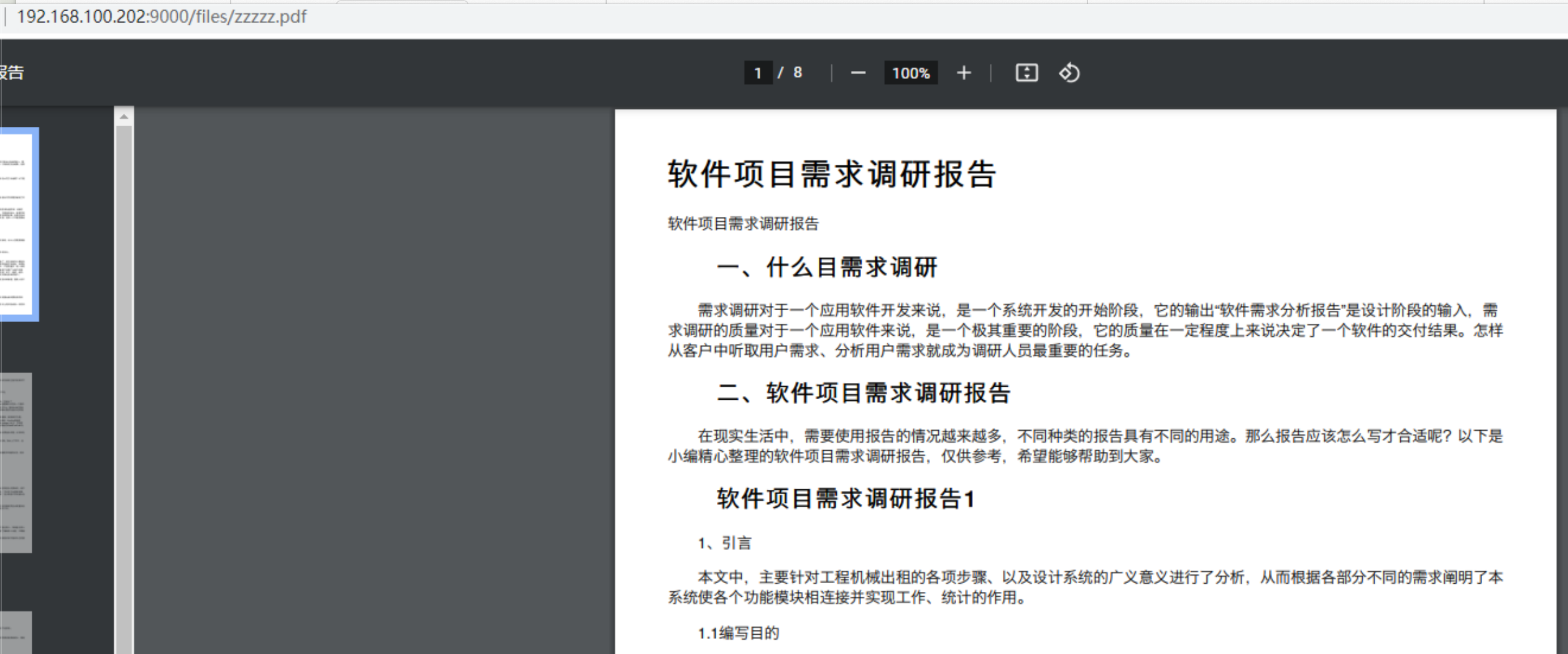
问题描述:安装minio后无法直接预览文件,在创建文件bucket后,上传图片文件,发现访问文件链接,浏览器并不会预期那样像访问静态网页一样打开图片,而是跳转到了minio系统,并且定位到该文件路径
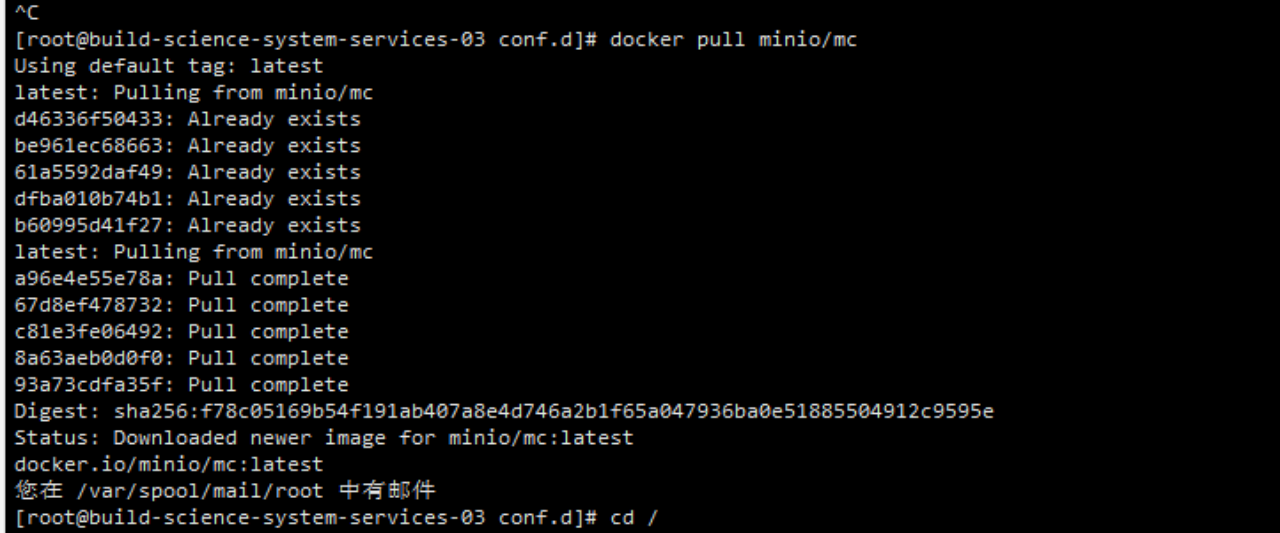
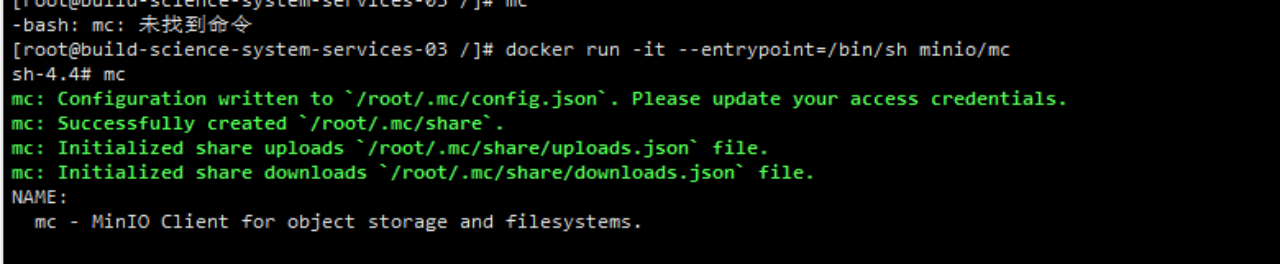
解决办法:原因是因为minio没有配置bucket策略,默认情况下,minio没有配置匿名读写的权限,跟nginx没关系



 浙公网安备 33010602011771号