
vue接入百度地图
1.需要在百度地图API获取密钥(AK)
2.安装 npm install vue-baidu-map --save
3.全局引入
import Vue from 'vue'
import BaiduMap from 'vue-baidu-map'

Vue.use(BaiduMap, {

  ak: 'YOUR_APP_KEY' // ak 是在百度地图开发者平台申请的密钥
})
4.组件中使用
<template>
  <div class="BaiDuMap">
    <baidu-map
      :center="center"
      :zoom="zoom"
      :scroll-wheel-zoom="true"
      style="width: 100%; height: 100%"
      @ready="handler"
      @click="getClickInfo"
      @moving="syncCenterAndZoom"
      @moveend="syncCenterAndZoom"
      @zoomend="syncCenterAndZoom"
    >
      <!-- 必须给容器指高度,不然地图将显示在一个高度为0的容器中,看不到 -->
      <bm-navigation anchor="BMAP_ANCHOR_TOP_RIGHT"></bm-navigation>
      <bm-geolocation
        anchor="BMAP_ANCHOR_BOTTOM_RIGHT"
        :showAddressBar="true"
        :autoLocation="true"
      ></bm-geolocation>
      <bm-city-list anchor="BMAP_ANCHOR_TOP_LEFT"></bm-city-list>
    </baidu-map>
  </div>
</template>
<script>
export default {
  data() {
    return {
      // 地址信息
      address: null,
      center: { lng: 0, lat: 0 },
      //地图展示级别
      zoom: 11,
    };
  },
  methods: {
    handler({ BMap, map }) {
      this.center.lng = 116.404;
      this.center.lat = 39.915;
      this.zoom = this.zoom;
    },

    getClickInfo(e) {
      const myGeo = new BMap.Geocoder();  //创建地理编码实例
      // 根据坐标逆解析地址
      myGeo.getLocation(new BMap.Point(e.point.lng, e.point.lat), (result) => {
        console.log(result, "result-->>>>");
        if (result) {
          this.address = result.address;
        }
      });
      this.center.lng = e.point.lng;
      this.center.lat = e.point.lat;
    },

    syncCenterAndZoom(e) {
      console.log(e.target, 'e.target-->>>>')
      const { lng, lat } = e.target.getCenter();
      this.zoom = e.target.getZoom();
    },
  },
};
</script>
<style scoped>
.BaiDuMap {
  width: 100%;
  height: 100%;
}
</style>
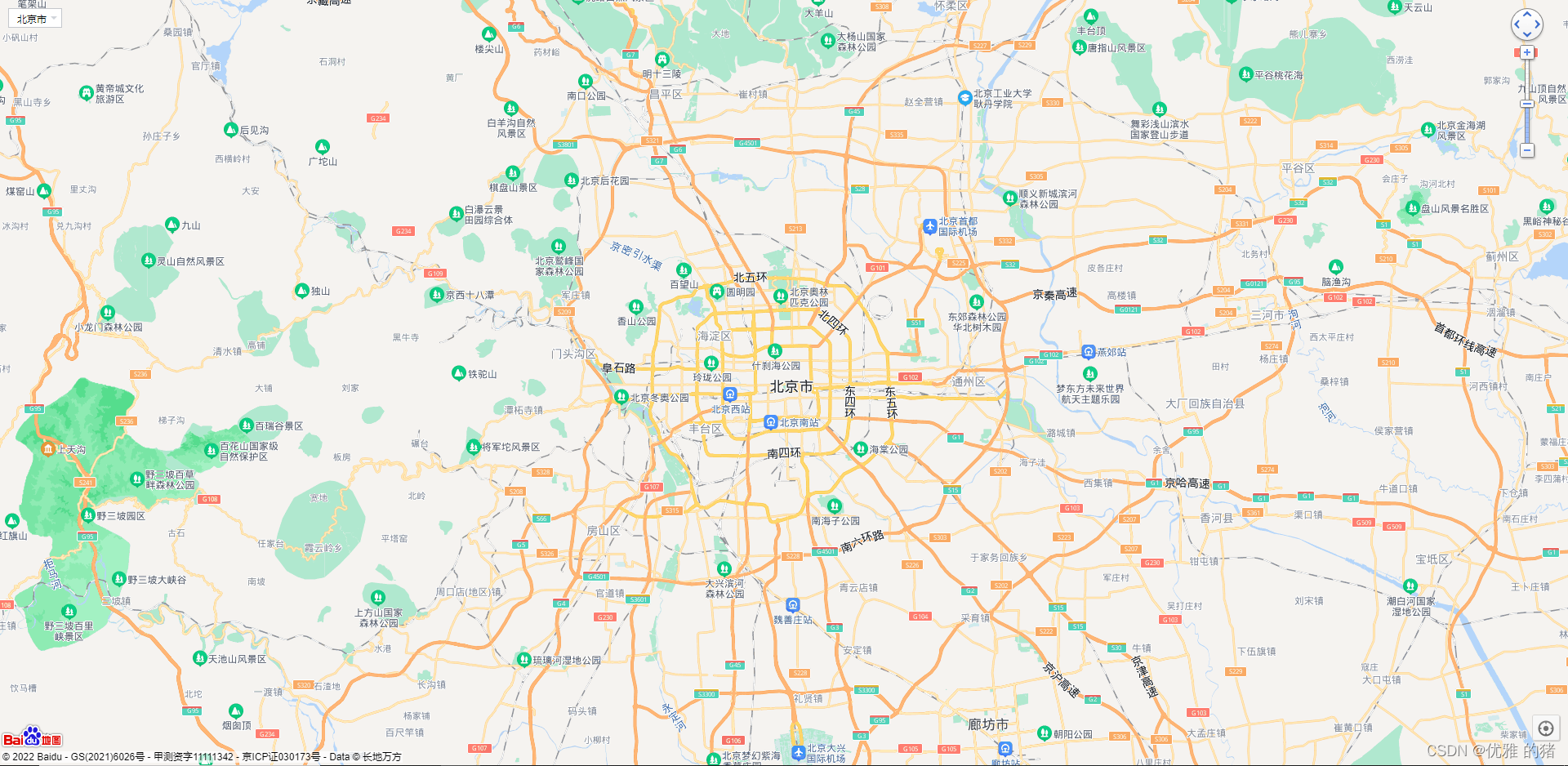
效果展示:

 浙公网安备 33010602011771号