
vue上用html2canvas.js生成二维码
方法toImage() 合成图片的url:
toImage() {
const that = this
//需要合成图片在div内,div设置ref="qrImage",id="qrCapture",即 this.$refs.qrImage可替换document.querySelector('#qrCapture')
html2canvas(document.querySelector('#qrCapture'), { allowTaint: true, taintTest: true, useCORS: true, logging: true, async: true }).then(canvas => {
that.imgUrl = URL.createObjectURL(that.base64ToBlob(canvas.toDataURL()))
setTimeout(() => {
this.builded = true
if (this.imgUrl !== '') {
that.$message.success({
message: '海报与转发文案已经生成,请长按图片保存并分享到朋友圈,记得粘贴文案哦',
position: 'middle'
})
}
}, 100)
// this.$emit('success', this.imgUrl)
// this.downloadImg()
})
}
点击按钮跳转到海报生成页面,海报生成组件得渲染后显示在页面上,即要在mounted上调用方法toImage()。
问题:
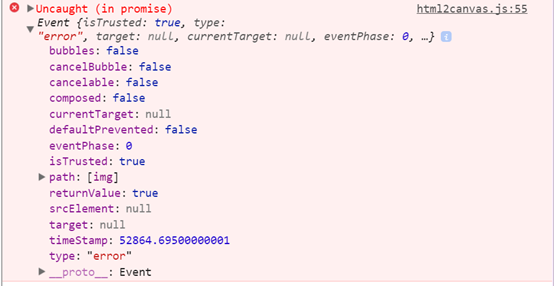
解决:
mounted() 上延迟调用即可。
mounted() {
setTimeout(() => {
this.toImage()
}, 100)
}

 浙公网安备 33010602011771号