
小兔鲜项目随笔
精灵图使用
- 图片引用
-
- background-image: url(../images/sprites.png);
- 设置图标尺寸
-
- width: 36px;
-
- height: 36px;
- 图片位置
-
- background-position: -247px -66px;
背景图缩放
favicon-标题图标(标签页图标)

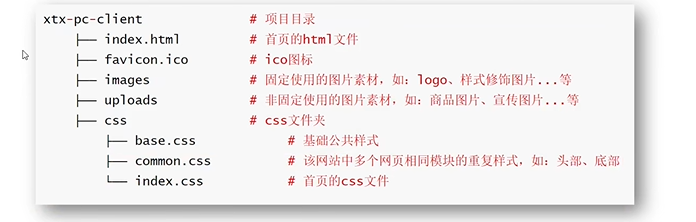
目录结构
去除<li>标签的圆点
li{
list-style-type:none;
}
父相子绝
父元素 position: relative;
子元素 position: absolute;
如果父元素没有设置相对定位的话,子元素是根据浏览器窗口定位,此时浏览器缩放时就会出现bug
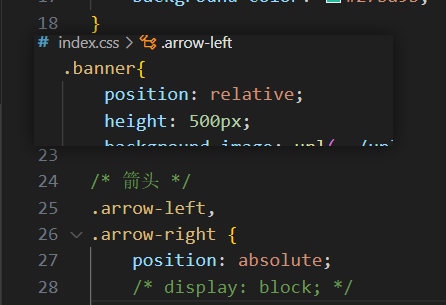
bug:
css字体粗细设置: font-weight
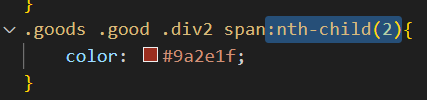
css选择器指定第n个元素
:nth-child(2)
一些其他的用法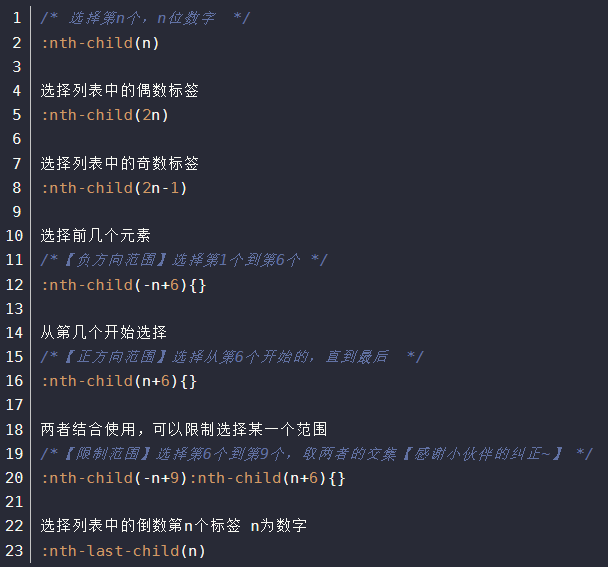
css使用flex布局时设置间隙
justify-content: space-between;
背景图片的大小不是通过height好width调节的,是通过background-size: 404px 288px;
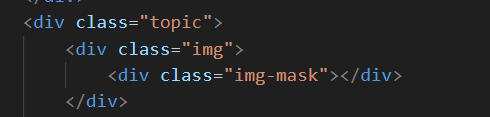
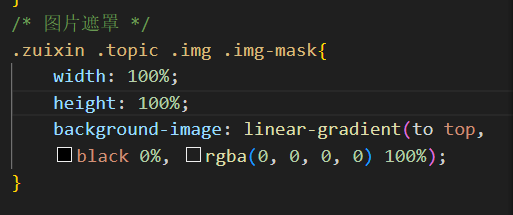
图片渐变遮罩效果:
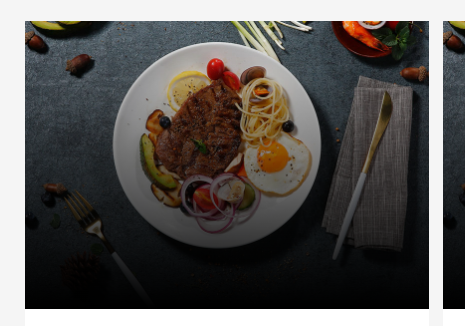
将遮罩图片放在背景图元素内
设置大小撑满父元素以及渐变效果
参考链接:
https://blog.csdn.net/qq_44892120/article/details/122086036?utm_medium=distribute.pc_relevant.none-task-blog-2
https://blog.csdn.net/GrootBaby/article/details/86536064

 浙公网安备 33010602011771号