
【自学React分享】React三大核心属性之一refs
refs
理解:
组件内的标签可以定义ref属性类标识自己,有点类似与JS中的id
实例:
例如:当输入框失去焦点时,弹出输入框内容(对比ref和id)
ref和id对比如下
<input ref="input1" onBlur={this.showDate} type ="text"placeholder="失去焦点提示内容"/>
showDate=()=>{
  const {input1}=this.refs
  alert(input1.value)
  }
<input id="input1" onBlur={this.showDate} type ="text"placeholder="失去焦点提示内容"/>
showDate=()=>{
  const input1=document.getElementById('input1')
  alert(input1.value)
}
ref的几种形式
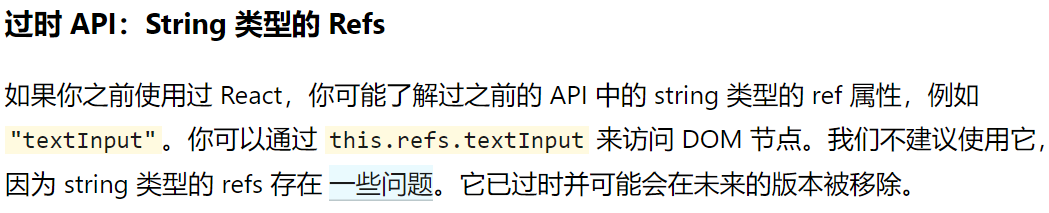
1、字符串形式
在上述例题采用的即为字符串形式
<input ref="input1"/>
但是管网不建议使用
2、函数回调形式的ref
<input ref={c=>{this.input1=c}}>
回调:我定义的,我没调用,但是执行了。
写的更加清晰一些为:
<input ref={(currentNode)=>{this.input.currentNode}}>
还可以写成,上面是内联函数的形式,区别为内联函数写法在更新的时候会被调用两次
(为了渲染,重新创建一个新的实例,第一次清空,第二次传值)
但是这是无关紧要的
<input ref={this.savaInput}/>
saveInput=(c)=>{
       this.input1=c
}
此方法,input1这个像是实例对象的一个属性,调用时this.input1就可以得到组件,如下:
            showDate2= ()=>{
                const {input1} = this
                alert(input1.value)
            }
是this.input1 而不是:this.refs.input1
3、creatRef创建ref容器
(目前官网最推荐的一种)
    myRef = React.createRef()

    <input onBlur={this.showDate} ref={this.inpu1}/>

     showDate=()=>{
                alert(this.input1.current.value)
            }
注意:调用时的不同,是组件本身的input1,类似回调形,但是后面有个current
因为createRef创造的ref容器是专用的,即只可以放一个ref
最后,不要过度使用ref,在事件处理里有其他方法
详情看我另一篇文章《【自学React分享】事件处理》

 浙公网安备 33010602011771号