

C#操作word
C#调整word格式
有时你可能会处理大量的word文件,可能是生成,也可能是调整格式,接下来就讲一下怎么用C#操作word,在这个项目中我运用的是using Spire.Doc,using Spire.Doc.Documents,using Spire.Doc.Fields;
OK,这篇文章分为两部分:
1、用C#连接word
2、更改word格式 ,保存word
1、用C#连接word
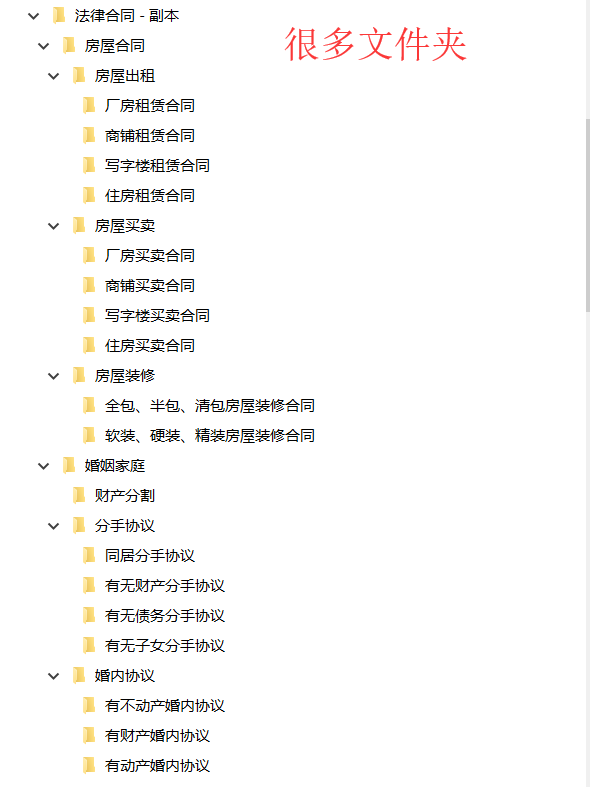
因为我处理的文件呢,是由很多文件夹构成的,如图,这样子呢,我们要处理到里面的word就得一层层的去遍历,接下来上代码了。

   private void button1_Click(object sender, EventArgs e)
        {

            System.IO.DirectoryInfo dir = new System.IO.DirectoryInfo(@"C:\Users\Baron\Desktop\采购合同");//获取文件路径
            FileSystemInfo[] directoryinfo = dir.GetFileSystemInfos();   //获取第一层文件夹下的所有文件
            foreach (FileSystemInfo item in directoryinfo)
            {

                TraverseFile(item);
            }

            MessageBox.Show("加载完毕");
        }
public void TraverseFile(FileSystemInfo url)
        {
            string path = url.FullName;
            if (File.Exists (path))    //判断是文件则进入
            {

                //是文件
                string  FilePath = path;
                string  fliename = url.Name;

                Document document = new Document();

                document.LoadFromFile(path);

                string Text_1 = document.GetText();     //获取word文本
                header = document.Sections[0].HeadersFooters.Header;
                if (Text_1 != null)
                {
                    SplitWord(Text_1, fliename);
                }
                SaveWord(path);   //储存路径,当word格式修改完成之后再按照源路径储存回去


            }
            else if (Directory.Exists (path))  //判断是文件夹则进入下一层继续循环
            {
                //文件夹
                System.IO.DirectoryInfo dir = new System.IO.DirectoryInfo(path);
                FileSystemInfo[] directoryinfo = dir.GetFileSystemInfos();
                foreach (FileSystemInfo nextFolder in directoryinfo)
                {
                    TraverseFile(nextFolder);
                }

            }


        }
   private void SplitWord(string text_1,string name)
        {
            List<string> textList = new List<string>();
            string[] textArray = text_1.Split('\n','\r');   //用分隔符将文本分割成段落
            for (int i = 1; i < textArray.Length; i++)
            {
                string test_1 = textArray[i];
               //由于.Net自带的spric.Doc带有"Evaluation Warning: The document was created with Spire.Doc for .NET.",所以越到此段文字就不保存
                if (textArray[i]!=""&&textArray[i]!= "Evaluation Warning: The document was created with Spire.Doc for .NET.")
                {
                    textList.Add(textArray[i]);   //将文本按照先后顺序存入List
                }
            }

            wordText.Add(name , textList);   //word标题对应自己的文本用字典存入
        }
2、更改word格式 ,保存word
private void SaveWord(string path)
        {
            //addhead();   //从存入的word中取出文字
            foreach (var item in wordText.Keys)
              {
                Document doc = new Document();
                Section sec = doc.AddSection();

                ListStyle listStyle = new ListStyle(doc,ListType.Numbered);  //这段是用来做层级的
                listStyle.Name = "levelstyle";
                listStyle.Levels[0].PatternType = ListPatternType.Arabic;  //第一层级
                listStyle.Levels[1].PatternType = ListPatternType.Arabic;    //第二层级
                listStyle.Levels[2].PatternType = ListPatternType.Arabic;   //第三层级

                doc.ListStyles.Add(listStyle);     将层级加入文本

                for (int i = 0; i < wordText[item].Count-1; i++)
                {
                    Paragraph para = sec.AddParagraph();                  //段落设置
                    string paraText = wordText[item][i].Trim();
                    TextRange tr = para.AppendText(paraText);

                    /*设置整个文本
                    Spire.Doc.Formatting.CharacterFormat format = new Spire.Doc.Formatting.CharacterFormat(doc);

                    format.FontName = "宋体";
                    format.FontSize = 10.5f;
                    */

                    if (i==0)
                    {
                        Section sec_0 = doc.Sections[0];
                        sec_0.PageSetup.DifferentFirstPageHeaderFooter = true;
                        //添加页眉
                        Paragraph headerpara = sec_0.HeadersFooters.FirstPageHeader.AddParagraph();
                        headerpara.Format.HorizontalAlignment = HorizontalAlignment.Left;
                        DocPicture headerimage = headerpara.AppendPicture(Image .FromFile(@" C:\Users\Baron\Desktop\Logo\logo.PNG"));
                        //添加页脚

                        HeaderFooter footer = sec.HeadersFooters.Footer;
                        Paragraph footerPara = footer.AddParagraph();
                        footerPara.AppendField("页码", FieldType.FieldPage);
                        //footerPara.AppendText("/");
                        //footerPara.AppendField("总页数",FieldType.FieldNumPages);
                        footerPara.Format.HorizontalAlignment = HorizontalAlignment.Center;

                        //将第一段作为标题,设置标题格式2
                        tr.CharacterFormat.FontName="黑体";
                        tr.CharacterFormat.FontSize = 22f;
                       // tr.ApplyCharacterFormat(format);
                        para.ApplyStyle(BuiltinStyle.Heading1);
                        para.Format.LineSpacing = 30f;
                        para.Format.HorizontalAlignment = HorizontalAlignment.Center;
                     //  para.ListFormat.ApplyStyle("levelstyle");
                        doc.SaveToFile(path, FileFormat.Auto);   //保存
                        continue;
                    }
                    else
                    {
                        foreach (var head in Head_list)
                        {
                            if (paraText.Contains(head))
                            {

                                // tr.ApplyCharacterFormat(format);
                                tr.CharacterFormat.FontName = "宋体";
                                tr.CharacterFormat.FontSize = 10.5f;
                                tr.CharacterFormat.Bold = true;
                                tr.CharacterFormat.Italic = false;
                                para.ApplyStyle(BuiltinStyle.Heading2);
                                para.ListFormat.ListLevelNumber = 1;
                              //  para.ListFormat.ApplyStyle("levelstyle");
                                para.Format.HorizontalAlignment = HorizontalAlignment.Left;
                                //首行缩进两个字符

                                doc.SaveToFile(path, FileFormat.Auto);  //保存
                                continue;

                            }
                        }

                    }


                    para.Format.BeforeAutoSpacing = false;
                    para.Format.BeforeSpacing = 0;
                    para.Format.AfterAutoSpacing = false;
                    para.Format.AfterSpacing = 0;
                    para.ApplyStyle(BuiltinStyle.BodyText);
                    para.ListFormat.ListLevelNumber = 2;
                    tr.CharacterFormat.FontName = "宋体";
                    tr.CharacterFormat.FontSize = 10.5f;
                    tr.CharacterFormat.Italic = false;
                  // para.ListFormat.ApplyStyle("levelstyle");
                    //doc.Sections[0].Paragraphs.Insert(1, para);
                    para.Format.FirstLineIndent = 20;  //首行缩进
                    para.Format.LineSpacing = 18f;


                    para.Format.HorizontalAlignment = HorizontalAlignment.Left;

                    doc.SaveToFile(path, FileFormat.Auto);   //保存word
                }


            }

            num++;
            textBox3.Text = num.ToString();   //由于我有600个word,设置数量再界面上显示
            textBox3.BackColor =Color.Red;
            textBox4.Text =" "+path+"";


        }
最后附上效果图
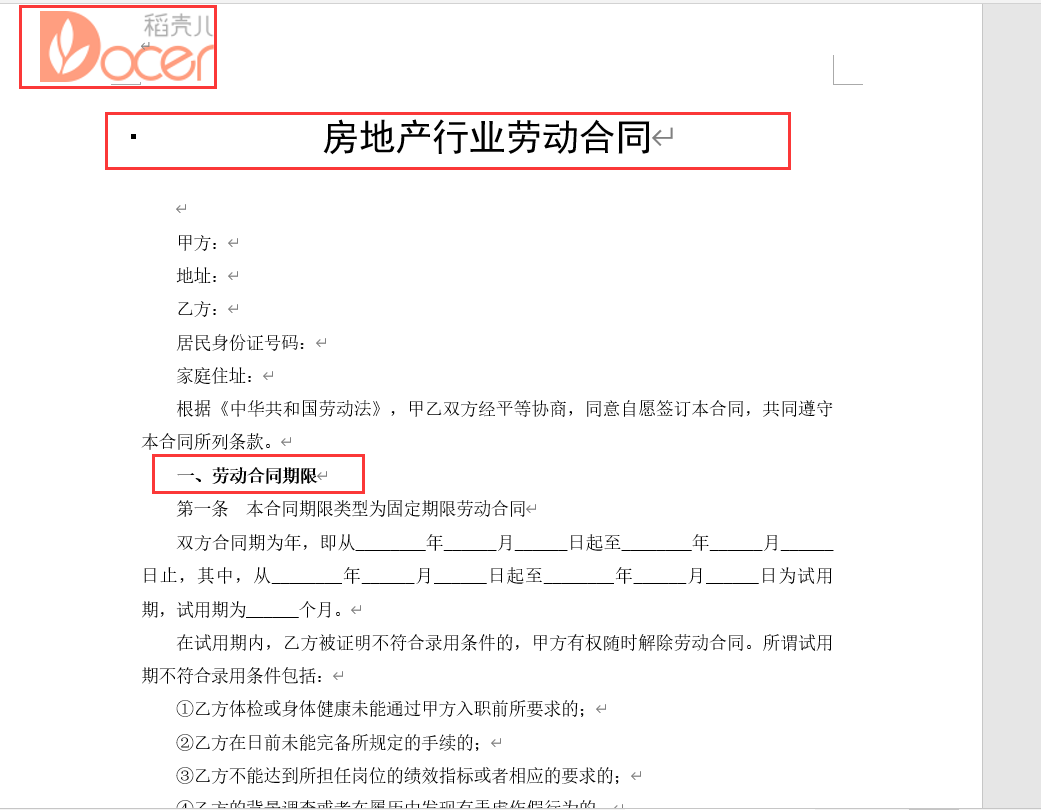
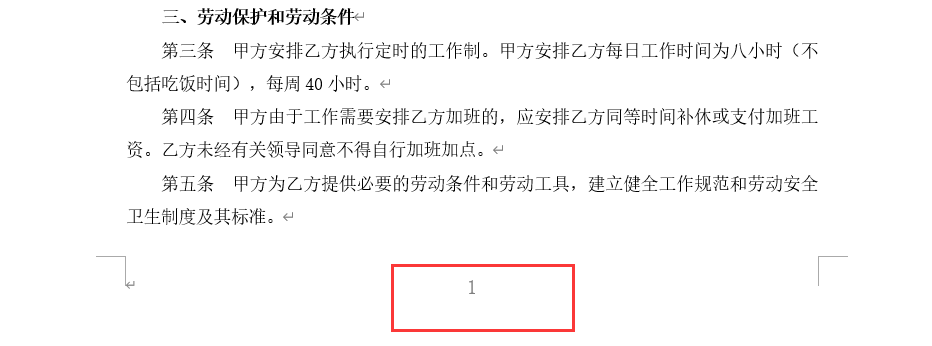
然后就完成了,代码很简单哦,小伙伴们可以尝试一下。

 浙公网安备 33010602011771号