
QLabel HTML语法富文本的使用
Qt部分支持Html、CSS语法 对其组件进行美化绘制
参考资料:
Supported HTML Subset | Qt GUI 5.15.17
官方文档介绍了支持的标签以及属性
一下是我做的一个例子
Qt C++部分代码:
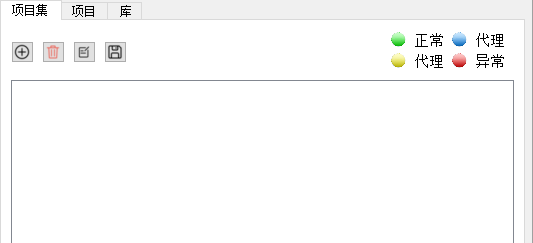
需求是绘制一个图例,图片如下:
    //增加图例
    QLabel* legend=new QLabel;

    // 打开资源文件
    QFile file(":/html/test2.html");
    if (!file.open(QIODevice::ReadOnly | QIODevice::Text)) {
        qWarning() << "Failed to open resource file";
    }

    legend->setTextFormat(Qt::RichText);
    legend->setText(file.readAll());
    legend->setOpenExternalLinks(true);

    legend->setAlignment(Qt::AlignCenter);
以下为html文件代码:
我在注释里面注明了一些需要注意的地方,仅供参考。
<html> <head> <style> .legend { display: flex; align-items: center; margin-bottom: 10px; width: 20; } /*qt 富文本不支持 style css修饰*/ /* img { width: 1; height: 1; margin-right: 5; } */ .centered { text-align: center; } /*修饰默认字体*/ #f { font-size: 15px; } </style> </head> <body> <table> <tr> <!-- 调整布局使用 --> <td> <div > <p> </p> </div> </td> <td> <div class="legend"> <!-- 单位默认为px 不能再次写px 会导致 属性失效 不支持%语法--> <img src=":/new/prefix1/ico/directConnect.ico" width="15" height="15"> </div> </td> <td> <div class="legend"> <font class="center" id="f" face="Arial">正常</font> <!-- 直连模式设备 --> </div> </td> <td> <div class="legend"> <img src=":/new/prefix1/ico/delegateConnect.ico" width="15" height="15"> </div> </td> <td> <div> <font class="center" id="f" face="Arial">代理</font> <!-- 代理模式设备(基本端口映射完成 设备端口映射完成) --> </div> </td> </tr> <tr> <!-- 调整布局使用 --> <td> <div style="width: 20px;"></div> </td> <td> <div class="legend"> <img src=":/new/prefix1/ico/NotComplete.ico" width="15" height="15"> </div> </td> <td> <div> <font class="center" id="f" face="Arial">代理</font> <!-- 代理模式设备(基本端口映射完成 设备端口映射缺失) --> </div> </td> <td> <div class="legend"> <img src=":/new/prefix1/ico/Error.ico" width="15" height="15"> </div> </td> <td> <div> <font class="center" id="f" face="Arial">异常</font> <!-- 代理模式设备(基本端口映射缺失 设备端口映射缺失) --> </div> </td> </tr> </table> </body> </html>

 浙公网安备 33010602011771号