
Run OP-TEE using QEMU for Armv8-A on a local Linux PC(VM)
Documentation: https://optee.readthedocs.io/en/latest/building/index.html
本文记录笔者使用 QEMU 提供的 ARMv8 平台运行 OP-TEE 时所遇到的问题与解决办法。
Prerequisites
>  FROM ubuntu:22.04
>  ARG DEBIAN_FRONTEND=noninteractive
>  ENV FORCE_UNSAFE_CONFIGURE=1
  # 更新源
  $ sudo apt update && apt upgrade -y
  # 安装依赖
  $ sudo apt install -y adb acpica-tools autoconf automake bc bison            \
        build-essential ccache cpio cscope curl device-tree-compiler           \
        e2tools expect fastboot flex ftp-upload gdisk git libattr1-dev         \
        libcap-ng-dev libfdt-dev libftdi-dev libglib2.0-dev libgmp3-dev        \
        libhidapi-dev libmpc-dev libncurses5-dev libpixman-1-dev               \
        libslirp-dev libssl-dev libtool libusb-1.0-0-dev make mtools           \
        netcat-traditional ninja-build python3-cryptography python3-pip python3-pyelftools \
        python3-serial python3-tomli python-is-python3 rsync swig unzip        \
        uuid-dev wget xdg-utils xsltproc xterm xz-utils zlib1g-dev
  # 下载 repo
  $ curl https://storage.googleapis.com/git-repo-downloads/repo > sudo /bin/repo && chmod a+x /bin/repo
  # 若出现错误 `sh: /bin/repo: Permission denied` 或
  # % Total    % Received % Xferd  Average Speed   Time    Time     Time  Current
  #                                Dload  Upload   Total   Spent    Left  Speed
  # 100 44873  100 44873    0     0  21755      0  0:00:02  0:00:02 --:--:-- 21761
  # curl: (3) URL rejected: No host part in the URL
  # 则需在浏览器中打开 `https://storage.googleapis.com/git-repo-downloads/repo` 该地址手动下载完成,验证无误(查看其前几行,若为 python 代码则是对的,若为 HTML 则需删除后重新下载)后,放在 `/bin/repo` 目录下
  hyper@QAQ:~/workspace$ cd ~/Downloads/
  hyper@QAQ:~/Downloads$ ls
  repo
  hyper@QAQ:~/Downloads$ chmod a+x repo
  hyper@QAQ:~/Downloads$ head -n 5 repo
  #!/usr/bin/env python3
  #
  # Copyright (C) 2008 The Android Open Source Project
  #
  # Licensed under the Apache License, Version 2.0 (the "License");
  hyper@QAQ:~/Downloads$ sudo mv repo /bin/repo
  hyper@QAQ:~/workspace$ repo --version
  <repo not installed>
  repo launcher version 2.50
         (from /usr/bin/repo)
  git 2.43.0
  Python 3.12.3 (main, Feb  4 2025, 14:48:35) [GCC 13.3.0]
  OS Linux 6.8.0-38-generic (#38-Ubuntu SMP PREEMPT_DYNAMIC Fri Jun  7 15:25:01 UTC 2024)
  CPU x86_64 (x86_64)
  Bug reports: https://issues.gerritcodereview.com/issues/new?component=1370071
  # 初始化 repo
  hyper@QAQ:~/workspace/$ mkdir optee-qemu-armv8 && cd optee-qemu-armv8
  hyper@QAQ:~/workspace/optee-qemu-armv8$ ls
  # 更换清华源,验证身份,执行成功
  hyper@QAQ:~/workspace/optee-qemu-armv8$ git config --global user.email "yourxxxemail@xx.com"
  hyper@QAQ:~/workspace/optee-qemu-armv8$ git config --global user.name "yourname"
  hyper@QAQ:~/workspace/optee-qemu-armv8$ repo init -u https://github.com/OP-TEE/manifest.git -m qemu_v8.xml --repo-url=https://mirrors.tuna.tsinghua.edu.cn/git/git-repo
  repo: reusing existing repo client checkout in /home/hyper/workspace/optee-qemu-armv8

  Testing colorized output (for 'repo diff', 'repo status'):
    black    red      green    yellow   blue     magenta   cyan     white
    bold     dim      ul       reverse
  Enable color display in this user account (y/N)? y

  repo has been initialized in /home/hyper/workspace/optee-qemu-armv8
  # 同步/抓取
  hyper@QAQ:~/workspace/optee-qemu-armv8$ ls
  hyper@QAQ:~/workspace/optee-qemu-armv8$ sed -i "s/\.git//g" .repo/manifest.xml
  hyper@QAQ:~/workspace/optee-qemu-armv8$ repo sync -j8
  Fetching: 100% (19/19), done in 12m45.788s
  Updating files: 100% (1783/1783), done.est.gitUpdating files:  91% (1635/1783)
  Updating files: 100% (1718/1718), done.tls.gitUpdating files:  16% (1670/10435)
  Updating files: 100% (3075/3075), done.rvices.gitUpdating files:  17% (1774/10435)
  Updating files: 100% (3596/3596), done.
  Updating files: 100% (3227/3227), done.P-firmware.gitUpdating files:  51% (2547/4993)
  Updating files: 100% (4993/4993), done.en.gitUpdating files: 100% (4993/4993)
  Updating files: 100% (13977/13977), done.-A/trusted-firmware-a.gitUpdating files:  12% (4338/36144)
  Updating files: 100% (10435/10435), done.root.gitUpdating files:  28% (10121/36144)
  Updating files: 100% (36144/36144), done.dating files:  38% (14015/36144)
  Updating files: 100% (87912/87912), done.ing files:  40% (35297/87912)
  Checking out: 100% (19/19), done in 34.292s
  repo sync has finished successfully.
  # 构建工具链
  hyper@QAQ:~/workspace/optee-qemu-armv8$ cd build
  hyper@QAQ:~/workspace/optee-qemu-armv8/build$ make toolchains -j2
  Downloading arm-gnu-toolchain-11.3.rel1-x86_64-arm-none-linux-gnueabihf ...
  Downloading arm-gnu-toolchain-11.3.rel1-x86_64-aarch64-none-linux-gnu ...
  info: downloading installer
  info: profile set to 'default'
  info: default host triple is x86_64-unknown-linux-gnu
  info: syncing channel updates for 'stable-x86_64-unknown-linux-gnu'
  860.7 KiB / 860.7 KiB (100 %) 739.6 KiB/s in  1s
  info: latest update on 2025-03-18, rust version 1.85.1 (4eb161250 2025-03-15)
  info: downloading component 'cargo'
    8.8 MiB /   8.8 MiB (100 %) 113.0 KiB/s in  1m 31s
  info: downloading component 'clippy'
    2.8 MiB /   2.8 MiB (100 %) 121.6 KiB/s in 16s
  info: downloading component 'rust-docs'
   18.2 MiB /  18.2 MiB (100 %)   3.2 MiB/s in  6s
  info: downloading component 'rust-std'
   29.2 MiB /  29.2 MiB (100 %)   3.2 MiB/s in 10s
  info: downloading component 'rustc'
   69.5 MiB /  69.5 MiB (100 %)  28.8 KiB/s in 54m 20s
  info: downloading component 'rustfmt'
    2.4 MiB /   2.4 MiB (100 %)   1.2 MiB/s in  2s
  info: installing component 'cargo'
    8.8 MiB /   8.8 MiB (100 %)   7.6 MiB/s in  1s
  info: installing component 'clippy'
  info: installing component 'rust-docs'
   18.2 MiB /  18.2 MiB (100 %)   1.9 MiB/s in 11s
  info: installing component 'rust-std'
   29.2 MiB /  29.2 MiB (100 %)   3.2 MiB/s in  9s
  info: installing component 'rustc'
   69.5 MiB /  69.5 MiB (100 %)   6.1 MiB/s in 20s
  info: installing component 'rustfmt'
  info: default toolchain set to 'stable-x86_64-unknown-linux-gnu'

    stable-x86_64-unknown-linux-gnu installed - rustc 1.85.1 (4eb161250 2025-03-15)

  Rust is installed now. Great!

  To get started you need Cargo's bin directory
  (/home/hyper/workspace/optee-qemu-armv8/build/../toolchains/rust/.cargo/bin) in
  your PATH
  environment variable. This has not been done automatically.

  To configure your current shell, you need to source
  the corresponding env file under
  /home/hyper/workspace/optee-qemu-armv8/build/../toolchains/rust/.cargo.

  This is usually done by running one of the following (note the leading DOT):
  . "/home/hyper/workspace/optee-qemu-armv8/build/../toolchains/rust/.cargo/env"
  # For sh/bash/zsh/ash/dash/pdksh
  source
  "/home/hyper/workspace/optee-qemu-armv8/build/../toolchains/rust/.cargo/env.fish"
  # For fish
  source
  "/home/hyper/workspace/optee-qemu-armv8/build/../toolchains/rust/.cargo/env.nu"
  # For nushell
  # 编译工程
  hyper@QAQ:~/workspace/optee-qemu-armv8/build$ make -f qemu_v8.mk all
Run QEMU
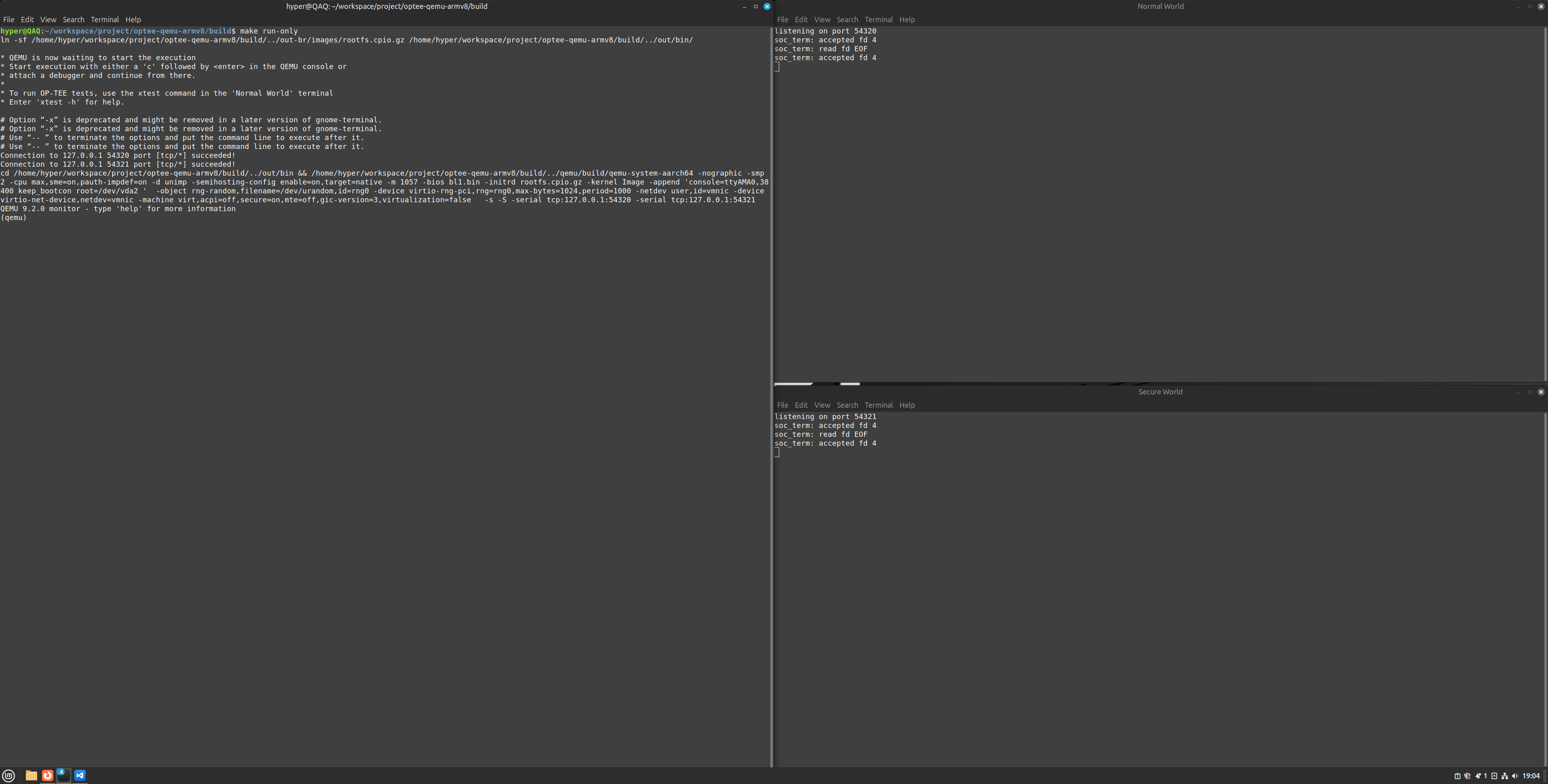
hyper@QAQ:~/workspace/optee-qemu-armv8/build$ make run-only
-
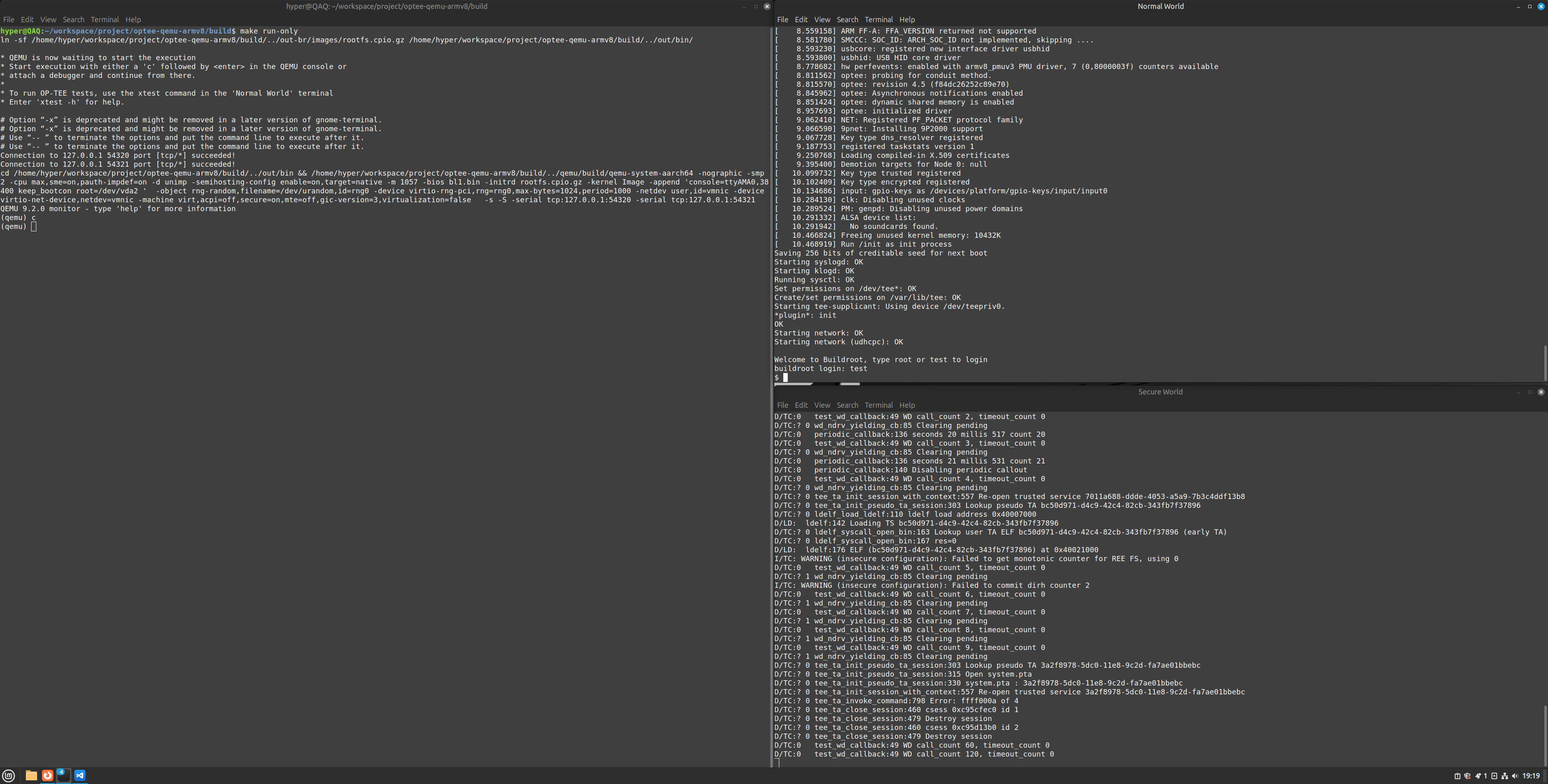
在 QEMU 界面中输入字符 'c' 回车,就会启动两个 terminal,一个 Secure World (OP-TEE), 另一个 Normal World (Linux)。在 Normal World 终端输入 test 或 root 登录进入 REE
-
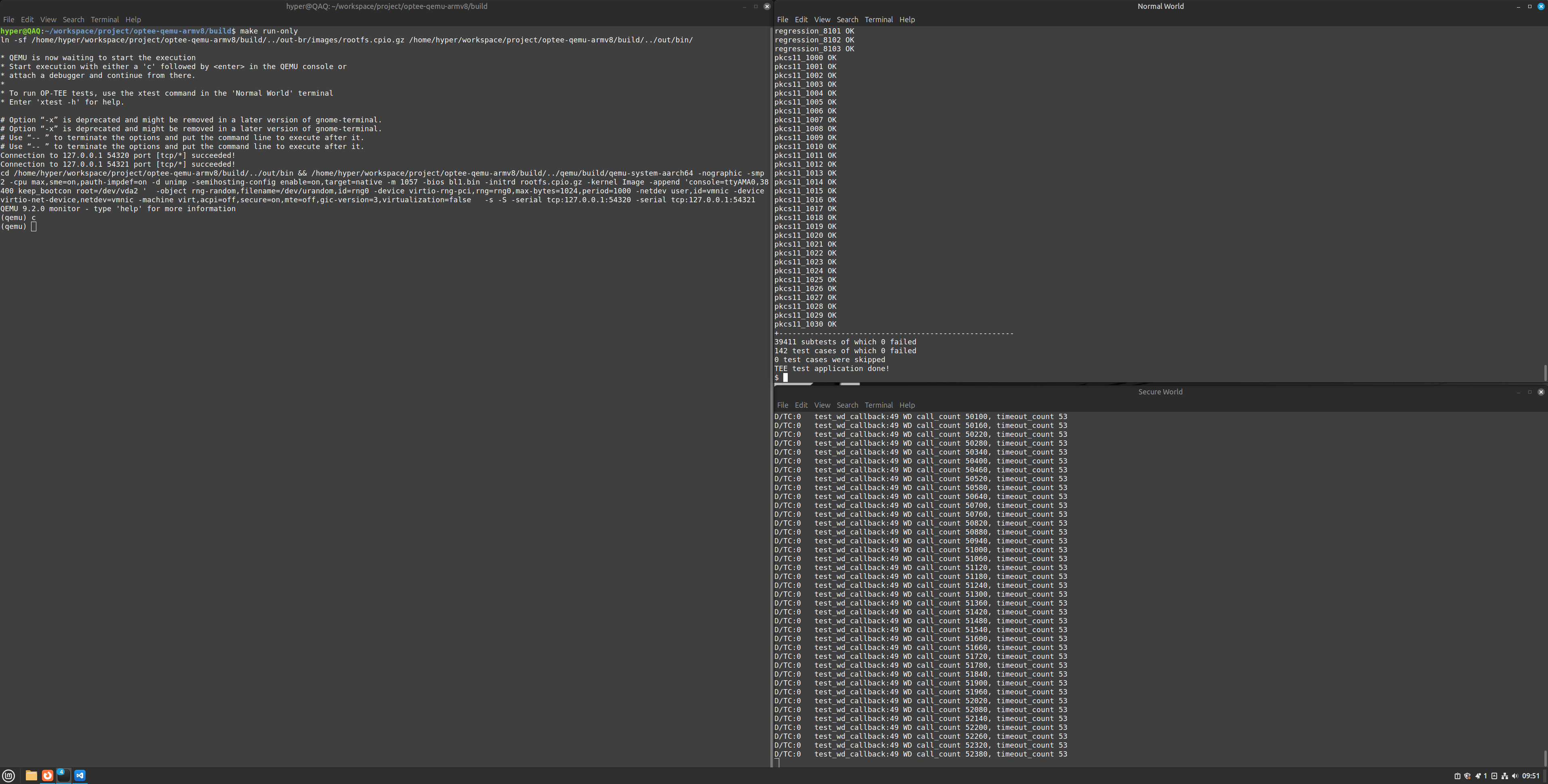
在 Normal World 终端输入 xtest 命令
- optee_test/xtest:包含使用 ARM(R) TrustZone(R) 技术的 Linux TEE 正确性测试套件的源代码, 默认情况下会执行数千条测试。
- optee_test/xtest:包含使用 ARM(R) TrustZone(R) 技术的 Linux TEE 正确性测试套件的源代码, 默认情况下会执行数千条测试。
-
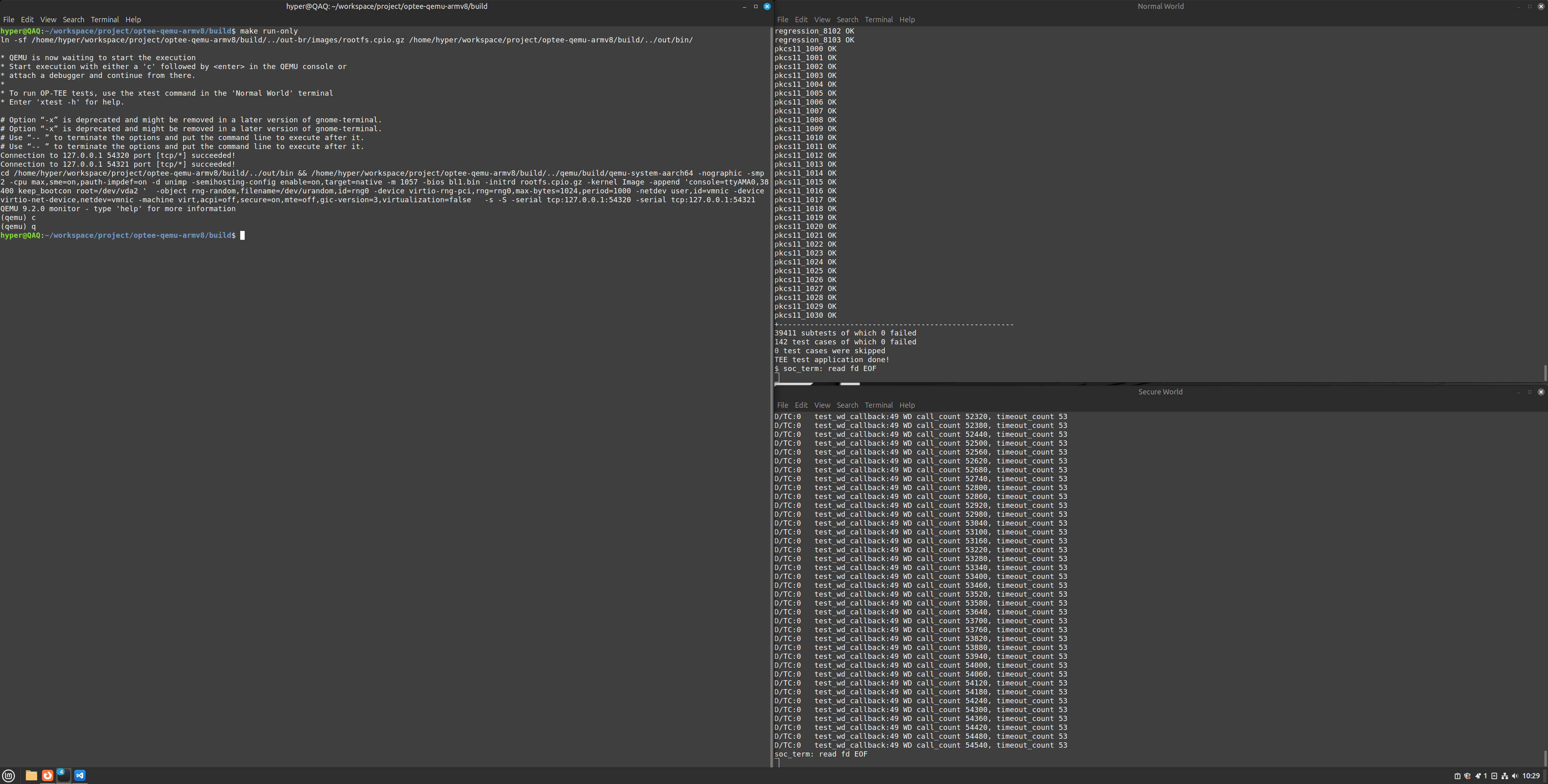
在 QEMU 界面中输入字符 'q' 回车,退出。
hello_world 数据流转
- 在 build 目录执行 make run-only 命令,启动 QEMU ,输入 C 开启 Normal World 和 Secure World 两个 Terminal
- 在 Normal World Terminal 输入 test 或 root 登入 REE 后再输入 optee_example_hello_world 命令,运行 hello_world demo
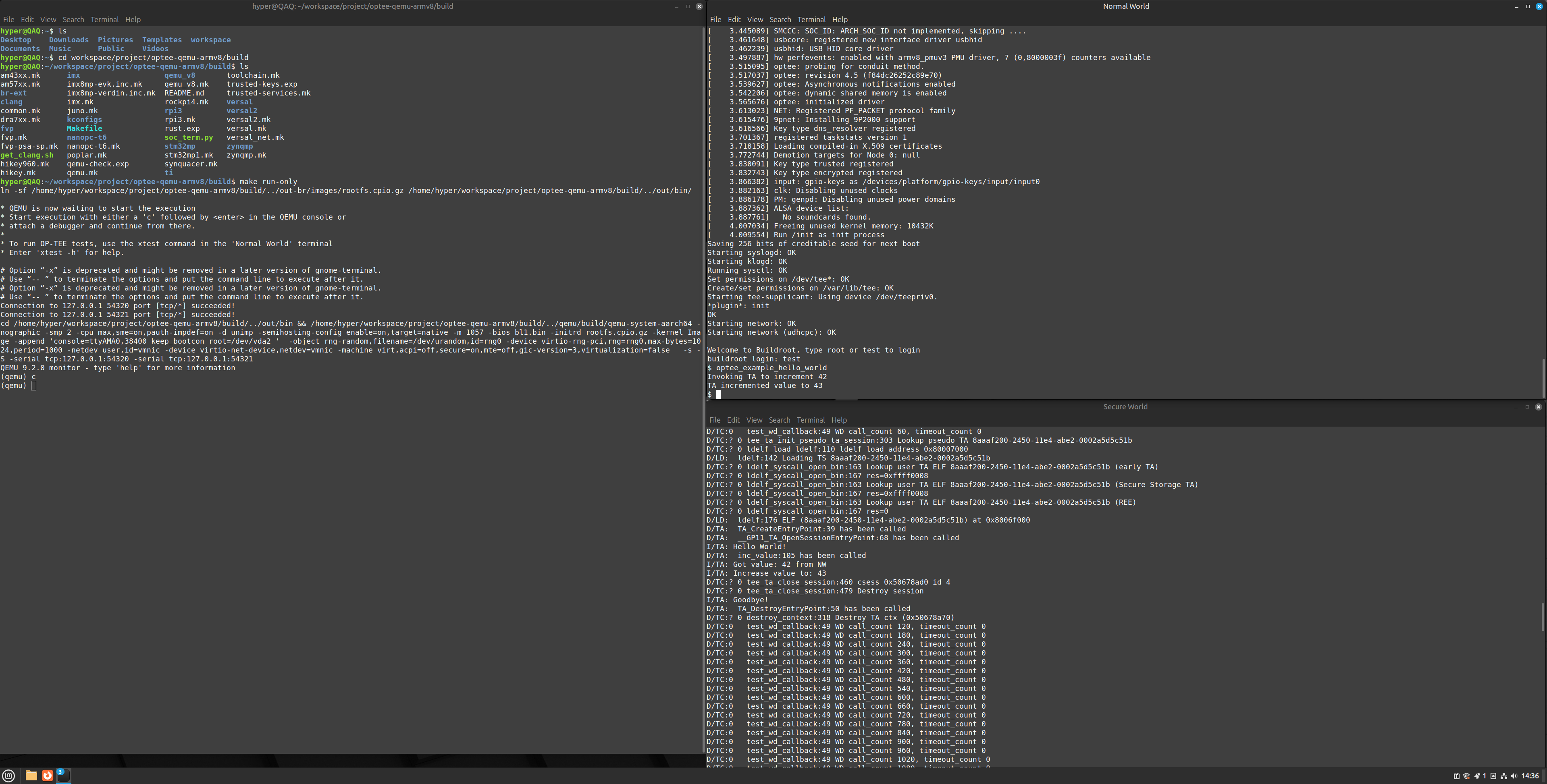
- optee_examples: OP-TEE 中包含的示例应用程序,旨在展示特定功能和用例。所有 OP-TEE 示例测试应用程序均以 optee_example_ 为前缀。所有示例应用程序均可作为独立主机和可信应用程序运行,并可在不同目录中找到。
  hyper@QAQ:~/workspace/project/optee-qemu-armv8/optee_examples$ ls
  acipher  aes  Android.mk  CMakeLists.txt  CMakeToolchain.txt  hello_world  hotp  LICENSE  Makefile  plugins  random  README.md  secure_storage
Example Application name UUID Function acipher optee_example_acipher a734eed9-d6a1-4244-aa50-7c99719e7b7b Generates an RSA key pair of specified size and encrypts a supplied string with it using the GlobalPlatform TEE Internal Core API. aes optee_example_aes 5dbac793-f574-4871-8ad3-04331ec17f24 Runs an AES encryption and decryption from a TA using the GlobalPlatform TEE Internal Core API. Non secure test application provides the key, initial vector and ciphered data. hello_world optee_example_hello_world 8aaaf200-2450-11e4-abe2-0002a5d5c51b This is a very simple Trusted Application to answer a hello command and incrementing an integer value. hotp optee_example_hotp 484d4143-2d53-4841-3120-4a6f636b6542 HMAC based One Time Password in OP-TEE random optee_example_random b6c53aba-9669-4668-a7f2-205629d00f86 Generates a random UUID using capabilities of TEE API (TEE_GenerateRandom()). secure_storage optee_example_secure_storage f4e750bb-1437-4fbf-8785-8d3580c34994 A Trusted Application to read/write raw data into the OP-TEE secure storage using the GlobalPlatform TEE Internal Core API. - 对 optee_examples_hello_world 的分析
-
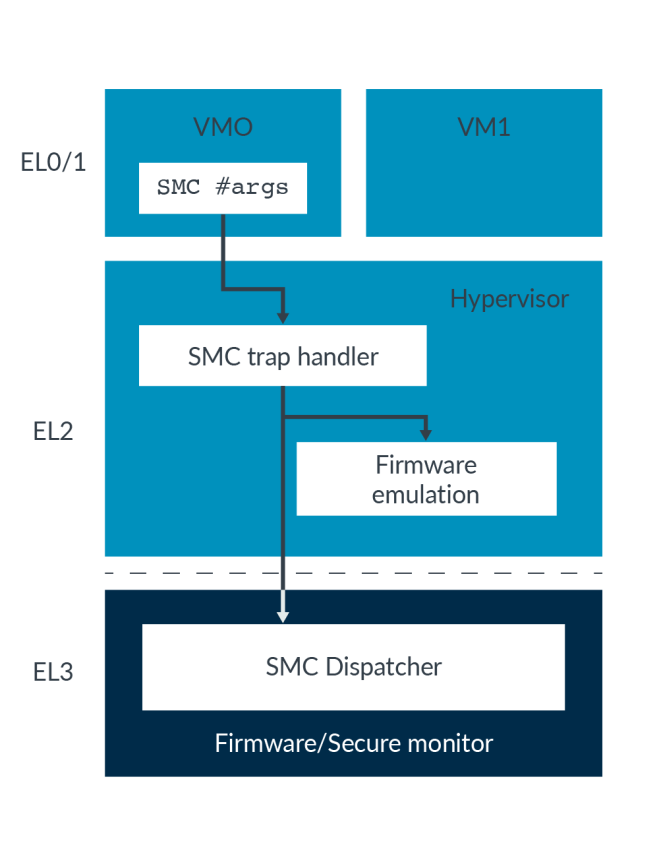
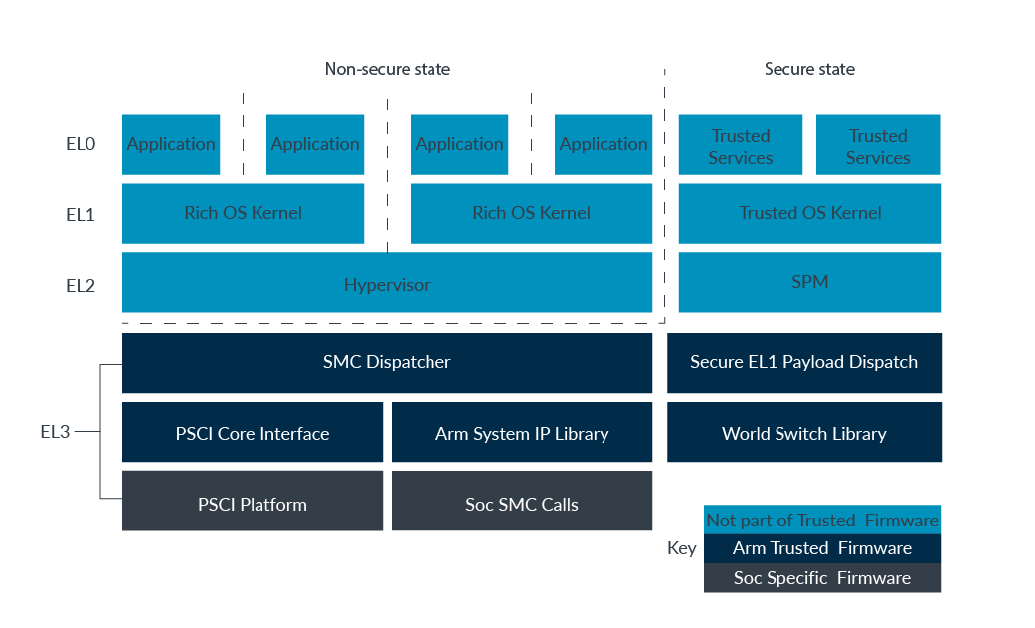
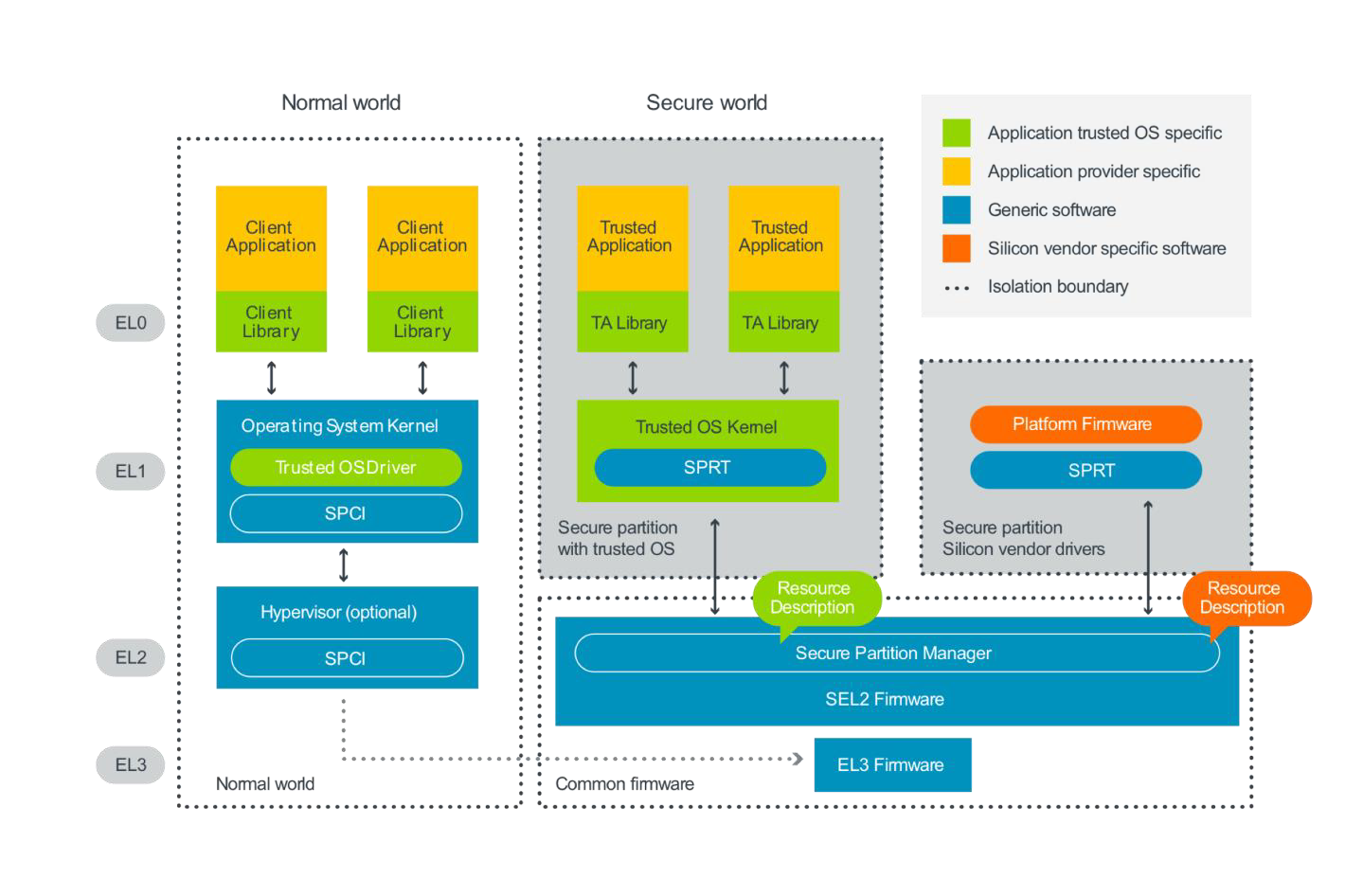
一次完整的功能调用一般由 CA 发起请求,TA 做具体功能实现并返回数据到 CA 。整个过程需要借助底层库或者硬件资源的支持,大致经历以下组件:
- OP-TEE Client API
- OP-TEE Driver on Linux Kernel
- EL3 ATF/SecureMonitorCall
- OP-TEE Kernel Thread
- OP-TEE TA
-
日志分析
缩写 全称 运行位置 核心职责 交互流程/日志示例 TA Trusted Application, 可信应用 Secure World 执行安全敏感操作
通过 GlobalPlatform TEE API 与 CA 交互TA 加载: OP-TEE 内核(TC) → 动态加载器(LD) → 加载 TA (ELF) 到安全内存 → 执行 TA
I/TA: Hello World! 表明一个 TA 的初始化输出CA Client Application, 客户应用 Normal World 调用 TA 的接口触发安全服务 CA 调用 TA: CA → libteec → Linux 内核驱动 → OP-TEE 内核(TC) → TATC TEE/TrustZone Core, OS 核心 Secure World 管理 TA 的生命周期(加载、执行、销毁)
处理跨世界(Secure ↔ Normal World)的通信和上下文切换
提供安全服务(如密码学接口、安全存储、硬件资源隔离)D/TC: tee_ta_close_session:关闭 TA 会话。
D/TC: test_wd_callback:看门狗定时器监控系统状态。LD Loader(ldelf), 动态加载器 Secure World 解析并加载 TA 的 ELF 文件到安全内存
处理 TA 的符号重定位、内存权限配置D/LD: ldelf:176 ELF...:加载 TA 到地址0x4005c000-
Secure World Terminal log
D/TC:? 0 tee_ta_init_pseudo_ta_session:303 Lookup pseudo TA 8aaaf200-2450-11e4-abe2-0002a5d5c51b
OP-TEE 首先尝试查找UUID = 8aaaf200-2450-11e4-abe2-0002a5d5c51b的伪可信应用(Pseudo Trusted Applications)。由于未找到匹配项,系统将转向动态加载用户 TA 。TA 分两类,一种是 User TA,也即一般而言的 TA ;另一种是伪 TA ,它是 OP-TEE 核心向外部世界(包括安全客户端可信应用和非安全客户端实体)暴露的服务接口,通过静态编译直接集成在 OP-TEE 核心二进制文件,其本质上是运行在安全特权层级的服务,通过 GlobalPlatform TA Client API暴露功能(安全或测试服务),但无法使用 GlobalPlatform 规范的标准 TA 接口(仅能直接调用 OP-TEE 核心内部 API 和函数)。D/TC:? 0 ldelf_load_ldelf:110 ldelf load address 0x80007000
启动动态加载器ldelf(Loader ELF),其二进制被映射到安全内存地址0x80007000。ldelf是 OP-TEE 的用户态 ELF 加载器,负责解析 TA 的 ELF 格式并建立执行环境。-
D/LD: ldelf:142 Loading TS 8aaaf200-2450-11e4-abe2-0002a5d5c51b D/TC:? 0 ldelf_syscall_open_bin:163 Lookup user TA ELF 8aaaf200-2450-11e4-abe2-0002a5d5c51b (early TA) D/TC:? 0 ldelf_syscall_open_bin:167 res=0xffff0008 D/TC:? 0 ldelf_syscall_open_bin:163 Lookup user TA ELF 8aaaf200-2450-11e4-abe2-0002a5d5c51b (Secure Storage TA) D/TC:? 0 ldelf_syscall_open_bin:167 res=0xffff0008 D/TC:? 0 ldelf_syscall_open_bin:163 Lookup user TA ELF 8aaaf200-2450-11e4-abe2-0002a5d5c51b (REE) D/TC:? 0 ldelf_syscall_open_bin:167 res=0ldelf开始加载目标 TA,尝试从以下位置查找 TA 镜像:
• Early TA(预编译到 OP-TEE 内核的 TA):失败(res=0xffff0008表示TEE_ERROR_ITEM_NOT_FOUND)。
• Secure Storage TA(安全存储中的加密 TA):同样未找到。
• REE 侧文件系统:最终在非安全世界的/lib/optee_armtz目录中找到 TA 文件,并通过tee-supplicant将其加载到共享内存。 D/LD: ldelf:176 ELF (8aaaf200-2450-11e4-abe2-0002a5d5c51b) at 0x8006f000
TA 的 ELF 镜像被加载到安全内存0x8006f000,完成地址空间映射和重定位。此时 TA 已具备执行条件。D/TA: TA_CreateEntryPoint:39 has been called
调用 TA 的构造函数TA_CreateEntryPoint,用于全局初始化(如注册 CA 白名单、初始化加密模块)。D/TA: __GP11_TA_OpenSessionEntryPoint:68 has been called
客户端(CA)通过TEEC_OpenSession请求建立会话,触发TA_OpenSessionEntryPoint。此函数可进行会话级初始化(如权限检查),示例代码中输出日志"Hello World!"即在此阶段完成。I/TA: Hello World!
对应TA代码中的DMSG("Hello World!\n"),通过OP-TEE内部日志接口输出,验证会话创建成功。D/TA: inc_value:105 has been called
客户端调用命令CMD_INC_VALUE(自定义命令ID),触发TA的TA_InvokeCommandEntryPoint分支逻辑。示例代码中通过switch(cmd)结构路由到具体处理函数。I/TA: Got value: 42 from NW和I/TA: Increase value to: 43
TA从非安全世界(Normal World)的共享内存中读取输入参数42,执行运算后返回43。参数传递通过TEE_Param结构完成,需校验param_type防止类型错误。-
CA 调用D/TC:? 0 tee_ta_close_session:460 csess 0x50678ad0 id 4 D/TC:? 0 tee_ta_close_session:479 Destroy session I/TA: Goodbye!TEEC_CloseSession关闭 id=4 (由内核唯一分配,隔离不同客户端访问)的会话,OP-TEE 内核释放会话资源(如会话上下文指针session_context),输出 Goodbye! -
TA 实例销毁时调用D/TA: TA_DestroyEntryPoint:50 has been called D/TC:? 0 destroy_context:318 Destroy TA ctx (0x50678a70)TA_DestroyEntryPoint,释放全局资源(如安全内存、加密句柄)。
-
Normal World Terminal log
  $ optee_example_hello_world
  Invoking TA to increment 42
  TA incremented value to 43
-
-
目录结构
hyper@QAQ:~/workspace/project/optee-qemu-armv8/optee_examples$ tree hello_world/ hello_world/ ├── Android.mk ├── CMakeLists.txt ├── host │ ├── main.c │ └── Makefile ├── Makefile └── ta ├── Android.mk ├── hello_world_ta.c ├── include │ └── hello_world_ta.h ├── Makefile ├── sub.mk └── user_ta_header_defines.h 4 directories, 11 files -
源码分析
    // main.c: CA 侧代码,主要任务包括:初始化上下文环境、创建会话 session、配置参数、发送命令、关闭会话 session、销毁上下文环境
    #include <err.h>
    #include <stdio.h>
    #include <string.h>
    // OP-TEE TEE client API (built by optee_client)
    #include <tee_client_api.h>
    // For the UUID (found in the TA's h-file(s))
    #include <hello_world_ta.h>

    int main(void)
    {
    	TEEC_Result res;
    	TEEC_Context ctx;
    	TEEC_Session sess;
    	TEEC_Operation op;
    	TEEC_UUID uuid = TA_HELLO_WORLD_UUID;
    	uint32_t err_origin;

    	// Initialize a context connecting us to the TEE
    	res = TEEC_InitializeContext(NULL, &ctx);
    	if (res != TEEC_SUCCESS)
    		errx(1, "TEEC_InitializeContext failed with code 0x%x", res);

    	// 为 TA 创建会话,当创建成功时,TA 侧将会在 log 中输出 "hello world!"
    	res = TEEC_OpenSession(&ctx, &sess, &uuid, TEEC_LOGIN_PUBLIC, NULL, NULL, &err_origin);
    	if (res != TEEC_SUCCESS)
    		errx(1, "TEEC_Opensession failed with code 0x%x origin 0x%x", res, err_origin);

    	// 通过 invoke 在 TA 中执行一个函数,该例中函数对一个数进行自增运算。Command ID 和 parameters 由 TA 提供接口
    	// Clear the TEEC_Operation struct
    	memset(&op, 0, sizeof(op));

    	// 初始化参数,用第一个参数传值,其余三个参数未用到
    	op.paramTypes = TEEC_PARAM_TYPES(TEEC_VALUE_INOUT, TEEC_NONE, TEEC_NONE, TEEC_NONE);
    	op.params[0].value.a = 42;

    	// TA_HELLO_WORLD_CMD_INC_VALUE is the actual function in the TA to be called.
    	printf("Invoking TA to increment %d\n", op.params[0].value.a);
    	res = TEEC_InvokeCommand(&sess, TA_HELLO_WORLD_CMD_INC_VALUE, &op, &err_origin);
    	if (res != TEEC_SUCCESS)
    		errx(1, "TEEC_InvokeCommand failed with code 0x%x origin 0x%x", res, err_origin);
    	printf("TA incremented value to %d\n", op.params[0].value.a);

    	// TA 执行完毕,关闭会话,销毁上下文,当会话成功关闭时,TA 侧将会在 log 中输出 "Goodbye!"
    	TEEC_CloseSession(&sess);
    	TEEC_FinalizeContext(&ctx);
    	return 0;
    }
// hello_world_ta.h #ifndef TA_HELLO_WORLD_H #define TA_HELLO_WORLD_H // This UUID is generated with uuidgen the ITU-T UUID generator at http://www.itu.int/ITU-T/asn1/uuid.html #define TA_HELLO_WORLD_UUID \ { 0x8aaaf200, 0x2450, 0x11e4, \ { 0xab, 0xe2, 0x00, 0x02, 0xa5, 0xd5, 0xc5, 0x1b} } // The function IDs implemented in this TA #define TA_HELLO_WORLD_CMD_INC_VALUE 0 #define TA_HELLO_WORLD_CMD_DEC_VALUE 1 #endif // TA_HELLO_WORLD_H// hello_world_ta.c #include <tee_internal_api.h> #include <tee_internal_api_extensions.h> #include <hello_world_ta.h> // 当实例化 TA 时调用,也是 TA 侧调用的第一个函数。 // DMSG 是一个宏,D 表示 Debug,将向 TEE 侧 Debug 窗口输出当前函数名:<当前代码行号>和("")中字符串作为调试日志,用于追踪安全世界(Secure World)的资源操作。 // IMSG 是一个宏,I 表示 Info ,将向 TEE 侧 Info 窗口输出当前函数名:<当前代码行号>和("")中字符串作为信息日志,用于记录 TA(Trusted Application)的生命周期事件。 TEE_Result TA_CreateEntryPoint(void) { DMSG("has been called"); return TEE_SUCCESS; } // 若 TA 没有被 crashed or panicked,则在 TA 的实例被销毁时调用,也是 TA 侧调用的最后一个函数。 void TA_DestroyEntryPoint(void) { DMSG("has been called"); } // 当 TA 打开新会话时调用。*sess_ctx 被更新作为后续 TA 识别此会话的标识。在该函数中,通常会对 TA 进行全局初始化。 TEE_Result TA_OpenSessionEntryPoint(uint32_t param_types, TEE_Param __maybe_unused params[4], void __maybe_unused **sess_ctx) { uint32_t exp_param_types = TEE_PARAM_TYPES(TEE_PARAM_TYPE_NONE, TEE_PARAM_TYPE_NONE, TEE_PARAM_TYPE_NONE, TEE_PARAM_TYPE_NONE); DMSG("has been called"); if (param_types != exp_param_types) return TEE_ERROR_BAD_PARAMETERS; /* Unused parameters */ (void)¶ms; (void)&sess_ctx; IMSG("Hello World!\n"); /* If return value != TEE_SUCCESS the session will not be created. */ return TEE_SUCCESS; } // 关闭会话时调用,sess_ctx 保存 TA_OpenSessionEntryPoint() 的设置值 void TA_CloseSessionEntryPoint(void __maybe_unused *sess_ctx) { (void)&sess_ctx; /* Unused parameter */ IMSG("Goodbye!\n"); } static TEE_Result inc_value(uint32_t param_types, TEE_Param params[4]) { uint32_t exp_param_types = TEE_PARAM_TYPES(TEE_PARAM_TYPE_VALUE_INOUT, TEE_PARAM_TYPE_NONE, TEE_PARAM_TYPE_NONE, TEE_PARAM_TYPE_NONE); DMSG("has been called"); if (param_types != exp_param_types) return TEE_ERROR_BAD_PARAMETERS; IMSG("Got value: %u from NW", params[0].value.a); params[0].value.a++; IMSG("Increase value to: %u", params[0].value.a); return TEE_SUCCESS; } static TEE_Result dec_value(uint32_t param_types, TEE_Param params[4]) { uint32_t exp_param_types = TEE_PARAM_TYPES(TEE_PARAM_TYPE_VALUE_INOUT, TEE_PARAM_TYPE_NONE, TEE_PARAM_TYPE_NONE, TEE_PARAM_TYPE_NONE); DMSG("has been called"); if (param_types != exp_param_types) return TEE_ERROR_BAD_PARAMETERS; IMSG("Got value: %u from NW", params[0].value.a); params[0].value.a--; IMSG("Decrease value to: %u", params[0].value.a); return TEE_SUCCESS; } // 当 TA 被 invoked 时调用。sess_ctx 保存 TA_OpenSessionEntryPoint() 的设置值,其余参数来自正常世界。 TEE_Result TA_InvokeCommandEntryPoint(void __maybe_unused *sess_ctx, uint32_t cmd_id, uint32_t param_types, TEE_Param params[4]) { (void)&sess_ctx; /* Unused parameter */ switch (cmd_id) { case TA_HELLO_WORLD_CMD_INC_VALUE: return inc_value(param_types, params); case TA_HELLO_WORLD_CMD_DEC_VALUE: return dec_value(param_types, params); default: return TEE_ERROR_BAD_PARAMETERS; } }// user_ta_header_defines.h // The name of this file must not be modified #ifndef USER_TA_HEADER_DEFINES_H #define USER_TA_HEADER_DEFINES_H /* To get the TA UUID definition */ #include <hello_world_ta.h> #define TA_UUID TA_HELLO_WORLD_UUID // TA properties: multi-instance TA, no specific attribute TA_FLAG_EXEC_DDR is meaningless but mandated. #define TA_FLAGS TA_FLAG_EXEC_DDR /* Provisioned stack size */ #define TA_STACK_SIZE (2 * 1024) /* Provisioned heap size for TEE_Malloc() and friends */ #define TA_DATA_SIZE (32 * 1024) /* The gpd.ta.version property */ #define TA_VERSION "1.0" /* The gpd.ta.description property */ #define TA_DESCRIPTION "Example of OP-TEE Hello World Trusted Application" /* Extra properties */ #define TA_CURRENT_TA_EXT_PROPERTIES \ { "org.linaro.optee.examples.hello_world.property1", \ USER_TA_PROP_TYPE_STRING, \ "Some string" }, \ { "org.linaro.optee.examples.hello_world.property2", \ USER_TA_PROP_TYPE_U32, &(const uint32_t){ 0x0010 } } #endif /* USER_TA_HEADER_DEFINES_H */ -
图示
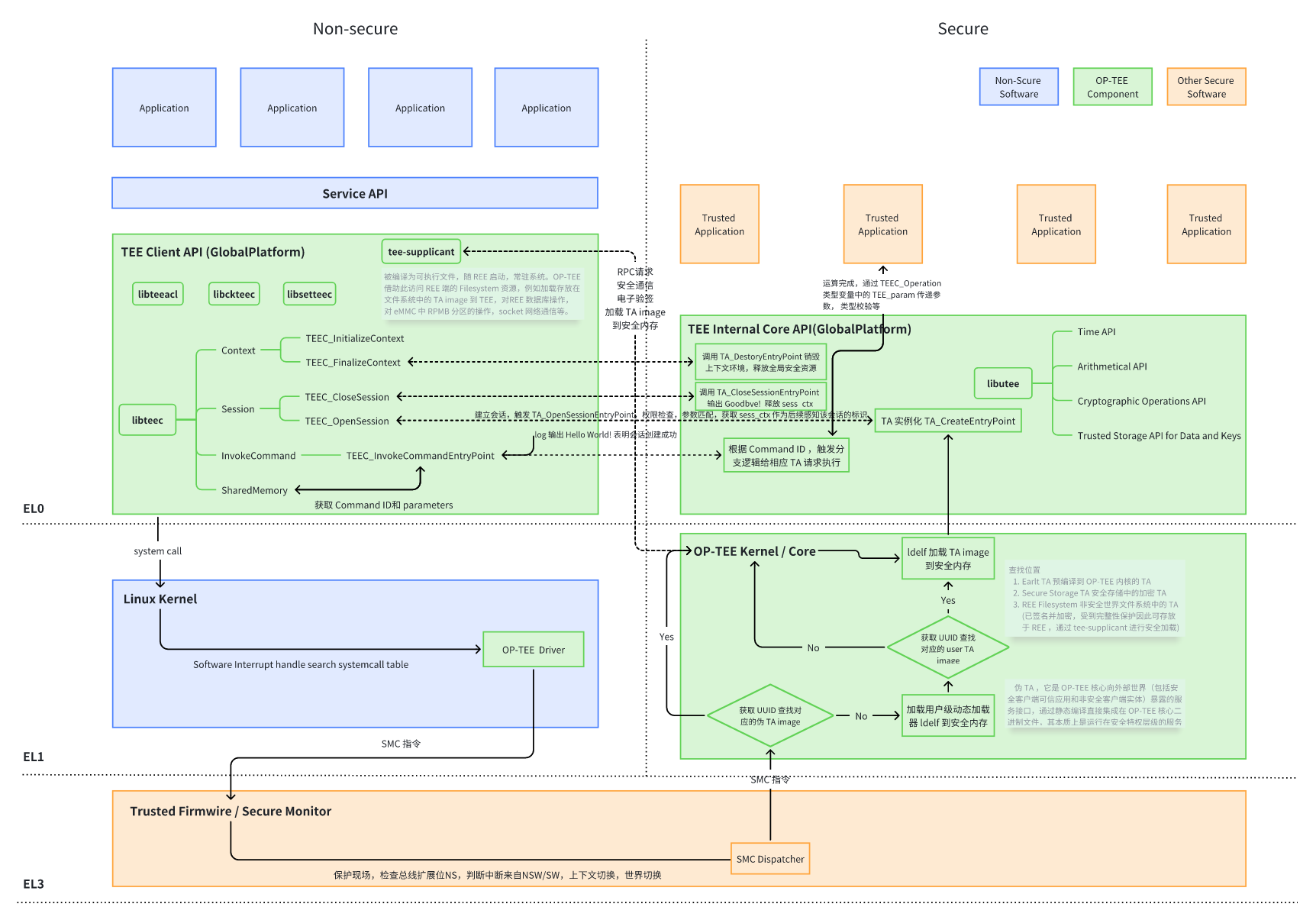
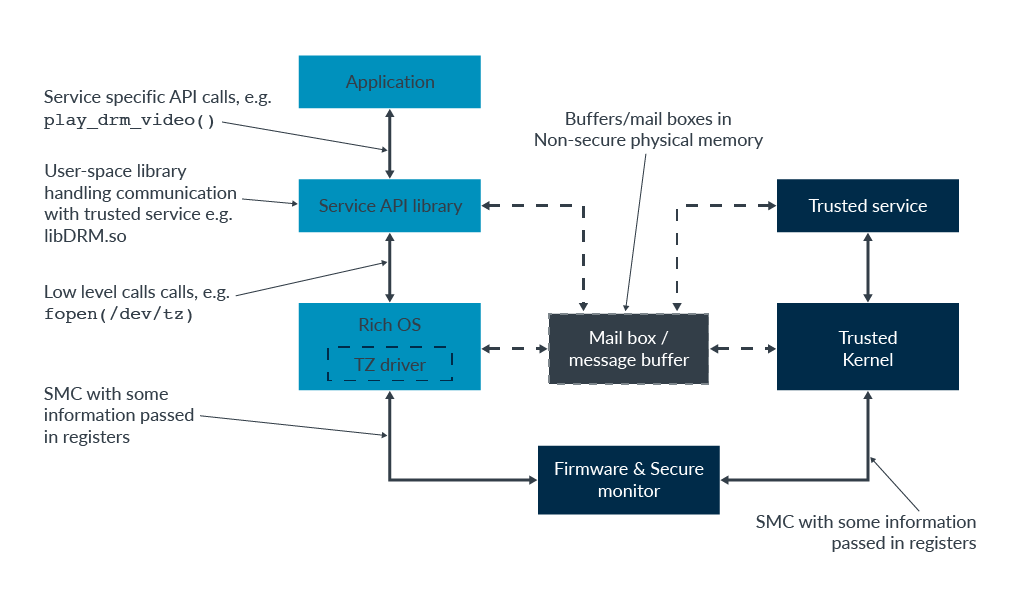
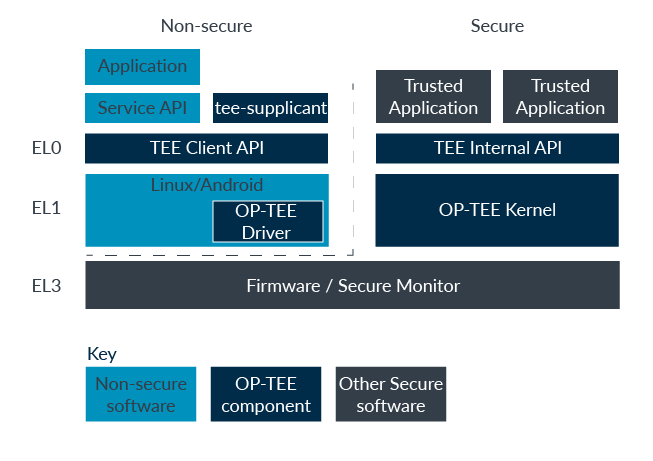

-
① 调用 TEEC_InitializeContext 函数打开 op-tee 驱动文件,获取到操作句柄并存放到 TEE_Context 类型的变量中。
② 调用 TEEC_OpenSession 函数,通过获取到的 TEE_Context 类型的变量创建一个特定 CA 与特定 TA 之间进行通信的通道,如果 TA image 被存放在 file system 中,那么在创建 session 的时候,OP-TEE OS 端还会将 TA image 从 file system 中加载到 OP-TEE。
③ 初始化 TEEC_Operation 类型的变量,并根据实际需要借助 TEEC_PARAM_TYPES 宏来设定 TEEC_Operation 类型变量中 paramTypes 成员的值,该值规定传递到 OP-TEE 中的最多 4 个变量缓存或者是数据的作用(作为输入还是输出)。并且还要根据 paramTypes 的值设定对应的 params[x] 成员的值或者是指向的地址以及缓存的长度。
④ 使用已经创建好的 session,TA 与 CA 端规定的 command ID 以及配置好的 TEEC_Operation 类型变量作为参数调用 TEEC_InvokeCommand 函数来真正发起请求。 调用 TEEC_InvokeCommand 成功之后,剩下的事情就由 OP-TEE 和 TA 进行处理并将结果和相关的数据通过 TEEC_Operation 类型变量中的 params 成员返回给 CA。
⑤ 调用成功之后如果不需要再次调用该 TA 则需要注销 session 和释放掉 context,这两个操作依次通过调用 TEEC_CloseSession 函数和 TEEC_FinalizeContext 函数来实现。
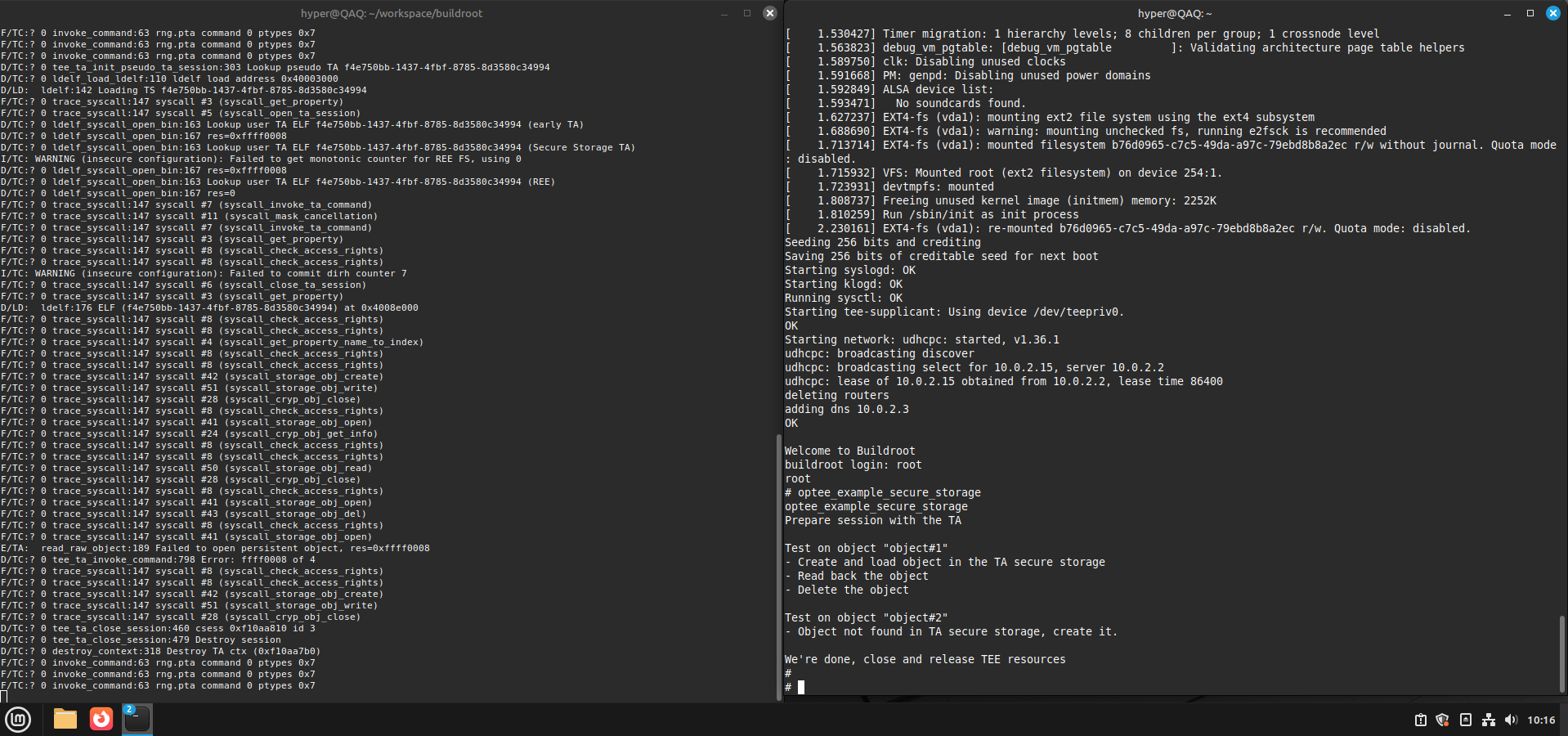
secure_storage 数据流转

 浙公网安备 33010602011771号