
缺省页(Default page)
8.3 缺省页(Default page)
任何内容区域(页面、区块、组件、单数据)没有内容/数据显示给用户时,就会出现空白提示。
#各情况展示
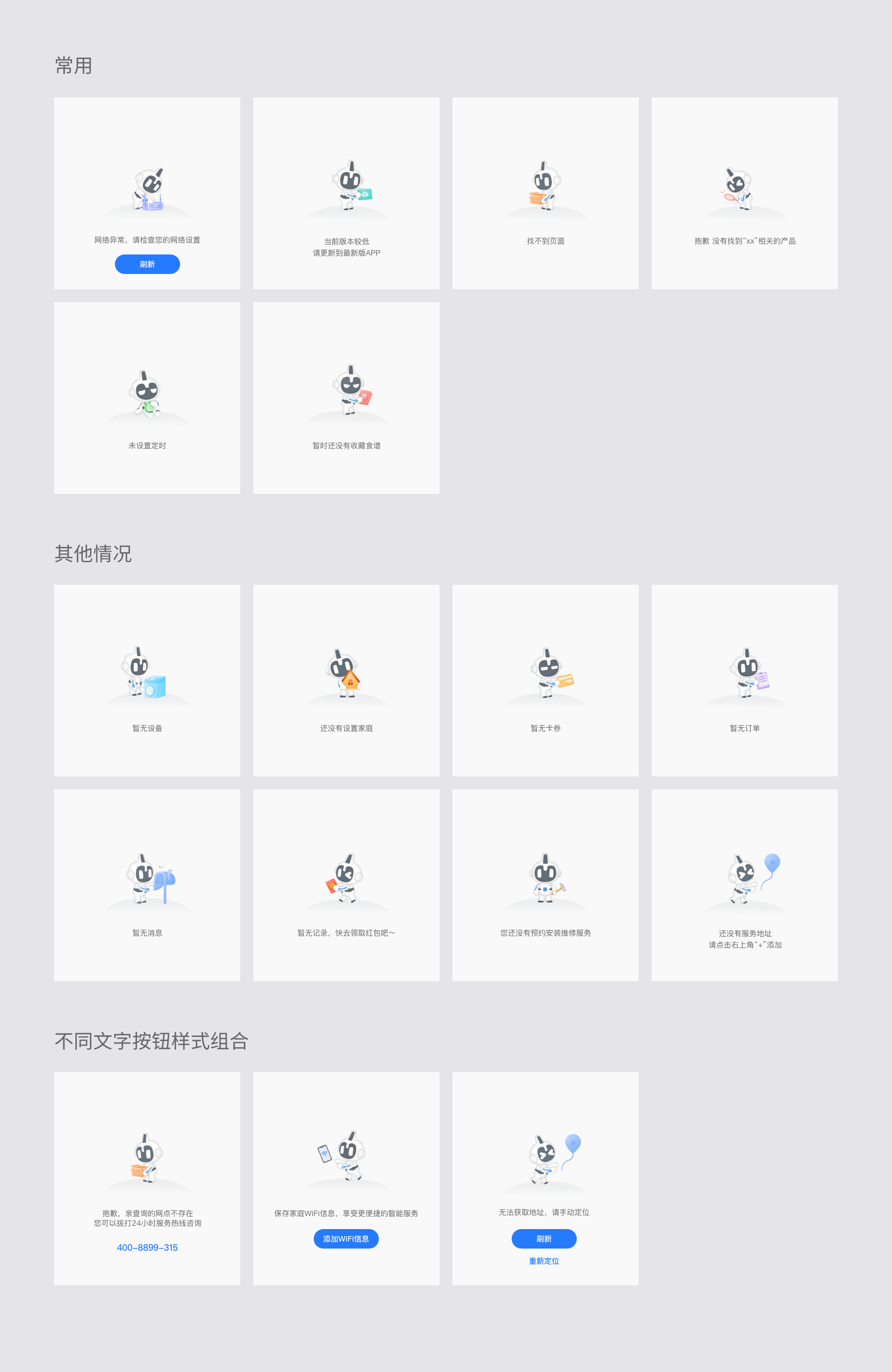
#标注说明

#应用示例

#dof-result
通用错误结果页
#实例
#基础用法
<template>
  <div class="dof-demo">
    <dof-result
      :type="type"
      class="result"
      :configuration="customSet"
      @dofResultButtonClicked="resultButtonClick"
      @dofResultSubButtonClicked="resultButtonClick"
    >
    </dof-result>
  </div>
</template>

<script>
import { Core, DofResult } from 'dolphin-weex-ui'

export default {
  components: {
    DofResult
  },
  data: () => ({
    type: 'noNetwork', // 缺省页type,目前只提供3种内置类型noNetwork、noUpdate、noPage
    customSet: {
      button: '刷新' // 按钮文案
      // btnSubTitle: '重新定位', // 文字按钮文案
      // content: '暂无消息', // 提示语文案
      // desc: '暂无消息', // 补充提示语文案
      // pic: 'http://dolphin-weex-dev.msmartlife.cn/cdn/images/common/result/img_no_location@2x.png' // 自定义底图
    }
  }),
  computed: {},
  created() {},
  methods: {
    minibarRightButtonClick() {
      Core.reload()
    },
    resultButtonClick(e) {
      Core.toast('button clicked')
    }
  }
}
</script>

<style scoped>
.dof-demo {
  position: absolute;
  top: 0;
  bottom: 0;
  left: 0;
  right: 0;
  padding-bottom: 128px;
  background-color: #ffffff;
}
</style>
#Attributes
| Prop | Type | Required | Default | Description |
|---|---|---|---|---|
show |
Boolean |
N |
true |
是否显示 |
type |
String |
N |
noPage |
缺省页类型,目前只提供3种内置类型: 网络异常:noNetwork 版本较低:noUpdate 找不到页面:noPage |
padding-top |
Number |
N |
220 |
图案距离顶部高度 |
configuration |
Object |
N |
{} |
空白页配置覆盖 |
wrap-style |
Object |
N |
{} |
外层 wrap 样式自定义 |
#自定义配置案例
this.customSet={
    button: '刷新' // 按钮文案
    btnSubTitle: '重新定位', // 文字按钮文案
    content: '暂无消息', // 提示语文案
    desc: '暂无消息', // 补充提示语文案
    pic: 'http://dolphin-weex-dev.msmartlife.cn/cdn/images/common/result/img_no_location@2x.png' // 自定义底图
}
#Slot
当以上配置都不满足时候,你可以使用 slot 来自定义设置你的组件。
<slot name="button"></slot>:按钮部分
#Events
| 事件名 | 说明 | 回调参数 |
|---|---|---|
dofResultButtonClicked |
点击按钮 | e |
dofResultSubButtonClicked |
点击文字按钮 | e |

 浙公网安备 33010602011771号