
openharmony5.0-release南向开发
openharmony南向开发之环境搭建,以及编译过程遇到的相关问题
目录
编译问题
使用hb编译未通过,后续使用./build.sh才编译通过
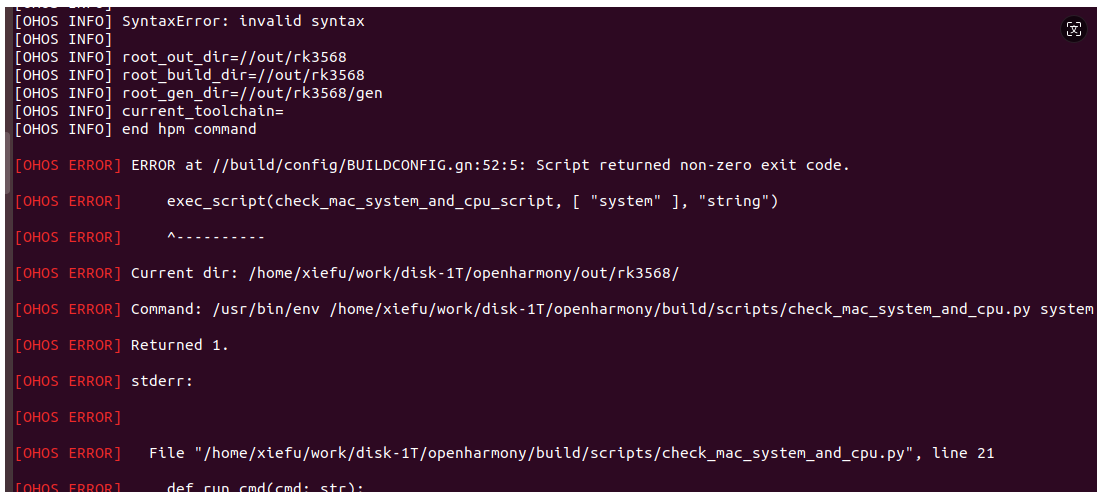
python版本不对
javc not found
[OHOS ERROR] /home/si/openharmony64/master/developtools/packing_tool/haptobin.sh: line 66: javac: command not found
[OHOS ERROR]
sudo apt install default-jdk
error: Cannot resolve BTF IDs for CONFIG_DEBUG_INFO_BTF

sudo apt install libelf-devel
编译kernel FAILED: load BTF from vmlinux:
内存不足,至少10G
[OHOS ERROR] FileNotFoundError: [Errno 2] No such file or directory: 'npm'
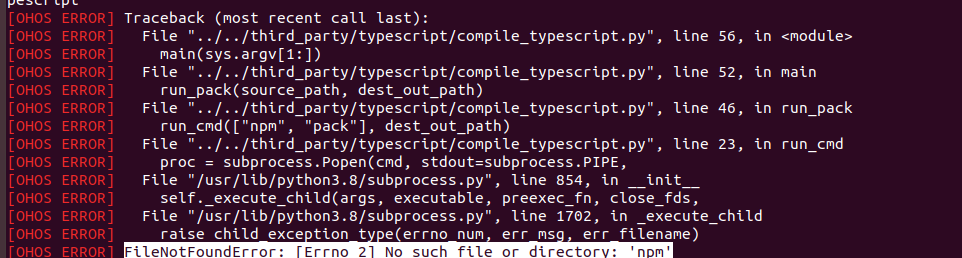
 curl -fsSL https://deb.nodesource.com/setup_16.x | sudo bash -
 sudo apt-get install -y nodejs
编译内核
内核编译生成目录:
~/work/ohos/openharmony/out/kernel/src_tmp/
~/work/ohos/openharmony/out/kernel/OBJ
./build.sh --product-name rk3568 --build-target kernel
编译结果目录
~/work/ohos/openharmony/out/rk3568/packages/phone/images
烧录
 sudo upgrade_tool UL MiniLoaderAll.bin
 sudo upgrade_tool di -p parameter.txt
 adb shell
 sudo upgrade_tool di -p parameter.txt
 cat parameter.txt
 sudo upgrade_tool di -u uboot.img
 sudo upgrade_tool di -bootctrl bootctrl.img
 sudo upgrade_tool di -resource resource.img
 sudo upgrade_tool di -boot_linux boot_linux.img
 sudo upgrade_tool di -ramdisk ramdisk.img
 sudo upgrade_tool di -system system.img
 cat parameter.txt
 sudo upgrade_tool di  -vendor vendor.img
 sudo upgrade_tool di  -sys-prod sys_prod.img
 sudo upgrade_tool di  -chip-prod chip_prod.img
 sudo upgrade_tool di  -updater updater.img
 sudo upgrade_tool di  -eng_system eng_system.img
 sudo upgrade_tool di  -eng_chipset eng_chipset.img
 sudo upgrade_tool di  -chip_ckm chip_ckm.img
 sudo upgrade_tool di  -userdata userdata.img
 sudo upgrade_tool di  -misc misc.img
编译单个程序
1. 源码目录添加BUILD.gn
user@ubuntu2004:~/work/ohos/openharmony/third_party/libdrm$ cat tests/modetest/BUILD.gn
import("//build/ohos.gni")
ohos_executable("modetest") {
  sources = [
    "buffers.c",
    "cursor.c",
    "modetest.c",
  ]

  cflags = [
      "-Wno-pointer-arith",
  ]

  include_dirs = [
    "../",
    ".",
  ]

  configs = [ "//third_party/libdrm:libdrm_config" ]

  public_configs = [ "//third_party/libdrm:libdrm_public_config" ]

  deps = [
    "//third_party/libdrm:libdrm",
    "//third_party/libdrm/tests/util/:util",
  ]

  public_deps = []

  install_images = [
    "system",
    "updater",
  ]
  #part_name = "modetest"
  #subsystem_name = "thirdparty"
}
- third_party/libdrm/tests/util/源码目录添加BUILD.gn
user@ubuntu2004:~/work/ohos/openharmony/third_party/libdrm$ cat tests/util/BUILD.gn
import("//build/ohos.gni")
ohos_static_library("util") {

  sources = [
    "format.c",
    "kms.c",
    "pattern.c",
  ]

  cflags = []

  include_dirs = [
    "../",
    ".",
  ]

  configs = [ "//third_party/libdrm:libdrm_config" ]

  public_configs = [ "//third_party/libdrm:libdrm_public_config" ]

  deps = [
    "//third_party/libdrm:libdrm",
  ]

  public_deps = []
}
- 依赖库可见
```
user@ubuntu2004:~/work/ohos/openharmony/third_party/libdrm$ git diff
diff --git a/BUILD.gn b/BUILD.gn
index 68cf71a..7ad6948 100644
--- a/BUILD.gn
+++ b/BUILD.gn
@@ -15,7 +15,10 @@ import("//build/ohos.gni")

 ## Build libdrm.so {{{
 config("libdrm_config") {
-  visibility = [ ":*" ]
+  visibility = [ ":*","//third_party/libdrm/tests/util:util",
+               "//third_party/libdrm/tests/modetest:modetest",
+               "//third_party/libdrm/tests/drmcap:drmcap"
+        ]

   include_dirs = []

```
- 加入编译框架,添加到graphic依赖项
```
user@ubuntu2004:~/work/ohos/openharmony/foundation/graphic/graphic_2d$ git diff
diff --git a/bundle.json b/bundle.json
index 663faa6a1e..16cfb6b48f 100644
--- a/bundle.json
+++ b/bundle.json
@@ -110,6 +110,8 @@
         "group_type": {
           "base_group": [
             "//third_party/libpng:libpng",
+            "//third_party/libdrm/tests/util:util",
+            "//third_party/libdrm/tests/modetest:modetest",
             "//foundation/graphic/graphic_2d/interfaces/kits/napi:napi_packages",
             "//foundation/graphic/graphic_2d/interfaces/kits/cj:ffi_packages",
             "//foundation/graphic/graphic_2d/rosen/modules/composer:libcomposer",

```
- 编译
./build.sh --product-name rk3568 --build-target "third_party/libdrm/tests/modetest:modetest"
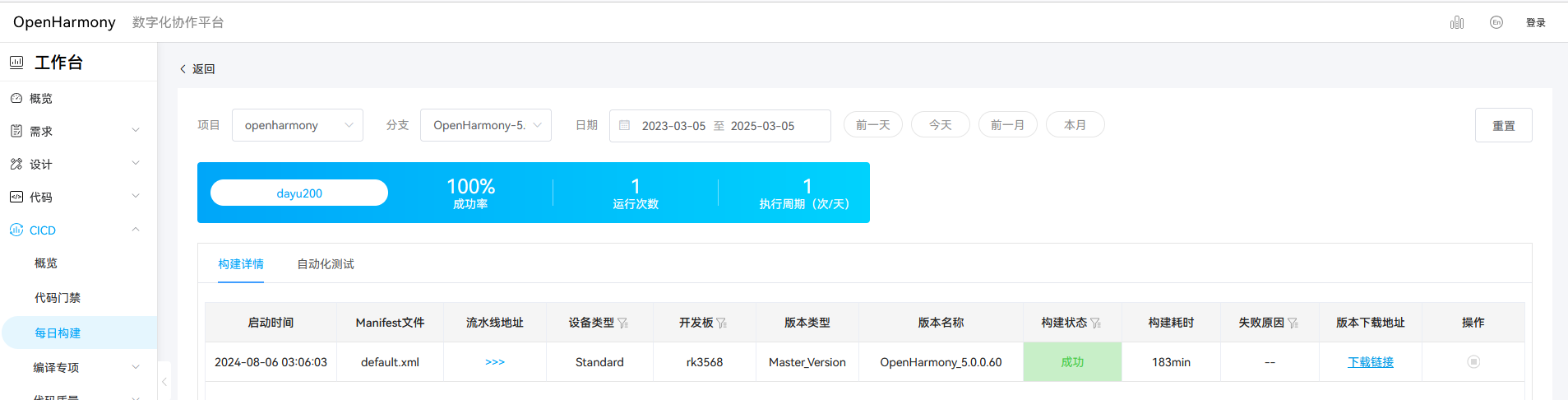
社区构建测试

 浙公网安备 33010602011771号