
ROS - Launch文件的编写
launch文件的编写
一般大型项目需要一次性启动多个节点,一个一个的启动过于麻烦了,launch文件的用处是可以使我们一次性启动多个节点。
一个ROS工作空间里的内容
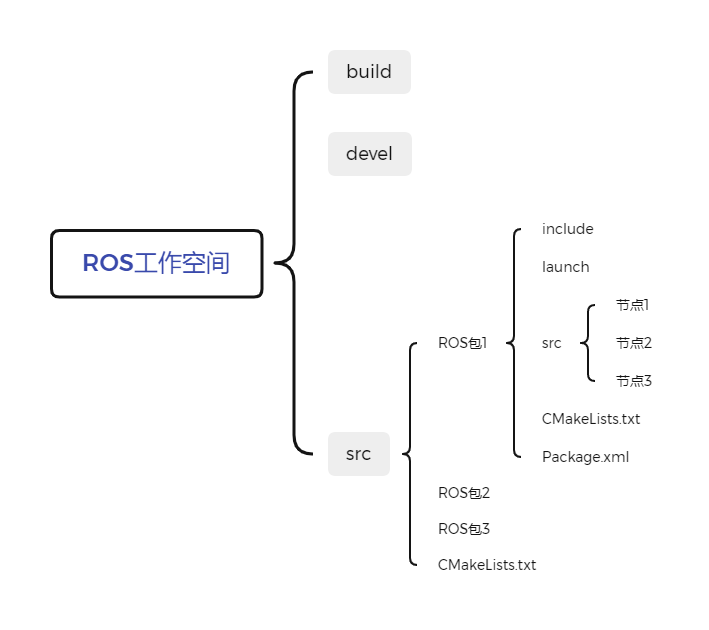
launch文件就储存在launch文件夹下面
launch文件的格式
luanch文件是用xml写的,但命名的时候需要被叫做xxx.launch。
其一般格式如下:
<launch>
<node pkg="包名" type="节点名" name="为节点名称" output="输出地点"/>
</launch>
-
node ---> 包含的某个节点
-
pkg -----> 功能包
-
type ----> 被运行的节点文件
-
name --> 为节点命名
-
output-> 设置日志的输出目标
其中name处如果不写,程序也不会报错,运行的时候编译器会自动给节点命名。我个人习惯直接把type后面的节点名复制到name。
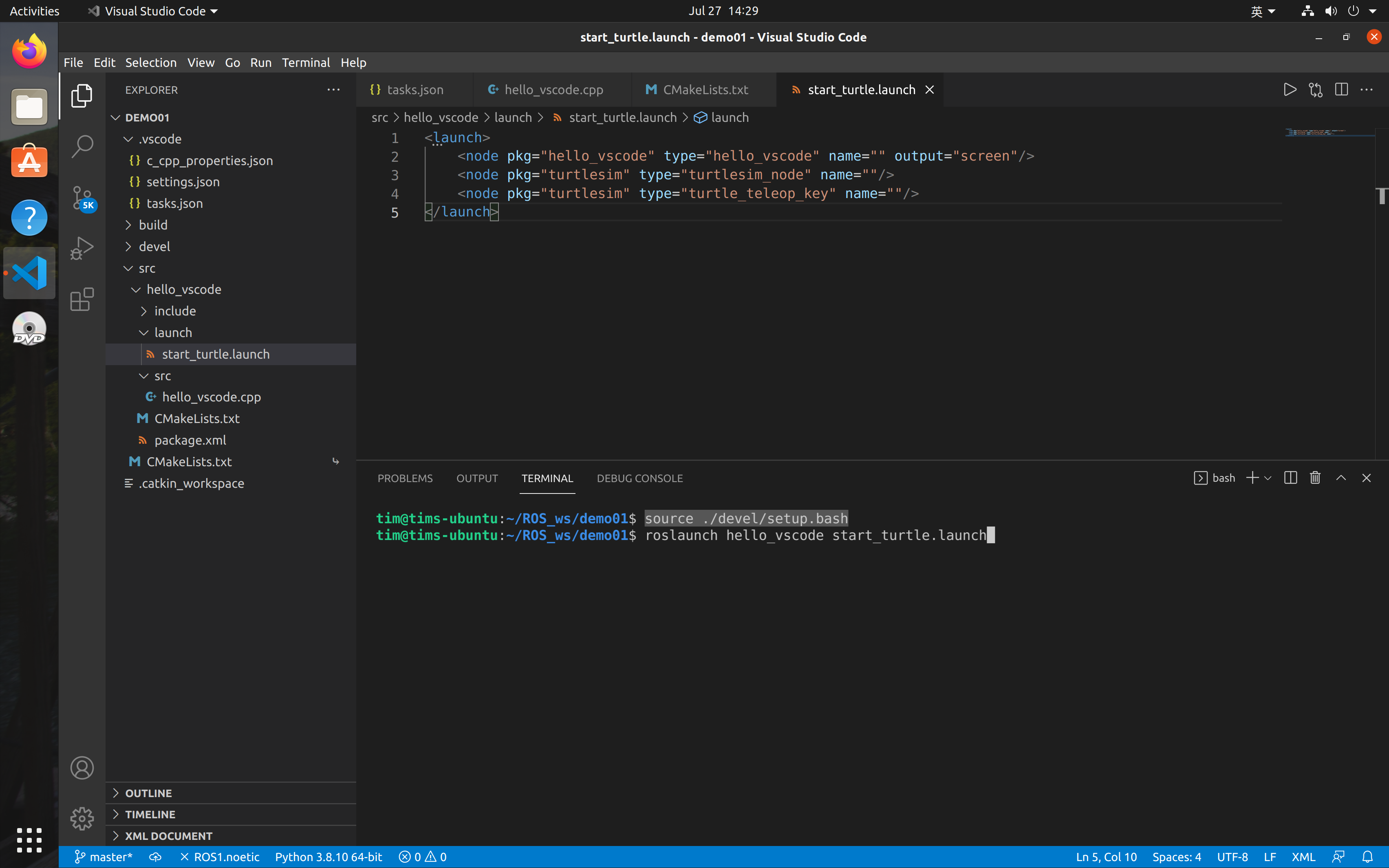
这里我展示一个例程:
<launch>
    <node pkg="hello_vscode" type="hello_vscode" name="" output="screen"/>
    <node pkg="turtlesim" type="turtlesim_node" name=""/>
    <node pkg="turtlesim" type="turtle_teleop_key" name=""/>
</launch>
启动launch文件
通过下面的代码启动launch文件:
roslaunch 包名 xxx.launch
例如我上面展示的那个例程的启动指令为:
source ./devel/setup.bash
roslaunch hello_vscode start_turtle.launch
out:
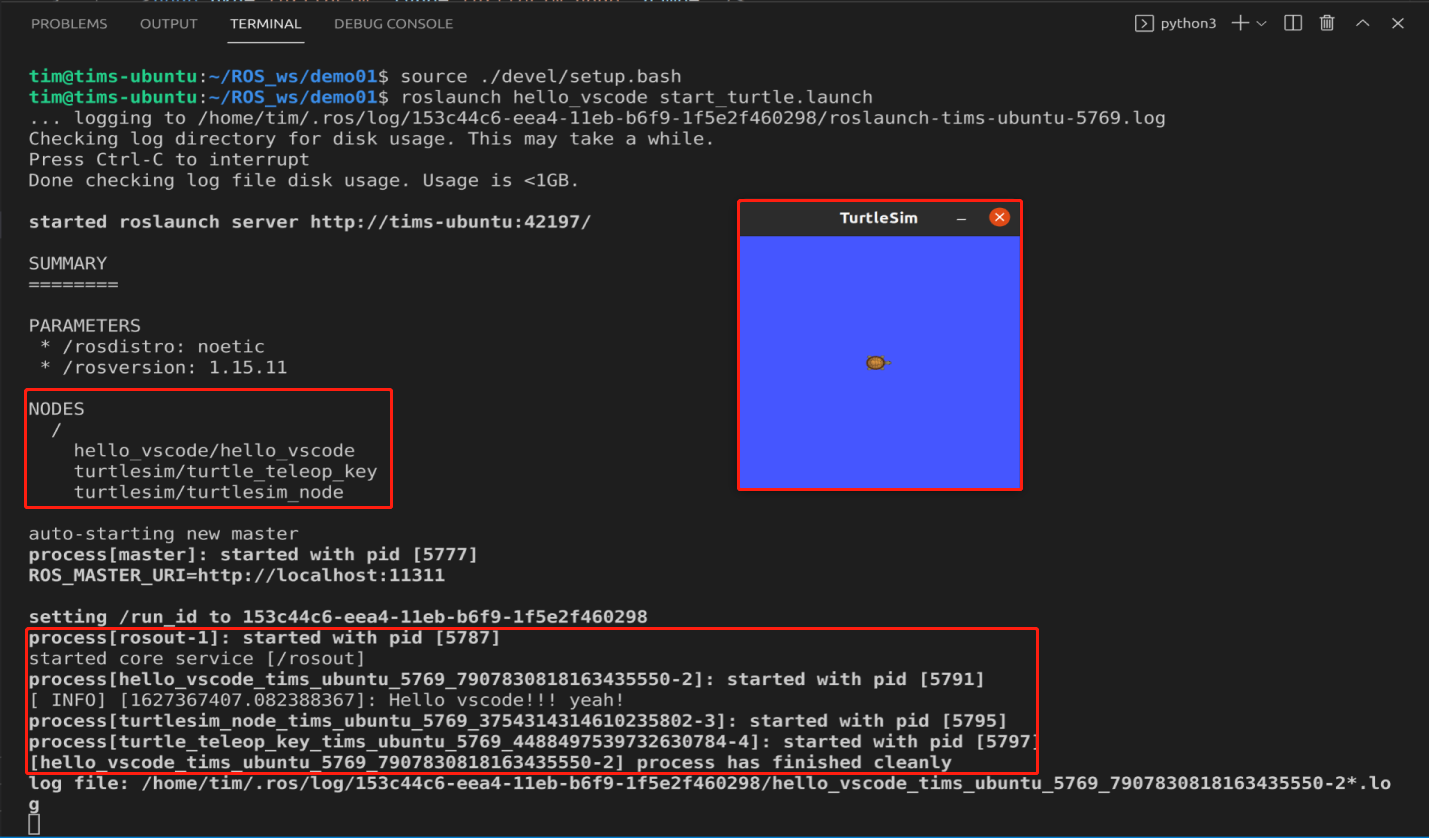
process的[ ]中的内容很多,是因为我name后面是空的,这个名称是系统自动命名的结果,如果我们自己命名了,这里就会显示我们命名的节点名称。这可以方便我们看launch过程中有哪些节点扑街了。(大型项目中的节点经常扑街,从GitHub上下载一个项目跑跑全是error)。

 浙公网安备 33010602011771号