
C++ 学习日志 -- 1
第二章:开始学习C++
2.1 创建C++程序
2.1.1 第一个cpp程序
myfirst.cpp
// myfirst.cpp -- display a message
#include <iostream>                 // a preprocessor directive
int main()                          // function header
{                                   // start of function body
    using namespace std;            // make definitions visible
    // message
    cout << "Come up and C++ me some time.";
    // start a new line
    cout << endl;
    // more output
    cout << "You won't regret it!" << endl;
    // terminate main()
    return 0;
}
2.1.2 程序的运行
代码完成后使用g++进行编译。首先Terminal :fa-arrow-right: New Terminal 打开一个终端。查看目前终端所在的所在路径。
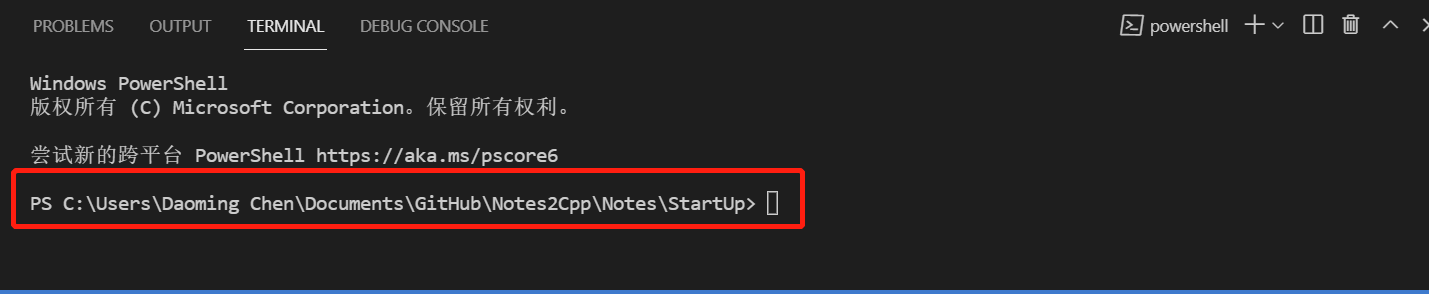
如图,目前所在的文件是StartUp中,也是MyFirst.cpp所在的的文件夹;若不是,需使用指令cd,将路径切换到.cpp文件所在的路径。
例:
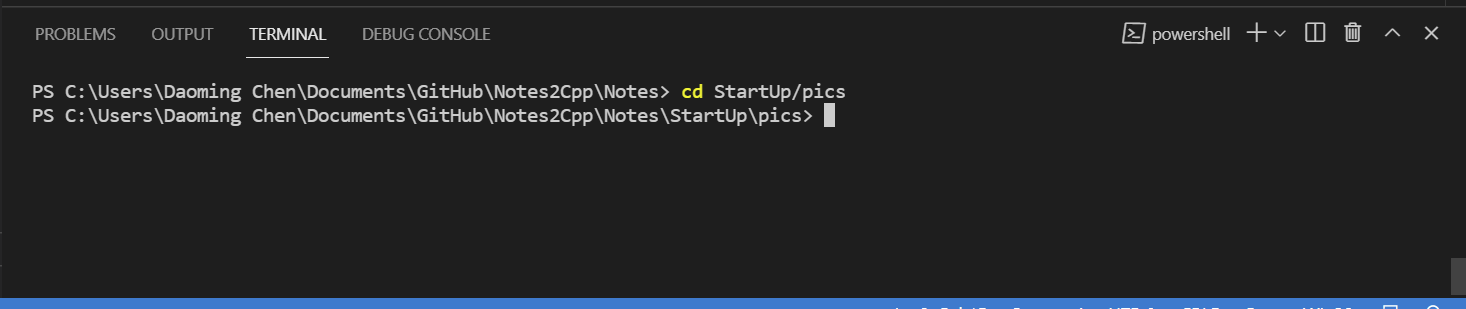
然后再运行g++的指令编译刚才的代码:
g++ -g .\MyFirst.cpp -o MyFirst
此时,左侧的目录就可以看到刚刚创建的一个叫MyFirst.exe的执行文件。
直接在Terimial中输入.\MyFirst.exe我们运行这个文件,结果如下:

至此,我们的第一个C++程序完成。
2.2 C++ 程序的一般格式
2.2.1 一般格式
去掉修饰后,一个基本的程序如下:
int main() //函数头
// 函数体
{
    statements
    return 0;
}
在目前的C++语法中,main函数需要以 int main()开始。
2.2.2 函数头的解释
一般来说,main函数不会被其他函数调用。但作为接口函数,main函数会被我们的计算机(linux、Windows)在使用C++编写程序的时候调用。因此一般来说,我们的main函数都是一个整型函数(int 类型),并且会返回一个值(0)。main后面的括号空置表示不调用任何参数,相当于void。虽然这样的效果相当于使用 void main() 但为了使计算机可以正常编译,我们还是会使用int main()作为函数头。
2.3 #include 编译指令
2.3.1 C++的预处理器和iostream文件
如果程序需要输入或输出工具,需要提供以下两行代码:
#include <iostream>
using namespace std;
2.3.2 空间名称
#include <iostream>相当于将<iostream>的源码和程序代码文件的内容所组成的一个复合程序传到编译器中。有了<iostream>文件后,我们就可以使用cin和cout进行输入和输出了。
C++的头文件去掉了之前版本的.h后缀。再去掉后缀的同时,我们添加了另外一行using namespace std;代码。其含义是使用空间名称:std。之所以这样是因为不同的封装库中可能有相同名称的函数。比如,Micoflop 和 Piscine 库中都含有一个名为 wanda()的函数,如果直接调用这个函数,我们的编译器将不知道调用哪一个库中的函数,因此需要使用空间名称(namespace)来为我们区分不同版本的wanda函数。
Microflop::wanda("go dancing?");    //using Microflop namespace version
Piscine::wanda("a fish named Desire");  //using Piscine namespace
但是,每一次使用一个函数都要加上前缀是一个分麻烦的事情,因此,我们可以使用using提前声明我们需要使用的函数:
using std::cin;     // make cin available
using std::cout;    // make cout available
using std::endl;    // make endl available
这样以后在使用cin, cout, endl的时候都不需要再添加std::前缀了。除此之外,我们也可以使用一开始我们用的方法。
using namespace std;
但这是一种比较偷懒的方法,可以使得所有std 库中的函数都可以使用。虽然在大型工程中并不推荐使用这种方法,但是目前所学的内容中仅仅使用这样的方法就可以了。
2.4 使用 cout 对象进行输出
2.4.1 一条cout语句的解释
在需要显示一条消息的时候,我们要使用cout函数,如:
std::cout<<"come up and c++ with me some time";
在上面的函数中:
std::cout<<"come up and c++ with me some time";
^    ^   ^  ^
1    2   3  4

1. 所使用的空间名称
2. cout 对象
3. 运算符
4. 字符串
<< 有一个形象的含义,就是将右侧的字符数,流入到cout中去。
2.4.2 控制符endl
cout << endl;
endl(end of line)是一个特殊的运算符,表示重启一行。在字符串打印的时候,光标不会自动移动到下一行,而是停留在输出字符串的后面,每一条cout语句的输出从前一条输出的末尾开始,比如:
#include <iostream>
using namespace std;
main()
{
cout << "The Good, the";
cout << "Bad,";
cout << "and the Ukulele";
cout << endl;
}
结果如下:
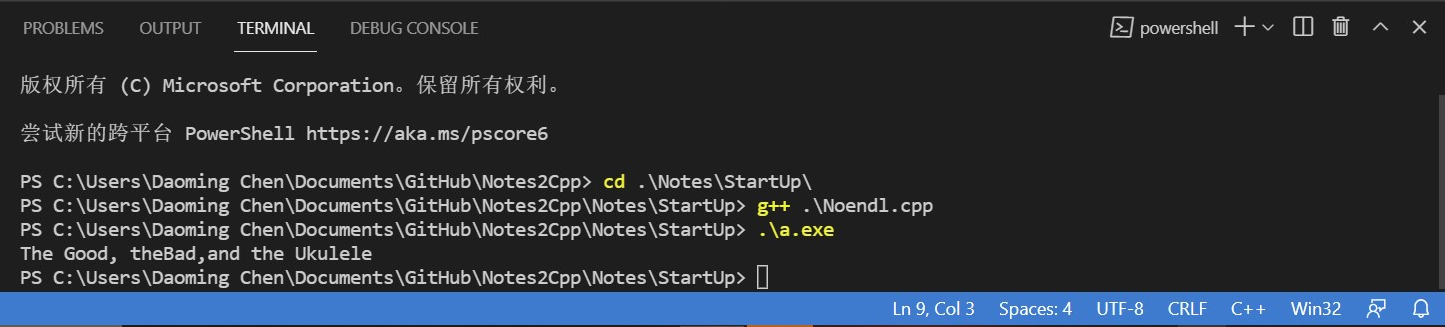
输出为:
The Good, theBad, and the Ukulele
2.4.3 换行符
C++依然保留了C中的\n换行符,使用方法是:
cout << "What about you? \n"
一般在输出用引号括起来的字符串时,使用\n会更加方便,而其他情况下还是使用endl更加方便。比如,创建一个空行:
cout << "\n";
cout << endl;
2.5 声明和使用变量
2.5.1 一个例程
# include <iostream>

int main()
{
    using namespace std;

    int n;
    n = 25;
    cout << "n = ";
    cout << n;
    cout << endl;
    n--;
    cout << "n = ";
    cout << n;
    cout << endl;
    return 0;
}
结果如下:
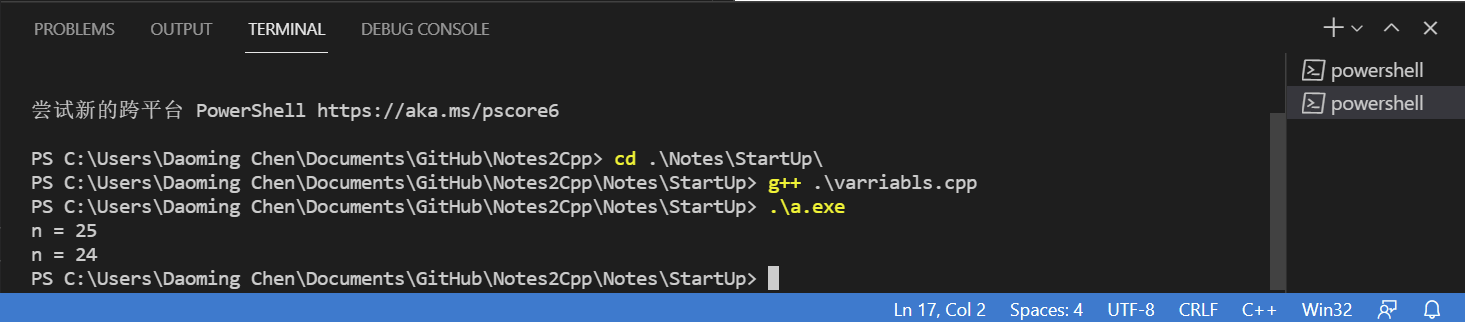
n = 25
n = 24
2.5.2变量声明
在C++中在使用变量之前,必须对变量进行声明,比如这里使用了
int n;
int 表示变量是一个整型,它可以是正也可以是负,但不可以有小数。这样可以防止在使用变量的时候出现打错的现象。比如:

在输入变量的时候,便会有提示出现。
2.5.3 cout
在上面的例子中,可以看到输入下面代码的时候,不是直接输出n,而是输出了 n 的值。
cout << n;
2.6 使用 cin 对象进行输入
例程
// getinfo.cpp -- input and output
#include <iostream>

int main()
{
    using namespace std;

    int carrots;

    cout << "How many carots do you have?" << endl;
    cin >> carrots; // c++ input
    cout << "Here are two more." << endl;
    carrots = carrots + 2;
    cout << "Now you have " << carrots << " carrots." << endl;
    return 0;
}
结果如下:
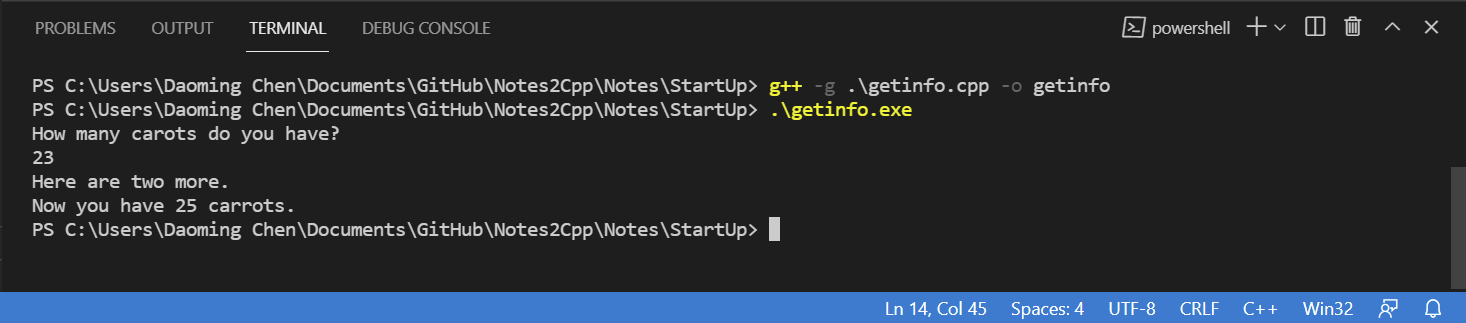
How many carots do you have?
23
Here are two more
Now you have 25 carrots.
2.7 定义和使用简单的函数
C++的函数分为两种,一种是有返回值的函数,另外一种是没有返回值的函数。
2.7.1 有返回值的函数
有返回值的函数,如标准库<cmath>中的sqrt()函数。使用方法如下:
X = sqrt(6.25);
^   ^    ^
1   2    3

1. 函数返回的值赋值给X
2. 函数名称
3. 传递给函数的参数
Out:
X = 2.5
发送出去,被赋值给X的值,就叫做函数的返回值。但使用有返回值的函数之前,要告诉C++的编译器,函数的参数和返回值的类型是什么。也就是说,参数和返回值是整数、小数、字符还是什么别的类型。比如刚才使用的sqrt()函数,函数的原型是:
double sqrt(double);
第一个double表示函数返回值是double类型,第二个double表示函数输入值是一个double类型。那么我们在使用他的时候,就应该:
double x;
double y;

x = 25;
y = sqrt(x);
那么一个完整的sqrt程序就应该是:
// sqrt.cpp -- using sqrt() function
#include <iostream>
#include <cmath>

using namespace std;
int main(){
    double x;
    cout << "please enter a number." << endl;
    cin >> x;
    double y;
    y = sqrt (x);
    cout << "the square root of the number is: " << y << endl;

    return 0;
}
运行结果是:
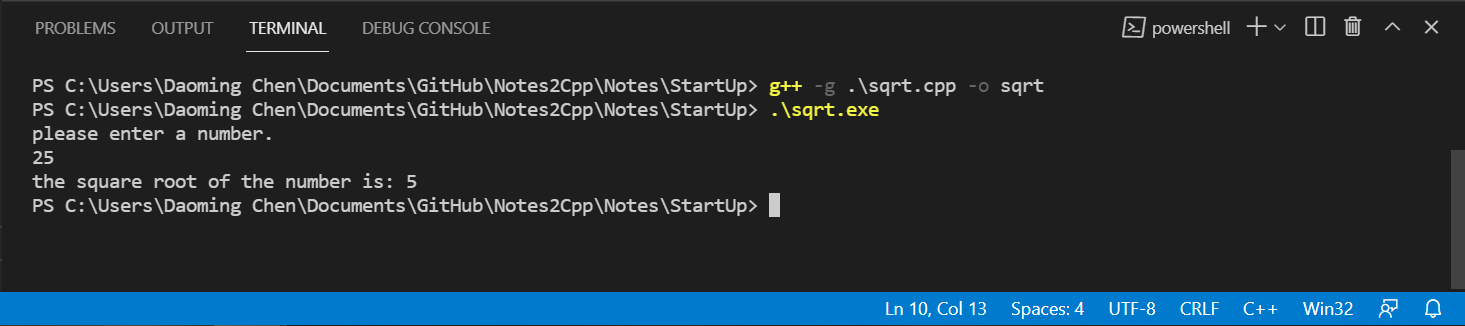
please enter a number.
25
the square root of the number is: 5
2.7.2 函数变体
除了sqrt(),这样的有一个参数,一个返回值的函数外,还有一些有多个参数,或没有参数,或有多个返回值的函数。比如:
// pow函数接受2个参数,第一个为底,第二个为幂。
double pow(double double);
// rand函数不接受参数,随机返回一个整数。
int rand();
// 没有返回值的函数。
void buck();
// void 表明了函数没有返回值。
2.7.3 用户自定义的函数
例程:
// convert stone to pounds

#include <iostream>
int stone2lb(int);  //function prototype
int main()
{
    using namespace std;
    int stone;
    cout << "Enter the wight in stone" << endl;
    cin >> stone;
    int pounds = stone2lb(stone);
    cout << stone << " stone = " ;
    cout << pounds << " pounds" << endl;
    return 0;
}

int stone2lb(int sts)
{
    return 14 * sts;
}
输出结果如下:
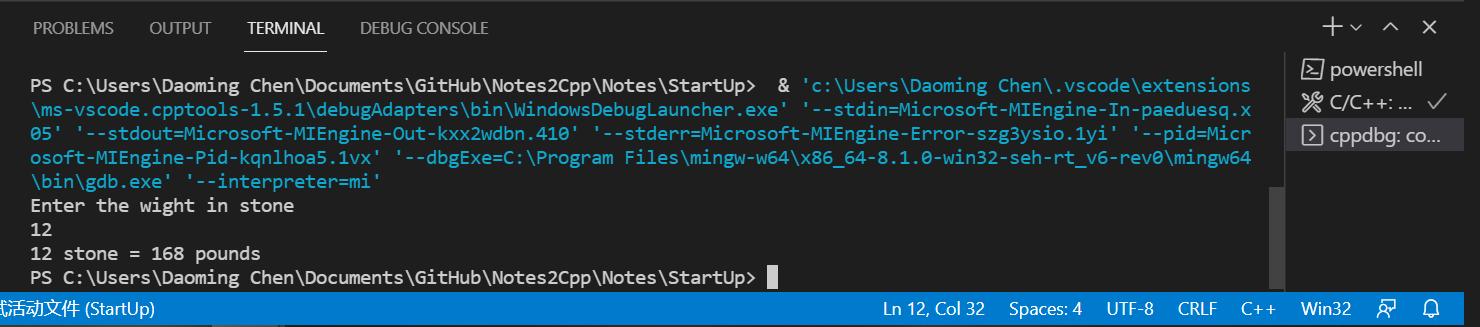
Enter the wight in stone
12
12 stone = 168 pounds
当然,例程中的stone2lb函数也可以改为:
int stone2lb(int sts)
{
    int pounds = 14 * sts;
    retuen pounds;
}

 浙公网安备 33010602011771号