基于Alpine编写Haproxy的Dockerfile
结构目录
[root@Aimmi ~]# tree
.
|-- anaconda-ks.cfg
|-- haproxy
|   |-- Dockerfile
|   |-- entrypoint.sh
|   `-- files
|       |-- haproxy-2.4.0.tar.gz
|       `-- install.sh
`-- haproxy_config
    `-- RSs.txt

3 directories, 6 files
[root@Aimmi ~]# docker pull alpine
Using default tag: latest
latest: Pulling from library/alpine
59bf1c3509f3: Pull complete
Digest: sha256:21a3deaa0d32a8057914f36584b5288d2e5ecc984380bc0118285c70fa8c9300
Status: Downloaded newer image for alpine:latest
docker.io/library/alpine:latest
[root@Aimmi ~]# docker images
REPOSITORY   TAG       IMAGE ID       CREATED       SIZE
alpine       latest    c059bfaa849c   2 weeks ago   5.59MB

[root@Aimmi ~]# mkdir haproxy_config
[root@Aimmi ~]# cd haproxy_config/
[root@Aimmi haproxy_config]# touch RSs.txt
[root@Aimmi haproxy_config]# vi RSs.txt
[root@Aimmi haproxy_config]# cat RSs.txt
172.17.0.3
172.17.0.4
172.17.0.5
172.17.0.6
[root@Aimmi ~]# mkdir haproxy
[root@Aimmi ~]# cd haproxy/
[root@Aimmi haproxy]# touch Dockerfile

编写dockerfile
[root@Aimmi haproxy]# vi Dockerfile
[root@Aimmi haproxy]# cat Dockerfile
FROM alpine
LABEL MAINTAINER='aimmi 123@qq.com'
ENV version 2.4.0
ENV PATH /usr/local/haproxy/sbin:$PATH
COPY files/ /tmp/
COPY entrypoint.sh /
RUN /tmp/install.sh
EXPOSE 80 8189
WORKDIR /usr/local/haproxy
ENTRYPOINT ["/entrypoint.sh"]

编写开启脚本
[root@Aimmi haproxy]# touch entrypoint.sh
[root@Aimmi files]# vi install.sh
[root@Aimmi files]# cat install.sh
#!/bin/sh
sed -i 's/dl-cdn.alpinelinux.org/mirrors.aliyun.com/' /etc/apk/repositories
apk update
adduser -S -H -s /sbin/nologin haproxy

apk add --no-cache -U make gcc pcre-dev bzip2-dev openssl-dev elogind-dev libc-dev dahdi-tools dahdi-tools-dev libexecinfo libexecinfo-dev ncurses-dev zlib-dev zlib
cd /tmp/
tar xf haproxy-${version}.tar.gz
cd haproxy-${version}
make clean
make -j $(nproc)  \
    TARGET=linux-musl  \
    USE_OPENSSL=1  \
    USE_ZLIB=1  \
    USE_PCRE=1  && \
make install PREFIX=/usr/local/haproxy
echo 'net.ipv4.ip_nonlocal_bind = 1' >>  /etc/sysctl.conf
echo 'net.ipv4.ip_forward = 1' >> /etc/sysctl.conf

mkdir  /usr/local/haproxy/conf
apk del gcc make
rm -rf /tmp/*  /var/cache/*
[root@Aimmi files]# cd ..
[root@Aimmi haproxy]# vi entrypoint.sh
[root@Aimmi haproxy]# cat entrypoint.sh
#!/bin/bash

cat >> /usr/local/haproxy/conf/haproxy.cfg << EOF
#--------------全局配置----------------
global
    log 127.0.0.1 local0  info
    #log loghost local0 info
    maxconn 20480
#chroot /usr/local/haproxy
    pidfile /var/run/haproxy.pid
    #maxconn 4000
    user haproxy
    group haproxy
    daemon
#---------------------------------------------------------------------
#common defaults that all the 'listen' and 'backend' sections will
#use if not designated in their block
#---------------------------------------------------------------------
defaults
    mode http
    log global
    option dontlognull
    option httpclose
    option httplog
    #option forwardfor
    option redispatch
    balance roundrobin
    timeout connect 10s
    timeout client 10s
    timeout server 10s
    timeout check 10s
    maxconn 60000
    retries 3
#--------------统计页面配置------------------
listen admin_stats
    bind 0.0.0.0:8189
    stats enable
    mode http
    log global
    stats uri /haproxy_stats
    stats realm Haproxy\ Statistics
    stats auth admin:admin
    #stats hide-version
    stats admin if TRUE
    stats refresh 30s
#---------------web设置-----------------------
listen webcluster
    bind 0.0.0.0:80
    mode http
    #option httpchk GET /index.html
    log global
    maxconn 3000
    balance roundrobin
    cookie SESSION_COOKIE insert indirect nocache
EOF
count=1
for rs_ip in $(cat /tmp/RSs.txt);do
cat >> /usr/local/haproxy/conf/haproxy.cfg << EOF
    server web$count $rs_ip:80 check inter 2000 fall 5
EOF
let count++
done
haproxy -f /usr/local/haproxy/conf/haproxy.cfg -db

安装软件包
[root@Aimmi haproxy]# mkdir files
[root@Aimmi haproxy]# cd files/
[root@Aimmi files]# wget https://www.haproxy.org/download/2.4/src/haproxy-2.4.0.tar.gz
--2021-12-12 13:56:31--  https://www.haproxy.org/download/2.4/src/haproxy-2.4.0.tar.gz
Resolving www.haproxy.org (www.haproxy.org)... 51.15.8.218, 2001:bc8:35ee:100::1
Connecting to www.haproxy.org (www.haproxy.org)|51.15.8.218|:443... connected.
HTTP request sent, awaiting response... 200 OK
Length: 3570069 (3.4M) [application/x-tar]
Saving to: 'haproxy-2.4.0.tar.gz'

haproxy-2.4.0.tar.gz  100%[======================>]   3.40M  1.04MB/s    in 3.3s

2021-12-12 13:56:36 (1.04 MB/s) - 'haproxy-2.4.0.tar.gz' saved [3570069/3570069]

编写安装脚本
[root@Aimmi files]# touch install.sh
[root@Aimmi files]# vi install.sh
[root@Aimmi files]# cat install.sh
#!/bin/sh
sed -i 's/dl-cdn.alpinelinux.org/mirrors.aliyun.com/' /etc/apk/repositories
apk update
adduser -S -H -s /sbin/nologin haproxy

apk add --no-cache -U make gcc pcre-dev bzip2-dev openssl-dev elogind-dev libc-dev dahdi-tools dahdi-tools-dev libexecinfo libexecinfo-dev ncurses-dev zlib-dev zlib
cd /tmp/
tar xf haproxy-${version}.tar.gz
cd haproxy-${version}
make clean
make -j $(nproc)  \
    TARGET=linux-musl  \
    USE_OPENSSL=1  \
    USE_ZLIB=1  \
    USE_PCRE=1  && \
make install PREFIX=/usr/local/haproxy
echo 'net.ipv4.ip_nonlocal_bind = 1' >>  /etc/sysctl.conf
echo 'net.ipv4.ip_forward = 1' >> /etc/sysctl.conf

mkdir  /usr/local/haproxy/conf
apk del gcc make
rm -rf /tmp/*  /var/cache/*

添加脚本权限
[root@Aimmi ~]# chmod +x haproxy/entrypoint.sh
[root@Aimmi ~]# chmod +x haproxy/files/install.sh


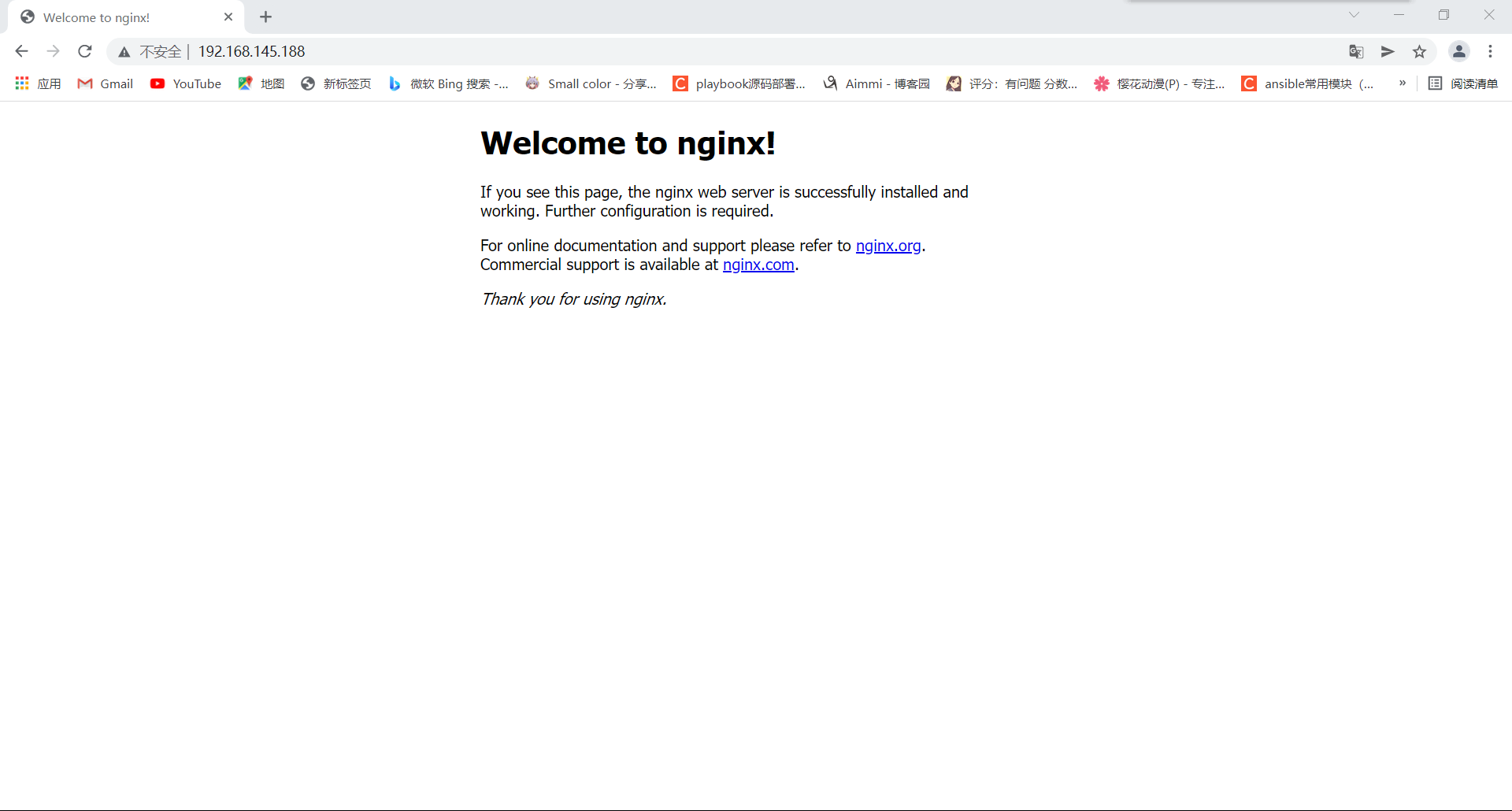
创建两台装容器 一台httpd,一台nginx,用来测试
[root@Aimmi ~]# curl 172.17.0.4
<html><body><h1>It works!</h1></body></html>
[root@Aimmi ~]# curl 172.17.0.5
<!DOCTYPE html>
<html>
<head>
<title>Welcome to nginx!</title>
<style>
html { color-scheme: light dark; }
body { width: 35em; margin: 0 auto;
font-family: Tahoma, Verdana, Arial, sans-serif; }
</style>
</head>
<body>
<h1>Welcome to nginx!</h1>
<p>If you see this page, the nginx web server is successfully installed and
working. Further configuration is required.</p>

<p>For online documentation and support please refer to
<a href="http://nginx.org/">nginx.org</a>.<br/>
Commercial support is available at
<a href="http://nginx.com/">nginx.com</a>.</p>

<p><em>Thank you for using nginx.</em></p>
</body>
</html>

[root@Aimmi ~]# docker build -t aimmi/haproxy:v0.1 haproxy
Removing intermediate container c9638f3b7616
 ---> 96ff129fbd83
Step 8/10 : EXPOSE 80 8189
 ---> Running in ab4645e94f61
Removing intermediate container ab4645e94f61
 ---> 83ab47559a20
Step 9/10 : WORKDIR /usr/local/haproxy
 ---> Running in ba4a74080ae3
Removing intermediate container ba4a74080ae3
 ---> 0c1080370366
Step 10/10 : ENTRYPOINT ["/entrypoint.sh"]
 ---> Running in 7a1dbe5674d8
Removing intermediate container 7a1dbe5674d8
 ---> 15a6cc3767a8
Successfully built 15a6cc3767a8
Successfully tagged aimmi/haproxy:v0.1

[root@Aimmi ~]# docker images
REPOSITORY      TAG       IMAGE ID       CREATED          SIZE
aimmi/haproxy   v0.1      15a6cc3767a8   38 seconds ago   54.1MB
nginx           latest    f652ca386ed1   10 days ago      141MB
httpd           latest    ea28e1b82f31   10 days ago      143MB
alpine          latest    c059bfaa849c   2 weeks ago      5.59MB

[root@Aimmi ~]# docker run -d --name haproxy -p 80:80 -p 8189:8189 -v /haproxy_config/:/tmp aimmi/haproxy:v0.1
606a07b7977ef0729e7660b87b43a1ae389f83b6b3db9983572564a8c31f5400

[root@Aimmi ~]# docker exec -it haproxy /bin/bash
[root@606a07b7977e haproxy]# pwd
/usr/local/haproxy
[root@606a07b7977e haproxy]#apk add iproute2
[root@606a07b7977e haproxy]# ss -anlt
State           Recv-Q          Send-Q                   Local Address:Port                   Peer Address:Port          Process
LISTEN          0               128                            0.0.0.0:8189                        0.0.0.0:*
LISTEN          0               128                            0.0.0.0:80                          0.0.0.0:*
![]()
![]()


 浙公网安备 33010602011771号