Nginx
nginx
简介
nginx(发音同engine x)是一款轻量级的Web服务器/反向代理服务器及电子邮件(IMAP/POP3)代理服务器,并在一个BSD-like协议下发行。
nginx由俄罗斯的程序设计师Igor Sysoev所开发,最初供俄国大型的入口网站及搜寻引擎Rambler使用。
第一个公开版本0.1.0发布于2004年10月4日。其将源代码以类BSD许可证的形式发布,因它的稳定性、丰富的功能集、示例配置文件和低系统资源的消耗而闻名。2011年6月1日,nginx 1.0.4发布。
nginx的特点是占有内存少,并发能力强,事实上nginx的并发能力确实在同类型的网页服务器中表现较好,中国大陆使用nginx网站用户有:百度、京东、新浪、网易、腾讯、淘宝等。
特性与优点
特性
nginx是一个很牛的高性能Web和反向代理服务器,它具有很多非常优越的特性:
- 在高连接并发的情况下,nginx是Apache服务器不错的替代品,能够支持高达50000个并发连接数的响应
- 使用epoll and kqueue作为开发模型
- nginx作为负载均衡服务器:nginx既可在内部直接支持和PHP程序对外进行服务,也可支持作为HTTP代理服务器对外进行服务
- nginx采用C进行编写,不论系统资源开销还是CPU使用效率都比Perlbal要好很多
优点
- 高并发连接:官方测试能够支撑5万并发连接,在实际生产环境中跑到2-3万并发连接数
- 内存消耗少:在3万并发连接下,开启的10个nginx进程才消耗150M内存(15M*10=150M)
- 配置文件非常简单:风格跟程序一样通俗易懂
- 成本低廉:nginx为开源软件,可以免费使用。而购买F5 BIG-IP、NetScaler等硬件负载均衡交换机则需要十多万至几十万人民币
- 支持Rewrite重写规则:能够根据域名、URL的不同,将HTTP请求分到不同的后端服务器群组
- 内置的健康检查功能:如果Nginx Proxy后端的某台Web服务器宕机了,不会影响前端访问
- 节省带宽:支持GZIP压缩,可以添加浏览器本地缓存的Header头
- 稳定性高:用于反向代理,宕机的概率微乎其微
- 模块化设计:模块可以动态编译
- 外围支持好:文档全,二次开发和模块较多
- 支持热部署:可以不停机重载配置文件
- 支持事件驱动、AIO(AsyncIO,异步IO)、mmap(Memory Map,内存映射)等性能优化
功能及应用类别
基本功能
- 静态资源的web服务器,能缓存打开的文件描述符
- http、smtp、pop3协议的反向代理服务器
- 缓存加速、负载均衡
- 支持FastCGI(fpm,LNMP),uWSGI(Python)等
- 模块化(非DSO机制),过滤器zip、SSI及图像的大小调整
- 支持SSL
扩展功能
- 基于名称和IP的虚拟主机
- 支持keepalive
- 支持平滑升级
- 定制访问日志、支持使用日志缓冲区提高日志存储性能
- 支持URL重写
- 支持路径别名
- 支持基于IP及用户的访问控制
- 支持速率限制,支持并发数限制
应用类别
- 使用nginx结合FastCGI运行PHP、JSP、Perl等程序
- 使用nginx作反向代理、负载均衡、规则过滤
- 使用nginx运行静态HTML网页、图片
- nginx与其他新技术的结合应用
模块与工作原理
nginx由内核和模块组成。其中,内核的设计非常微小和简洁,完成的工作也非常简单,仅仅通过查找配置文件将客户端请求映射到一个location block(location是nginx配置中的一个指令,用于URL匹配),而在这个location中所配置的每个指令将会启动不同的模块去完成相应的工作。
模块分类
nginx的模块从结构上分为核心模块、基础模块和第三方模块
- HTTP模块、EVENT模块和MAIL模块等属于核心模块
- HTTP Access模块、HTTP FastCGI模块、HTTP Proxy模块和HTTP Rewrite模块属于基本模块
- HTTP Upstream模块、Request Hash模块、Notice模块和HTTP Access Key模块属于第三方模块
用户根据自己的需要开发的模块都属于第三方模块。正是有了如此多模块的支撑,nginx的功能才会如此强大
nginx模块从功能上分为三类,分别是:
- Handlers(处理器模块)。此类模块直接处理请求,并进行输出内容和修改headers信息等操作。handlers处理器模块一般只能有一个
- Filters(过滤器模块)。此类模块主要对其他处理器模块输出的内容进行修改操作,最后由nginx输出
- Proxies(代理器模块)。就是nginx的HTTP Upstream之类的模块,这些模块主要与后端一些服务比如fastcgi等操作交互,实现服务代理和负载均衡等功能
nginx模块分为:核心模块、事件模块、标准Http模块、可选Http模块、邮件模块、第三方模块和补丁等
- nginx基本模块:所谓基本模块,指的是nginx默认的功能模块,它们提供的指令,允许你使用定义nginx基本功能的变量,在编译时不能被禁用,包括:
- 核心模块:基本功能和指令,如进程管理和安全。常见的核心模块指令,大部分是放置在配置文件的顶部
- 事件模块:在Nginx内配置网络使用的能力。常见的events(事件)模块指令,大部分是放置在配置文件的顶部
- 配置模块:提供包含机制
具体的指令,请参考nginx的官方文档
链接:http://nginx.org/en/docs/ngx_core_module.html
工作原理
nginx的模块直接被编译进nginx,因此属于静态编译方式。
启动nginx后,nginx的模块被自动加载,与Apache不一样,首先将模块编译为一个so文件,然后在配置文件中指定是否进行加载。
在解析配置文件时,nginx的每个模块都有可能去处理某个请求,但是同一个处理请求只能由一个模块来完成。
nginx的进程架构: 启动nginx时,会启动一个Master进程,这个进程不处理任何客户端的请求,主要用来产生worker线程,一个worker线程用来处理n个request。
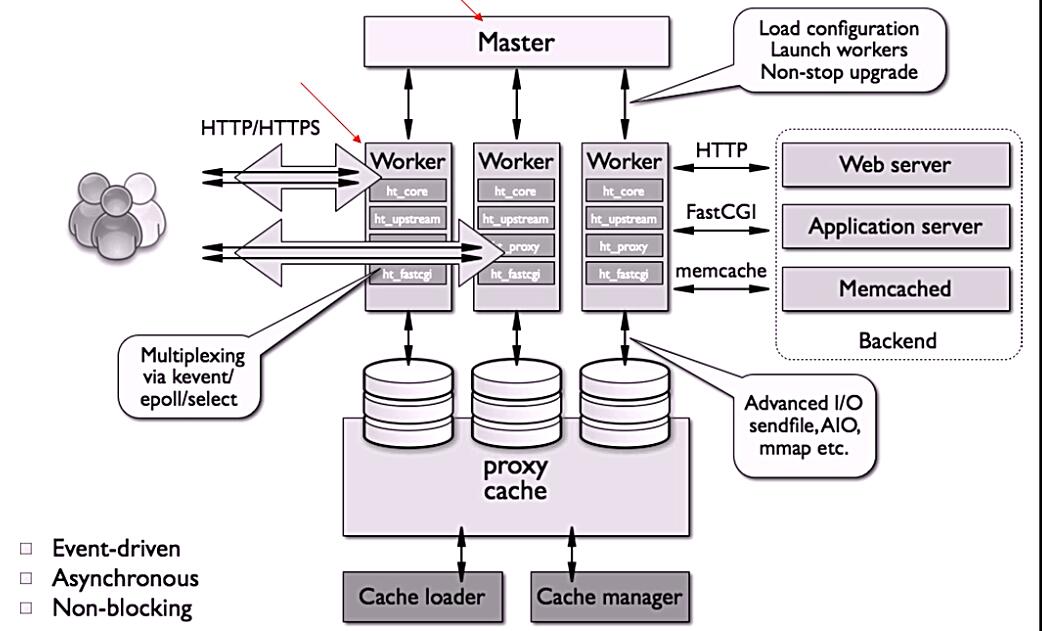
下图展示了nginx模块一次常规的HTTP请求和响应的过程
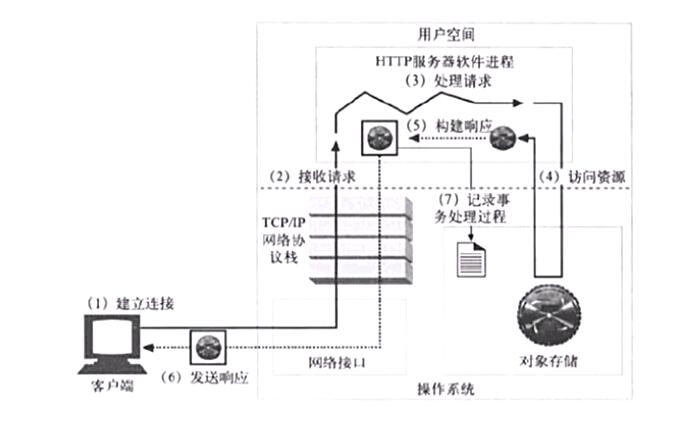
下图展示了基本的WEB服务请求步骤
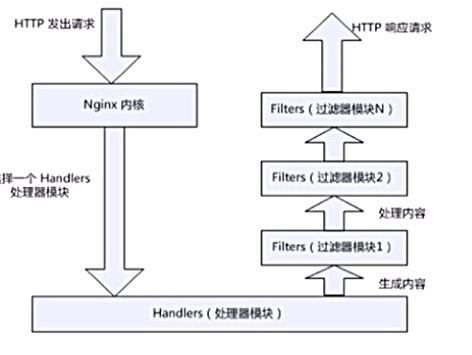
安装与配置
安装
关闭防火墙和selinux
[root@localhost ~]# systemctl disable --now firewalld.service
Removed /etc/systemd/system/multi-user.target.wants/firewalld.service.
Removed /etc/systemd/system/dbus-org.fedoraproject.FirewallD1.service.
[root@localhost ~]# setenforce 0

安装epel源、vim、wget
[root@localhost ~]# yum -y install epel-release vim wget

创建系统用户nginx
[root@localhost ~]# useradd -r -M -s /sbin/nologin nginx

安装依赖环境
[root@localhost ~]# yum -y install pcre-devel openssl openssl-devel gd-devel gcc gcc-c++
[root@localhost ~]# yum -y groups mark install 'Development Tools'

创建日志存放目录
[root@localhost ~]# mkdir -p /var/log/nginx
[root@localhost ~]# chown -R nginx.nginx /var/log/nginx

下载nginx
[root@localhost ~]# cd /usr/src/
[root@localhost src]# wget http://nginx.org/download/nginx-1.12.0.tar.gz
[root@localhost src]# ls
debug  kernels  nginx-1.12.0.tar.gz
[root@localhost src]# tar xf nginx-1.12.0.tar.gz
[root@localhost src]# cd nginx-1.12.0
[root@localhost nginx-1.12.0]# ./configure \
--prefix=/usr/local/nginx \
--user=nginx \
--group=nginx \
--with-debug \
--with-http_ssl_module \
--with-http_realip_module \
--with-http_image_filter_module \
--with-http_gunzip_module \
--with-http_gzip_static_module \
--with-http_stub_status_module \
--http-log-path=/var/log/nginx/access.log \
--error-log-path=/var/log/nginx/error.log
[root@localhost nginx-1.12.0]# make && make install
配置
配置环境变量
[root@localhost ~]# echo 'export PATH=/usr/local/nginx/sbin:$PATH' > /etc/profile.d/nginx.sh
[root@localhost ~]# cat /etc/profile.d/nginx.sh
export PATH=/usr/local/nginx/sbin:$PATH
[root@localhost ~]# bash

服务控制方式,使用nginx命令
    -t  //检查配置文件语法
    -v  //输出nginx的版本
    -V  //查看编译nginx时,用了哪些参数
    -c  //指定配置文件的路径
    -s  //发送服务控制信号,可选值有{stop|quit|reopen|reload}

[root@localhost ~]# nginx
[root@localhost ~]# ss -antl
State       Recv-Q Send-Q Local Address:Port               Peer Address:Port
LISTEN      0      128     *:80                  *:*
LISTEN      0      128     *:22                  *:*
LISTEN      0      100    127.0.0.1:25                  *:*
LISTEN      0      128    :::22                 :::*
LISTEN      0      100       ::1:25                 :::*
配置文件详解
主配置文件:/usr/local/nginx/conf/nginx.conf
- 默认启动nginx时,使用的配置文件是:安装路径/conf/nginx.conf文件
- 可以在启动nginx时通过-c选项来指定要读取的配置文件
nginx常见的配置文件及其作用
| 配置文件 | 作用 |
|---|---|
| nginx.conf | nginx的基本配置文件 |
| mime.types | MIME类型关联的扩展文件 |
| fastcgi.conf | 与fastcgi相关的配置 |
| proxy.conf | 与proxy相关的配置 |
| sites.conf | 配置nginx提供的网站,包括虚拟主机 |
配置详解
nginx.conf的内容分为以下几段:
- main配置段:全局配置段。其中main配置段中可能包含event配置段
- event {}:定义event模型工作特性
- http {}:定义http协议相关的配置
配置指令:要以分号结尾,语法格式如下:
derective value1 [value2 ...];
支持使用变量:
- 内置变量:模块会提供内建变量定义
- 自定义变量:set var_name value
正常运行必备的配置参数
user USERNAME [GROUPNAME];    //指定运行worker进程的用户和组
pid /path/to/pid_file;    //指定nginx守护进程的pid文件
worker_rlimit_nofile number;    //设置所有worker进程最大可以打开的文件数,默认为1024
worker_rlimit_core size;    //指明所有worker进程所能够使用的总体的最大核心文件大小,保持默认即可
优化性能的配置参数
worker_processes n;    //启动n个worker进程,这里的n为了避免上下文切换,通常设置为cpu总核心数-1或等于总核心数
worker_cpu_affinity cpumask ...;    //将进程绑定到某cpu中,避免频繁刷新缓存
//cpumask:使用8位二进制表示cpu核心,如:
    0000 0001   //第一颗cpu核心
    0000 0010   //第二颗cpu核心
    0000 0100   //第三颗cpu核心
    0000 1000   //第四颗cpu核心
    0001 0000   //第五颗cpu核心
    0010 0000   //第六颗cpu核心
    0100 0000   //第七颗cpu核心
    1000 0000   //第八颗cpu核心
timer_resolution interval;    //计时器解析度。降低此值,可减少gettimeofday()系统调用的次数
worker_priority number;    //指明worker进程的nice值
事件相关的配置:event{}段中的配置参数
accept_mutex {off|on};    //master调度用户请求至各worker进程时使用的负载均衡锁;on表示能让多个worker轮流地、序列化地去响应新请求
lock_file file;    //accept_mutex用到的互斥锁锁文件路径
use [epoll | rtsig | select | poll];    //指明使用的事件模型,建议让nginx自行选择
worker_connections #;    //每个进程能够接受的最大连接数
网络连接相关的配置参数
keepalive_timeout number;    //长连接的超时时长,默认为65s
keepalive_requests number;    //在一个长连接上所能够允许请求的最大资源数
keepalive_disable [msie6|safari|none];    //为指定类型的UserAgent禁用长连接
tcp_nodelay on|off;    //是否对长连接使用TCP_NODELAY选项,为了提升用户体验,通常设为on
client_header_timeout number;    //读取http请求报文首部的超时时长
client_body_timeout number;    //读取http请求报文body部分的超时时长
send_timeout number;    //发送响应报文的超时时长
fastcgi的相关配置参数
LNMP:php要启用fpm模型
配置示例如下:
location ~ \.php$ {
  root html;
  fastcgi_pass 127.0.0.1:9000;      //定义反向代理
  fastcgi_index index.php;
  fastcgi_param SCRIPT_FILENAME /scripts$fastcgi_script_name;
  include fastcgi_params;
}
常需要进行调整的参数
- worker_processes
- worker_connections
- worker_cpu_affinity
- worker_priority
nginx作为web服务器时使用的配置:http{}段的配置参数
http{...}:配置http相关,由ngx_http_core_module模块引入。nginx的HTTP配置主要包括四个区块,结构如下:
http {//协议级别
  include mime.types;
  default_type application/octet-stream;
  keepalive_timeout 65;
  gzip on;
  upstream {//负载均衡配置
    ...
  }
  server {//服务器级别,每个server类似于httpd中的一个<VirtualHost>
    listen 80;
    server_name localhost;
    location / {//请求级别,类似于httpd中的<Location>,用于定义URL与本地文件系统的映射关系
      root html;
      index index.html index.htm;
    }
  }
}
http{}段配置指令:
server {}:定义一个虚拟主机,示例如下:
server {
  listen 80;
  server_name www.idfsoft.com;
  root "/vhosts/web";
}
listen:指定监听的地址和端口
listen address[:port];
listen port;
server_name NAME [...]; 后面可跟多个主机,名称可使用正则表达式或通配符
当有多个server时,匹配顺序如下:
- 先做精确匹配检查
- 左侧通配符匹配检查,如*.idfsoft.com
- 右侧通配符匹配检查,如mail.*
- 正则表达式匹配检查,如~ ^.*.idfsoft.com$
- default_server
root path; 设置资源路径映射,用于指明请求的URL所对应的资源所在的文件系统上的起始路径
alias path; 用于location配置段,定义路径别名
index file; 默认主页面
index index.php index.html;
error_page code [...] [=code] URI | @name 根据http响应状态码来指明特用的错误页面,例如 error_page 404 /404_customed.html
[=code]:以指定的响应码进行响应,而不是默认的原来的响应,默认表示以新资源的响应码为其响应码,例如 error_page 404 =200 /404_customed.html
log_format 定义日志格式
log_format  main  '$remote_addr - $remote_user [$time_local] "$request" '
                    '$status $body_bytes_sent "$http_referer" '
                    '"$http_user_agent" "$http_x_forwarded_for"';
access_log  logs/access.log  main;

//注意:此处可用变量为nginx各模块内建变量
没有修饰符表示必须以指定模式开始,如:
server {
  server_name www.idfsoft.com;
  location /abc {
    ......
  }
}
那么如下内容就可正确匹配:
- http://www.idfsoft.com/abc
- http://www.idfsoft.com/abc?p1=11&p2=22
- http://www.idfsoft.com/abc/
=:表示必须与指定的模式精确匹配,如:
server {
  server_name www.idfsoft.com;
  location = /abc {
    ......
  }
}
那么如下内容就可正确匹配:
- http://www.idfsoft.com/abc
-
http://www.idfsoft.com/abc?p1=11&p2=22 如下内容则无法匹配:
-
http://www.idfsoft.com/abc/
- http://www.idfsoft.com/abc/abcde
~:表示指定的正则表达式要区分大小写,如:
server {
  server_name www.idfsoft.com;
  location ~ ^/abc$ {
  ......
  }
}
那么如下内容就可正确匹配:
- http://www.idfsoft.com/abc
-
http://www.idfsoft.com/abc?p1=11&p2=22 如下内容则无法匹配:
-
http://www.idfsoft.com/abc/
- http://www.idfsoft.com/ABC
- http://www.idfsoft.com/abcde
~*:表示指定的正则表达式不区分大小写,如:
server {
  server_name www.idfsoft.com;
  location ~* ^/abc$ {
    ......
  }
}
那么如下内容就可正确匹配:
- http://www.idfsoft.com/abc
- http://www.idfsoft.com/abc?p1=11&p2=22
-
http://www.idfsoft.com/ABC 如下内容则无法匹配:
-
http://www.idfsoft.com/abc/
- http://www.idfsoft.com/abcde
~:类似于无修饰符的行为,也是以指定模式开始,不同的是,如果模式匹配,则停止搜索其他模式
查找顺序和优先级:由高到底依次为
- 带有=的精确匹配优先
- 正则表达式按照他们在配置文件中定义的顺序
- 带有^~修饰符的,开头匹配
- 带有~或~*修饰符的,如果正则表达式与URI匹配
- 没有修饰符的精确匹配 优先级次序如下:
( location = 路径 ) --> ( location ^~ 路径 ) --> ( location ~ 正则 ) --> ( location ~* 正则 ) --> ( location 路径 )
错误页面配置
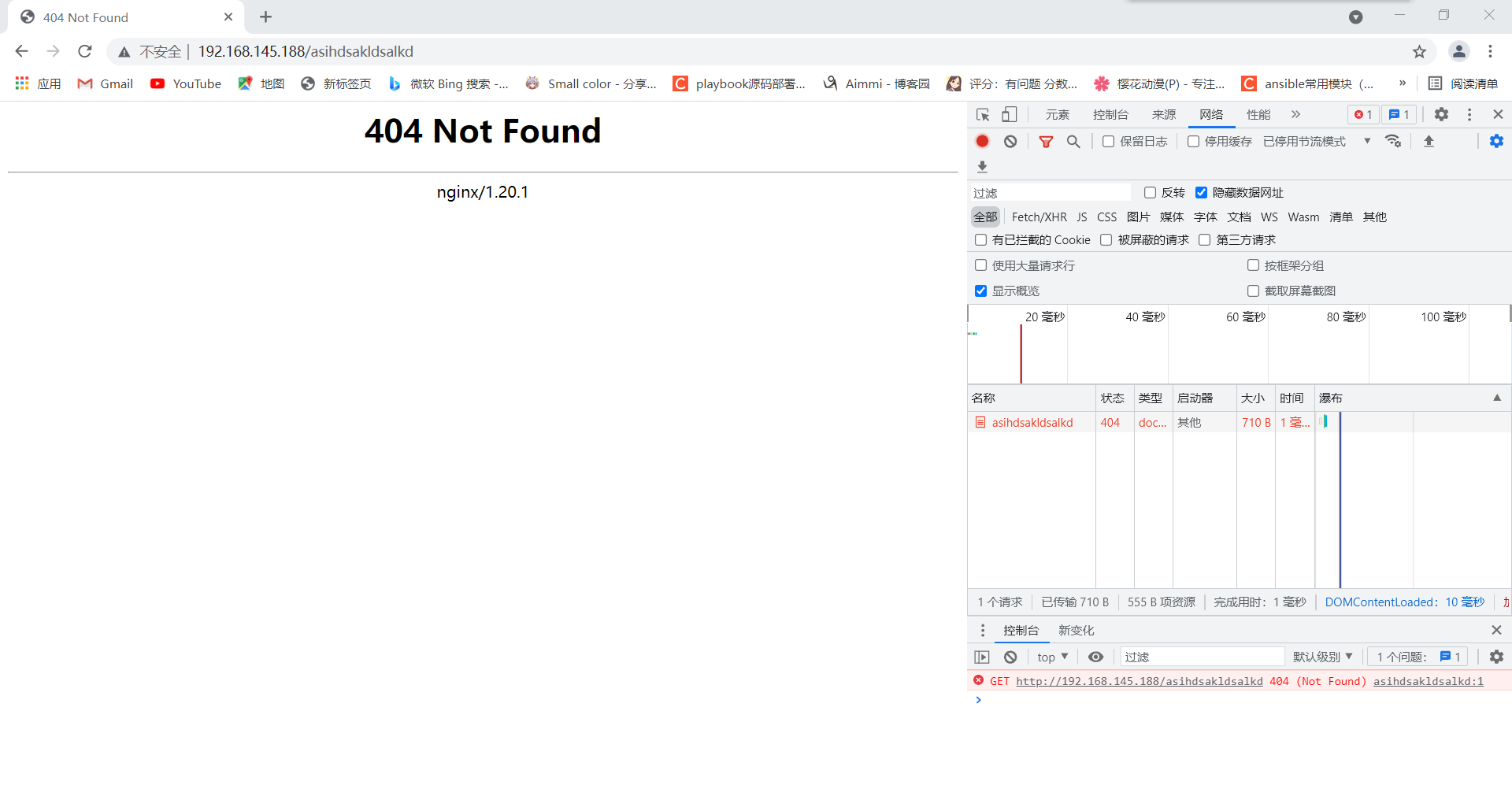
[root@localhost html]# pwd
/usr/local/nginx/html
[root@localhost html]# ls
 404.html   index.html
 50x.html  ''$'\344\270\255\345\233\275\345\205\254\347\233\212\347\275\221''_files'

[root@localhost conf]# pwd
/usr/local/nginx/conf
[root@localhost conf]# vim nginx.conf
error_page  404              /404.html;         //取消注释

重新加载
[root@localhost html]# nginx -s reload
测试
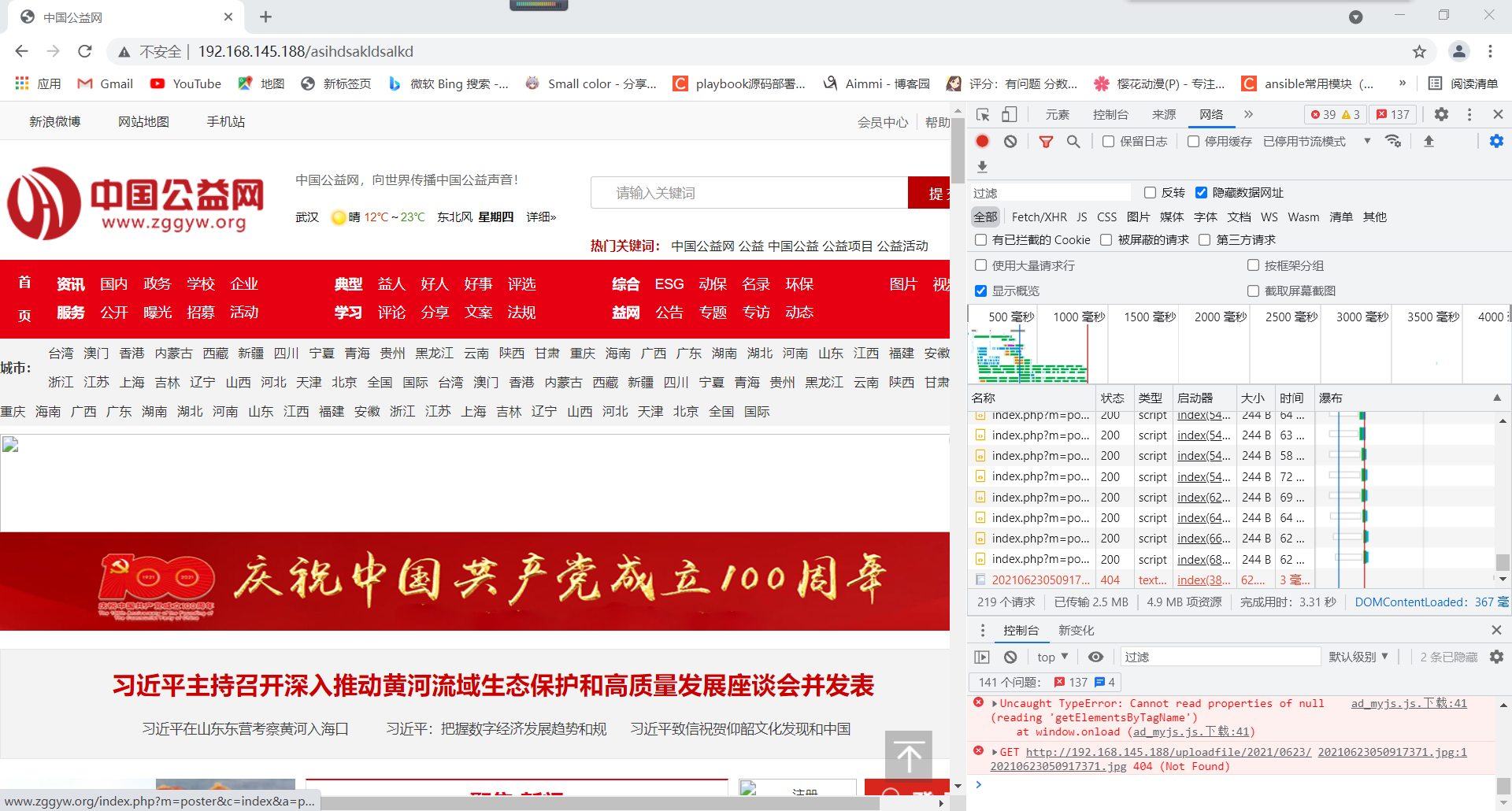
[root@localhost conf]# vim nginx.conf
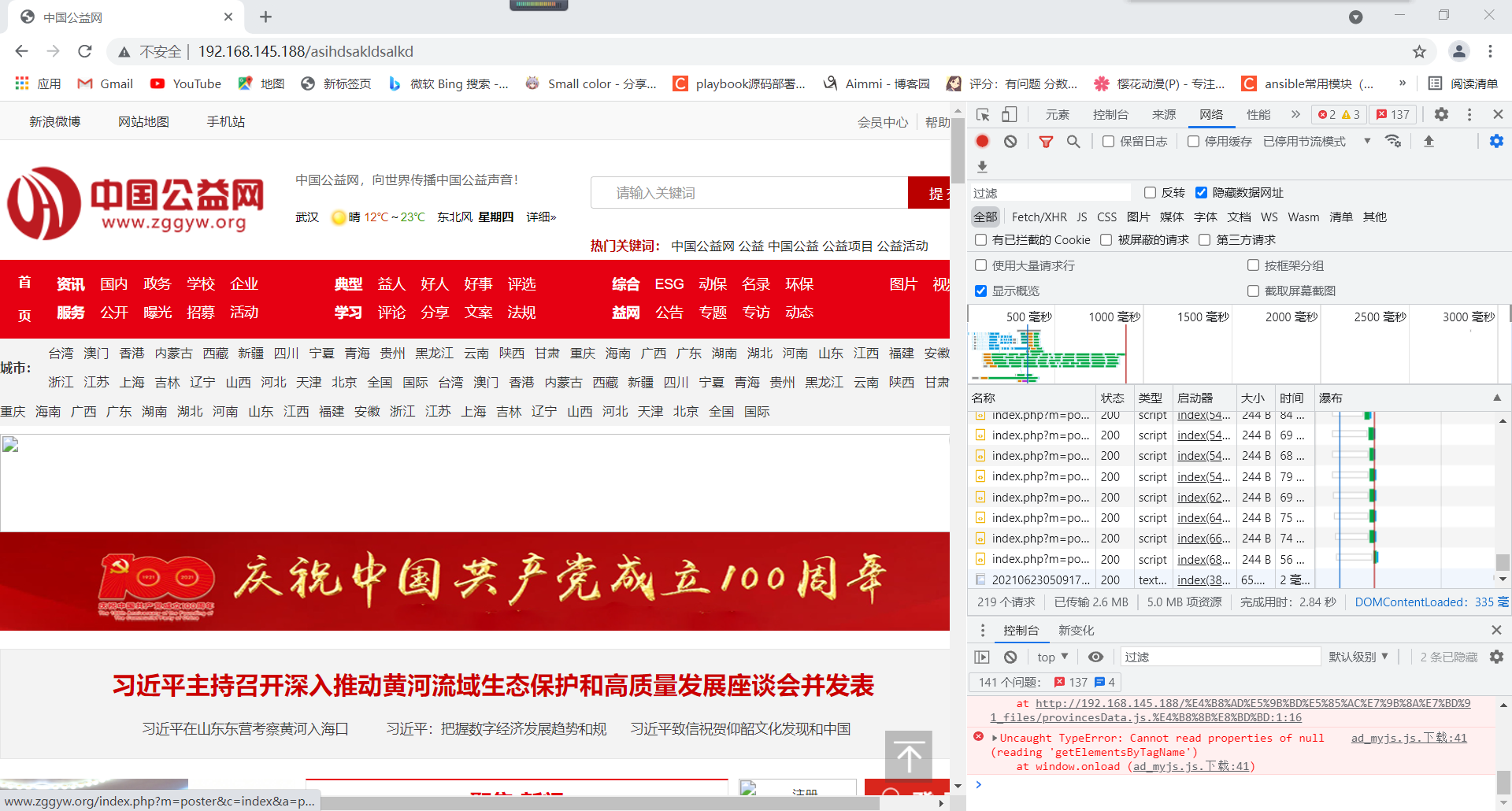
error_page  404 =200              /404.html;            添加200
[root@localhost conf]# nginx -s reload
![]()
平滑升级
平滑升级:不能执行安装操作
- 获取老版本的编译参数 -V
- 获取新版本或新功能的软件包
- 对新功能或新版本的软件包进行编译
- 备份老版本
- 停掉老程序并用新程序使用老程序的配置文件进行启动
- 检验功能,若无问题即用新程序替换老程序
[root@localhost ~]# yum -y install unzip
[root@localhost ~]# cd /usr/src/
[root@localhost src]# ls
debug  echo-nginx-module-master.zip  kernels  nginx-1.20.1  nginx-1.20.1.tar.gz
[root@localhost src]# tar xf nginx-1.20.1.tar.gz
[root@localhost src]# unzip echo-nginx-module-master.zip

[root@localhost src]# nginx -V
nginx version: nginx/1.20.1
built by gcc 8.4.1 20200928 (Red Hat 8.4.1-1) (GCC)
built with OpenSSL 1.1.1g FIPS  21 Apr 2020
TLS SNI support enabled
configure arguments: --prefix=/usr/local/nginx --user=nginx --group=nginx --with-debug --with-http_ssl_module --with-http_realip_module --with-http_image_filter_module --with-http_gunzip_module --with-http_gzip_static_module --with-http_stub_status_module --http-log-path=/var/log/nginx/access.log --error-log-path=/var/log/nginx/error.log

[root@localhost nginx-1.20.1]# ./configure --prefix=/usr/local/nginx --user=nginx --group=nginx --with-debug --with-http_ssl_module --with-http_realip_module --with-http_image_filter_module --with-http_gunzip_module --with-http_gzip_static_module --with-http_stub_status_module --http-log-path=/var/log/nginx/access.log --error-log-path=/var/log/nginx/error.log --add-module=../echo-nginx-module-master

[root@localhost nginx-1.20.1]# make
[root@localhost nginx-1.20.1]# ll objs/nginx /usr/local/nginx/sbin/nginx
-rwxr-xr-x. 1 root root 6307576 Oct 27 23:28 /usr/local/nginx/sbin/nginx
-rwxr-xr-x. 1 root root 6829960 Oct 28 00:30 objs/nginx

[root@localhost nginx-1.20.1]# cp /usr/local/nginx/sbin/nginx /opt/
[root@localhost nginx-1.20.1]# ls /opt/
nginx

#access_log  logs/host.access.log  main;

        location / {
            root   html;
            index  index.html index.htm;
        }

        location /zs {
            echo 'hello' ;            //添加
        }

        #error_page  404 =200              /404.html;
[root@localhost nginx-1.20.1]# objs/nginx -s reload
[root@localhost nginx]# curl http://192.168.145.188
hello

[root@localhost nginx-1.20.1]# \cp objs/nginx /usr/local/nginx/sbin/

[root@localhost nginx-1.20.1]# objs/nginx -s stop;nginx
[root@localhost nginx-1.20.1]# ps -ef | grep nginx
root      284102       1  0 10:34 ?        00:00:00 nginx: master process nginx
nginx     284103  284102  0 10:34 ?        00:00:00 nginx: worker process
root      284750   27396  0 10:34 pts/2    00:00:00 grep --color=auto nginx
https
[root@localhost conf]# mkdir ssl
[root@localhost conf]# cd ssl/
[root@localhost ssl]# mkdir -p /etc/pki/CA
[root@localhost ssl]# cd /etc/pki/CA
[root@localhost CA]# mkdir private && (umask 077;openssl genrsa -out private/cakey.pem 2048)
Generating RSA private key, 2048 bit long modulus (2 primes)
...............+++++
....+++++
e is 65537 (0x010001)
[root@localhost CA]# ls
private
[root@localhost CA]# openssl req -new -x509 -key private/cakey.pem -out cacert.pem -days 365
You are about to be asked to enter information that will be incorporated
into your certificate request.
What you are about to enter is what is called a Distinguished Name or a DN.
There are quite a few fields but you can leave some blank
For some fields there will be a default value,
If you enter '.', the field will be left blank.
-----
Country Name (2 letter code) [XX]:CN
State or Province Name (full name) []:HB
Locality Name (eg, city) [Default City]:WH
Organization Name (eg, company) [Default Company Ltd]:rumtime
Organizational Unit Name (eg, section) []:rumtime
Common Name (eg, your name or your server's hostname) []:test.runtime.com
Email Address []:123@zs.com
[root@localhost CA]# mkdir certs newcerts crl
[root@localhost CA]# ls
cacert.pem  certs  crl  newcerts  private
[root@localhost CA]# touch index.txt && echo 01 > serial
[root@localhost CA]# ls
cacert.pem  certs  crl  index.txt  newcerts  private  serial

[root@localhost ~]# cd /usr/local/nginx/conf/ssl/
[root@localhost ssl]# (umask 077;openssl genrsa -out nginx.key 2048)
Generating RSA private key, 2048 bit long modulus (2 primes)
.....................+++++
.................................+++++
e is 65537 (0x010001)
[root@localhost ssl]# ls
nginx.key
[root@localhost ssl]# openssl req -new -key nginx.key -days 365 -out nginx.csr
Ignoring -days; not generating a certificate
You are about to be asked to enter information that will be incorporated
into your certificate request.
What you are about to enter is what is called a Distinguished Name or a DN.
There are quite a few fields but you can leave some blank
For some fields there will be a default value,
If you enter '.', the field will be left blank.
-----
Country Name (2 letter code) [XX]:CN
State or Province Name (full name) []:
Locality Name (eg, city) [Default City]:WH^C
[root@localhost ssl]# openssl req -new -key nginx.key -days 365 -out nginx.csr
Ignoring -days; not generating a certificate
You are about to be asked to enter information that will be incorporated
into your certificate request.
What you are about to enter is what is called a Distinguished Name or a DN.
There are quite a few fields but you can leave some blank
For some fields there will be a default value,
If you enter '.', the field will be left blank.
-----
Country Name (2 letter code) [XX]:CN
State or Province Name (full name) []:HB
Locality Name (eg, city) [Default City]:WH
Organization Name (eg, company) [Default Company Ltd]:rumtime
Organizational Unit Name (eg, section) []:rumtime
Common Name (eg, your name or your server's hostname) []:test.runtime.com
Email Address []:123@zs.com

Please enter the following 'extra' attributes
to be sent with your certificate request
A challenge password []:123456
An optional company name []:123456
[root@localhost ssl]#
[root@localhost ssl]# ll
total 8
-rw-r--r--. 1 root root 1102 Oct 28 01:52 nginx.csr
-rw-------. 1 root root 1679 Oct 28 01:50 nginx.key
[root@localhost ssl]# openssl ca -in nginx.csr -out nginx.crt -days 365
Using configuration from /etc/pki/tls/openssl.cnf
Check that the request matches the signature
Signature ok
Certificate Details:
        Serial Number: 1 (0x1)
        Validity
            Not Before: Oct 28 03:29:16 2021 GMT
            Not After : Oct 28 03:29:16 2022 GMT
        Subject:
            countryName               = CN
            stateOrProvinceName       = HB
            organizationName          = rumtime
            organizationalUnitName    = rumtime
            commonName                = test.runtime.com
            emailAddress              = 123@zs.com
        X509v3 extensions:
            X509v3 Basic Constraints:
                CA:FALSE
            Netscape Comment:
                OpenSSL Generated Certificate
            X509v3 Subject Key Identifier:
                7F:FE:43:09:51:9B:B1:C7:26:83:92:F1:51:59:DA:41:83:65:2F:B4
            X509v3 Authority Key Identifier:
                keyid:E2:5F:42:08:54:A7:81:2D:BC:E5:22:3E:55:DD:90:82:8A:13:34:97

Certificate is to be certified until Oct 28 03:29:16 2022 GMT (365 days)
Sign the certificate? [y/n]:y


1 out of 1 certificate requests certified, commit? [y/n]y
Write out database with 1 new entries
Data Base Updated

[root@localhost ssl]# rm -rf nginx.csr
[root@localhost ssl]# ls
nginx.crt  nginx.key
[root@localhost ssl]# cd ..
[root@localhost conf]# vim nginx.conf
    server {                    //一整段都取消注释
        listen       443 ssl;
        server_name  test.runtime.com;      //修改

        ssl_certificate      ssl/nginx.crt; //修改
        ssl_certificate_key  ssl/nginx.key; //修改

        ssl_session_cache    shared:SSL:1m;
        ssl_session_timeout  5m;

        ssl_ciphers  HIGH:!aNULL:!MD5;
        ssl_prefer_server_ciphers  on;

        location / {
            root   html;
            index  index.html index.htm;
        }
    }

[root@localhost conf]# nginx -s reload
[root@localhost conf]# ss -anlt
State                     Recv-Q                    Send-Q                                       Local Address:Port                                         Peer Address:Port
LISTEN                    0                         128                                                0.0.0.0:80                                                0.0.0.0:*
LISTEN                    0                         128                                                0.0.0.0:22                                                0.0.0.0:*
LISTEN                    0                         128                                                0.0.0.0:443                                               0.0.0.0:*               //443端口
LISTEN 0 128 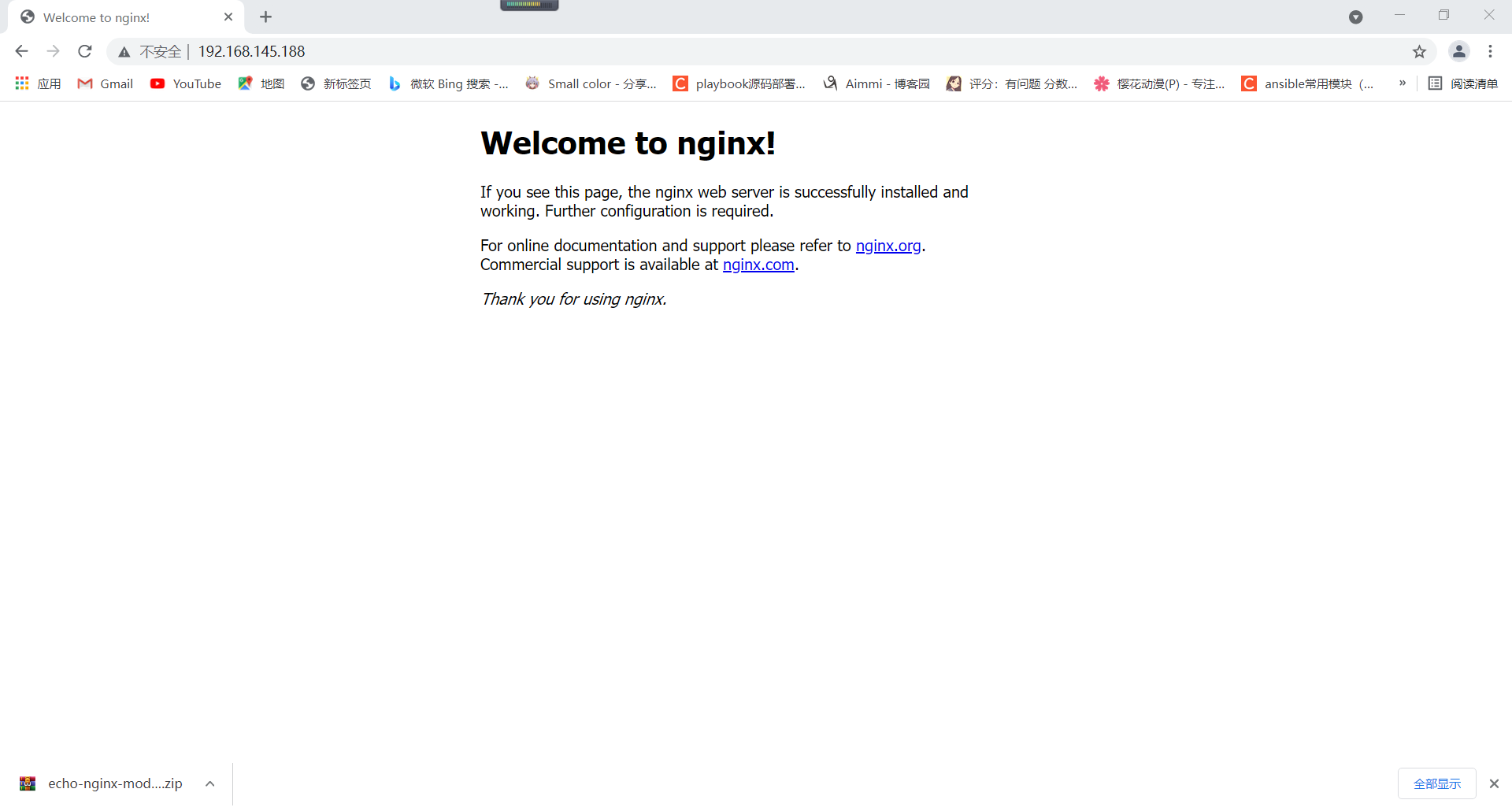
rewrite:重新写入URL重定向
[root@localhost ~]# vim /usr/local/nginx/conf/nginx.conf
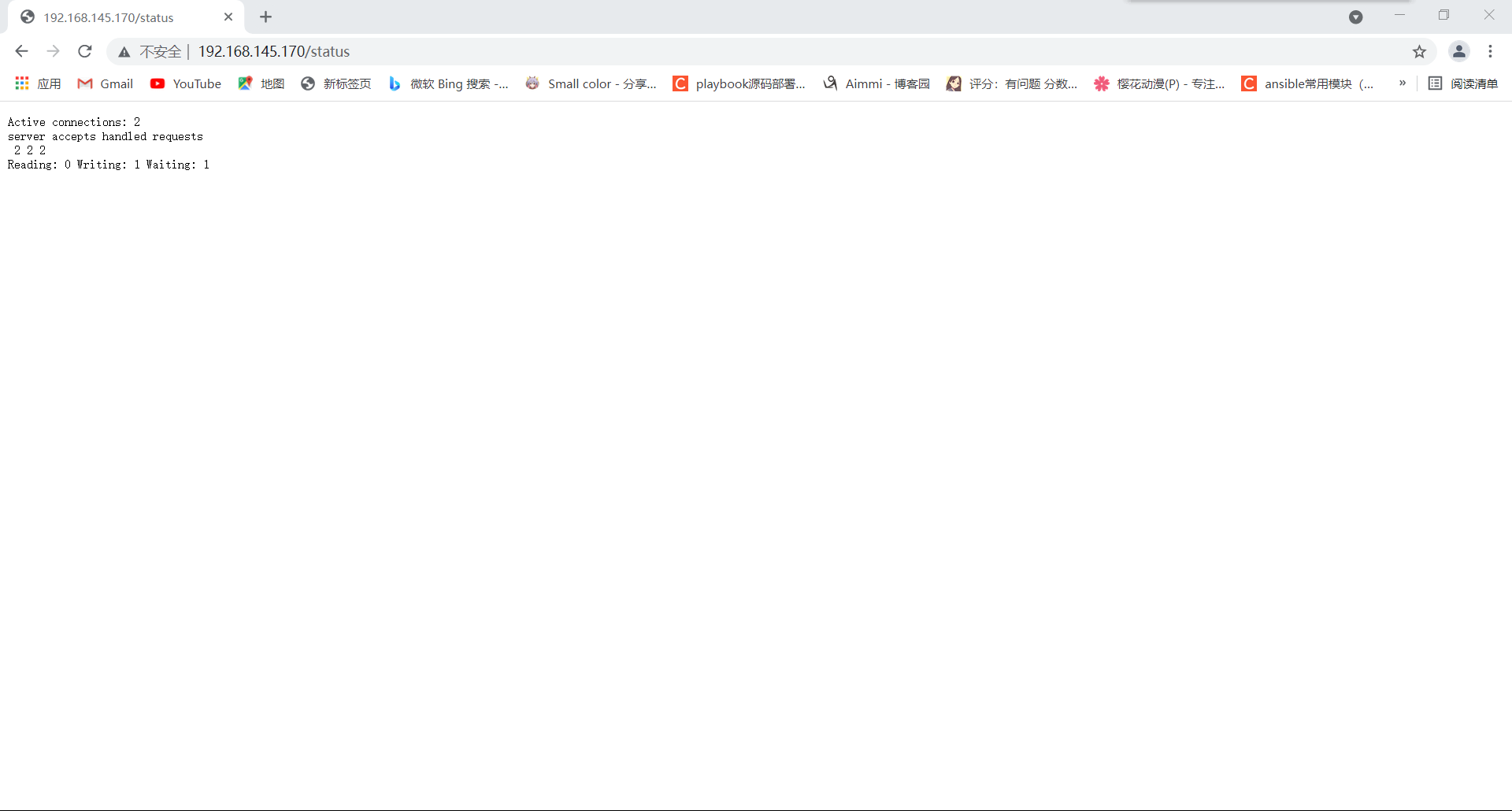
        location /status {
        stub_status   on;
        }
[root@localhost ~]# nginx -s reload
[root@localhost ~]# cd /usr/local/nginx/html/images/
[root@localhost images]# ls
1.jpg

[root@localhost html]# ls
50x.html  images  index.html
[root@localhost html]# mv images imgs
[root@localhost html]# ls
50x.html  imgs  index.html
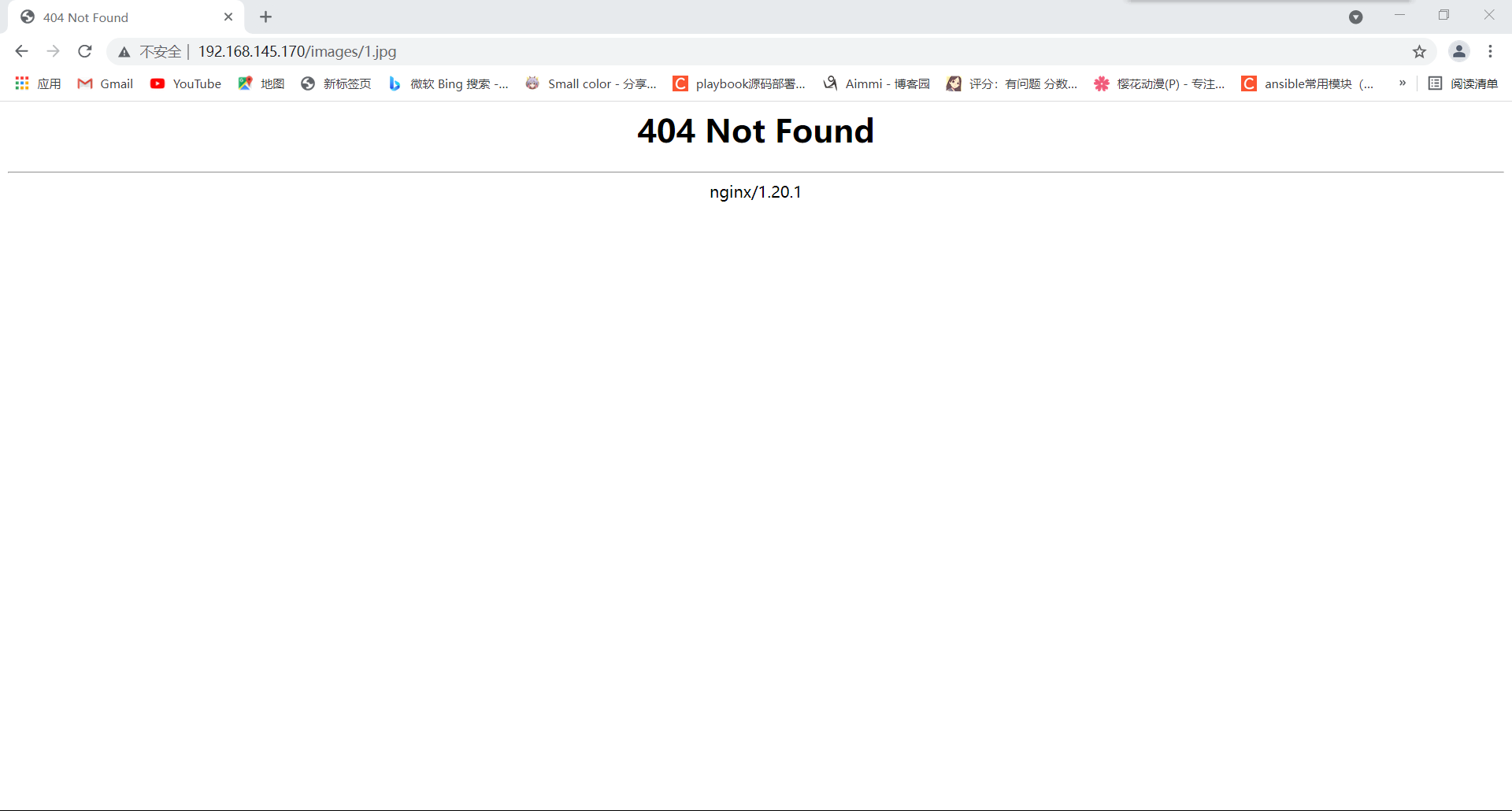
[root@localhost ~]# vim  /usr/local/nginx/conf/nginx.conf
        location /images {
            rewrite ^/images/(.*\.jpg)$ /imgs/$1 break;     当匹配images时自动重定向到imgs
        }
[root@localhost ~]# nginx -s reload

[root@localhost ~]# vim  /usr/local/nginx/conf/nginx.conf
        location /images {
            rewrite ^/images/(.*)$ http://images.baidu.com;     替换成百度的网站,当匹配到images时,自动重定向到后面的百度网站
        }
[root@localhost ~]# nginx -s reload
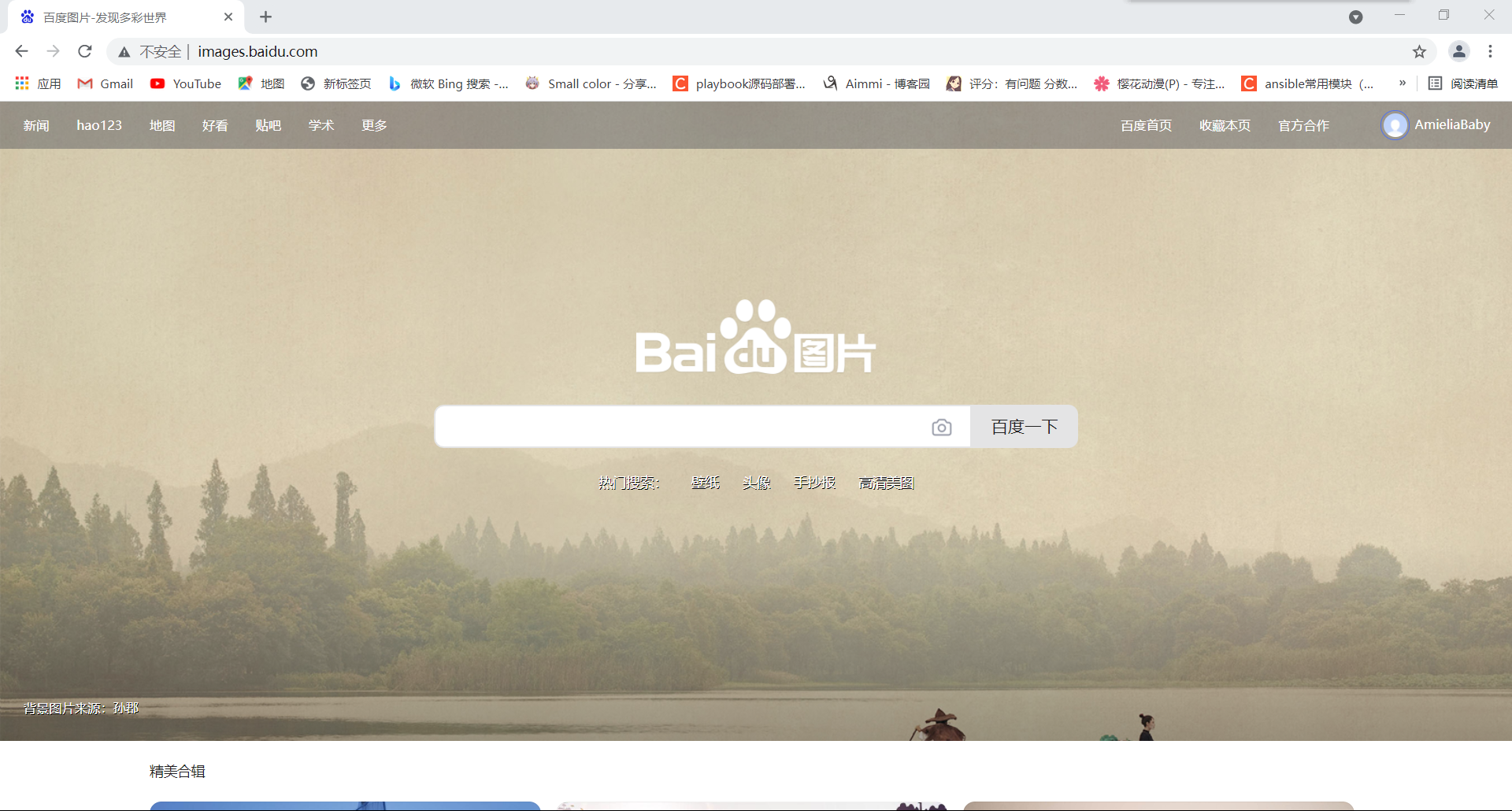
[root@localhost ~]# vim  /usr/local/nginx/conf/nginx.conf
        location / {
            root   html;
            index  index.html index.htm;
        }

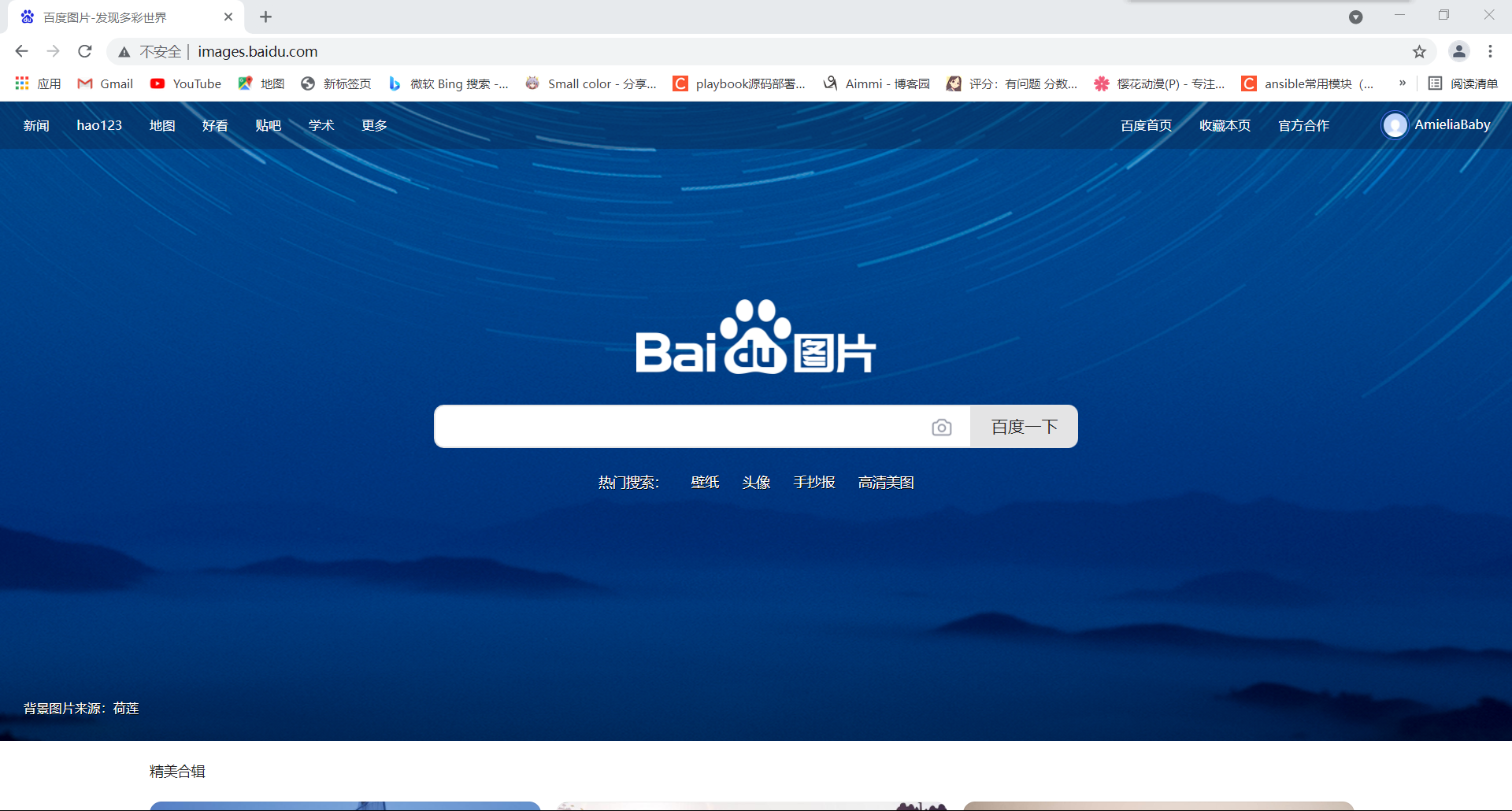
        location /images {
        rewrite ^/images/(.*\.jpg)$ /imgs/$1 last;      当匹配到images时,指向imgs因为有last,所以会继续向后匹配
        }

        location /imgs {
            rewrite ^/images/(.*)$ http://images.baidu.com;     匹配到imgs指向我们设置的域名
        }
[root@localhost ~]# nginx -s reload
if语句
语法:if (condition) {…}
应用场景:
server段
location段
常见的condition 变量名(变量值为空串,或者以“0”开始,则为false,其它的均为true) 以变量为操作数构成的比较表达式(可使用=,!=类似的比较操作符进行测试) 正则表达式的模式匹配操作 ~:区分大小写的模式匹配检查 ~:不区分大小写的模式匹配检查 !和!:对上面两种测试取反 测试指定路径为文件的可能性(-f,!-f) 测试指定路径为目录的可能性(-d,!-d) 测试文件的存在性(-e,!-e) 检查文件是否有执行权限(-x,!-x)
基于浏览器实现分离案例
if ($http_user_agent ~ Firefox) {
  rewrite ^(.*)$ /firefox/$1 break;
}

if ($http_user_agent ~ MSIE) {
  rewrite ^(.*)$ /msie/$1 break;
}

if ($http_user_agent ~ Chrome) {
  rewrite ^(.*)$ /chrome/$1 break;
}
防盗链案例
location ~* \.(jpg|gif|jpeg|png)$ {
  valid_referers none blocked www.idfsoft.com;
  if ($invalid_referer) {
    rewrite ^/ http://www.idfsoft.com/403.html;
  }
}
//将其他页面跳转过来的链接转到不存在的页面
 浙公网安备 33010602011771号