zabbix监控配置流程
zabbix监控配置流程
zabbix监控配置流程详解
1、开发人员要加监控
让开发人员提供获取监控信息的方式
2、运营人员(提需求的人)要加监控
让运营人员问开发人员要获取监控信息的方式
3、运维人员要加监控
配置监控的步骤
1、添加主机组 (option)
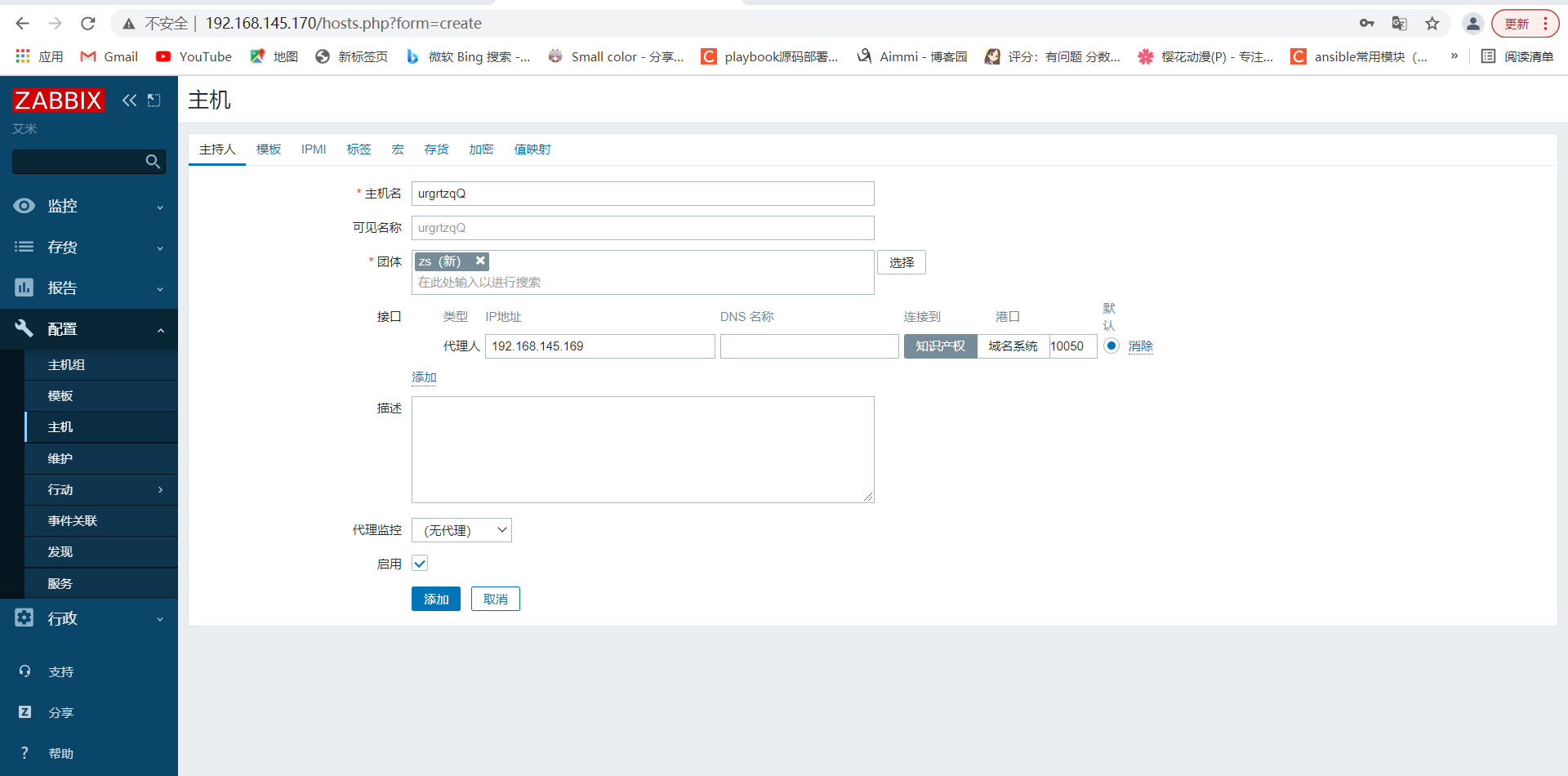
2、添加主机并加入主机组
安装agent
配置zabbix_agentd.conf,设置zabbix_server的ip,hostname的值
启动服务
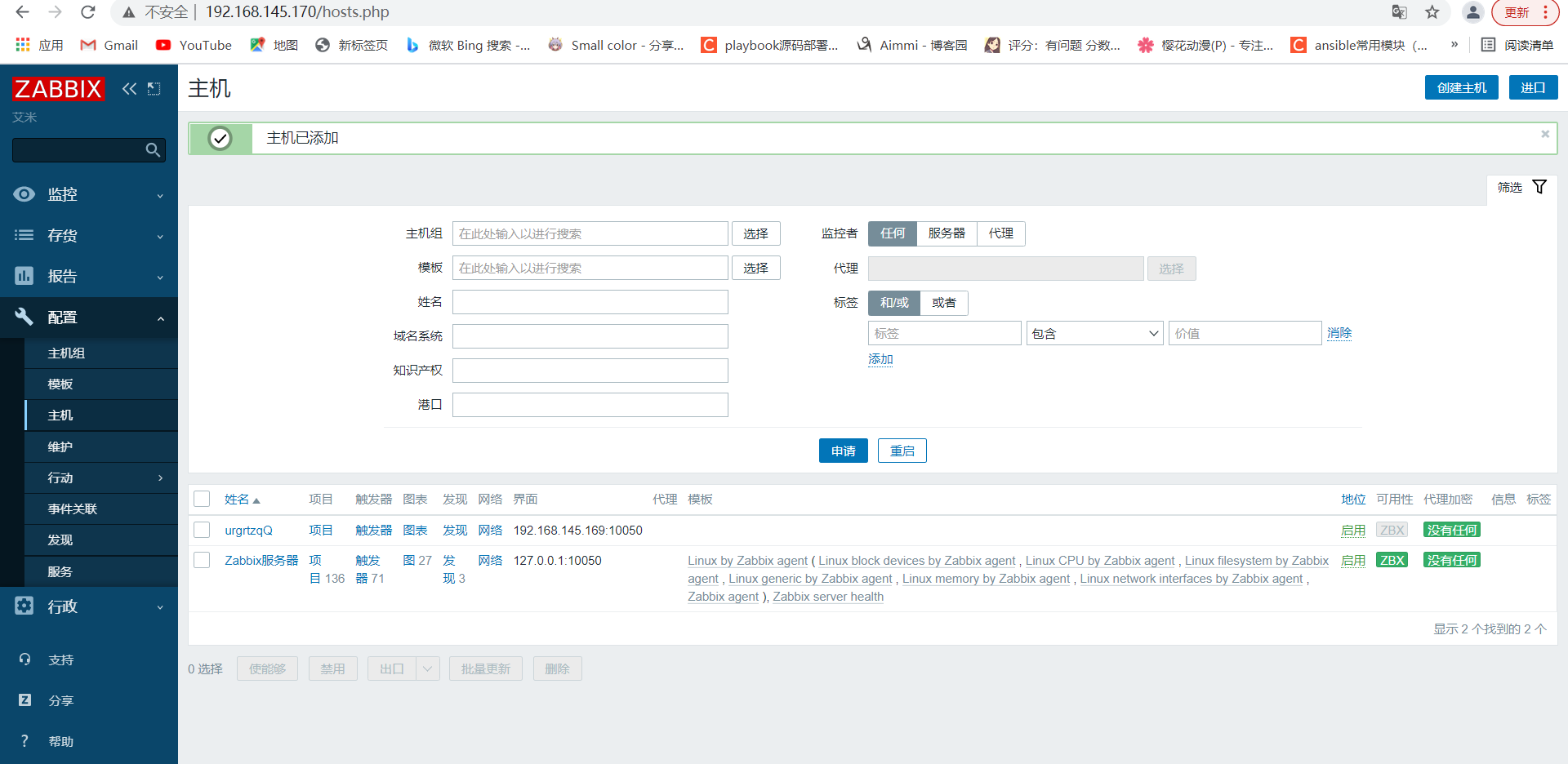
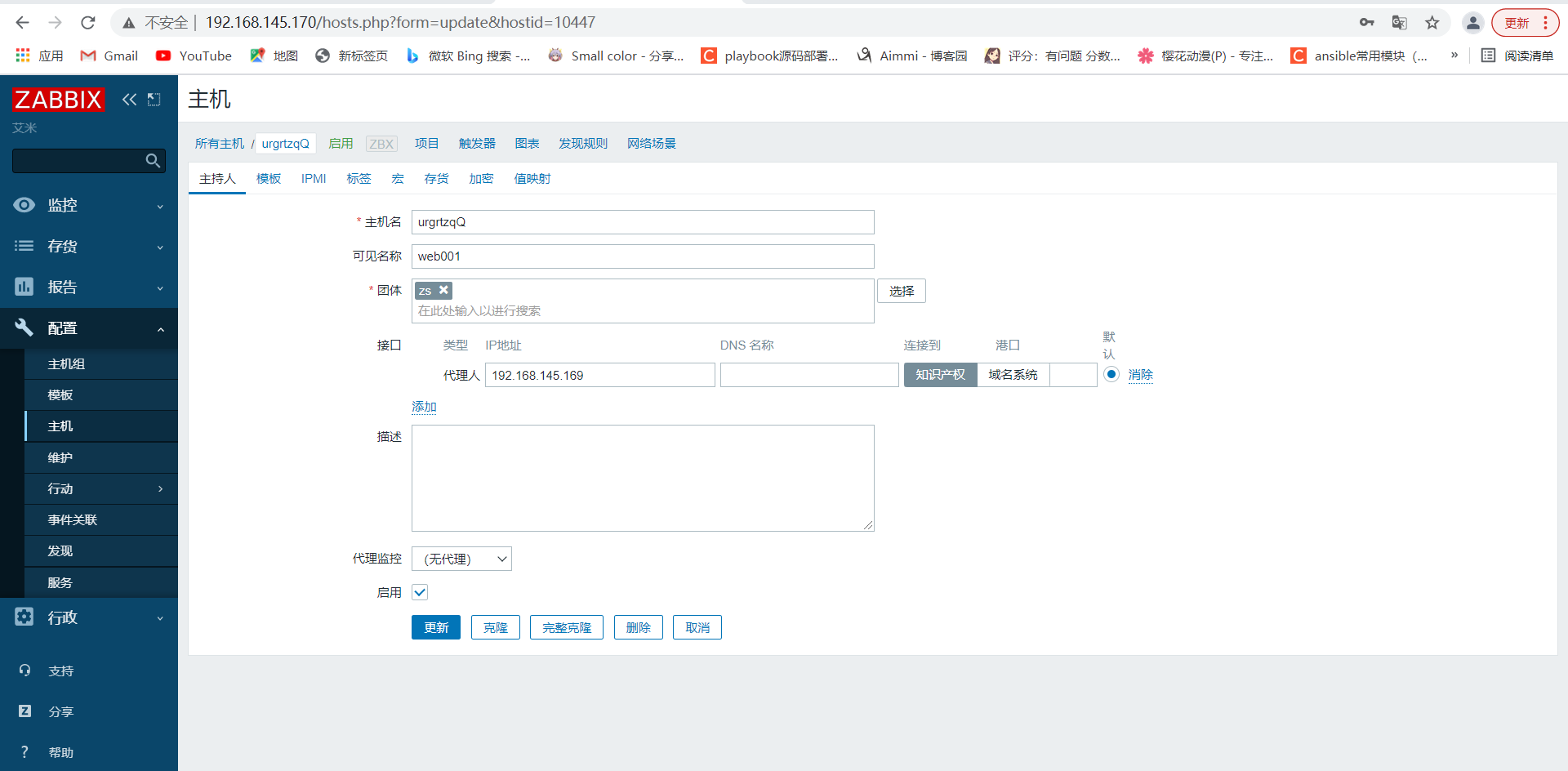
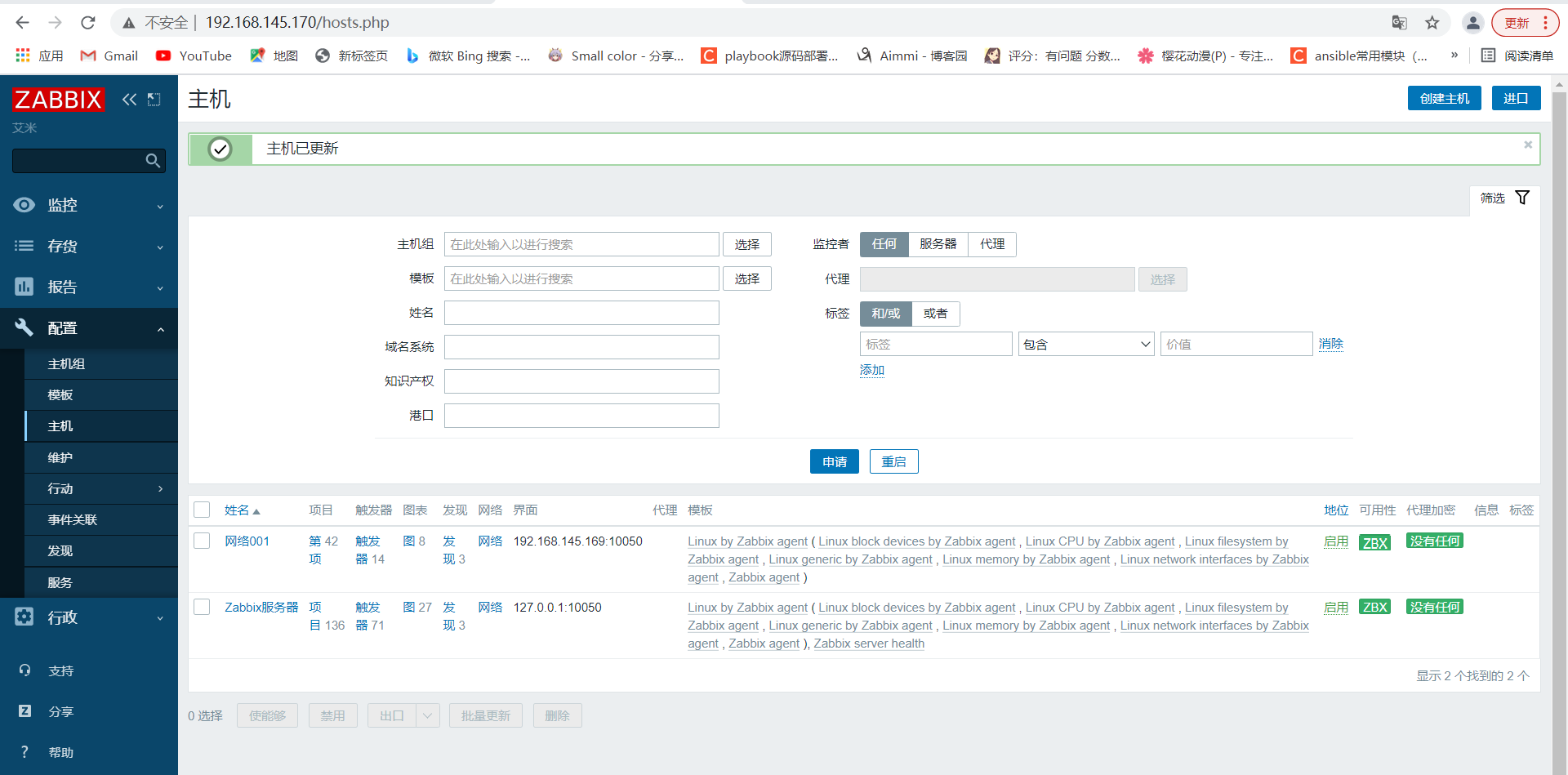
在web界面添加主机
3、添加监控项
手动配置监控录像
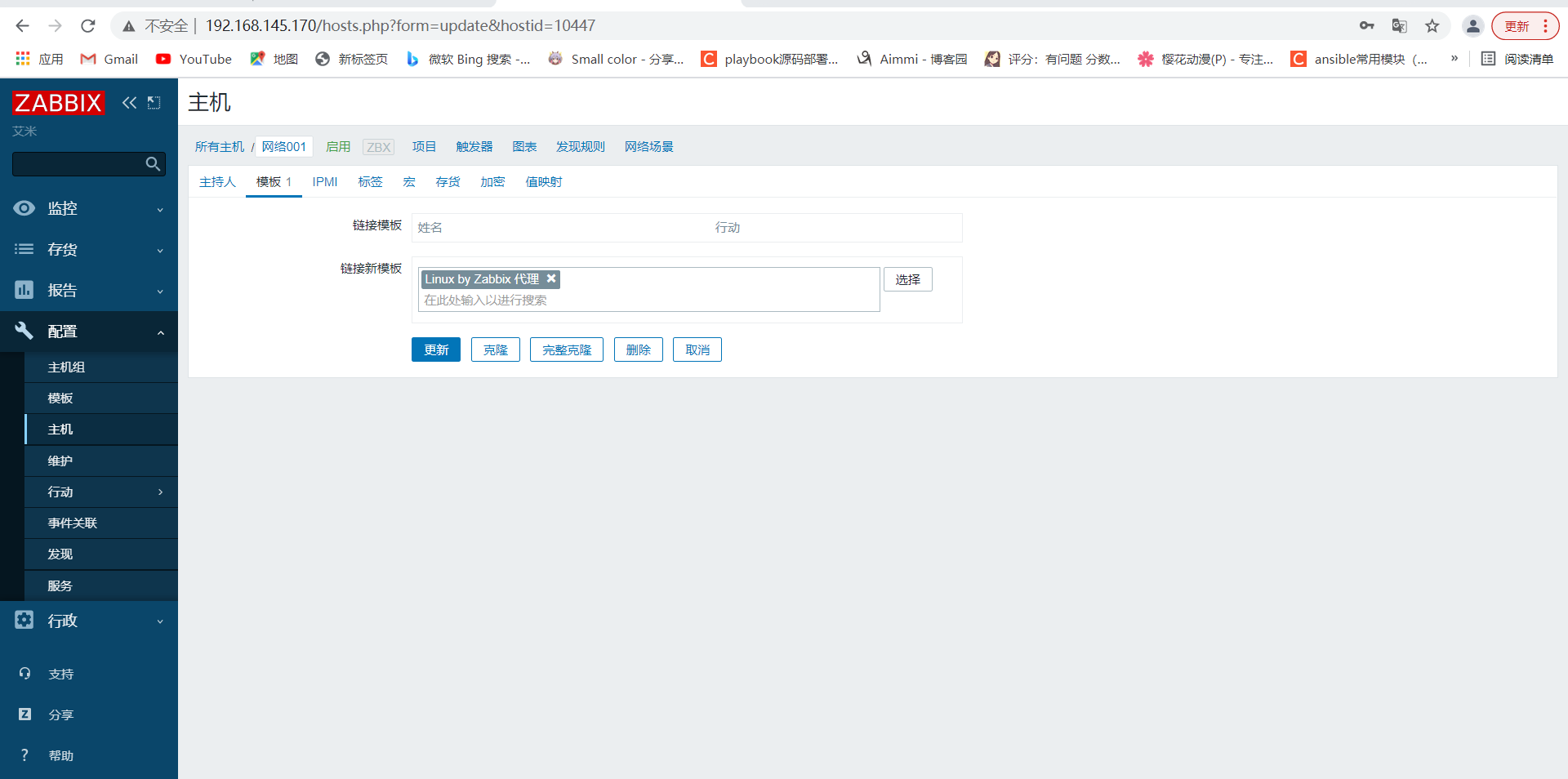
通过模板配置监控项
4、添加触发器
5、配置用户媒介
6、添加动作
7、手动触发并验证
关闭防火墙和selinux
[root@localhost ~]# systemctl disable --now firewalld.service
Removed /etc/systemd/system/multi-user.target.wants/firewalld.service.
Removed /etc/systemd/system/dbus-org.fedoraproject.FirewallD1.service.
[root@localhost ~]# setenforce 0

下载并解压zabbix
[root@localhost src]# ls
debug  kernels  zabbix-5.4.4.tar.gz
[root@localhost src]# tar xf zabbix-5.4.4.tar.gz
[root@localhost src]# cd zabbix-5.4.4/
[root@localhost zabbix-5.4.4]# ls
aclocal.m4  ChangeLog     config.sub    database  install-sh   man      README
AUTHORS     compile       configure     depcomp   m4           misc     sass
bin         conf          configure.ac  include   Makefile.am  missing  src
build       config.guess  COPYING       INSTALL   Makefile.in  NEWS     ui

创建用户
[root@localhost src]# useradd -r -M -s /sbin/nolongin zabbix

安装依赖包
[root@localhost zabbix-5.4.4]# yum -y install vim wget gcc gcc-c++ make pcre-devel openssl openssl-devel

编译安装zabbix
[root@localhost zabbix-5.4.4]# ./configure --enable-agent

***********************************************************
*            Now run 'make install'                       *
*                                                         *
*            Thank you for using Zabbix!                  *
*              <http://www.zabbix.com>                    *
***********************************************************

[root@localhost zabbix-5.4.4]# make install

创建随机唯一标识
[root@localhost ~]# tr -dc A-Za-z < /dev/urandom | head -c 8 |xargs
urgrtzqQ

修改配置文件
[root@localhost ~]# cd /usr/local/etc/
[root@localhost etc]# ls
zabbix_agentd.conf  zabbix_agentd.conf.d
[root@localhost etc]# vim zabbix_agentd.conf
Server=192.168.145.170
ServerActive=192.168.145.170
Hostname=urgrtzqQ

[root@localhost etc]# zabbix_agentd
[root@localhost etc]# ss -antl
State    Recv-Q     Send-Q          Local Address:Port          Peer Address:Port
LISTEN   0          32              192.168.122.1:53                 0.0.0.0:*
LISTEN   0          128                   0.0.0.0:22                 0.0.0.0:*
LISTEN   0          5                   127.0.0.1:631                0.0.0.0:*
LISTEN   0          128                   0.0.0.0:10050              0.0.0.0:*
LISTEN   0          128                   0.0.0.0:111                0.0.0.0:*
LISTEN   0          128                      [::]:22                    [::]:*
LISTEN   0          5                       [::1]:631                   [::]:*
LISTEN   0          128                      [::]:111                   [::]:*
![]()



 浙公网安备 33010602011771号