ping模块:ping模块用于检查故障回复机器是否连通,常用很简单,不知道,主机是否在线,则pong
  ```
  [root@localhost ansible]# ansible all -m ping
  192.168.145.162 | SUCCESS => {
  "ansible_facts": {
  "discovered_interpreter_python": "/usr/bin/python"
  },
  "changed": false,
  "ping": "pong"
  }
命令模块:命令模块用于在远程主机上执行命令,ansible默认就是使用命令模块。
  命令模块有一个缺陷就是不能使用管道符和执行功能。
  ```
  查看受控主机的/tmp目录内容
  [root@localhost ansible]# ansible 192.168.145.162 -a 'ls /tmp'
  192.168.145.162 | CHANGED | rc=0 >>
  anaconda.log
  ansible_command_payload_VyRlDG
  hsperfdata_root
  ifcfg.log
  ks-script-_gcBHe
  packaging.log
  program.log
  sensitive-info.log
  ssh-6fGPSTTiKzXF
  ssh-xzhjRraNfxN4
  storage.log
  systemd-private-690395c778184bfa90bf660790ea8668-chronyd.service-70oYja
  systemd-private-690395c778184bfa90bf660790ea8668-colord.service-biAHyz
  systemd-private-690395c778184bfa90bf660790ea8668-cups.service-5QFOST
  systemd-private-690395c778184bfa90bf660790ea8668-rtkit-daemon.service-jSzsX1
  systemd-private-da3b33eea333443190bdef1c7a7a2f4e-chronyd.service-wVm7qf
  systemd-private-da3b33eea333443190bdef1c7a7a2f4e-colord.service-iEEarO
  systemd-private-da3b33eea333443190bdef1c7a7a2f4e-cups.service-uOT36H
  systemd-private-da3b33eea333443190bdef1c7a7a2f4e-rtkit-daemon.service-ccniPF
  tracker-extract-files.0
  vmware-root
  yum.log
  [root@localhost ansible]#

  在受控主机的/tmp目录下新建一个文件test
  [root@localhost ansible]# ansible 192.168.145.162 -a 'touch /tmp/test'
  [WARNING]: Consider using the file module with state=touch rather than running
  'touch'.  If you need to use command because file is insufficient you can add 'warn:
  false' to this command task or set 'command_warnings=False' in ansible.cfg to get
  rid of this message.
  192.168.145.162 | CHANGED | rc=0 >>

  [root@localhost ansible]# ansible 192.168.145.162 -a 'ls /tmp'
  192.168.145.162 | CHANGED | rc=0 >>
  anaconda.log
  ansible_command_payload_sjrmKi
  hsperfdata_root
  ifcfg.log
  ks-script-_gcBHe
  packaging.log
  program.log
  sensitive-info.log
  ssh-6fGPSTTiKzXF
  ssh-xzhjRraNfxN4
  storage.log
  systemd-private-690395c778184bfa90bf660790ea8668-chronyd.service-70oYja
  systemd-private-690395c778184bfa90bf660790ea8668-colord.service-biAHyz
  systemd-private-690395c778184bfa90bf660790ea8668-cups.service-5QFOST
  systemd-private-690395c778184bfa90bf660790ea8668-rtkit-daemon.service-jSzsX1
  systemd-private-da3b33eea333443190bdef1c7a7a2f4e-chronyd.service-wVm7qf
  systemd-private-da3b33eea333443190bdef1c7a7a2f4e-colord.service-iEEarO
  systemd-private-da3b33eea333443190bdef1c7a7a2f4e-cups.service-uOT36H
  systemd-private-da3b33eea333443190bdef1c7a7a2f4e-rtkit-daemon.service-ccniPF
  test //
  tracker-extract-files.0
  vmware-root
  yum.log

  command模块不支持管道符,不支持重定向
  [root@localhost ansible]# ansible 192.168.145.162 -a "echo 'hello world' > /tmp/test"
  192.168.145.162 | CHANGED | rc=0 >>
  hello world > /tmp/test

  [root@localhost ansible]# ansible 192.168.145.162 -a 'cat /tmp/test'
  192.168.145.162 | CHANGED | rc=0 >>

  [root@localhost ansible]# ansible 192.168.145.162 -a 'ps -ef|grep vsftpd'
  192.168.145.162 | FAILED | rc=1 >>
  error: unsupported SysV option

  Usage:
  ps [options]

  Try 'ps --help <simple|list|output|threads|misc|all>'
  or 'ps --help <s|l|o|t|m|a>'
  for additional help text.

  For more details see ps(1).non-zero return code
raw模块:raw模块用于在远程主机上执行命令,其支持管道符与生成
  ```
  支持重定向
  [root@localhost ansible]# ansible 192.168.145.162 -m raw -a 'echo "hello world" > /tmp/test'
  192.168.145.162 | CHANGED | rc=0 >>
  Shared connection to 192.168.145.162 closed.

  [root@localhost ansible]# ansible 192.168.145.162 -a 'cat /tmp/test'
  192.168.145.162 | CHANGED | rc=0 >>
  hello world

  支持管道符
  [root@localhost ansible]# ansible 192.168.145.162 -m raw -a 'cat /tmp/test|grep -Eo hello'
  192.168.145.162 | CHANGED | rc=0 >>
  hello
  Shared connection to 192.168.145.162 closed.

shell模块:shell 模块用于在控制机上执行管理机上的脚本,自行在控制机上执行命令。
  ```
  查看受控机上的脚本
  [root@localhost ~]# cd /tmp/
  [root@localhost tmp]# vi test.sh
  [root@localhost tmp]# chmod +x test.sh
  [root@localhost tmp]# ll
  -rwxr-xr-x. 1 root root   31 7月  18 21:02 test.sh

  [root@localhost ansible]# ansible 192.168.145.162 -m shell -a '/tmp/test.sh'
  192.168.145.162 | CHANGED | rc=0 >>
  hello word

  [root@localhost ansible]# ansible 192.168.145.162 -m shell -a 'echo "jjyy" > /tmp/test.sh'
  192.168.145.162 | CHANGED | rc=0 >>
  [root@localhost ~]# cat /tmp/test.sh
  jjyy
yum模块:yum 模块用于在指定节点机器上通过 yum 管理软件,其支持的参数主要有两个

   name:要管理的包名
   state:要进行的操作
   状态常用的值:

   最新:安装软件
   安装:安装软件
   当前:安装软件
   移除:卸软件
   缺席:卸软件
   如果想使用 yum 来管理软件,请确保执行机器上的 yum 源无异常。
   ```
   在受控机上查询看vsftpd软件是否安装
   [root@localhost ~]# rpm -qa|grep vsftpd
   [root@localhost ~]#

   在ansible主机上使用yum模块在受控机上安装vsftpd
   [root@localhost ansible]# ansible 192.168.145.162 -m yum -a 'name=vsftpd state=present'
   192.168.145.162 | CHANGED => {
   "ansible_facts": {
   "discovered_interpreter_python": "/usr/bin/python"
   },
   "changed": true,
   "changes": {
   "installed": [
       "vsftpd"
   ]
   }

   查看受控机上是否安装了vsftpd
   [root@localhost ~]# rpm -qa|grep vsftpd
   vsftpd-3.0.2-29.el7_9.x86_64
group模块:群组模块用于在监控机上添加或删除组。
    ```
   在受控机上添加一个系统组,其gid为306,组名为mysql
   [root@localhost ansible]# ansible 192.168.145.162 -m group -a 'name=mysql gid=306 state=present'
   192.168.145.162 | CHANGED => {
   "ansible_facts": {
   "discovered_interpreter_python": "/usr/bin/python"
   },
   "changed": true,
   "gid": 306,
   "name": "mysql",
   "state": "present",
   "system": false
   }
   [root@localhost ansible]# ansible 192.168.145.162 -m shell -a 'grep mysql /etc/group'
   192.168.145.162 | CHANGED | rc=0 >>
   mysql:x:306:

   删除受控机上的mysql组
   [root@localhost ansible]# ansible 192.168.145.162 -m group -a 'name=mysql state=absent'
   192.168.145.162 | CHANGED => {
   "ansible_facts": {
   "discovered_interpreter_python": "/usr/bin/python"
   },
   "changed": true,
   "name": "mysql",
   "state": "absent"
   }
   [root@localhost ansible]# ansible 192.168.145.162 -m shell -a 'grep mysql /etc/group'
   192.168.145.162 | FAILED | rc=1 >>
   non-zero return code
user模块:用户模块用于管理管理机的用户账号。
   ```
   在受控机上添加一个系统用户,用户名为mysql,uid为306,设置其shell为/sbin/nologin,无家目录
   [root@localhost ansible]# ansible 192.168.145.162 -m user -a 'name=mysql uid=306 system=yes create_home=no shell=/sbin/nologin state=present'
   192.168.145.162 | CHANGED => {
   "ansible_facts": {
       "discovered_interpreter_python": "/usr/bin/python"
   },
   "changed": true,
   "comment": "",
   "create_home": false,
   "group": 306,
   "home": "/home/mysql",
   "name": "mysql",
   "shell": "/sbin/nologin",
   "state": "present",
   "system": true,
   "uid": 306
   }

   [root@localhost ansible]# ansible 192.168.145.162 -m shell -a 'grep mysql /etc/passwd'
   192.168.145.162 | CHANGED | rc=0 >>
   mysql:x:306:306::/home/mysql:/sbin/nologin

   [root@localhost ansible]# ansible 192.168.145.162 -m shell -a 'ls /home'
   192.168.145.162 | CHANGED | rc=0 >>
   admin

   修改mysql用户的uid为356
   [root@localhost ansible]# ansible 192.168.145.162 -m user -a 'name=mysql uid=356'
   192.168.145.162 | CHANGED => {
   "ansible_facts": {
           "discovered_interpreter_python": "/usr/bin/python"
   },
   "append": false,
   "changed": true,
   "comment": "",
   "group": 306,
   "home": "/home/mysql",
   "move_home": false,
   "name": "mysql",
   "shell": "/sbin/nologin",
   "state": "present",
   "uid": 356

   [root@localhost ansible]# ansible 192.168.145.162 -m shell -a 'grep mysql /etc/passwd'
   192.168.145.162 | CHANGED | rc=0 >>
   mysql:x:356:306::/home/mysql:/sbin/nologin

   删除受控机上的mysql用户
   [root@localhost ansible]# ansible 192.168.145.162 -m user -a 'name=mysql state=absent'
   192.168.145.162 | CHANGED => {
       "ansible_facts": {
   "discovered_interpreter_python": "/usr/bin/python"
   },
   "changed": true,
   "force": false,
   "name": "mysql",
   "remove": false,
   "state": "absent"
   }


   }

   [root@localhost ansible]# ansible 192.168.145.162 -m shell -a 'grep mysql /etc/passwd'

   192.168.145.162 | FAILED | rc=1 >>
   non-zero return code
service模块:服务模块用于管理监管机上的服务。
    ```
   查看受控机上的vsftpd服务是否启动
   [root@localhost ansible]# ansible 192.168.145.162 -m shell -a 'systemctl is-active vsftpd'
   192.168.145.162 | FAILED | rc=3 >>
   unknownnon-zero return code

   启动受控机上的vsftpd服务
   [root@localhost ansible]# ansible 192.168.145.162 -m service -a 'name=vsftpd state=started'
   192.168.145.162 | CHANGED => {
   "ansible_facts": {
   "discovered_interpreter_python": "/usr/bin/python"
   },
   "changed": true,
   "name": "vsftpd",
   "state": "started",
   "status": {     //此处省略

   查看受控机上的vsftpd服务是否启动
   [root@localhost ansible]# ansible 192.168.145.162 -m shell -a 'systemctl is-active vsftpd'
   192.168.145.162 | CHANGED | rc=0 >>
   active

   查看受控机上的vsftpd服务是否开机自动启动
   [root@localhost ansible]# ansible 192.168.145.162 -m shell -a 'systemctl is-enabled vsftpd'
   192.168.145.162 | FAILED | rc=1 >>
   disablednon-zero return code

   设置受控机上的vsftpd服务开机自动启动
   [root@localhost ansible]# ansible 192.168.145.162 -m service -a 'name=vsftpd enabled=yes'
   192.168.145.162 | CHANGED => {
   "ansible_facts": {
   "discovered_interpreter_python": "/usr/bin/python"
   },
   "changed": true,
   "enabled": true,
   "name": "vsftpd",
   "status": {     //此处省略

   查看受控机上的vsftpd服务是否开机自动启动
   [root@localhost ansible]# ansible 192.168.145.162 -m shell -a 'systemctl is-enabled vsftpd'
   192.168.145.162 | CHANGED | rc=0 >>
   enabled

   停止受控机上的vsftpd服务
   [root@localhost ansible]# ansible 192.168.145.162 -m service -a 'name=vsftpd state=stopped'
   192.168.145.162 | CHANGED => {
   "ansible_facts": {
   "discovered_interpreter_python": "/usr/bin/python"
   },
   "changed": true,
   "name": "vsftpd",
   "state": "stopped",
   "status": {     //此处省略

   [root@localhost ansible]# ansible 192.168.145.162 -m shell -a 'systemctl is-active vsftpd'
   192.168.145.162 | FAILED | rc=3 >>
   inactivenon-zero return code

   [root@localhost ansible]# ansible 192.168.145.162 -m shell -a 'ss -antl'
   192.168.145.162 | CHANGED | rc=0 >>
   State      Recv-Q Send-Q Local Address:Port               Peer Address:Port
   LISTEN     0      128          *:111                      *:*
   LISTEN     0      5      192.168.122.1:53                       *:*
   LISTEN     0      128          *:22                       *:*
   LISTEN     0      128    127.0.0.1:631                      *:*
   LISTEN     0      100    127.0.0.1:25                       *:*
   LISTEN     0      128         :::111                     :::*
   LISTEN     0      128         :::22                      :::*
   LISTEN     0      128        ::1:631                     :::*
   LISTEN     0      100        ::1:25                      :::*
Lamp分离部署
ansible分离部署lamp架构
    安装环境:
    主机:ansible  192.168.145.161
    主机:server1  192.168.145.162
    主机:server2  192.168.145.163
    主机:server3  192.168.145.164
    ```
    安装apache
    [root@localhost ansible]# ansible 192.168.145.162 -m yum -a 'name=httpd state=present
    '
    192.168.145.162 | CHANGED => {
        "ansible_facts": {
            "discovered_interpreter_python": "/usr/bin/python"
        },
        "changed": true,
        "changes": {
            "installed": [
                "httpd"
            ]
        },
        "msg": "",
        "rc": 0,
        "results": [    //此处省略

    开启apache服务
    [root@localhost ansible]# ansible 192.168.145.162 -m service -a 'name=httpd state=started'
    192.168.145.162 | SUCCESS => {
        "ansible_facts": {
            "discovered_interpreter_python": "/usr/bin/python"
        },
        "changed": false,
        "name": "httpd",
        "state": "started",
        "status": {
            "ActiveEnterTimestamp": "一 2021-07-19 16:59:18 CST",
            "ActiveEnterTimestampMonotonic": "5610751610",
            "ActiveExitTimestampMonotonic": "0",    此处省略

    设置Apache服务开机启动
    [root@localhost ansible]# ansible 192.168.145.162 -m service -a 'name=httpd enabled=y
    es'
    192.168.145.162 | CHANGED => {
        "ansible_facts": {
            "discovered_interpreter_python": "/usr/bin/python"
        },
        "changed": true,
        "enabled": true,
        "name": "httpd",
        "status": {     //此处省略

    开放http/https服务
    [root@localhost ansible]# ansible 192.168.145.162 -m firewalld -a 'rich_rule="rule fa
    mily=ipv4 source address=192.168.145.0/24 service name=http accept" permanent=yes sta
    te=enabled immediate=yes'
    192.168.145.162 | CHANGED => {
        "ansible_facts": {
            "discovered_interpreter_python": "/usr/bin/python"
        },
        "changed": true,
        "msg": "Permanent and Non-Permanent(immediate) operation, Changed rich_rule rule
    family=ipv4 source address=192.168.145.0/24 service name=http accept to enabled"
    }

    访问:
![]()
安装mysql
    安装
    安装mariadb
    [root@localhost ansible]# ansible 192.168.145.163 -m yum -a 'name=mariadb state=present'
    192.168.145.163 | CHANGED => {
        "ansible_facts": {
            "discovered_interpreter_python": "/usr/bin/python"
        },
        "changed": true,
        "changes": {
            "installed": [
                "mariadb"
            ]
        }       //此处省略

    安装mariadb-server
    [root@localhost ansible]# ansible 192.168.145.163 -m yum -a 'name=mariadb-server state=present'
    192.168.145.163 | CHANGED => {
        "ansible_facts": {
            "discovered_interpreter_python": "/usr/bin/python"
        },
        "changed": true,
        "changes": {
            "installed": [
                "mariadb-server"
            ]
        }

    启动mysql设置开机自启
    [root@localhost ansible]# ansible 192.168.145.163 -m service -a 'name=mariadb state=started enabled=yes'
    192.168.145.163 | CHANGED => {
        "ansible_facts": {
            "discovered_interpreter_python": "/usr/bin/python"
        },
        "changed": true,
        "enabled": true,
        "name": "mariadb",
        "state": "started",
        "status": {     //此处省略

    安装php
    [root@localhost ansible]# ansible 192.168.145.164 -m yum -a 'name=php state=present'
    192.168.145.164 | CHANGED => {
        "ansible_facts": {
            "discovered_interpreter_python": "/usr/bin/python"
        },
        "changed": true,
        "changes": {
            "installed": [
                "php"
            ]
        }       //此处省略

    [root@localhost ansible]# ansible 192.168.145.164 -m yum -a 'name=php-* state=present'
    192.168.145.164 | SUCCESS => {
        "ansible_facts": {
            "discovered_interpreter_python": "/usr/bin/python"
        },
        "changed": false,
        "msg": "",
        "rc": 0,
        "results": [
            "php-common-5.4.16-48.el7.x86_64 providing php-* is already installed"
        ]
    }
    [root@localhost ansible]# ansible 192.168.145.164 -m yum -a 'name=curl state=present'
    192.168.145.164 | SUCCESS => {
        "ansible_facts": {
            "discovered_interpreter_python": "/usr/bin/python"
        },
        "changed": false,
        "msg": "",
        "rc": 0,
        "results": [
            "curl-7.29.0-46.el7.x86_64 providing curl is already installed"
        ]
    }
    [root@localhost ansible]# ansible 192.168.145.164 -m yum -a 'name=curl-devel state=present'
    192.168.145.164 | CHANGED => {
        "ansible_facts": {
            "discovered_interpreter_python": "/usr/bin/python"
        },
        "changed": true,
        "changes": {
            "installed": [
                "curl-devel"
            ]
        }       //此处省略

    配置apache和php
    httpd
    [root@localhost ansible]# ansible 192.168.145.162 -m lineinfile -a 'path=/etc/httpd/conf/httpd.conf line="<VirtualHost 192.168.145.162:80>\nDocumentRoot "/var/www/html/www1"\nServerName www.192.168.145.162.com\nProxyRequests off\nProxyPassMatch ^/(.*\.php)$ fcgi://192.168.145.162:9000/var/www/html/www1/$1\n<Directory "/var/www/html/www1">\nOptions None\nAllowOverride None\nOrder allow,deny\nAllow from all\n</Directory>\n</VirtualHost>"'
    192.168.145.162 | CHANGED => {
        "ansible_facts": {
            "discovered_interpreter_python": "/usr/bin/python"
        },
        "backup": "",
        "changed": true,
        "msg": "line added"
    }
    [root@localhost ansible]# ansible 192.168.145.162 -m lineinfile -a 'path=/etc/httpd/conf/httpd.conf regexp="^AddType " insertafter="^AddType application/x-" line="AddType application/x-httpd-php .php"'
    192.168.145.162 | CHANGED => {
        "ansible_facts": {
            "discovered_interpreter_python": "/usr/bin/python"
        },
        "backup": "",
        "changed": true,
        "msg": "line added"
    }
    [root@localhost ansible]# ansible 192.168.145.162 -m lineinfile -a 'path=/etc/httpd/conf/httpd.conf regexp="^AddType " insertafter="^AddType application/x-" line="AddType application/x-httpd-php-source .phps"'
    192.168.145.162 | CHANGED => {
        "ansible_facts": {
            "discovered_interpreter_python": "/usr/bin/python"
        },
        "backup": "",
        "changed": true,
        "msg": "line replaced"
    }
    [root@localhost ansible]# ansible 192.168.145.162 -m lineinfile -a 'path=/etc/httpd/conf/httpd.conf regexp="^DirectoryIndex" line="DirectoryIndex index.html index.php"'
    192.168.145.162 | CHANGED => {
        "ansible_facts": {
            "discovered_interpreter_python": "/usr/bin/python"
        },
        "backup": "",
        "changed": true,
        "msg": "line added"
    }

    php

    重启php服务和apache服务
    重启apache服务
    [root@localhost ansible]# ansible 192.168.145.162 -m service -a 'name=httpd state=restarted'
    192.168.145.162 | CHANGED => {
        "ansible_facts": {
            "discovered_interpreter_python": "/usr/bin/python"
        },
        "changed": true,
        "name": "httpd",
        "state": "started",
        "status": {     此处省略

    重启php服务
    [root@localhost ansible]# ansible 192.168.145.164 -m service -a 'name=php-fpm state=restarted'
    192.168.145.164 | CHANGED => {
        "ansible_facts": {
            "discovered_interpreter_python": "/usr/bin/python"
        },
        "changed": true,
        "name": "php-fpm",
        "state": "started",
        "status": {     此处省略
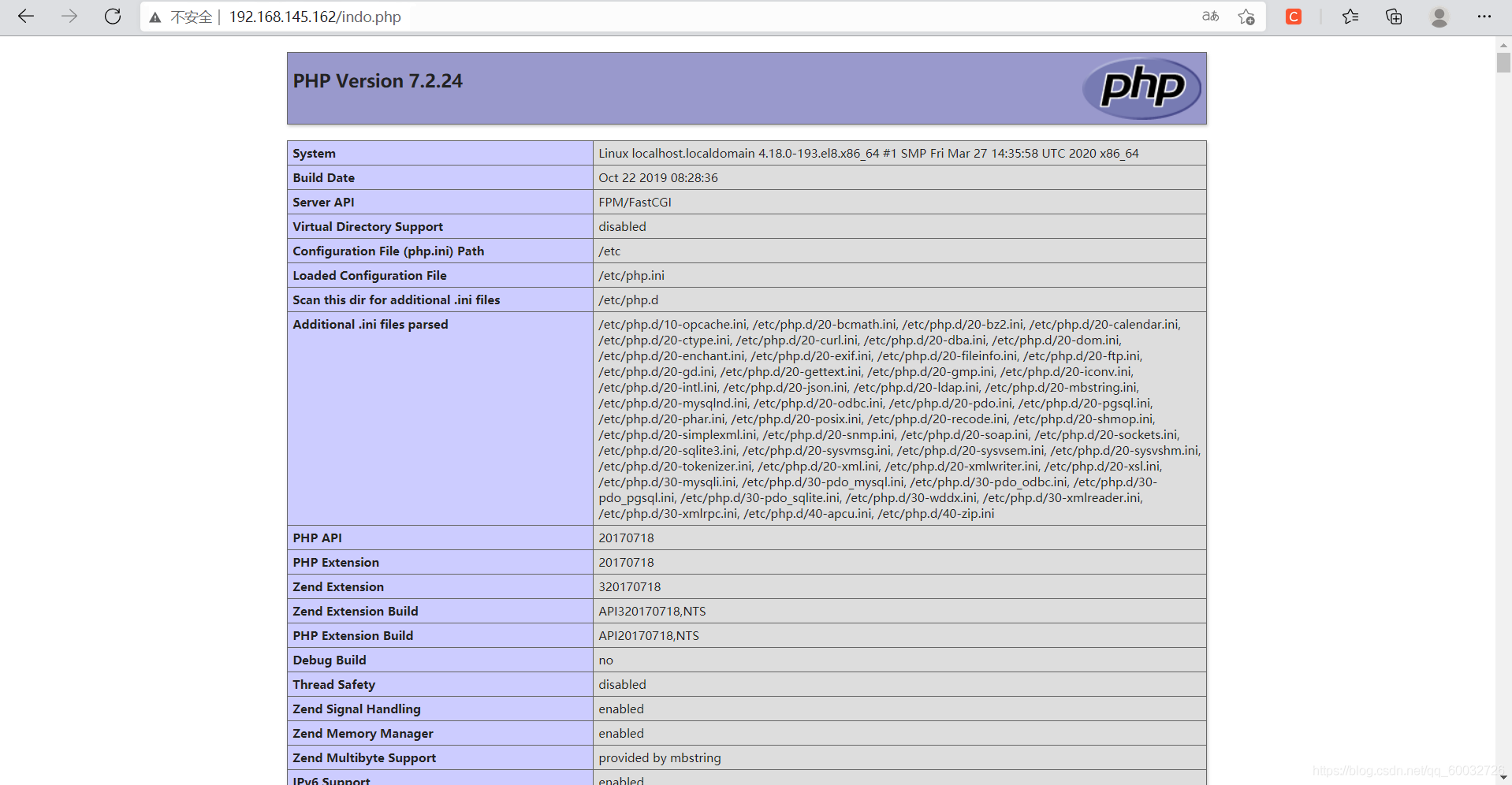
![]()


 浙公网安备 33010602011771号