

Unity实现技能冷却
Unity技能冷却的实现:
来源于一个因为某些原因做废了的Demo...
很多时候,为了限制玩家在某一段时间内只能用一次技能,就引入了技能冷却;
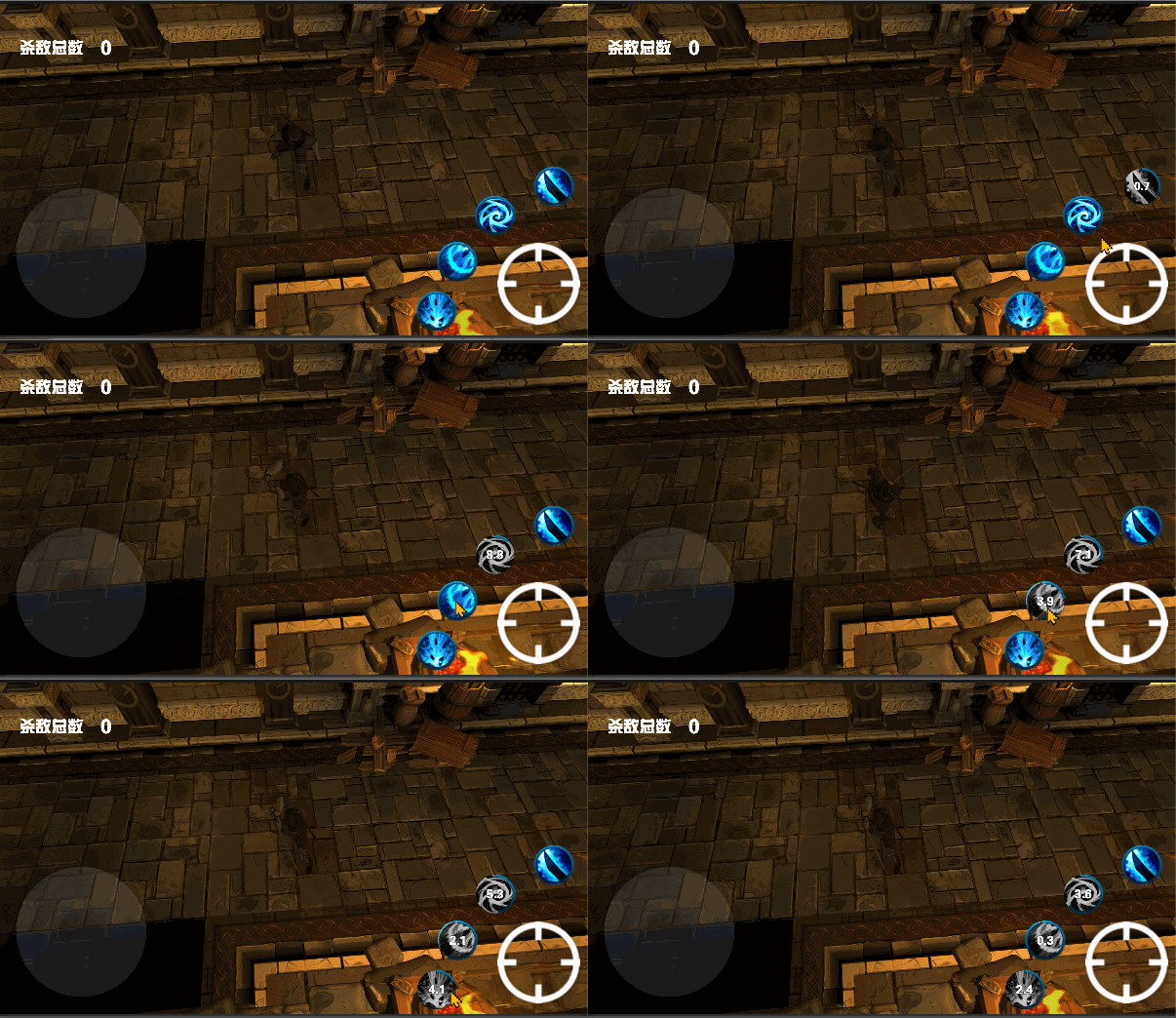
实现思路:点击按钮自动根据冷却时间进入button不可点击的状态,以及使灰色遮罩图片显示。
using System.Collections;
using System.Collections.Generic;
using UnityEngine;
using UnityEngine.UI;
using UnityEngine.SceneManagement;
using System;

/*
 *琦玉老师的二弟子
 */

namespace View
{//NameSpace_Start--------------------------------------------------------------------------------------------------------

    public class View_PlayerSkillEffect : MonoBehaviour
    {
        //Class_Start--------------------------------------------------------------------------------------------------------

        public float CD_Time = 0f;//技能时间

        public Image imgCircle;//外边的蓝圈
        public Image imgBW;//遮罩的图片
        //累加器
        private float Times = 0f;
        //是否遮罩
        private bool ButtonMashSwitch = false;

        private Button ThisButton;

        public Text CDTimeText;

        private void Awake()
        {
            ThisButton = this.GetComponent<Button>();
        }

        private void Start()
        {
            imgBW.gameObject.SetActive(false);
        }

        private void Update()
        {
            if (ButtonMashSwitch)//核心就在这里,我们通过一个开关来判定是不是进入冷却阶段
            {
                imgBW.gameObject.SetActive(true);

                Times += Time.deltaTime;

                imgCircle.fillAmount = Times / CD_Time;
                CDTimeText.text = Math.Round(CD_Time - Times, 1).ToString();
                if (Times >= CD_Time)
                {
                    CDTimeText.text = null;
                    ButtonMashSwitch = false;
                    imgCircle.fillAmount = 1;
                    Times = 0f;
                    imgBW.gameObject.SetActive(false);
                    ThisButton.interactable = true;
                }
            }


        }

        public void SkillTimeStarts()//按钮的注册方法
        {
            ButtonMashSwitch = true;
            ThisButton.interactable = false;
        }


        //Class_End--------------------------------------------------------------------------------------------------------
    }
}//NameSpace_End--------------------------------------------------------------------------------------------------------

 浙公网安备 33010602011771号