Python Learning - Three
1. Set
Set is a collection which is unordered and unindexed. No duplicate members
In Python sets are written with curly brackets { }


set1 = {'apple', 'banana', 'cherry'}

list1 = [1, 2, 3, 4, 5]
list_set = set(list1)

print(set1)

print(list_set, type(list_set))
The set( ) constructor
# Note the double round-brackets
set_constructor = set(('apple', 'cherry', 'mango'))

print(set_constructor, type(set_constructor))
(1) .intersection( )
set1 = {'apple', 'banana', 'cherry'}

'''
list1 = [1, 2, 3, 4, 5]
list_set = set(list1)
'''

set2 = set(['mango', 'cherry', 'apple', 'orange'])

print(set1, set2)

print(set1.intersection(set2))
(2) .union( )
set1 = {'apple', 'banana', 'cherry'}

'''
list1 = [1, 2, 3, 4, 5]
list_set = set(list1)
'''

set2 = set(['mango', 'cherry', 'apple', 'orange'])

print(set1, set2)

print(set1.intersection(set2))

print(set1.union(set2))
(3) .difference( )
A.difference(B) means those values that are in A and not in B
#  Author: Alan FUNG
#  A&F TECH HK Co,LTD.

set1 = {'apple', 'banana', 'cherry'}

'''
list1 = [1, 2, 3, 4, 5]
list_set = set(list1)
'''

set2 = set(['mango', 'cherry', 'apple', 'orange'])

print(set1.difference(set2))

print(set2.difference(set1))
(4) .issubset( ) and .issuperset( )
set1 = {'apple', 'banana', 'cherry'}

'''
list1 = [1, 2, 3, 4, 5]
list_set = set(list1)
'''

set2 = set(['mango', 'cherry', 'apple', 'orange'])

print(set1.issubset(set2))
print(set1.issuperset(set2))

set3 = set(['apple', 'cherry'])

print(set3.issubset(set1))
print(set1.issuperset(set3))
(5) .symmetric_difference( )
set1 = {'apple', 'banana', 'cherry'}

'''
list1 = [1, 2, 3, 4, 5]
list_set = set(list1)
'''

set2 = set(['mango', 'cherry', 'apple', 'orange'])

print(set1.issubset(set2))
print(set1.issuperset(set2))

set3 = set(['apple', 'cherry'])

print(set3.issubset(set1))
print(set1.issuperset(set3))

print(set1.symmetric_difference(set3))
(6) .isdisjoint( )
# Return True if two sets have a null intersection
set1 = {'apple', 'banana', 'cherry'}

'''
list1 = [1, 2, 3, 4, 5]
list_set = set(list1)
'''

set2 = set(['mango', 'cherry', 'apple', 'orange'])

set3 = set(['apple', 'cherry'])

set4 = set(('mango', 'pineapple','orange' ))


print(set3.isdisjoint(set4))
(7) & and .intersection( )
et1 = {'apple', 'banana', 'cherry'}

'''
list1 = [1, 2, 3, 4, 5]
list_set = set(list1)
'''

set2 = set(['mango', 'cherry', 'apple', 'orange'])

set3 = set(['apple', 'cherry'])

set4 = set(('mango', 'pineapple','orange' ))


print(set1 & set2)

print(set1.intersection(set2))

print(set2.intersection(set1))
(8) | and .union( )
set1 = {'apple', 'banana', 'cherry'}

'''
list1 = [1, 2, 3, 4, 5]
list_set = set(list1)
'''

set2 = set(['mango', 'cherry', 'apple', 'orange'])

set3 = set(['apple', 'cherry'])

set4 = set(('mango', 'pineapple','orange' ))


print(set1 | set2)

print(set1.union(set2))

print(set2.union(set1))
(9) - and .difference( )
set1 = {'apple', 'banana', 'cherry'}

'''
list1 = [1, 2, 3, 4, 5]
list_set = set(list1)
'''

set2 = set(['mango', 'cherry', 'apple', 'orange'])

set3 = set(['apple', 'cherry'])

set4 = set(('mango', 'pineapple','orange' ))


print(set1 - set2)

print(set1.difference(set2))

print(set2-set1)

print(set2.difference(set1))
(10) ^ and .symmetric_difference( )
set1 = {'apple', 'banana', 'cherry'}

'''
list1 = [1, 2, 3, 4, 5]
list_set = set(list1)
'''

set2 = set(['mango', 'cherry', 'apple', 'orange'])

set3 = set(['apple', 'cherry'])

set4 = set(('mango', 'pineapple','orange' ))


print(set1 ^ set2)

print(set1.symmetric_difference(set2))

print(set2 ^ set1)
(11) .add ( )
set1 = {'apple', 'banana', 'cherry'}

'''
list1 = [1, 2, 3, 4, 5]
list_set = set(list1)
'''

set2 = set(['mango', 'cherry', 'apple', 'orange'])

set3 = set(['apple', 'cherry'])

set4 = set(('mango', 'pineapple','orange' ))


print(set3.add('mango'))

print(set3)
(12) .update( )
Add more than one item to the set
set1 = {'apple', 'banana', 'cherry'}

'''
list1 = [1, 2, 3, 4, 5]
list_set = set(list1)
'''

set2 = set(['mango', 'cherry', 'apple', 'orange'])

set3 = set(['apple', 'cherry'])

set4 = set(('mango', 'pineapple','orange' ))


print(set3.add('mango'))

print(set3)

set3.update(['pineapple', 'banana', 'orange'])

print(set3)
(13) .remove( )
et1 = {'apple', 'banana', 'cherry'}

'''
list1 = [1, 2, 3, 4, 5]
list_set = set(list1)
'''

set2 = set(['mango', 'cherry', 'apple', 'orange'])

set3 = set(['apple', 'cherry'])

set4 = set(('mango', 'pineapple','orange' ))


set4.remove('orange')
print(set4)
2. Files
The key function for working with files in Python is the open() function.
The open() function takes two parameters; filename, and mode.
There are four different methods (modes) for opening a file:
"r" - Read - Default value. Opens a file for reading, error if the file does not exist.
"a" - Append - Opens a file for appending, creates the file if it does not exist.
"w" - Write - Opens a file for writing, creates the file if it does not exist.
"x"- Create - Creates the specified file, returns an error if the file exists.
In addition, you can specify if the file should be handled as binary or text mode
"t" - Text - Default value. Text mode
"b"- Binary - Binary mode (e.g. images)
(1) "w"
file_w = open('testing_file', 'w', encoding='utf-8')
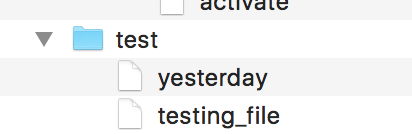
file_w = open('testing_file', 'w', encoding='utf-8')

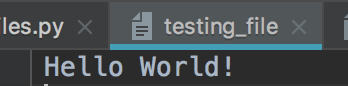
file_w.write('Hello World! \n')

print(file_w)
(2) "a"
'''
file_w = open('testing_file', 'w', encoding='utf-8')

file_w.write('Hello World! \n')

print(file_w)
'''

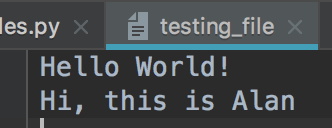
file_a = open('testing_file', 'a', encoding='utf-8')

file_a.write('Hi, this is Alan \n')

print(file_a)
(3) "x"
file_x = open('testing_file', 'x', encoding='utf-8')

file_x = open('testing_file_for_create', 'x', encoding='utf-8')

file_x = open('testing_file_for_create_2', 'x', encoding='utf-8')

file_x.write('Hi, this is a new file')

print(file_x)


(4) .read( ) and .readline( )
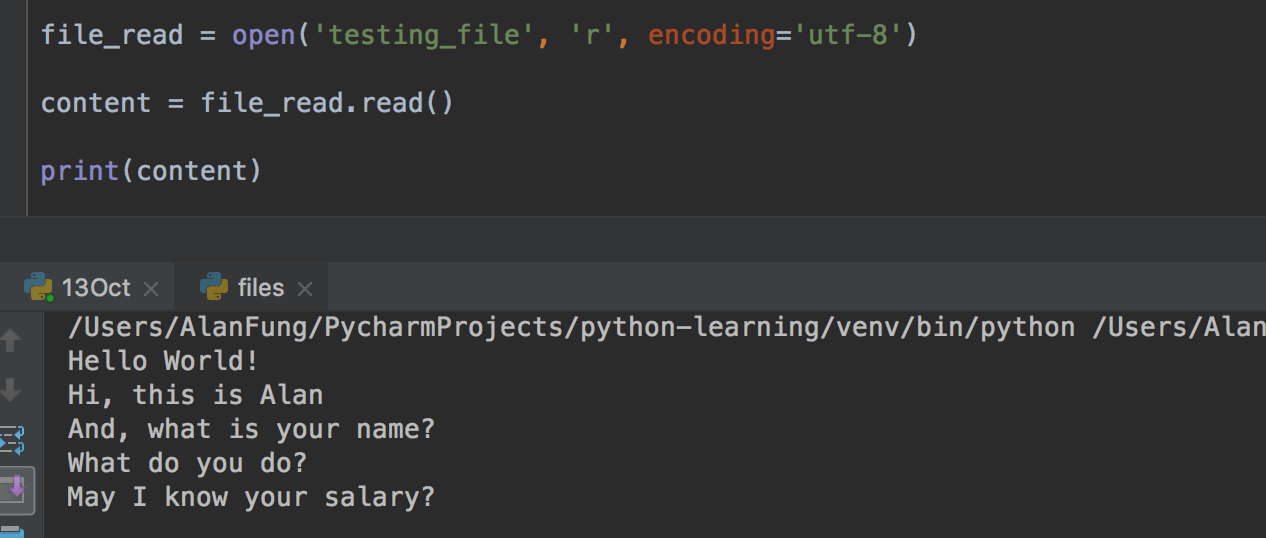
1) .read( ) print all the content
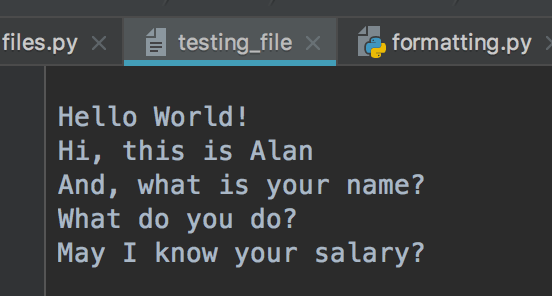
file_read = open('testing_file', 'r', encoding='utf-8')

content = file_read.read()

print(content)
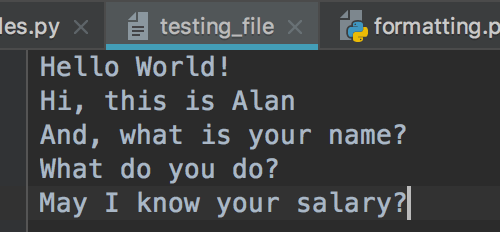
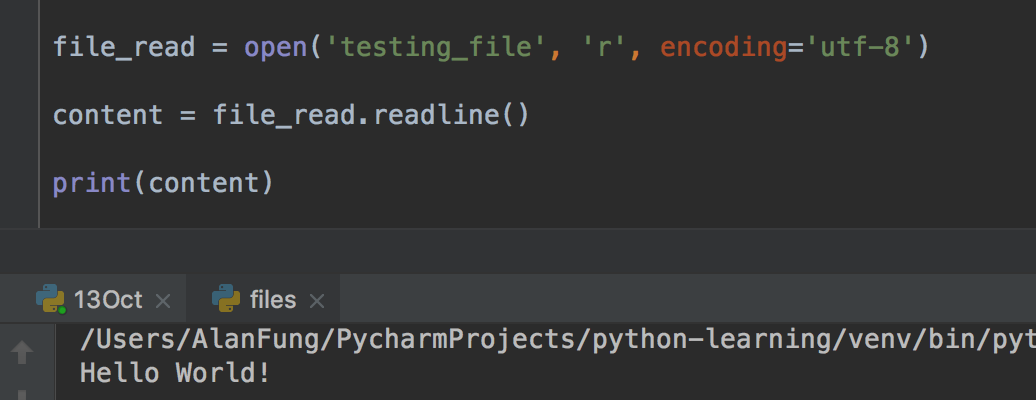
2) .readline( ) only return one line
file_read = open('testing_file', 'r', encoding='utf-8')

content = file_read.readline()

print(content)
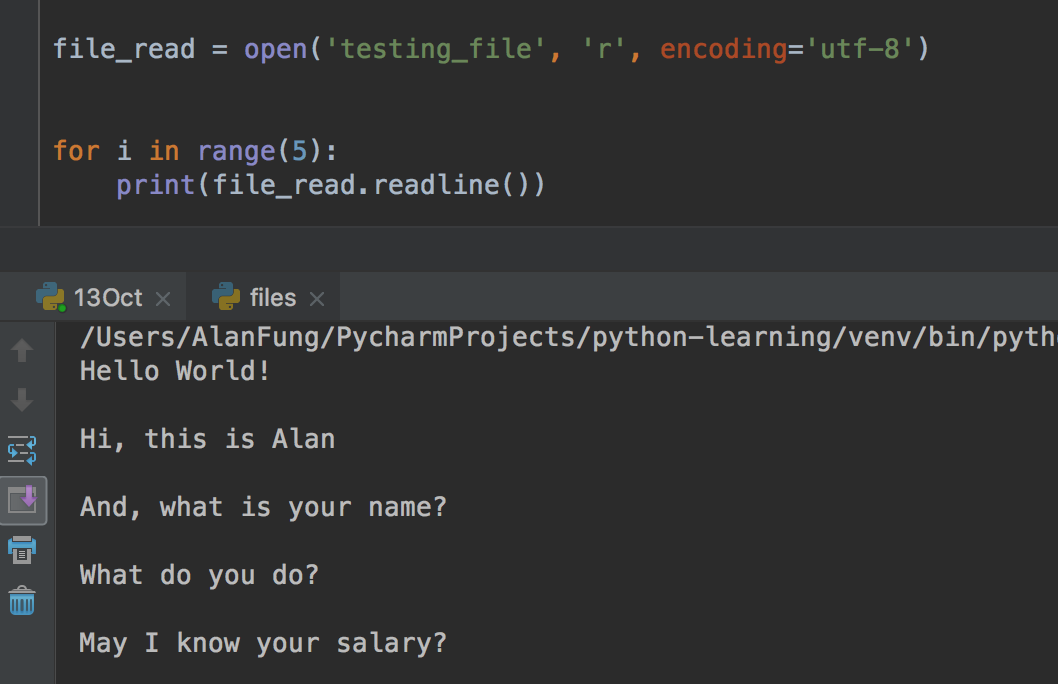
3) Use the for loop
file_read = open('testing_file', 'r', encoding='utf-8')


for i in range(5):
    print(file_read.readline())
(5) .readline( ) and .readlines( )
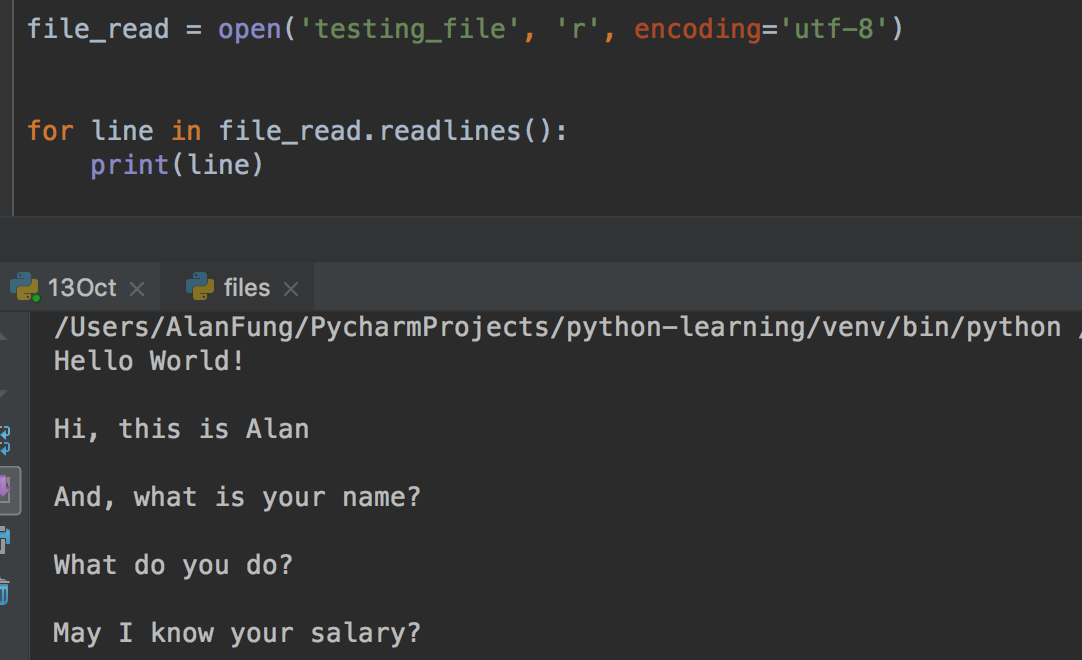
1) .readlines( )
file_read = open('testing_file', 'r', encoding='utf-8')


for line in file_read.readlines():
    print(line)
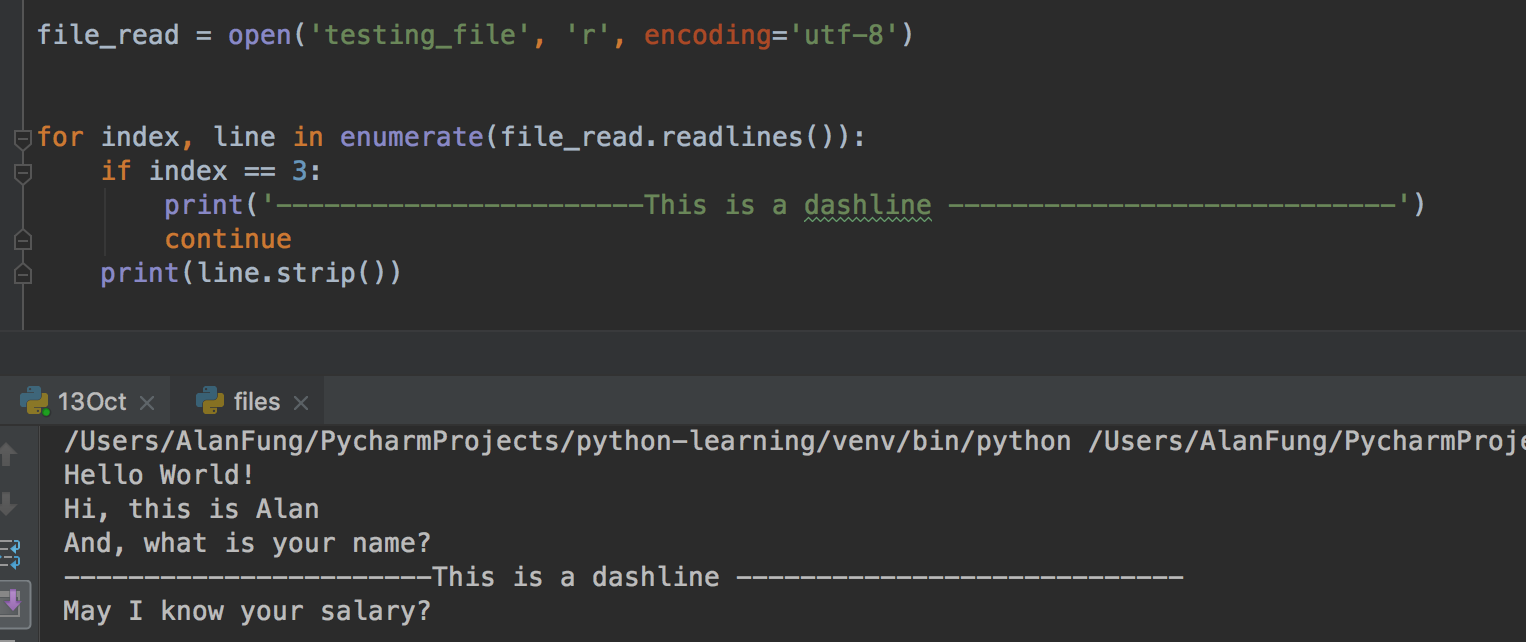
2) .readlines( ) with enumerate( )
file_read = open('testing_file', 'r', encoding='utf-8')


for index, line in enumerate(file_read.readlines()):
    if index == 3:
        print('-----------------------This is a dashline ----------------------------')
        continue
    print(line.strip())
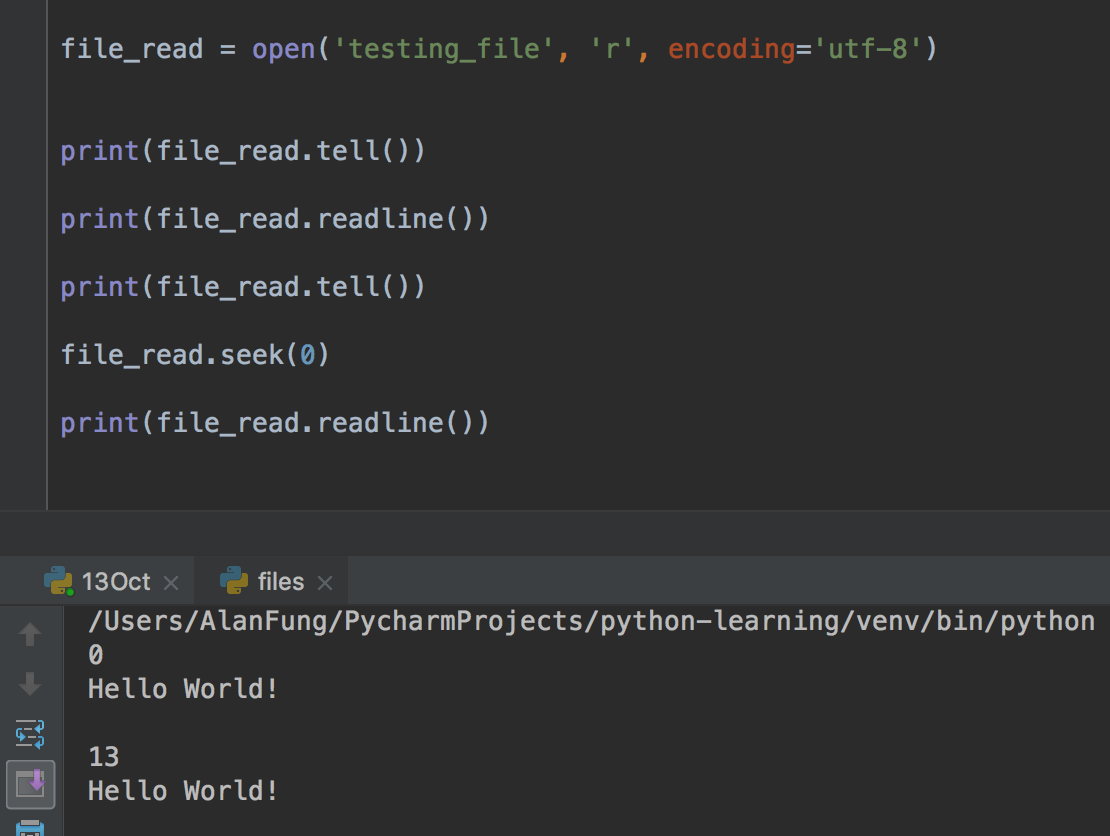
(6) .tell( )
file_read = open('testing_file', 'r', encoding='utf-8')


print(file_read.tell())

print(file_read.readline())

print(file_read.tell())

file_read.seek(0)

print(file_read.readline())
(7) .encoding( )
ile_read = open('testing_file', 'r', encoding='utf-8')


print(file_read.encoding)
(8) .flush( )
import sys, time
for i in range(20):
    sys.stdout.write('#')

    sys.stdout.flush()

    time.sleep(0.5)
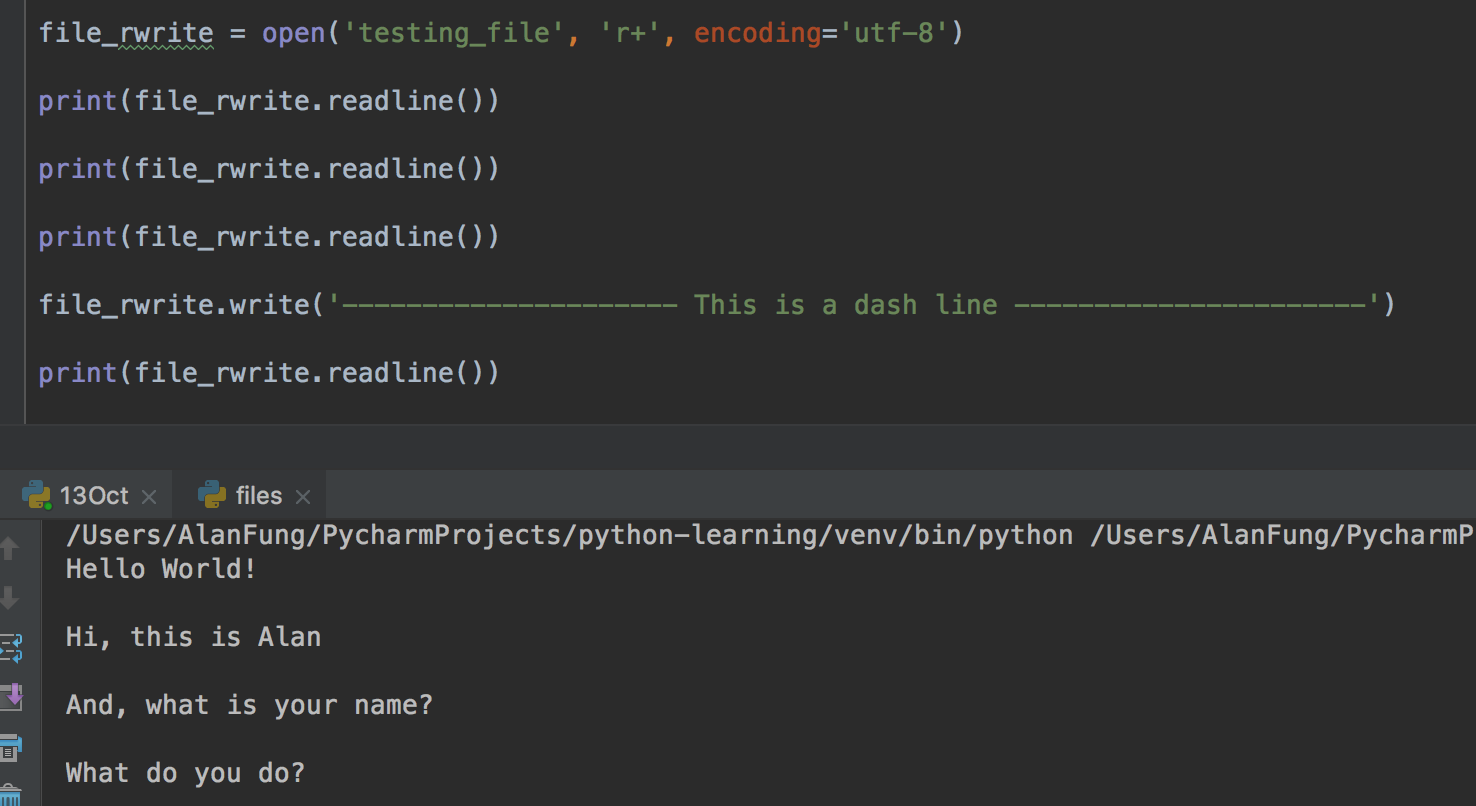
(9) read and write -- r+
ile_rwrite = open('testing_file', 'r+', encoding='utf-8')

print(file_rwrite.readline())

print(file_rwrite.readline())

print(file_rwrite.readline())

file_rwrite.write('--------------------- This is a dash line ----------------------')

print(file_rwrite.readline())

(10) Write and read -- w+
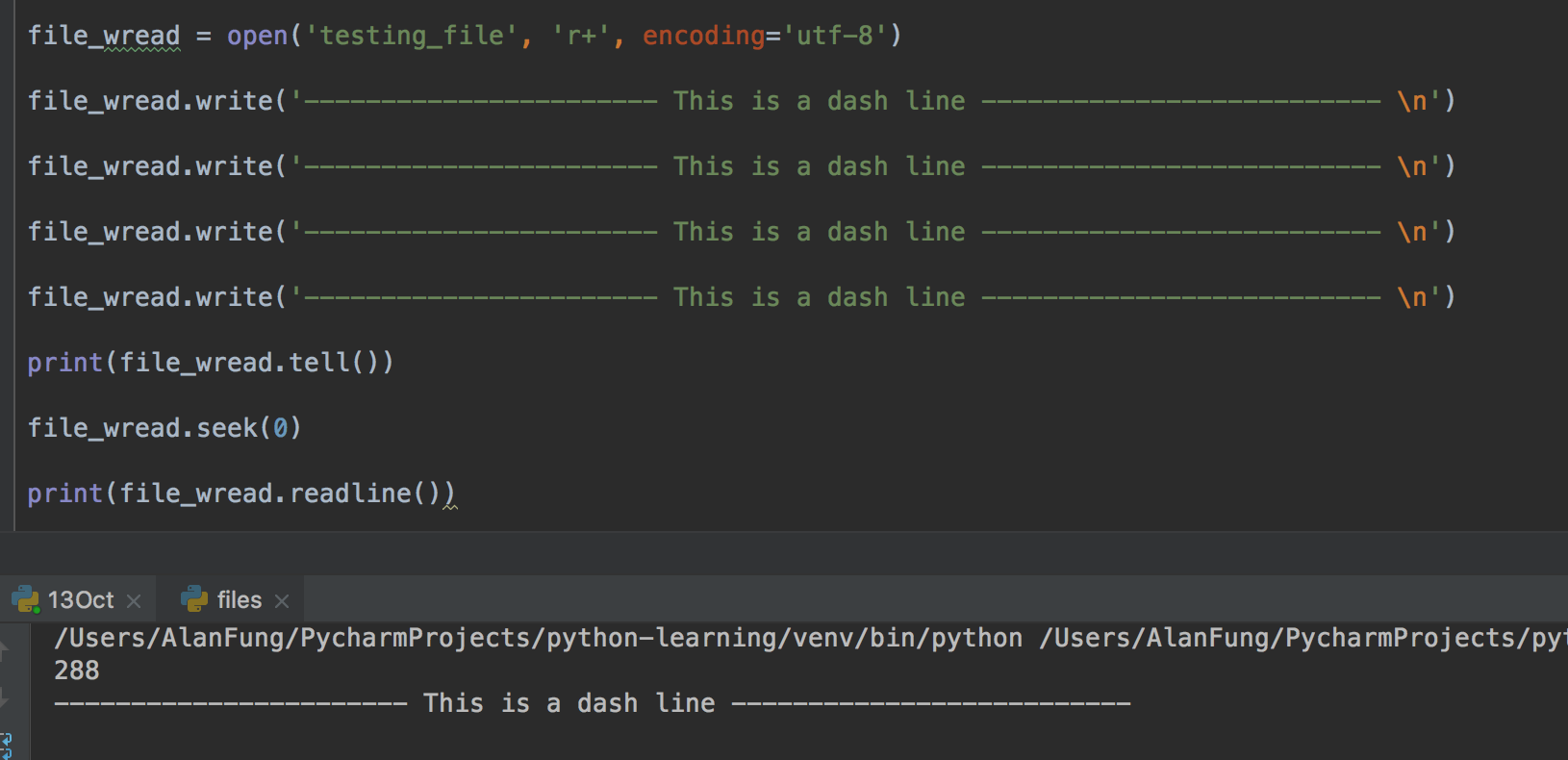
file_wread = open('testing_file', 'r+', encoding='utf-8')

file_wread.write('----------------------- This is a dash line -------------------------- \n')

file_wread.write('----------------------- This is a dash line -------------------------- \n')

file_wread.write('----------------------- This is a dash line -------------------------- \n')

file_wread.write('----------------------- This is a dash line -------------------------- \n')

print(file_wread.tell())

file_wread.seek(0)

print(file_wread.readline())
(11) file modification
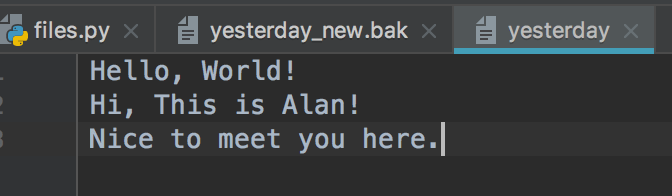
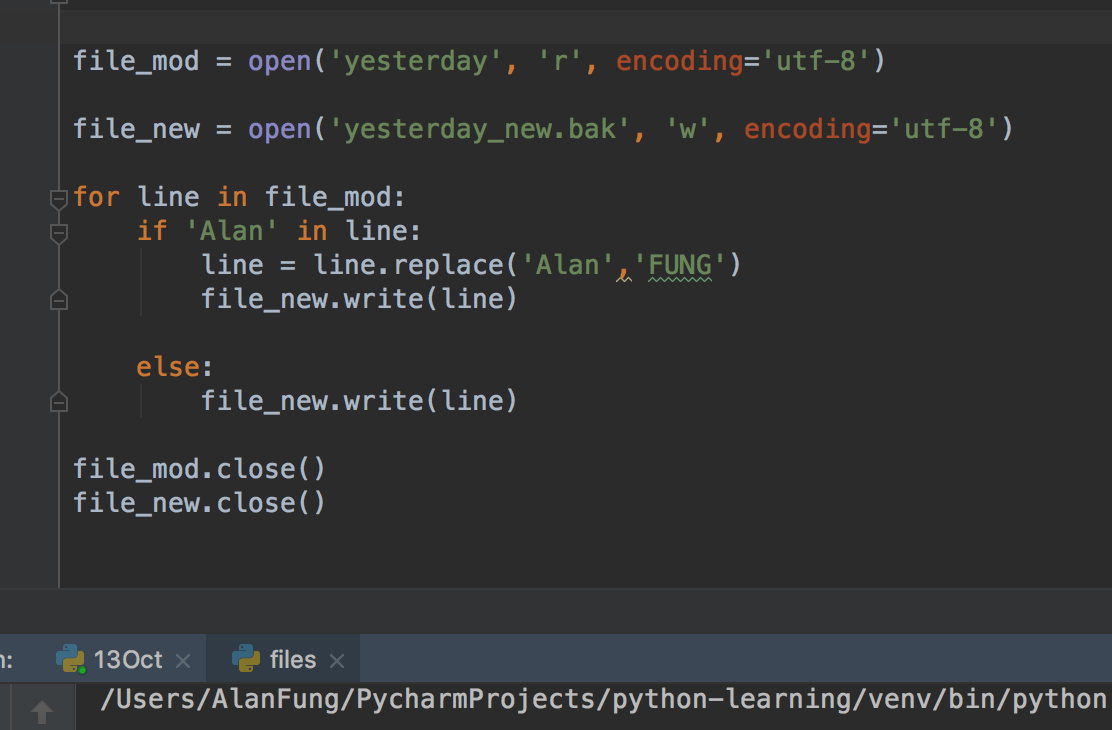
file_mod = open('yesterday', 'r', encoding='utf-8')

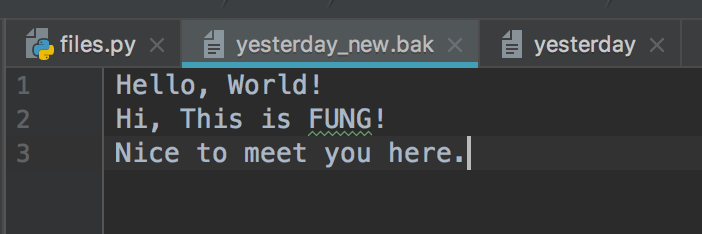
file_new = open('yesterday_new.bak', 'w', encoding='utf-8')

for line in file_mod:
    if 'Alan' in line:
        line = line.replace('Alan','FUNG')
        file_new.write(line)

    else:
        file_new.write(line)

file_mod.close()
file_new.close()
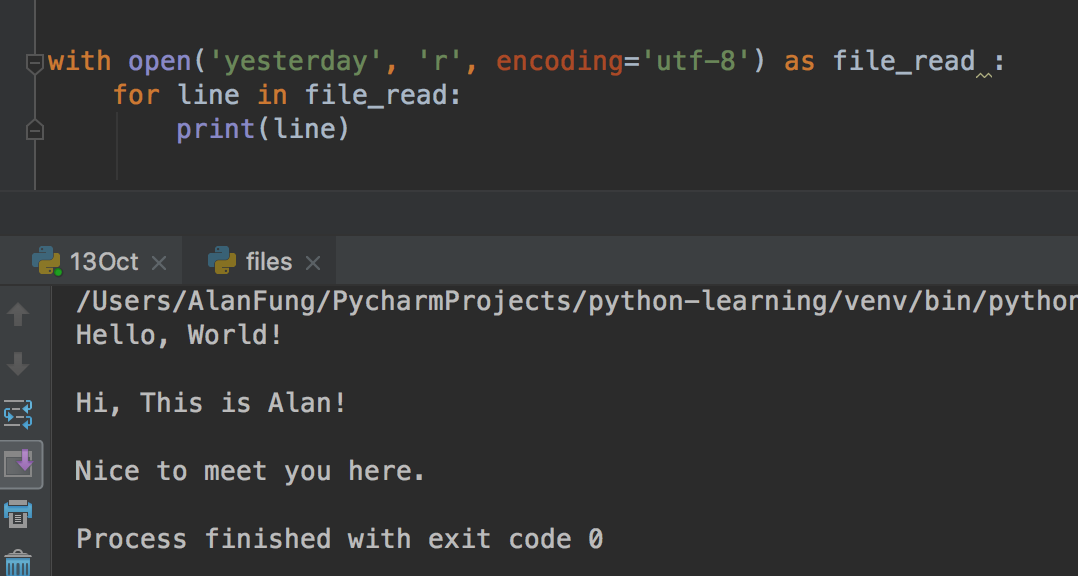
(12) with statement
with open('yesterday', 'r', encoding='utf-8') as file_read :

    print(file_read.readline())

with open('yesterday', 'r', encoding='utf-8') as file_read :
    for line in file_read:
        print(line)
3. Python Functions
A function is a block of code which only runs when it is called.
You can pass data, known as parameters, into a function.
A function can return data as a result.
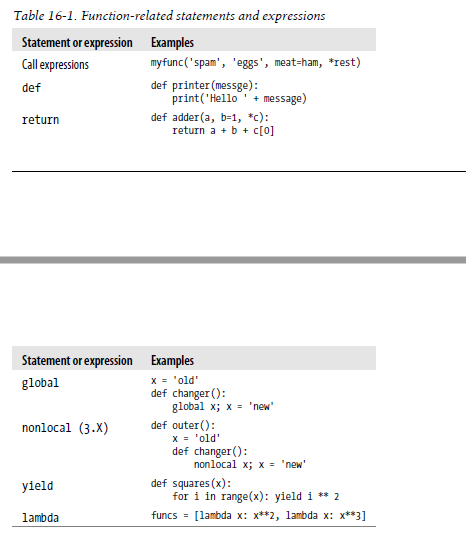
(1) Function Basics
(2) Creating a Function
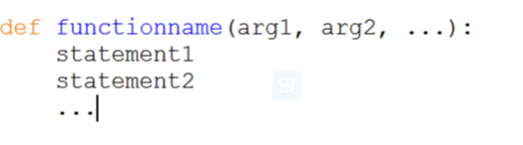
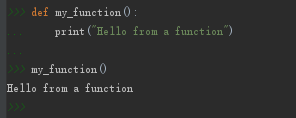
In Python a function is defined using the def keyword:
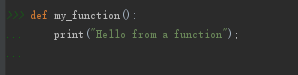
(3) Calling a Function
To call a function, use the function name followed by parenthesis:
(4) Parameters
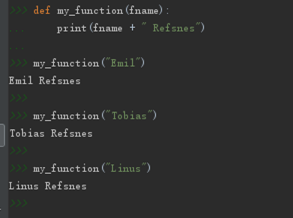
Information can be passed to functions as parameter.
Parameters are specified after the function name, inside the parentheses. You can add as many parameters as you want, just separate them with a comma.
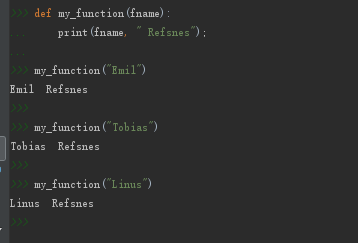
The following example has a function with one parameter (fname). When the function is called, we pass along a first name, which is used inside the function to print the full name:
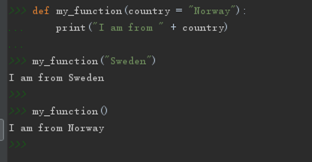
(5) Default Parameter Value
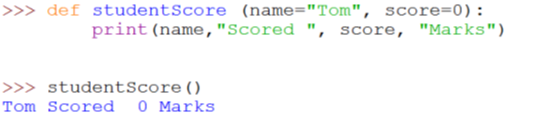
The following example shows how to use a default parameter value.
If we call the function without parameter, it uses the default value:
Default Value:
def my_function(country = "Norway"):
    print("I am from " + country)

my_function()

my_function("Hong Kong")

(6) Multiple Arguments
Asterisk ['æstərɪsk] 星號, 星號鍵 Multiple Arguments

The asterisk * means multiple arguments. Receive positional parameters (位置參數), and convert into tuples. Positional parameters must be placed before the keyword parameters.
def test(*args):
    print(args)

test(1,2,3,4,5,6)

test(*[1,2,3,4,5,6])

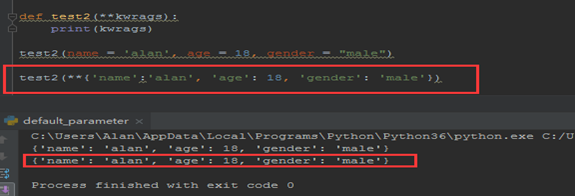
1) ** == > dictionay
Receive keyword parameters (關鍵字參數) and Convert into dictionary.
def test2(**kwargs):
    print(kwargs)

test2(name = "alan", age = 28, gender = 'male')

test2(**{'name':'alan', 'age':28, 'gender': 'male'})
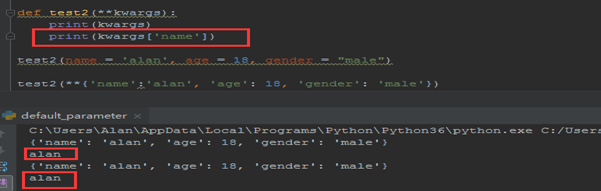
def test2(**kwargs):
    print(kwargs)
    print(kwargs['name'])

test2(name = "alan", age = 28, gender = 'male')

test2(**{'name':'alan', 'age':28, 'gender': 'male'})
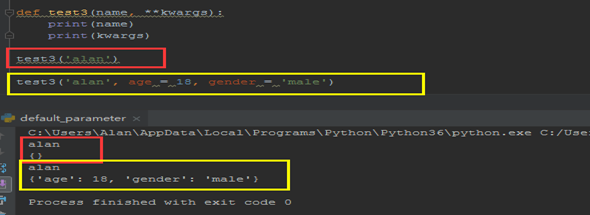
def test3(name, **kwargs):

    print(name)
    print(kwargs)

test3('alan')
test3("alan", age = 28, gender = 'male')
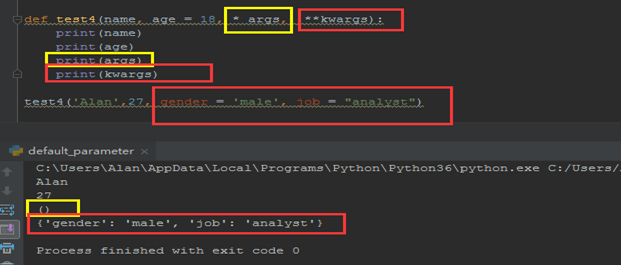
def test4(name, age = 18, *args, **kwargs):

    print(name)
    print(age)
    print(args)
    print(kwargs)

test4('Alan', 27, gender = 'malre', jod = 'analyst')
def test4(name, age = 18, *args, **kwargs):

    print(name)
    print(age)
    print(args)
    print(kwargs)

test4('Alan', 27, 23,4,54, 76, gender = 'malre', jod = 'analyst')
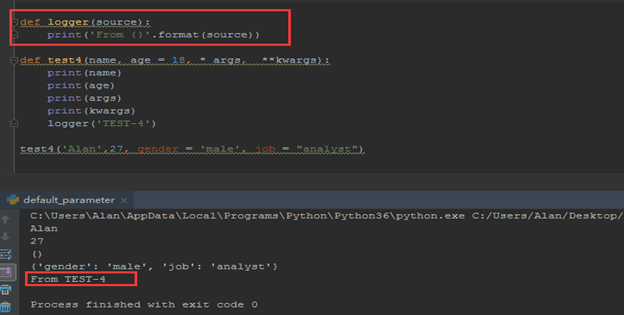
def logger(source):
    print('From {}'.format(source))
    print("From %s" %(source))

def test4(name, age = 18, *args, **kwargs):
    print(name)
    print(age)
    print(args)
    print(kwargs)
    logger('TEST-4')

test4('Alan', 28, gender = 'male', job = 'analyst')
(7) Return Values (返回值)
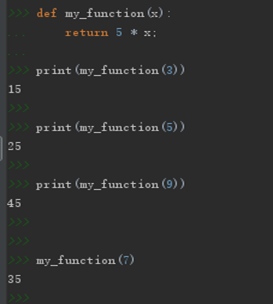
To let a function to return a value, use the return statement:
def my_function(x):
    return x * 5

print(my_function(3))

print(my_function(5))

print(my_function(9))
def my_function(x):
    print(x * 5)

my_function(3)

print(my_function(3))
 VS
VS 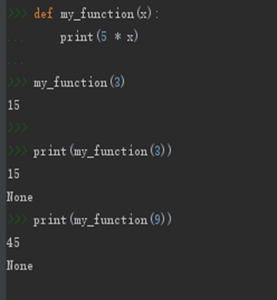
def func1():
    print("This is a function!")

def func2():
    print('This is another function!')
    return 0

def func3():
    print('This is also a function!')
    return 1, 'function', ['alan', 'fung'], {'Name': 'AlanFUNG'}

func1()
print(func1())
func2()
print(func2())
func3()
print(func3())
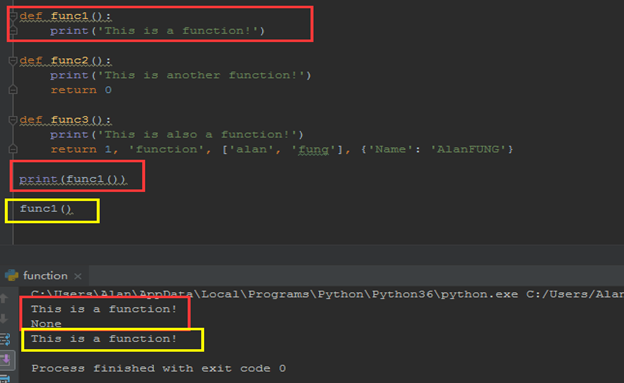

(8) Scopes
1) Python Scope Basics
Besides packaging code for reuse, functions add an extra namespace layer to your programs to minimize the potential for collisions among variables of the same name—by default, all names assigned inside a function are associated with that function’s namespace, and no other. This rule means that:
- Names assigned inside a def can only be seen by the code within that def. You cannot even refer to such names from outside the function.
- Names assigned inside a def do not *** with variables outside the def, even if the same names are used elsewhere. A name X assigned outside a given def (i.e., in a different def or at the top level of a module file) is a completely different variable from a name X assigned inside that def.
Variables may be assigned in three different places, corresponding to three different scopes:
- If a variable is assigned inside a def, it is local to that function.
- If a variable is assigned in an enclosing def, it is nonlocal to nested functions.
- If a variable is assigned outside all defs, it is global to the entire file.
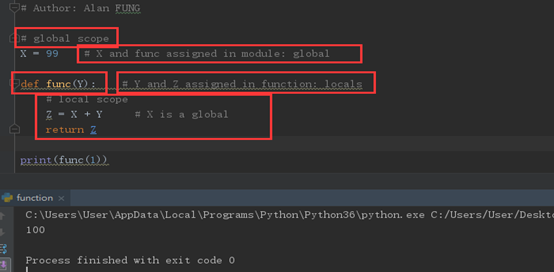
Scope Example
# global scope
X = 99 # X and func assigned in module: global

def func(Y):    #Y and Z assigned in function: locals
    # local scope
    Z = X + Y       # X is a global
    return Z

print(func(1))
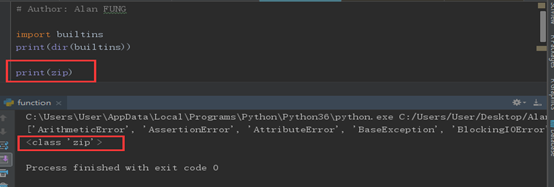
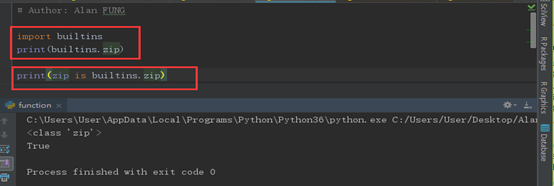
The Built-in Scope
import builtins
print(dir(builtins))

print(zip)

print(zip is builtins.zip)

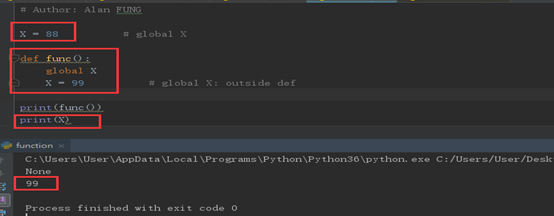
2) The global Statement
We’ve talked about global in passing already. Here’s a summary:
- Global names are variables assigned at the top level of the enclosing module file.
- Global names must be declared only if they are assigned within a function.
- Global names may be referenced within a function without being declared
X = 88
def func():
    global X
    X = 99

print(func())

print(X)
Program Design: Minimize Global Variables
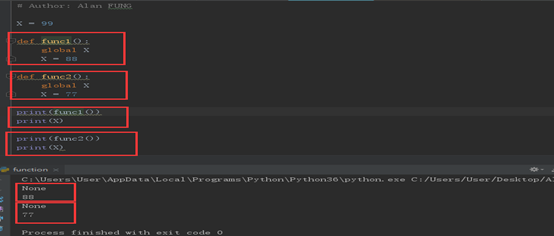
X = 99
def func1():
    global X
    X = 88

def func2():
    global X
    X = 77

print(func1())
print(X)

print(func2())
print(X)
(9) Recursion
Python also accepts function recursion, which means a defined function can call itself.
Recursion is a common mathematical and programming concept. It means that a function calls itself. This has the benefit of meaning that you can loop through data to reach a result.
The developer should be very careful with recursion as it can be quite easy to slip into writing a function which never terminates, or one that uses excess amounts of memory or processor power. However, when written correctly recursion can be a very efficient and mathematically-elegant approach to programming.
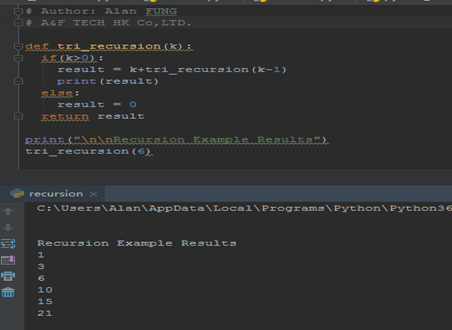
In this example, tri_recursion() is a function that we have defined to call itself ("recurse"). We use the k variable as the data, which decrements (-1) every time we recurse. The recursion ends when the condition is not greater than 0 (i.e. when it is 0).
To a new developer it can take some time to work out how exactly this works, best way to find out is by testing and modifying it.
def tri_recursion(k):
    if (k > 0):
        result = k + tri_recursion(k-1)
        print(result)
    else:
        result = 0
    return result

print("\n\n Recursion Example Results")
tri_recursion(6)
1) Recursive Functions
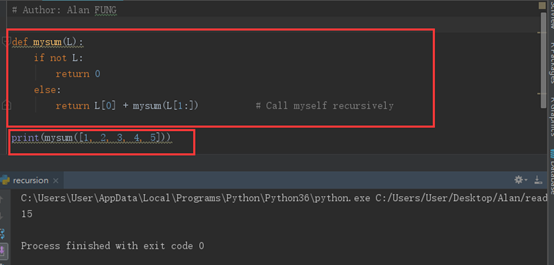
Summation with Recursion
def mysum(L):
    if not L:
        return 0
    else:
        return L[0] + mysum(L[1:])      # Call myself recursively

print(mysum([1,2,3,4,5]))
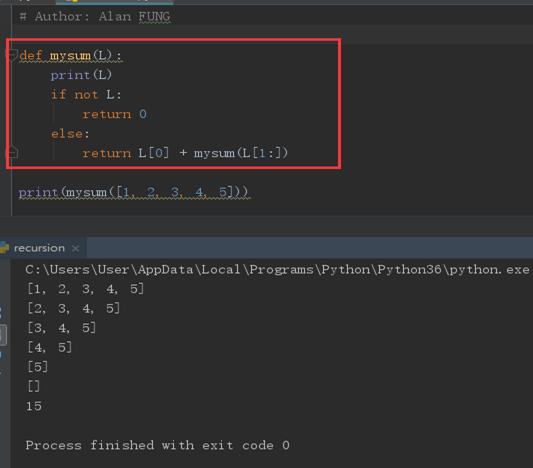
def mysum(L):
    print(L)
    if not L:
        return 0
    else:
        return L[0] + mysum(L[1:])      # Call myself recursively

print(mysum([1,2,3,4,5]))
Coding Alternatives
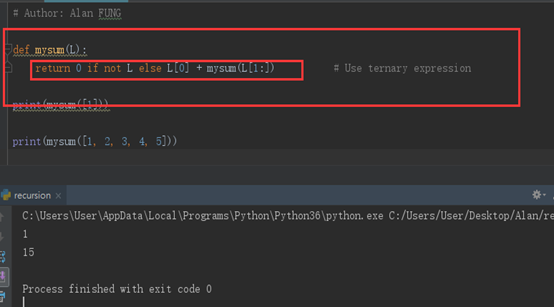
def mysum(L):
    return 0 if not L else L[0] + mysum(L[1:])

print(mysum([1]))

print(mysum([1,2,3,4,5]))
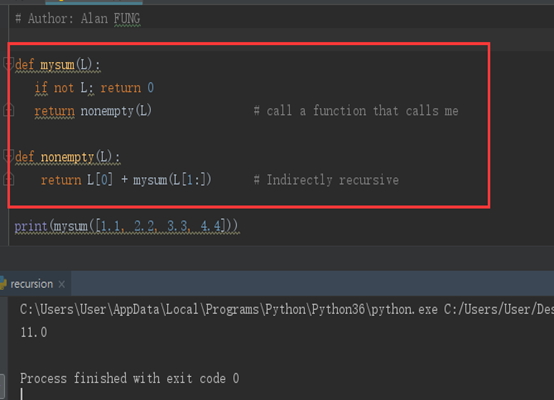
def mysum(L):
    if not L: return 0
    return nonempty(L)

def nonempty(L):
    return L[0] + mysum(L[1:])

print(mysum([1,2,3,4,5]))
Loop Statements Versus Recursion
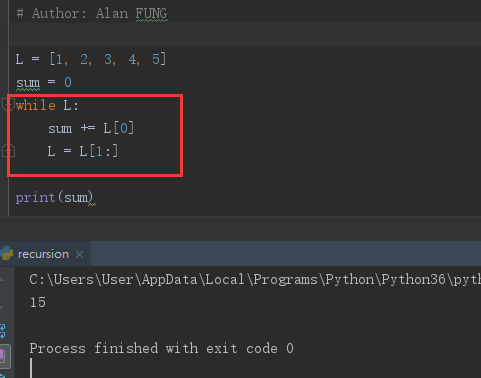
L = [1,2,3,4,5]
sum = 0
while L:
    sum += L[0]
    L = L[1:]

print(sum)
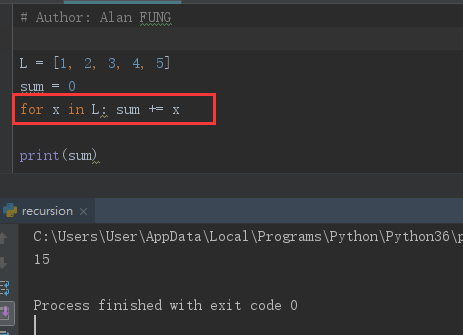
L = [1,2,3,4,5]
sum = 0
for x in L: sum += x
   # sum += x

print(sum)
Handling Arbitrary Structures
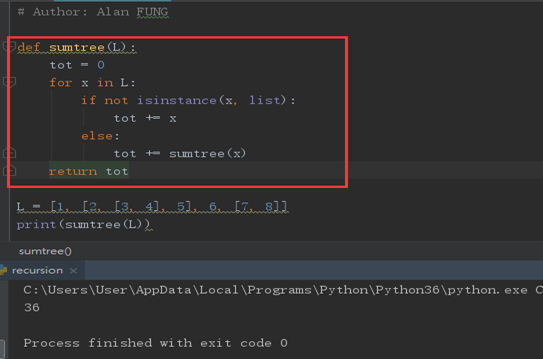
def sumtree(L):
    tot = 0
    for x in L:
        if not isinstance(x,list):
            tot += x
        else:
            tot += sumtree(x)
    return tot

L = [1, [2, [3,4], 5], 6, [7, 8]]

print(sumtree(L))
Recursion versus queues and stacks
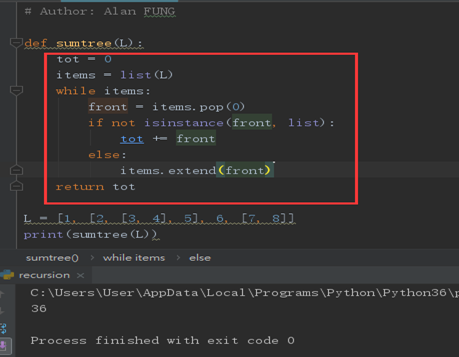
def sumtree(L):
    tot = 0
    items = list(L)
    while items:
        front = items.pop(0)
        if not isinstance(front, list):
            tot += front
        else:
            items.extend(front)
    return tot

L = [1, [2, [3,4], 5], 6, [7, 8]]

print(sumtree(L))
4 Function Objects: Attributes and Annotations
(1) Indirect Function Calls: “First Class” Objects
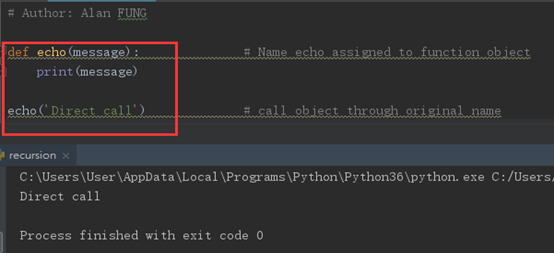
def echo(message):
    print(message)

echo("Direct Call")
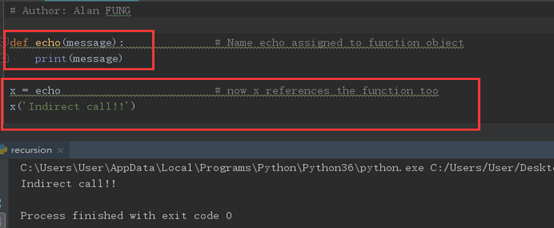
def echo(message):
    print(message)

x = echo
x("Indirect Call")
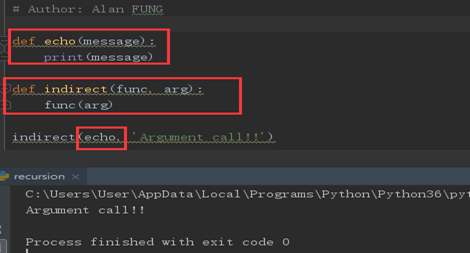
def echo(message):
    print(message)

def indirect(func, arg):
    func(arg)

indirect(echo, 'Argument Calls!')
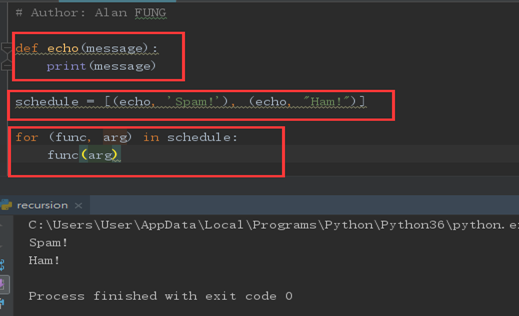
def echo(message):
    print(message)

schedule = [(echo, 'Spam!'), (echo, 'Ham!')]

for (func, arg) in schedule:
    func(arg)
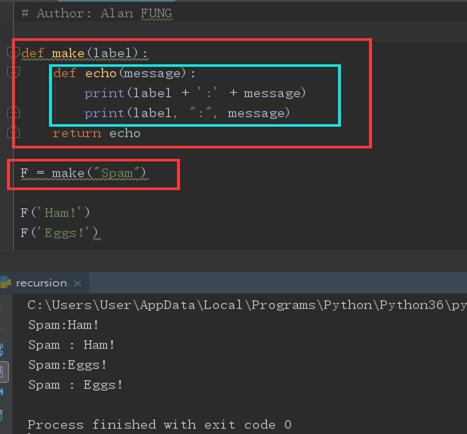
def make(label):
    def echo(message):
        print(label + " :" + message)
        print(label, ":", message)
    return echo

F = make("Spam")

F("Ham!")

F("Eggs!")
(2) Function Introspection
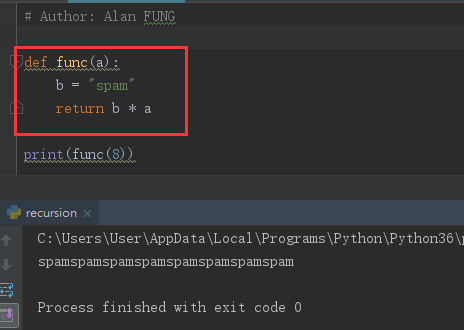
def func(a):
    b = "spam"
    return b * a

print(func(8))
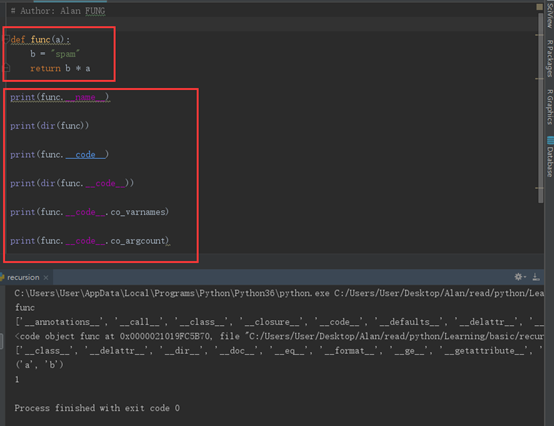
def func(a):
    b = "spam"
    return b * a

print(func.__name__)

print(dir(func))

print(func.__code__)

print(dir(func.__code__))

print(func.__code__.co_varnames)

print(func.__code__.co_argcount)
(3) Function Attributes
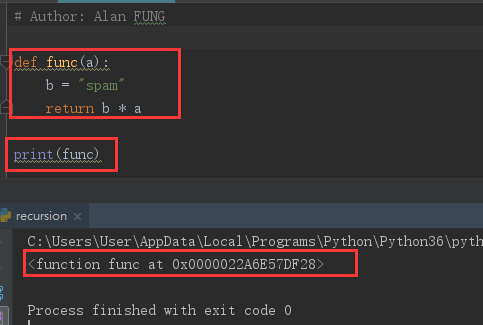
def func(a):
    b = "spam"

    return b * a

print(func)
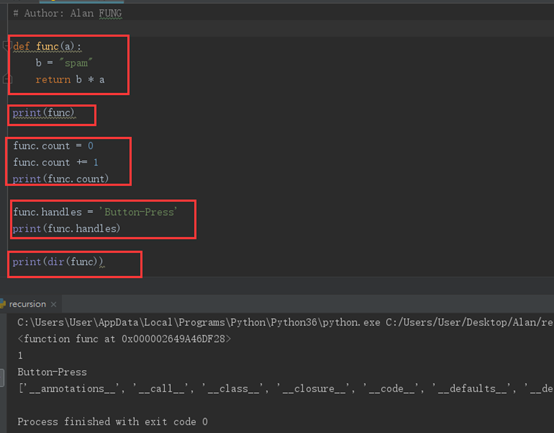
def func(a):
    b = "spam"

    return b * a
print(func)

func.count = 0


func.count += 1

print(func.count)

func.handles = "Button-press"

print(func.handles)

print(dir(func))
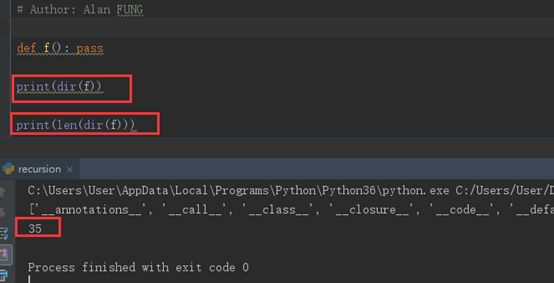
def f(): pass

print(dir(f))

print(len(dir(f)))
(4) Function Annotations in 3.X
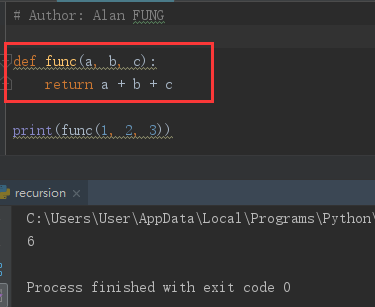
def func(a, b, c):
    return a + b + c

print(func(1, 2, 3))
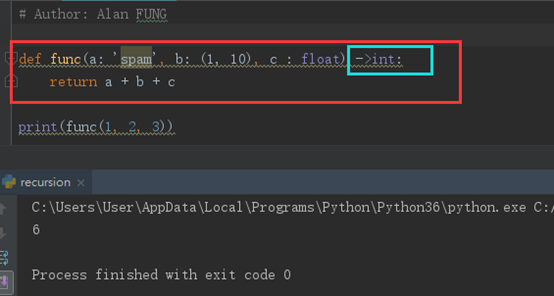
def func(a:'spam', b:(1,10), c:float) ->int:
    return a + b + c

print(func(1, 2, 3))
5. Anonymous Functions: lambda
(1) lambda Basics
Besides the def statement, Python also provides an expression form that generates function objects. Because of its similarity to a tool in the Lisp language, it’s called lambda.
The lambda’s general form is the keyword lambda, followed by one or more arguments (exactly like the arguments list you enclose in parentheses in a def header), followed by an expression after a colon:
lambda argument1, argument2, ... argumentN : expression using arguments
- lambda is an expression, not a statement.
- lambda’s body is a single expression, not a block of statements.
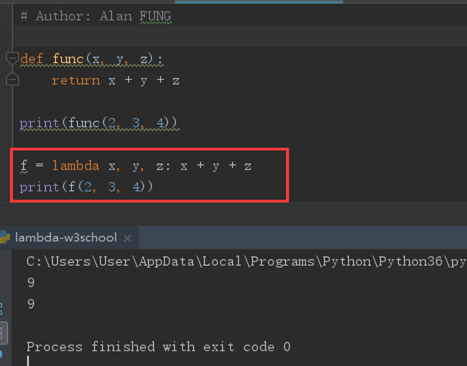
def func(x, y, z):
    return x + y + z

print(func(2, 3, 4))

f = lambda x, y, z : x + y + z

print(f(2,3,4))
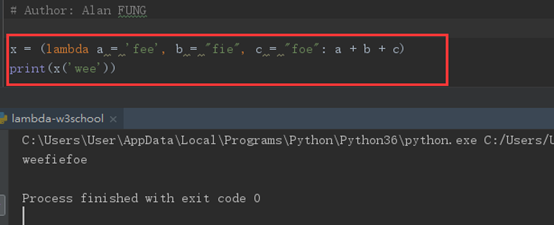
x = lambda a = "fee", b = "fie", c = "foe": a + b + c
y = (lambda a = "fee", b = "fie", c = "foe": a + b + c)

print(x("wee"))
print(y(b ="wee"))
def knights():
    title = "sir"
    action = (lambda x : title + ' ' + x)
    return action

act = knights()
msg = act('robin')
print(msg)

(2) Scopes: lambdas Can Be Nested Too
def action(x):
    return (lambda y: x + y)

act = action(99)
print(act)

print(act(2))

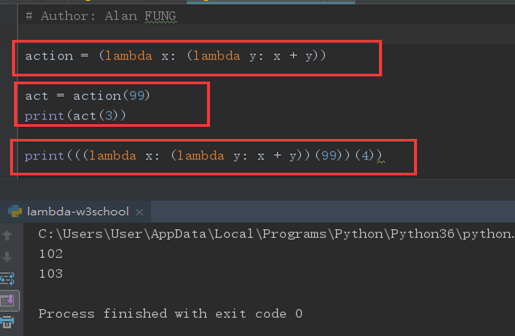
action = (lambda x: (lambda y: x + y))

act = action(99)

print(act(3))

print((lambda x: (lambda y: x + y))(99)(4))
6. Functional Programming Tools
(1) Mapping Functions over Iterables: map
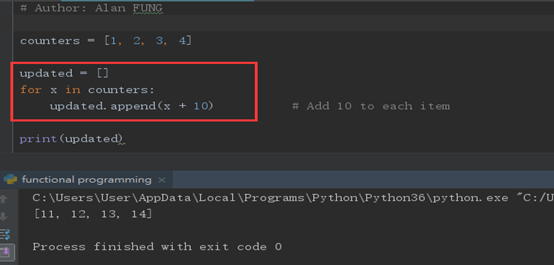
counters = [1, 2, 3, 4]

updated = []

for x in counters:
    updated.append(x + 10)

print(updated)
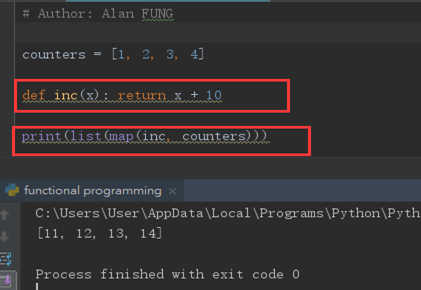
counters = [1, 2, 3, 4]
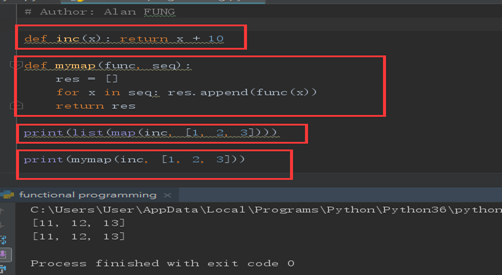
def inc(x): return x + 10

print(list(map(inc, counters)))
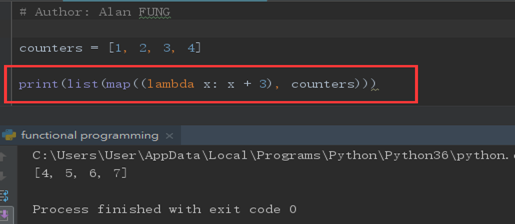
counters = [1, 2, 3, 4]

print(list(map((lambda x: x + 3), counters)))
def inc(x): return x + 10

def mymap(func, seq):
    res = []
    for x in seq: res.append(func(x))
    return res

print(list(map(inc, [1, 2, 3])))
print(mymap(inc, [1, 2, 3]))
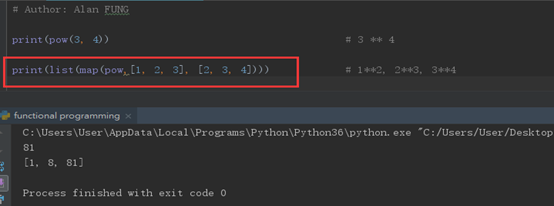
print(pow(3,4))

print(list(map(pow,[1,2,3], [2,3, 4])))
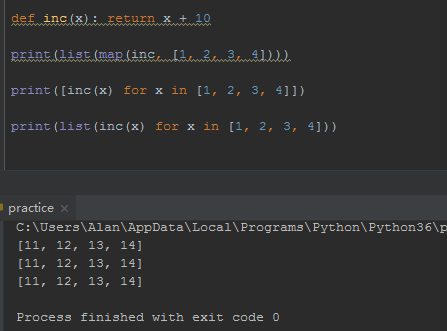
def inc(x): return x + 10

print(list(map(inc, [1, 2, 3, 4])))

print([inc(x) for x in [1, 2, 3, 4]])

print(list(inc(x) for x in [1, 2, 3, 4]))
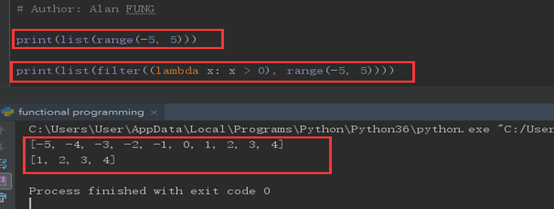
(2) Selecting Items in Iterables: filter

print(list(range(-5, 5)))

print(list(filter((lambda x: x > 0), range(-5, 5))))
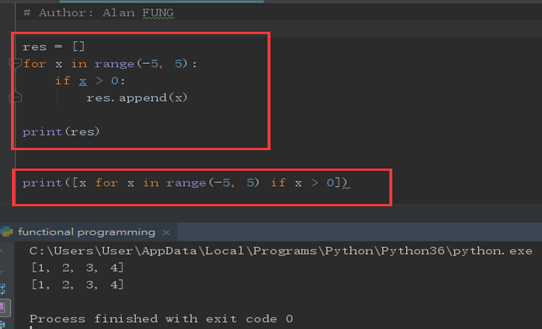
res = []

for x in range(-5, 5):
    if x > 0:
        res.append(x)

print(res)

print([x for x in range(-5, 5) if x > 0])
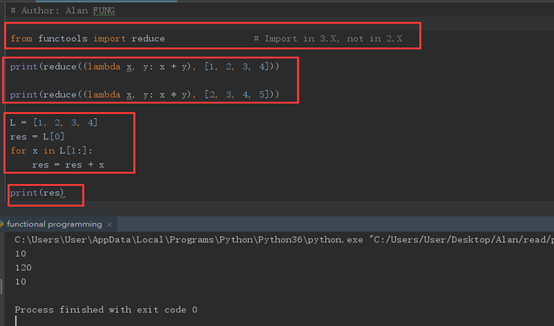
(3) Combining Items in Iterables: reduce
from functools import reduce        # import in 3.x, not in 2.x

print(reduce((lambda x, y: x + y), [1,2,3,4]))

print(reduce((lambda x, y: x * y), [2,3,4,5]))

L = [1, 2, 3, 4]
res = L[0]
for x in L[1:]:
    res = res + x
print(res)
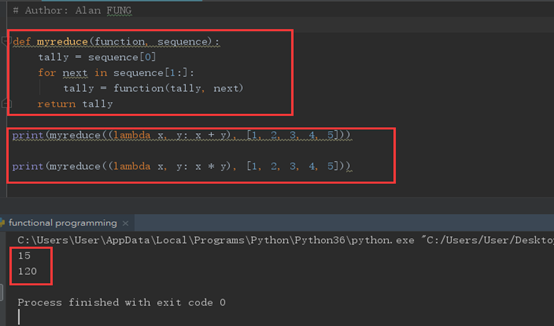
Coding your own version of reduce is actually fairly straightforward. The following function emulates most of the built-in’s behavior and helps demystify its operation in general:
def myreduce (function, sequence):
    tally = sequence[0]

    for next in sequence[1:]:
        tally = function(tally, next)

    return tally

print(myreduce((lambda x, y : x + y), [1,2,3,4,5]))

print(myreduce((lambda x, y : x * y), [1,2,3,4,5]))
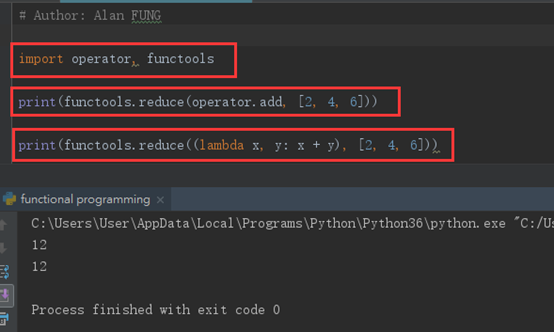
import operator, functools

print(functools.reduce(operator.add,[2,4,6]))

print(functools.reduce((lambda x, y: x + y), [2,4,6]))

 浙公网安备 33010602011771号