
vue自定义指令可拖拽
1、自定义指令(当前只针对上下移动,左右移动同理可自行添加)
directives: {
        drag: {
            // 指令的定义
            bind: function (el) {
                let odiv = el;   //获取当前元素
                el.onmousedown = (e) => {
                    //算出鼠标相对元素的位置
                    let disY = e.clientY - odiv.offsetTop;
                    let top = '';
                    let bottomY=document.documentElement.clientHeight-150
                    document.onmousemove = (e)=>{
                        //用鼠标的位置减去鼠标相对元素的位置,得到元素的位置
                        top = e.clientY - disY;
                        //绑定元素位置到positionY上面
                        //移动当前元素
                        odiv.style.top = (top>0&&top<bottomY)?top+'px':top<=0?0:bottomY+'px'
                    };
                    document.onmouseup = (e) => {
                        document.onmousemove = null;
                        document.onmouseup = null;
                    };
                };
            }
        }
    }
2、绑定自定义指令:v-drag,实现上下拖拽
<div class="chat-container" v-drag>
   <span class="chat-span"></span>
</div>
3、css
.chat-container{
    cursor: pointer;
    top: 240px;
    right: 0;
    position: fixed;
    z-index: 7;
    background-color: transparent;
}

.chat-span{
    display: inline-block;
    vertical-align: middle;
    background-image: url('../../../assets/images/th.gif');
    width: 75px;
    height: 150px;
}
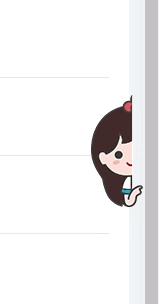
4、实现效果:bing小冰

 浙公网安备 33010602011771号