
关于ref
一般来说,在使用Vue框架的时候就尽量不要去使用 document.getElementByXxx() 直接操作DOM元素,如果确实要使用的话可以使用Vue提供的API ref ,用于代替 document.getElementByXxx()
# ref
ref 被用来给元素或子组件注册引用信息。
引用信息将会注册在父组件的 $refs 对象上。
如果在普通的 DOM 元素上使用,引用指向的就是 DOM 元素;如果用在子组件上,引用就指向组件实例(VueComponent)。
# $refs
一个对象,持有注册过 ref attribute 的所有 DOM 元素和组件实例。
实机演示
Html
# App.vue
<div id="app">
    <h1 ref='ref_h1'>Welcome to Your Vue.js App</h1>
    <img alt="Vue logo" src="./assets/logo.png">
    <HelloWorld ref='ref_hello_world' msg="componentMsg"/>
</div>

<script>
import HelloWorld from './components/HelloWorld.vue'

export default {
  name: 'App',
  components: {
    HelloWorld
  },
  mounted(){
    console.log('ref_h1 :>> ', this.$refs.ref_h1);
    console.log('ref_hello_world :>> ', this.$refs.ref_hello_world);
    console.log('ref_hello_world.property :>> ', this.$refs.ref_hello_world.property);
    console.log('ref_hello_world.$props.msg :>> ', this.$refs.ref_hello_world.$props.msg);
  }
}
</script>
# HelloWorld.vue
<div class="hello">
    <h1>{{ '组件中props:'+msg }}{{' 组件中property:'+property}}</h1>
    <p>
      For a guide and recipes on how to configure / customize this project,<br>
      check out the
      <a href="https://cli.vuejs.org" target="_blank" rel="noopener">vue-cli documentation</a>.
    </p>
</div>

<script>
export default {
  name: 'HelloWorld',
  props: {
    msg: String
  },
  data() {
    return {
      property: 'value',
    };
  },
}
</script>
运行截图
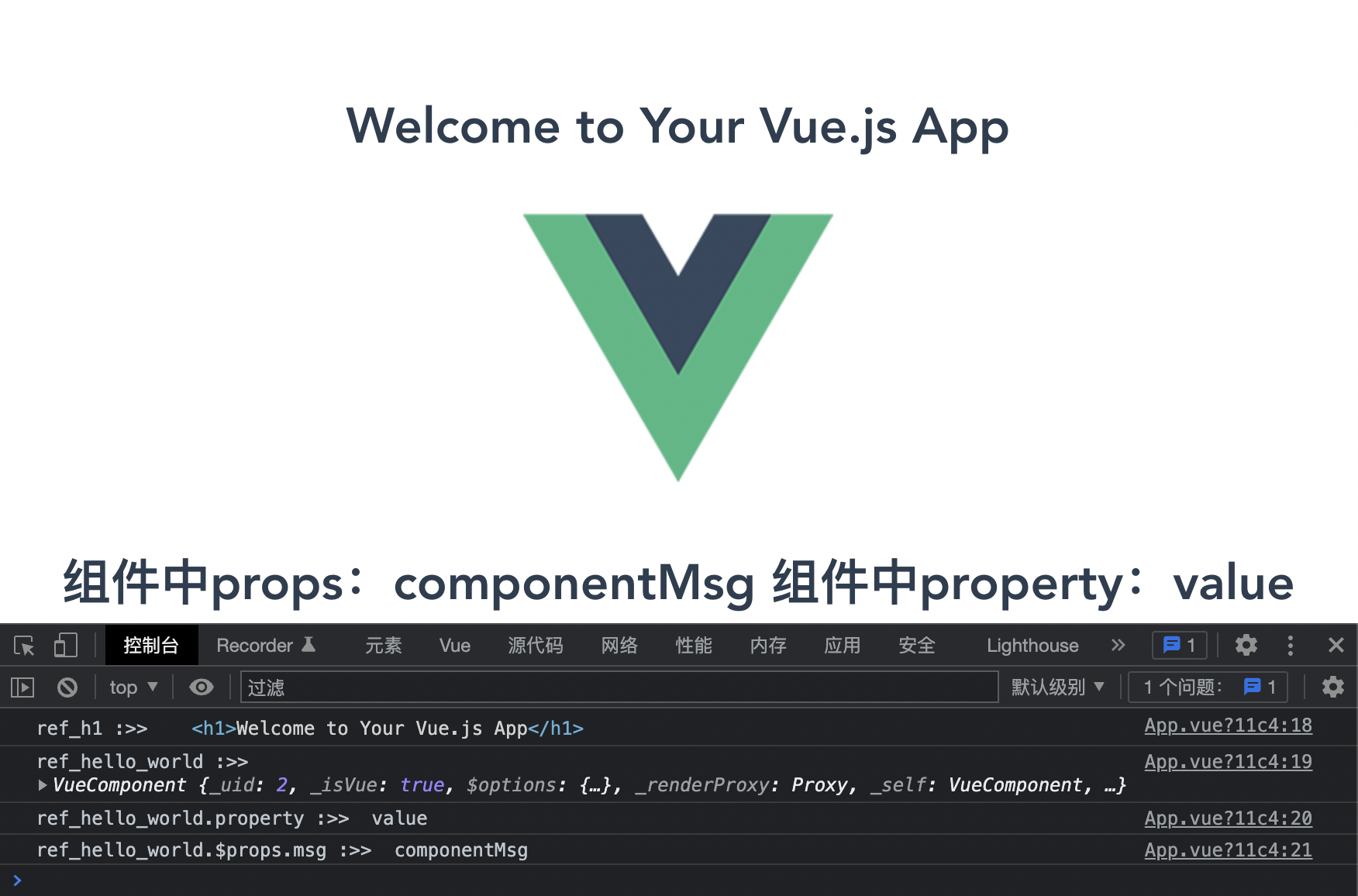
本文参考:

 浙公网安备 33010602011771号