bootstrap card显示
这里是style代码
img {
    margin-top: 30px;
}

#verify_cure_body {
    width: 1000px;
}

.product-container {
    width: 260px;
    margin: 0 auto;
    border-radius: 10px;
    background: #326c84;
    /*background: #f6f8f7;*/
}

.name {
    border-bottom: 1px solid @gray-light;
    font-size: 20px;
    padding: 2px;
    color: white;
}

.interest {
    color: #1da427;
    font-size: 70px;
    font-weight: bold;
    padding: 0px;
    margin-bottom: -30px;
    background: #f6f8f7;
}

.percent {
    font-size: 31px;
}

.intro {
    padding: 5px;
}

.strong {
    padding: 3px;
    font-size: 17px;
    color: @white;
    /*background: #326c84;*/
    background: #f6f8f7;
    border-radius: 0 0 10px 10px;
}
这里是HTML代码
<div class="row">
<div class="col-xs-4 feature">
<div class="product-container">
<div class="name">
保存的指纹
</div>
<div class="interest">
<#if leftfingerimage?exists>
<img src="${leftfingerimage!}"
id="verify_cure_before_finger_img" class="img-thumbnail"
style="height: 128px;width: 128px;"/>
<#else>
<img src="${root}/img/flags/finger.jpg" height="128" width="128"
class="img-thumbnail"/>
</#if>
</div>
<div class="intro"> </div>
<div class="strong"> </div>
</div>
</div>
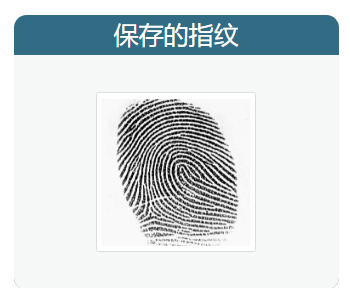
这些就是bootstrap card显示
样例:

 浙公网安备 33010602011771号