
SourceTree免登录使用
官方下载地址:https://www.sourcetreeapp.com/download-archives
- 旧版
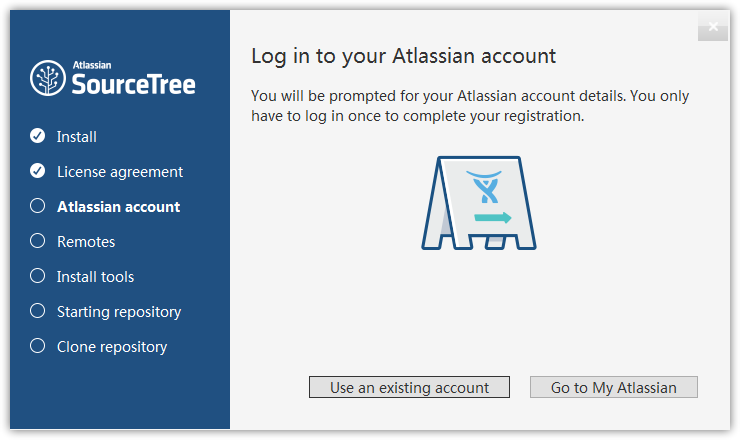
旧版免登录只需要执行第二步即可,如下界面为旧版。
- 新版
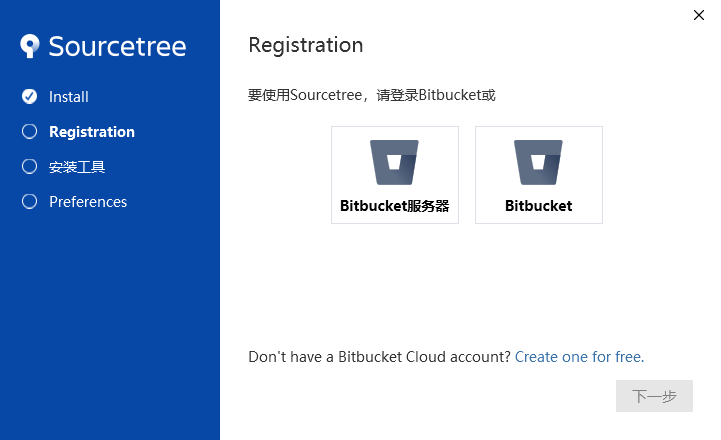
博主用的是SourceTreeSetup-3.3.8,如下界面为新版,第二、三步操作都需执行。
二、添加accounts.json
进入C:/Users/Administrator/AppData/Local/Atlassian/SourceTree目录,地址栏输入以下地址即可进入。
%LocalAppData%/Atlassian/SourceTree添加accounts.json文件,内容如下:
[
  {
    "$id": "1",
    "$type": "SourceTree.Api.Host.Identity.Model.IdentityAccount, SourceTree.Api.Host.Identity",
    "Authenticate": true,
    "HostInstance": {
      "$id": "2",
      "$type": "SourceTree.Host.Atlassianaccount.AtlassianAccountInstance, SourceTree.Host.AtlassianAccount",
      "Host": {
        "$id": "3",
        "$type": "SourceTree.Host.Atlassianaccount.AtlassianAccountHost, SourceTree.Host.AtlassianAccount",
        "Id": "atlassian account"
      },
      "BaseUrl": "https://id.atlassian.com/"
    },
    "Credentials": {
      "$id": "4",
      "$type": "SourceTree.Model.BasicAuthCredentials, SourceTree.Api.Account",
      "Username": "",
      "Email": null
    },
    "IsDefault": false
  }
]
三、修改user.config
进入C:/Users/Administrator/AppData/Local/Atlassian/SourceTree.exe_Url_ehxo33lcbvsvb51tb25j1akl1v2frli5/3.3.8.3848目录,不同版本的目录结构可能不同,可输入以下地址自行进入。
%LocalAppData%/Atlassian修改user.config文件,在标签<SourceTree.Properties.Settings>子级添加以下内容:
<setting name="AgreedToEULA" serializeAs="String">
  <value>True</value>
</setting>
<setting name="AgreedToEULAVersion" serializeAs="String">
  <value>20160201</value>
</setting>
作者:阿笨
【官方QQ一群:跟着阿笨一起玩NET(已满)】:422315558
【官方QQ二群:跟着阿笨一起玩C#(已满)】:574187616
【官方QQ三群:跟着阿笨一起玩ASP.NET(已满)】:967920586
【官方QQ四群:Asp.Net Core跨平台技术开发(可加入)】:829227829
【官方QQ五群:.NET Core跨平台开发技术(可加入)】:647639415
【网易云课堂】:https://study.163.com/provider/2544628/index.htm?share=2&shareId=2544628
【阿笨AI小店】:https://abennet.ke.qq.com
【51CTO学院】:https://edu.51cto.com/sd/66c64
【微信公众号】:微信搜索:跟着阿笨一起玩NET


 浙公网安备 33010602011771号