
How to Install GNOME Desktop And XRDP with Audio Redirection in CentOS 7
How to Install GNOME Desktop And XRDP with Audio Redirection in CentOS 7
How to Install GNOME Desktop And XRDP with Audio Redirection in CentOS 7
Introduction
This is a guide on how to install GNOME Desktop and XRDP with audio redirection in CentOS 7.
1.Log into the CentOS 7 Server
2.Install GNOME Desktop Environment
3.Install XRDP
4.Test XRDP connection
5.Install audio redirection
1.Log into the CentOS 7 server
Please log into the CentOS 7 server via SSH.
2.Install GNOME Desktop Environment
Please Install the GNOME Desktop package group by using the below command. It will install all the packages required for the GUI installation.
yum groupinstall "GNOME DESKTOP" -y
3.Install XRDP on CentOS 7
3.1 Update the package index
yum update -y
3.2 Install XRDP and start XRDP service
yum install xrdp -y
systemctl enable xrdp
systemctl start xrdp
3.3 Open TCP port 3389 for RDP on firewall
firewall-cmd --add-port=3389/tcp --permanent
firewall-cmd --reload
4.Test XRDP connection
-
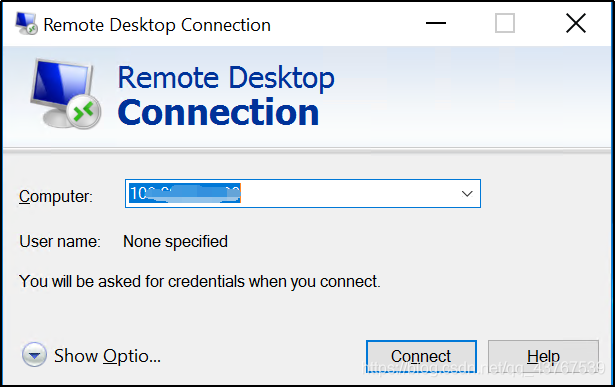
Enter win+R on the keyboard and type “mstsc” to launch the Remote Desktop Connection application, then input your hostname or IP.
![在这里插入图片描述]()
-
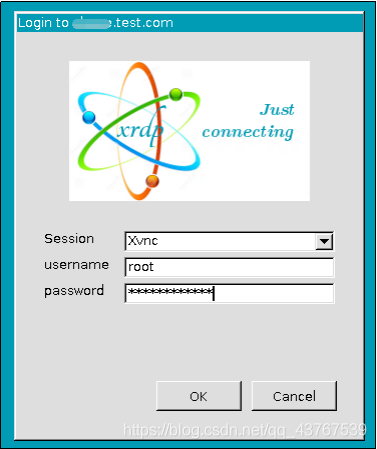
Input username root and server password, then click ”OK” to connect to the CentOS 7 server.
![在这里插入图片描述]()
-
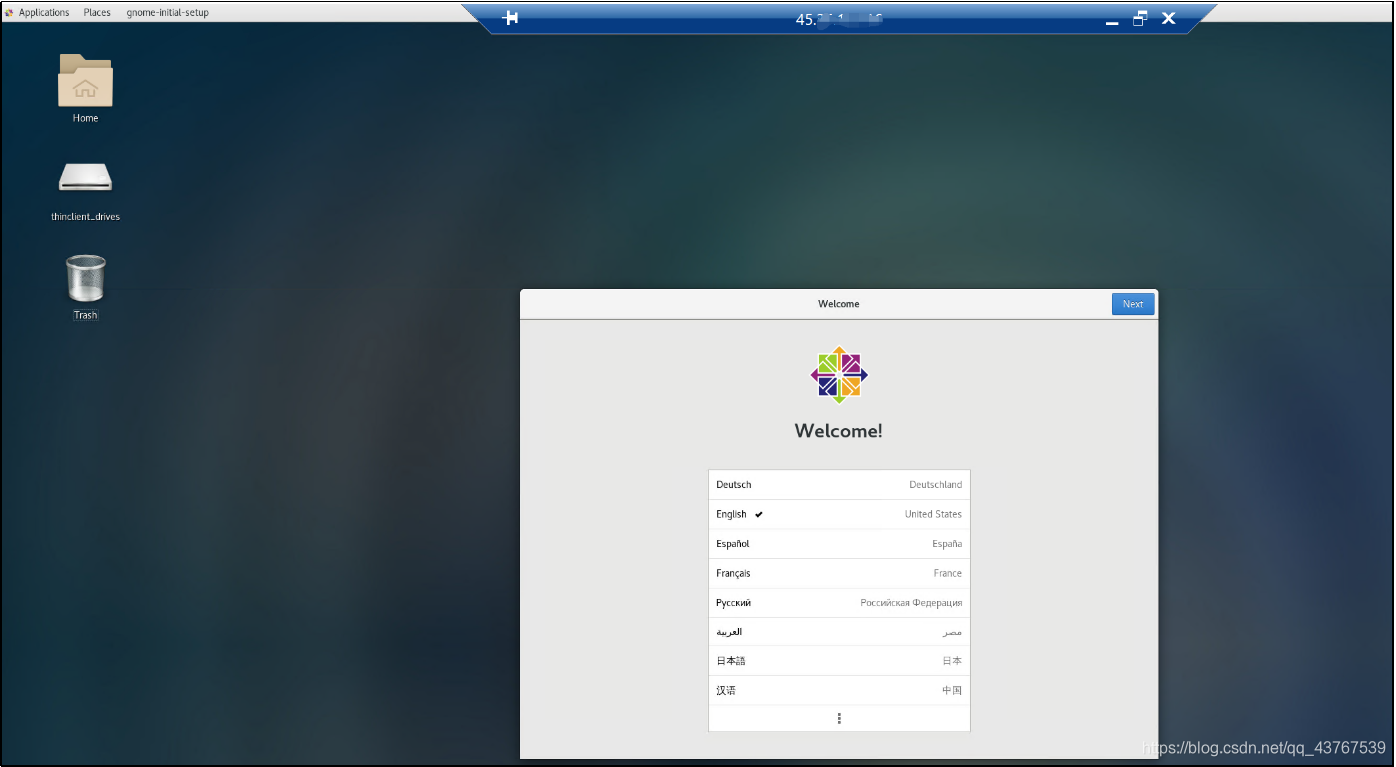
You have successfully connected to your CentOS 7 server via xRDP using GNOME.
![在这里插入图片描述]()
5.Install audio redirection
5.1Install build tools and package development tools
yum groupinstall "Development Tools" -y
yum install rpmdevtools yum-utils -y
rpmdev-setuptree
5.2Install pulseaudio and requisite packages to build pulseaudio
yum install pulseaudio pulseaudio-libs pulseaudio-libs-devel -y
yum-builddep pulseaudio -y
5.3Fetch the pulseaudio source and extract
Fetch the pulseaudio source and extract, you’ll see “~/rpmbuild/BUILD/”.
yumdownloader --source pulseaudio
useradd mockbuild
usermod -G mockbuild mockbuild
rpm --install pulseaudio*.src.rpm
5.4Build the pulseaudio source
rpmbuild -bb --noclean ~/rpmbuild/SPECS/pulseaudio.spec
5.5Build xrdp source / sink modules
You’ll have two so files module-xrdp-sink.so and module-xrdp-source.so.
git clone https://github.com/neutrinolabs/pulseaudio-module-xrdp.git
cd pulseaudio-module-xrdp
./bootstrap && ./configure PULSE_DIR=~/rpmbuild/BUILD/pulseaudio-10.0
make
make install

 浙公网安备 33010602011771号