# coding:utf-8
import wx
class MyFrame(wx.Frame):
    def __init__(self,parent,id):
        wx.Frame.__init__(self,parent,id,'用户登录',size=(400,300))
        #创建面板
        panel = wx.Panel(self)
        #创建“确定”和“取消”按钮,并绑定事件
        self.bt_confirm =wx.Button(panel,label='确定')
        self.bt_confirm.Bind(wx.EVT_BUTTON,self.OnclickSubmit)
        self.bt_cancel = wx.Button(panel,label='取消')
        self.bt_cancel.Bind(wx.EVT_BUTTON,self.OnclickCancel)
        self.title = wx.StaticText(panel,label="请输入用户名和密码")
        self.label_user = wx.StaticText(panel,label="用户名:")
        self.text_user = wx.TextCtrl(panel, style=wx.TE_LEFT)
        self.label_pwd = wx.StaticText(panel,label="密   码:")
        self.text_password = wx.TextCtrl(panel, style=wx.TE_PASSWORD)
        #添加容器,容器中控件横向排列
        hsizer_user = wx.BoxSizer(wx.HORIZONTAL)
        hsizer_user.Add(self.label_user,proportion=0,flag=wx.ALL,border=5)
        hsizer_user.Add(self.text_user,proportion=1,flag=wx.ALL,border=5)
        hsizer_pwd=wx.BoxSizer(wx.HORIZONTAL)
        hsizer_pwd.Add(self.label_pwd,proportion=0,flag=wx.ALL,border=5)
        hsizer_pwd.Add(self.text_password,proportion=1,flag=wx.ALL,border=5)
        hsizer_button = wx.BoxSizer(wx.HORIZONTAL)
        hsizer_button.Add(self.bt_confirm,proportion=0,flag=wx.ALIGN_CENTER,border=5)
        hsizer_button.Add(self.bt_cancel,proportion=0,flag=wx.ALIGN_CENTER,border=5)
        #添加容器,容器中的控件纵向排列
        vsizer_all=wx.BoxSizer(wx.VERTICAL)
        vsizer_all.Add(self.title,proportion=0,flag=wx.BOTTOM|wx.TOP|wx.ALIGN_CENTER,border=15)
        vsizer_all.Add(hsizer_user,proportion=0,flag=wx.EXPAND|wx.LEFT|wx.RIGHT,border=45)
        vsizer_all.Add(hsizer_pwd,proportion=0,flag=wx.EXPAND|wx.LEFT|wx.RIGHT,border=45)
        vsizer_all.Add(hsizer_button,proportion=0,flag=wx.ALIGN_CENTER|wx.TOP,border=15)
        panel.SetSizer(vsizer_all)


    def OnclickSubmit(self,event):
        '''单击确定按钮,执行方法'''
        message=""
        username=self.text_user.GetValue()
        password=self.text_password.GetValue()
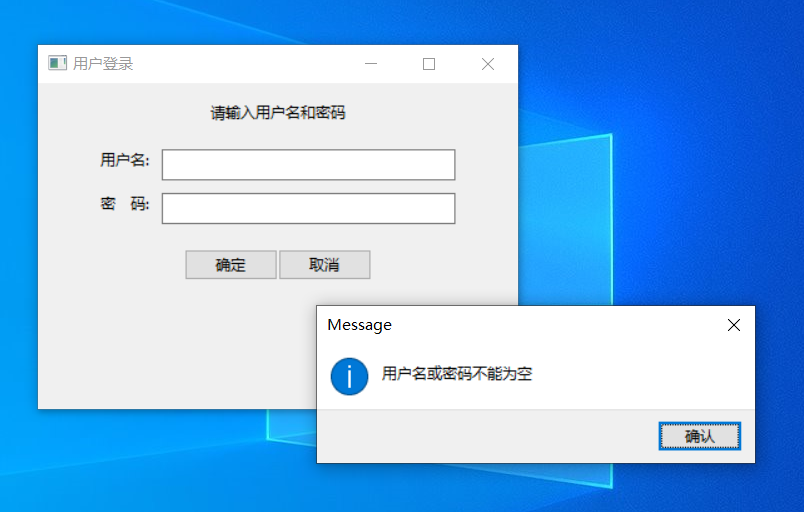
        if username == "" or password == "" :
            message ='用户名或密码不能为空'
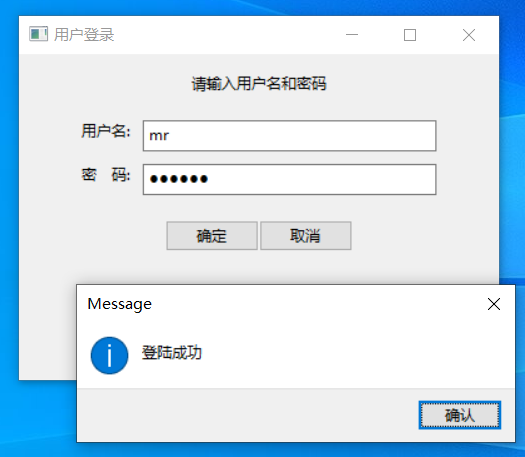
        elif username =='mr' and password =='mrsoft':
            message='登陆成功'
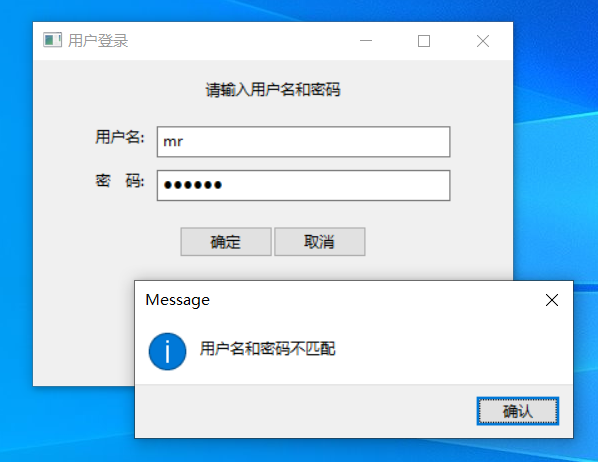
        else:
            message='用户名和密码不匹配'
        wx.MessageBox(message)

    def OnclickCancel(self,event):
        '''单机取消按钮,执行方法'''
        self.text_user.SetValue("")
        self.text_password.SetValue("")

if __name__ == '__main__':
    app = wx.App()
    frame =MyFrame(parent=None,id =-1)
    frame.Show()
    app.MainLoop()
![]()
![]()
![]()
# -*- coding:utf-8 -*-
import sys
import pygame

pygame.init()
size = width,height = 640, 480
screen = pygame.display.set_mode(size)
color = (0,0,0)

ball = pygame.image.load("ball.png")
ballrect = ball.get_rect()

speed= [5,5]
clock = pygame.time.Clock()

while True:
    clock.tick(60)
    for event in pygame.event.get():
        if event.type == pygame.QUIT:
            pygame.quit()
            sys.exit()

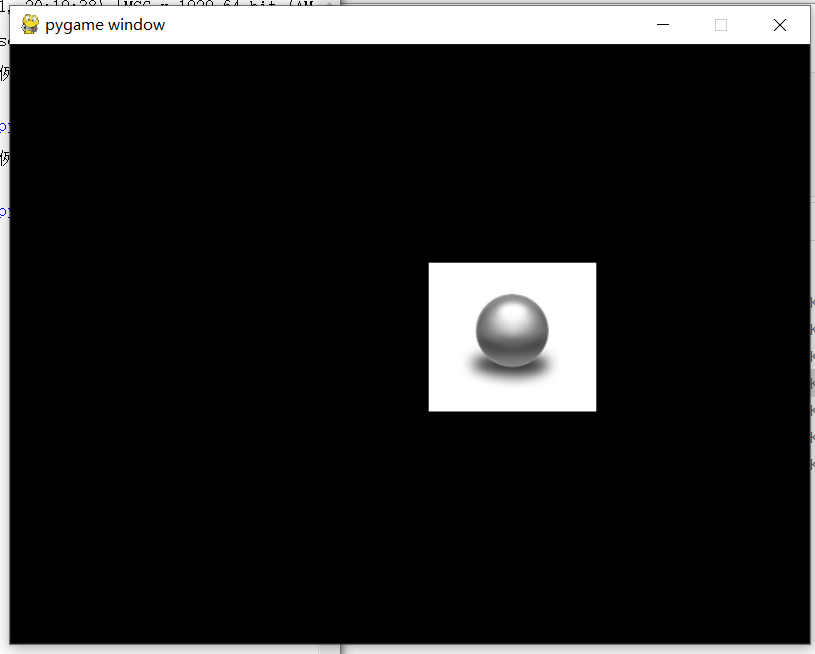
    ballrect = ballrect.move(speed)
    if ballrect.left < 0 or ballrect.right > width:
        speed[0] = -speed[0]
    if ballrect.top < 0 or ballrect.bottom > height:
        speed[1] = -speed[1]
    screen.fill(color)
    screen.blit(ball,ballrect)
    pygame.display.flip()
![]()
import pygame
import sys
import random

class Bird(object):
    """定义一个鸟类"""
    def __init__(self):
        """定义初始化方法"""
        self.birdRect = pygame.Rect(65, 50, 50, 50) # 鸟的矩形
        # 定义鸟的3种状态列表
        self.birdStatus = [pygame.image.load("assets/1.png"),
                            pygame.image.load("assets/2.png"),
                            pygame.image.load("assets/dead.png")]
        self.status = 0     # 默认飞行状态
        self.birdX = 120    # 鸟所在X轴坐标,即是向右飞行的速度
        self.birdY = 350    # 鸟所在Y轴坐标,即上下飞行高度
        self.jump = False   # 默认情况小鸟自动降落
        self.jumpSpeed = 10 # 跳跃高度
        self.gravity = 5    # 重力
        self.dead = False   # 默认小鸟生命状态为活着

    def birdUpdate(self):
        if self.jump:
            # 小鸟跳跃
            self.jumpSpeed -= 1             # 速度递减,上升越来越慢
            self.birdY -= self.jumpSpeed    # 鸟Y轴坐标减小,小鸟上升
        else:
            # 小鸟坠落
            self.gravity += 0.2             # 重力递增,下降越来越快
            self.birdY += self.gravity      # 鸟Y轴坐标增加,小鸟下降
        self.birdRect[1] = self.birdY       # 更改Y轴位置

class Pipeline(object):
    """定义一个管道类"""
    def __init__(self):
        """定义初始化方法"""
        self.wallx    = 400;    # 管道所在X轴坐标
        self.pineUp   = pygame.image.load("assets/top.png")
        self.pineDown = pygame.image.load("assets/bottom.png")

    def updatePipeline(self):
        """"管道移动方法"""
        self.wallx -= 5       # 管道X轴坐标递减,即管道向左移动
        # 当管道运行到一定位置,即小鸟飞越管道,分数加1,并且重置管道
        if self.wallx < -80:
            global score
            score += 1
            self.wallx = 400

def createMap():
    """定义创建地图的方法"""
    screen.fill((255, 255, 255))      # 填充颜色
    screen.blit(background, (0, 0))   # 填入到背景

    # 显示管道
    screen.blit(Pipeline.pineUp,(Pipeline.wallx,-300));    # 上管道坐标位置
    screen.blit(Pipeline.pineDown,(Pipeline.wallx,500)); # 下管道坐标位置
    Pipeline.updatePipeline()      # 管道移动

    # 显示小鸟
    if Bird.dead:           # 撞管道状态
        Bird.status = 2
    elif Bird.jump:         # 起飞状态
        Bird.status = 1
    screen.blit(Bird.birdStatus[Bird.status], (Bird.birdX, Bird.birdY)) # 设置小鸟的坐标
    Bird.birdUpdate()           # 鸟移动

    # 显示分数
    screen.blit(font.render('Score:'+str(score),-1,(255, 255, 255)),(100, 50)) # 设置颜色及坐标位置
    pygame.display.update()     # 更新显示

def checkDead():
    # 上方管子的矩形位置
    upRect = pygame.Rect(Pipeline.wallx,-300,
                         Pipeline.pineUp.get_width() - 10,
                         Pipeline.pineUp.get_height())

    # 下方管子的矩形位置
    downRect = pygame.Rect(Pipeline.wallx,500,
                           Pipeline.pineDown.get_width() - 10,
                           Pipeline.pineDown.get_height())
    # 检测小鸟与上下方管子是否碰撞
    if upRect.colliderect(Bird.birdRect) or downRect.colliderect(Bird.birdRect):
        Bird.dead = True
    # 检测小鸟是否飞出上下边界
    if not 0 < Bird.birdRect[1] < height:
        Bird.dead = True
        return True
    else :
        return False

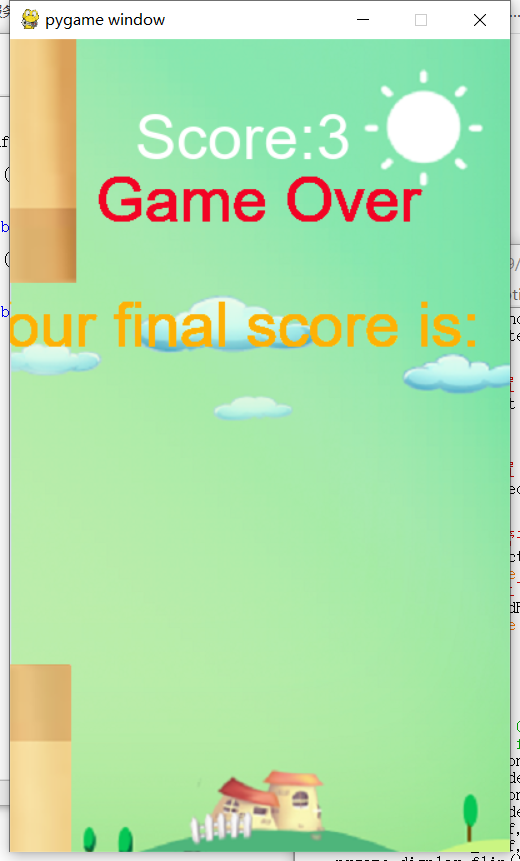
def getResutl():
    final_text1 = "Game Over"
    final_text2 = "Your final score is:  " + str(score)
    ft1_font = pygame.font.SysFont("Arial", 70)               # 设置第一行文字字体
    ft1_surf = font.render(final_text1, 1, (242,3,36))  # 设置第一行文字颜色
    ft2_font = pygame.font.SysFont("Arial", 50)               # 设置第二行文字字体
    ft2_surf = font.render(final_text2, 1, (253, 177, 6)) # 设置第二行文字颜色
    screen.blit(ft1_surf, [screen.get_width()/2 - ft1_surf.get_width()/2, 100]) # 设置第一行文字显示位置
    screen.blit(ft2_surf, [screen.get_width()/2 - ft2_surf.get_width()/2, 200]) # 设置第二行文字显示位置
    pygame.display.flip()      # 更新整个待显示的Surface对象到屏幕上

if __name__ == '__main__':
    """主程序"""
    pygame.init()       # 初始化pygame
    pygame.font.init()  # 初始化字体
    font = pygame.font.SysFont("Arial", 50)    # 设置字体和大小
    size   = width, height = 400, 650       # 设置窗口
    screen = pygame.display.set_mode(size)  # 显示窗口
    clock  = pygame.time.Clock()             # 设置时钟
    Pipeline = Pipeline() # 实例化管道类
    Bird = Bird()         # 实例化鸟类
    score = 0
    while True:
        clock.tick(60)  # 每秒执行60次
        # 轮询事件
        for event in pygame.event.get():
            if event.type == pygame.QUIT:
                sys.exit()
            if (event.type == pygame.KEYDOWN or event.type == pygame.MOUSEBUTTONDOWN) and not Bird.dead:
                Bird.jump = True    # 跳跃
                Bird.gravity = 5    # 重力
                Bird.jumpSpeed = 10 # 跳跃速度

        background = pygame.image.load("assets/background.png") # 加载背景图片
        if checkDead() : # 检测小鸟生命状态
            getResutl()  # 如果小鸟死亡,显示游戏总分数
        else :
            createMap()  # 创建地图
    pygame.quit()
![]()




 浙公网安备 33010602011771号