团队名称-冲刺日志(第六天)
| 这个作业属于哪个课程 | https://edu.cnblogs.com/campus/zswxy/computer-science-class1-2018 |
|---|---|
| 这个作业要求在哪里 | https://edu.cnblogs.com/campus/zswxy/computer-science-class1-2018/homework/12064 |
| 这个作业的目标 | 清晰自己的项目到底进行到了哪一天,完成度到底如何 |
| 小组的组号和队名 | 第二组冰菓不是冰葉组 |
| 小组的队长姓名 | 贺勇 |
SCRUM部分:
每个成员描述:
(1)我今天的进度(完成了哪些任务,花了多少时间,还剩余多少时间),今天遇到了哪些问题,今天解决了哪些问题,(参见前面计划的要求),明天的计划。(可以以表格形式列出)
| 今天的进度 | 遇到的问题 | 解决问题方法 | 明天的计划 |
|---|---|---|---|
| 贺勇负责的管理员对查询到的数据进行增删改除 | 好多好多,点击无效,点击报错,点击后404都有,连接不到数据库都来了 | 在网上疯狂找资料,问了问强的离谱大佬,加了一些相关QQ群总之就是疯狂问,问问题又不收费 | 用户部分的实现 |
| 陈强 界面的设计和功能实现 | 界面的展示效果较差 | 查找相关的UI网站或者是特效网站 | 用户剩余部分功能 |
| 黎志洋 | / | / | / |
| 罗宇梁 | / | / | / |
| 喻达龙 | / | / | / |
| 陈子扬 | / | / | / |
(2)团队成员的工作如果是开发工作必须有代码签入,给出签入记录对应的Issue内容与链接,代码必须每天可执行(当天截屏,没有倒扣分)
代码
用户登录检测
<%@ page language="java" contentType="text/html; charset=UTF-8" pageEncoding="UTF-8"%>
<%@ page import="java.io.*,java.util.*,java.sql.*"%>
<%@ page import="javax.servlet.http.*,javax.servlet.*" %>
<!DOCTYPE html>
<html>
<head>
<meta charset="UTF-8">
<title>Insert title here</title>
</head>
<body>
<%!
	//public static final String DBDRIVER = "org.gjt.mm.mysql.Driver";
	public static final String DBDRIVER = "com.mysql.cj.jdbc.Driver";//定义数据库驱动程序
	public static final String DBURL = "jdbc:mysql://localhost:3306/mesige?useSSL=false&serverTimezone=UTC&useUnicode=true&characterEncoding=utf-8";//数据库链接地址
	public static final String DBUSER = "root";//数据库连接用户名
	public static final String DBPASS = "changw1164816347";//数据库连接密码
%>
<%
	Connection conn = null;//声明数据库连接对象
	PreparedStatement pstmt = null;//声明数据库操作
	ResultSet rs = null;//声明数据库结果集
	boolean flag = false;//定义标志位
	String name = null;//接受用户的真实姓名
	String acount = request.getParameter("acount");
    String password = request.getParameter("password");
%>
<%
	try {
		Class.forName(DBDRIVER);//加载驱动程序
		conn = DriverManager.getConnection(DBURL,DBUSER,DBPASS);//取得数据库连接
		//编写要使用的SqL语句,验证用户id和密码,如果正确,则取数真实姓名
		String sql = "SELECT admId FROM userinformation WHERE acount=? AND passwords=?";
		System.out.print("ssss");
		pstmt = conn.prepareStatement(sql);//实例化数据库操作对象
		pstmt.setString(1,acount);//设置查询所需的内容
		pstmt.setString(2,request.getParameter("password"));//设置查询所需的内容
		rs = pstmt.executeQuery();//执行查询
		if (rs.next()) {//如果可以查询到,则表示合法用户
			name = rs.getString(1);//取出真实姓名
			System.out.print(name);
			flag = true;//修改标志位,如果为true,表示登陆成功
		}
	} catch (Exception e) {
		System.out.println(e);
	} finally {
		try {//关闭操作会抛出异常,使用try catch处理
			rs.close();//关闭查询对象
			pstmt.close();//关闭操作对象
			conn.close();//关闭数据库连接
		} catch (Exception e) {}
	}
%>
<%
	if (flag&&acount!=""&&password!="") {//登陆成功,跳转到成功页面
%>
		<jsp:forward page="newinterface.jsp">
		    <jsp:param name="username" value="<%=name%>"/>
		</jsp:forward>
<%
	} else {//登陆失败,跳转到失败页面
%>
		<h1>账号或密码错误</h1>
<%
	}
%>
</body>
</html>
注册账号
   <!DOCTYPE html>
<html>
<head>
<meta charset="UTF-8">
<title>注册界面</title>
    <link rel="stylesheet" href="CSS/register.css">
</head>
<body>
 <div class="container">
        <h4>账户注册</h4>
        <form action="register2.jsp" method="POST">
            <div class="xt Admid">
                <label for="admId">
                    <span>平台账号<span>*</span></span>
                    <small></small>
                </label>
                <input type="text" name="admId1" id="admId"/>
            </div>
            <div class="xt Acount">
                <label for="acountt">
                    <span>用户名<span>*</span></span>
                    <small></small>
                </label>
                <input type="text" name="acount" id="acountt"/>
                <span>(最好填学号)</span>
            </div>
            <div class="xt email">
                <label for="E-mail">
                    <span>E-mail<span>*</span></span>
                    <small></small>
                </label>
                <input type="text" name="Email" id="E-mail"/>
                <span>请确保邮件的真实性,方便交流</span>
            </div>
            <div class="xt ps">
                <label for="passwordd">
                    <span>密码<span>*</span></span>
                    <small></small>
                </label>
                <input type="password" name="password" id="passwordd"/>
            </div>
            <div class="xt ps">
                <label for="passwordd">
                    <span>再次输入密码<span>*</span></span>
                    <small></small>
                </label>
                <input type="password" name="password" id="passwordd"/>
            </div>

            <input type="submit" value="注册" class="xt"/>
        </form>
    </div>
    <script>
    var i=document.createElement("i");
i.style.cssText="color: #dc3545"
var input=document.getElementsByTagName("input");
var Csstext="26px 26px 32px #489dcf, -26px -26px 32px #62d5ff, -26px -26px 32px #489dcf, 26px 26px 32px #62d5ff";
var T1=false;
var T2=false;
var T3=false;
var T4=false;
var T5=false;
if(input[0].value!=""){
    T1=true;
}
if(input[1].value!=""){
    T1=true;
}
if(input[2].value!=""){
    T1=true;
}
if(input[3].value!=""){
    T1=true;
}

input[0].onclick = function() {
    console.log("sd");
    input[0].style.cssText="box-shadow: #007bff 5px 5px 3px,#007bff -5px -5px 3px,#007bff -5px 5px 3px,#007bff 5px -5px 3px;";
};
input[0].onblur = function() {
    input[0].style.cssText="box-shadow: none";
    if(input[0].value==""&&T1==false){
        i.innerText="必选";
        var small=document.getElementsByTagName("small")[0];
        small.appendChild(i);
        // small.html("<i>必选</i>")
    }else {
        i.innerText="";
    }
};


var i2=document.createElement("i");
i2.style.cssText="color: #dc3545";

input[1].onclick = function() {
    console.log("sd");
    input[1].style.cssText="box-shadow: #007bff 5px 5px 3px,#007bff -5px -5px 3px,#007bff -5px 5px 3px,#007bff 5px -5px 3px;";
};
input[1].onblur = function() {
    input[1].style.cssText="box-shadow: none";
    if(input[1].value==""&&T2==false){
        i2.innerText="必选";
        var small=document.getElementsByTagName("small")[1];
        small.appendChild(i2);
        // small.html("<i>必选</i>")
    }else {
        i2.innerText="";
    }
};

var i3=document.createElement("i");
i3.style.cssText="color: #dc3545";
input[2].onclick = function() {
    // console.log("sd");
    input[2].style.cssText="box-shadow: #007bff 5px 5px 3px,#007bff -5px -5px 3px,#007bff -5px 5px 3px,#007bff 5px -5px 3px;";
};
input[2].onblur = function() {
    let reg_email = /^([A-Za-z0-9_\-\.])+\@(163.com|qq.com|42du.cn)$/;
    input[2].style.cssText="box-shadow: none";
    if(!reg_email.test(input[2].value)){
        i3.innerText="邮箱不正确";
        if(input[2].value==""&&T3==false){
            i3.innerText="必选";
        }
        var small=document.getElementsByTagName("small")[2];
        small.appendChild(i3);
        // small.html("<i>必选</i>")
    }else {
        i3.innerText="";
    }
};


var i4=document.createElement("i");
i4.style.cssText="color: #dc3545";
input[3].onclick = function() {
    console.log("sd");
    input[3].style.cssText="box-shadow: #007bff 5px 5px 3px,#007bff -5px -5px 3px,#007bff -5px 5px 3px,#007bff 5px -5px 3px;";
};
input[3].onblur = function() {
    input[3].style.cssText="box-shadow: none";
    if(input[3].value==""&&T4==false){
        i4.innerText="必选";
        var small=document.getElementsByTagName("small")[3];
        small.appendChild(i4);
        // small.html("<i>必选</i>")
    }else {
        i4.innerText="";
    }
}


var i5=document.createElement("i");
i5.style.cssText="color: #dc3545";
input[4].onclick = function() {

    input[4].style.cssText="box-shadow: #007bff 5px 5px 3px,#007bff -5px -5px 3px,#007bff -5px 5px 3px,#007bff 5px -5px 3px;";
};
input[4].onblur = function() {
    console.log("sd");
    input[4].style.cssText="box-shadow: none";
    if(input[4].value!=input[3].value){
        i5.innerText="密码不相同";
        if(input[4].value==""&&T5==false){
            i5.innerText="必选";
            console.log(i5.innerText);
            // small.html("<i>必选</i>")
        }
        var small=document.getElementsByTagName("small")[4];
        small.appendChild(i5);
    }else {
        i5.innerText="";
    }
}
    </script>
</body>
</html>
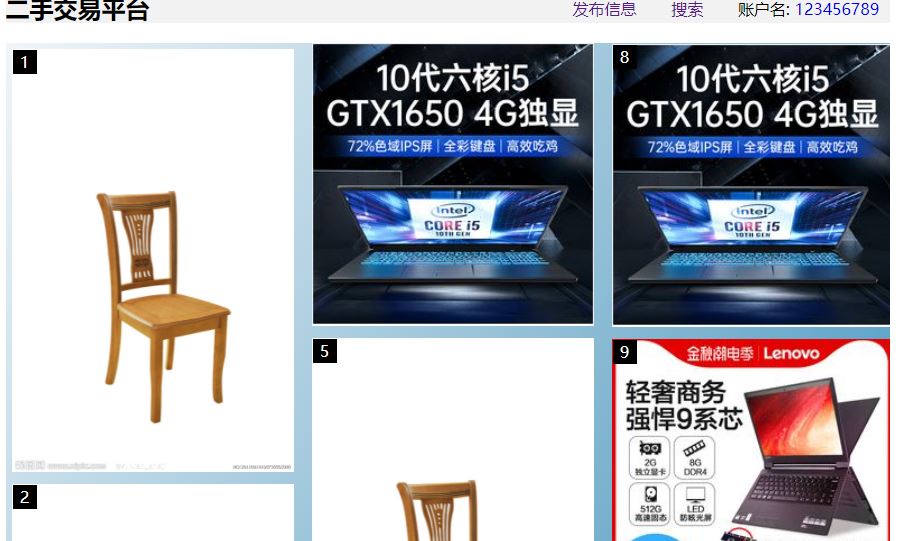
商品展示界面
<%@ page language="java" contentType="text/html; charset=UTF-8"%>
<%@ page import="java.util.*"%>
<%@ page import="dao.newinterfaceDAO"%>
<%@ page import="kechensheji.newinterfaces"%>

<%
String path = request.getContextPath();
String basePath = request.getScheme()+"://"+request.getServerName()+":"+request.getServerPort()+path+"/";
%>

<!DOCTYPE HTML PUBLIC "-//W3C//DTD HTML 4.01 Transitional//EN">
<html>
<head>
<title>首页</title>
<link rel="stylesheet" href="CSS/newinterfacecss.css">
<base href="<%=basePath%>">

<meta http-equiv="pragma" content="no-cache">
<meta http-equiv="cache-control" content="no-cache">
<meta http-equiv="expires" content="0">
<meta http-equiv="keywords" content="keyword1,keyword2,keyword3">
<meta http-equiv="description" content="This is my page">
<meta name="viewport" content="width=device-width,initial-scale=1.0">

</head>
<body>
<div class="container">
        <div class="header">
            <h2>二手交易平台</h2>
            <nav>
                <ul>
                    <li><a href="release.html">发布信息</a></li>
                    <li><a href="search2.jsp">搜索</a></li>
                    <li>账户名: <a href="Administration.jsp?admId=<%=request.getParameter("username")%>"><%=request.getParameter("username")%></a></li>
                </ul>
            </nav>
        </div>
        <div class="main">
          <%
            newinterfaceDAO itemsDao = new newinterfaceDAO();
            ArrayList<newinterfaces> list = itemsDao.getAllnewinterfaces();
            if(list!=null&&list.size()>0){
                for(int i=0;i<list.size();i++){
                    newinterfaces item = list.get(i);
                    System.out.println("das");
          %>
           <div>
               <a href="information.jsp?id=<%=item.getGoodId()%>&name=<%=request.getParameter("username")%>"><img src="<%=item.getImg()%>"alt="照片"></a>
           </div>
          <!-- 商品循环结束  -->
          <%
                }
            }
           %>
        </div>
</div>
</body>
</html>
商品详细界面
<%@ page language="java" contentType="text/html; charset=utf-8"%>
<%@ page import="java.util.*"%>
<%@ page import="dao.newinterfaceDAO" %>
<%@ page import="kechensheji.newinterfaces"  %>
<%
String path = request.getContextPath();
String basePath = request.getScheme()+"://"+request.getServerName()+":"+request.getServerPort()+path+"/";
%>

<!DOCTYPE HTML PUBLIC "-//W3C//DTD HTML 4.01 Transitional//EN">
<html>
<head>

    <base href="<%=basePath%>">
    <link rel="stylesheet" href="CSS/information.css">
    <meta http-equiv="pragma" content="no-cache">
    <meta http-equiv="cache-control" content="no-cache">
    <meta http-equiv="expires" content="0">
    <meta http-equiv="keywords" content="keyword1,keyword2,keyword3">
    <meta http-equiv="description" content="This is my page">
<title>信息</title>
</head>
<body>
        <div class="container">
        <%
            newinterfaceDAO itemsDao = new newinterfaceDAO();
            newinterfaces item = itemsDao.getNewinterfaceById(Integer.valueOf(request.getParameter("id")));
            //newinterfaces item = itemsDao.getNewinterfaceById(Integer.valueOf(1));
            if(item!=null){
         %>
            <div id="box">
                <img src="<%=item.getImg()%>" width="200" height="200">
                <div id="move"></div>
                <div id="bimg">
                	 <img src="<%=item.getImg()%>" id="b_bimg">
                </div>
            </div>
            <div>
            <div>
            <span>商品编号:</span><p><%=item.getGoodId()%></p>
            </div>
            <div>
            <span>商品标题:</span><p><%=item.getTopic() %></p>
            </div>
            <div>
            <span>商品类型:</span><p><%=item.getTtype() %></p>
            </div>
            <div>
            <span>商品价格:</span><p><%=item.getPrice() %></p>
            </div>
            <div>
            <span>电子邮箱:</span><p><%=item.getEmail() %></p>
            </div>
         <%
            }
         %>
         <script>
             var bbox = document.getElementById("box");
             var bmove = document.getElementById("move");
             var bbimg = document.getElementById("bimg");
             var b_bimg = document.getElementById("b_bimg");

             bbox.onmouseover = function(){//鼠标移动到box上显示大图片和选框
                 bbimg.style.display = "block";
                 bmove.style.display = "block";
             }

             bbox.onmouseout = function(){//鼠标移开box不显示大图片和选框
                 bbimg.style.display = "none";
                 bmove.style.display = "none";
             }

             bbox.onmousemove = function(e){
            	 var x = e.clientX;//鼠标相对于视口的位置
                 var y = e.clientY;
                 var t = bbox.offsetTop;//box相对于视口的位置
                 var l = bbox.offsetLeft;
                 var _left = x - l - bmove.offsetWidth/2;//计算move的位置
                 var _top = y - t -bmove.offsetHeight/2;
                 if(_top<=0){//滑到box的最顶部
                   _top = 0;
                 }
                 else if(_top>=bbox.offsetHeight-bmove.offsetHeight)//滑到box的最底部
                   _top = bbox.offsetHeight-bmove.offsetHeight ;
                 if(_left<=0){//滑到box的最左边
                   _left=0;
                 }
                 else if(_left>=bbox.offsetWidth-bmove.offsetWidth)//滑到box的最右边
                   _left=bbox.offsetWidth-bmove.offsetWidth ;
                 bmove.style.top = _top +"px";//设置move的位置
                 bmove.style.left = _left + "px";
                 var w = _left/(bbox.offsetWidth-bmove.offsetWidth);//计算移动的比例
                 var h = _top/(bbox.offsetHeight-bmove.offsetHeight);
                 var b_bimg_top = (b_bimg.offsetHeight-bbimg.offsetHeight)*h;//计算大图的位置
                 var b_bimg_left = (b_bimg.offsetWidth-bbimg.offsetWidth)*w;
                 b_bimg.style.top = -b_bimg_top + "px";//设置大图的位置信息
                 b_bimg.style.left = -b_bimg_left + "px";
             }

         </script>
          <!--  <input type="button" value="添加"> -->
           <!--<span><a href="message2.jsp?name=<%=request.getParameter("name")%>" style="text-decoration: none;">发表留言</a></span>-->
    </div>
</body>
</html>
截图
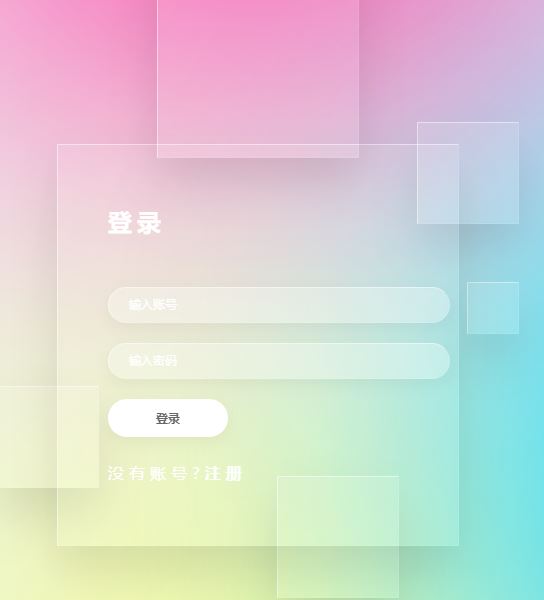
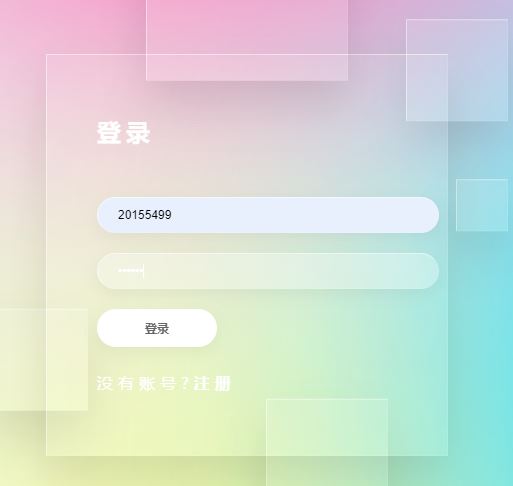
一、登陆界面
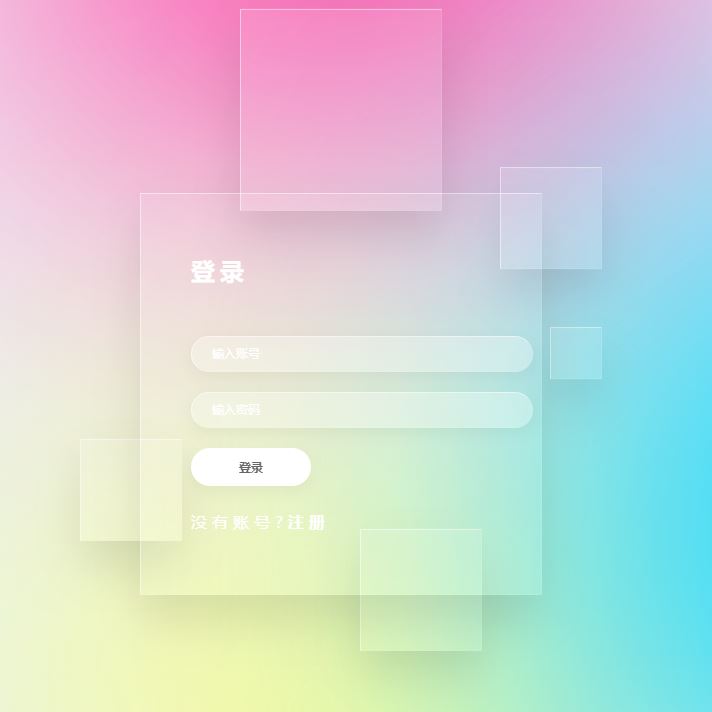
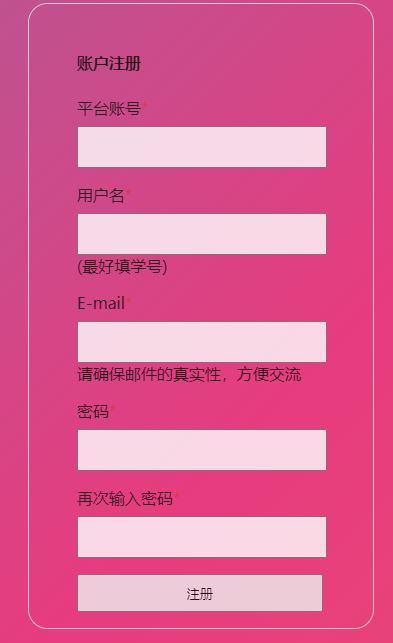
二、注册界面
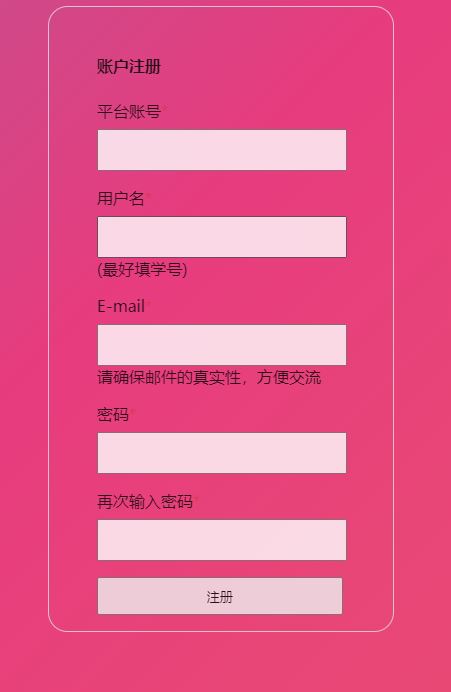
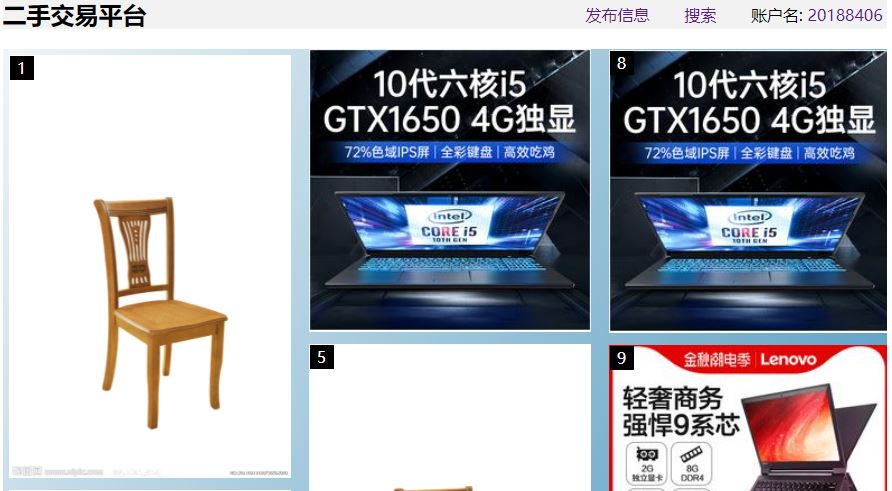
三、商品界面
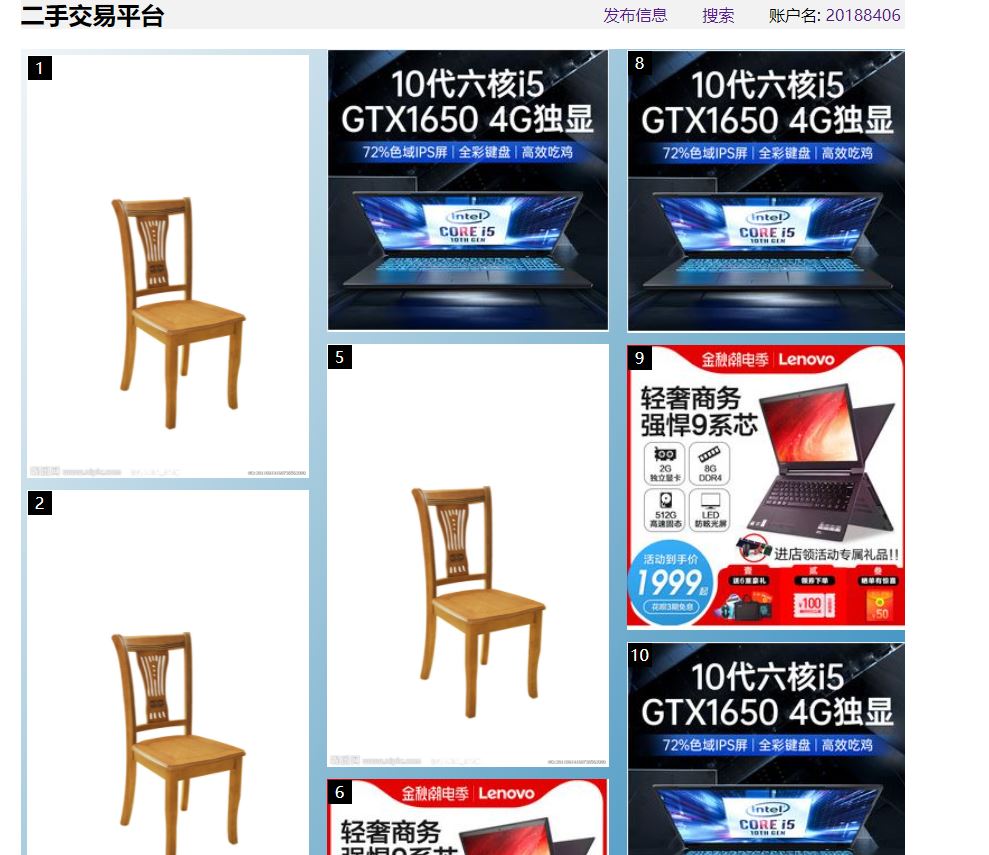
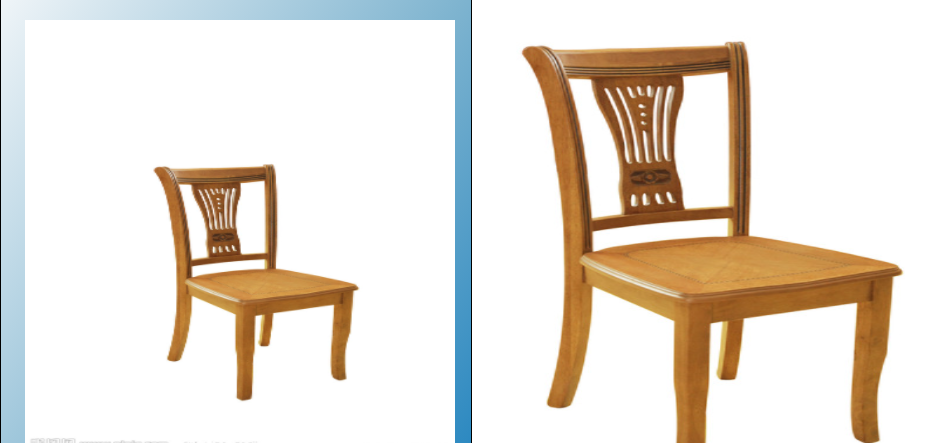
四、商品详细界面
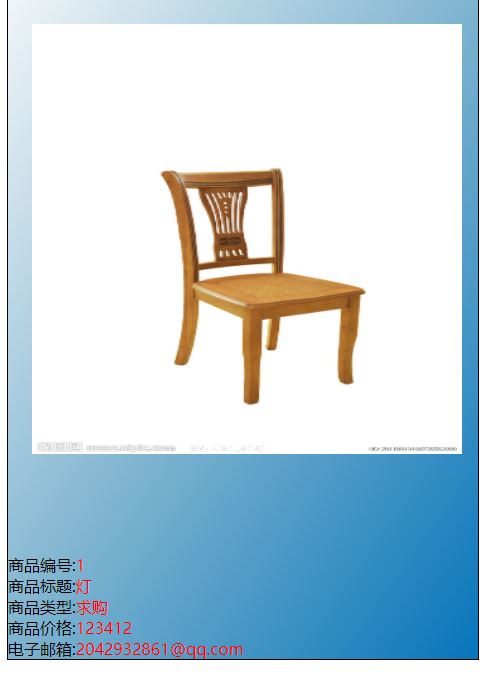
1.放大功能
(3)团队成员的工作如果是测试等其他工作,那要有具体的结果(截屏,测试报告等)
测试详情见测试总结
(4)SCRUM 会议的照片一张,会议照片应该是每天冲刺会议的真实非摆拍照片,可以挡住脸保护隐私。照片如果出现复用的情况倒扣分。
(5)至少一张项目程序/模块的最新(运行)截图。
登陆前
登陆后
注册前
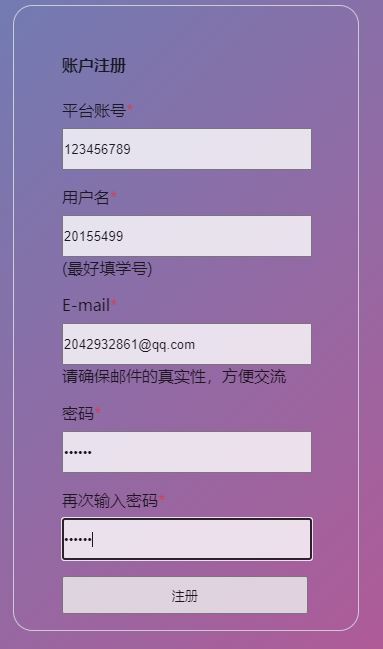
注册后
PM 报告:
(1)整个项目预期的任务量 (任务量 = 所有工作的预期时间)和 目前已经花的时间 (所有记录的 ‘已经花费的时间’),还剩余的时间(所有工作的 ‘剩余时间’)
| 任务量完成度 | 已花费时间 | 剩余时间 |
|---|---|---|
| 十分之六 | 七天半 | 四天半 |
(2)PM 画出燃尽图

(3)画出一个“任务总量变化线”,体现在工作中发现了多少以前没有想到的事情。
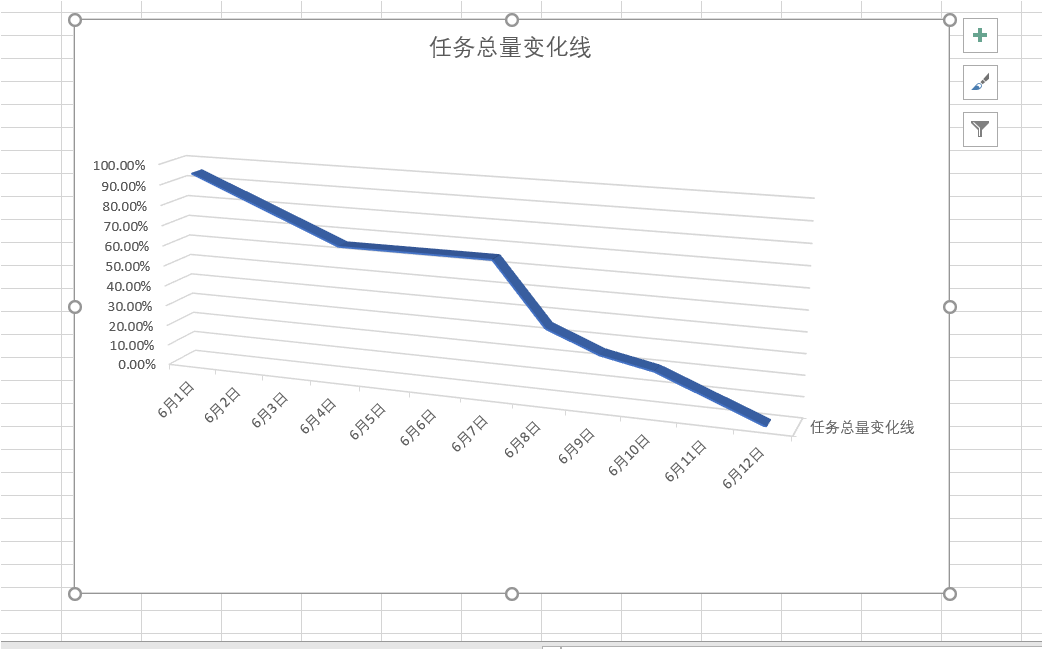
工作中发现了多少以前没有想到的事情:商品的布局不够美观,所以将其改为瀑布流式的布局
(4)表格形式列出每名成员的贡献比
| 小组成员 | 贡献比 |
|---|---|
| 贺勇 | 18% |
| 陈强 | 24% |
| 喻达龙 | 16% |
| 罗宇梁 | 16% |
| 陈子杨 | 16% |
| 黎志洋 | 16% |

 浙公网安备 33010602011771号