

第七次SDN作业
实验7:基于REST API的SDN北向应用实践
一、实验目的
- 能够编写程序调用OpenDaylight REST API实现特定网络功能;
- 能够编写程序调用Ryu REST API实现特定网络功能。
二、实验环境
- 下载虚拟机软件Oracle VisualBox或VMware;
- 在虚拟机中安装Ubuntu 20.04 Desktop amd64,并完整安装Mininet、OpenDaylight(Carbon版本)、Postman和Ryu;
三、实验要求
(一)基本要求
- OpenDaylight
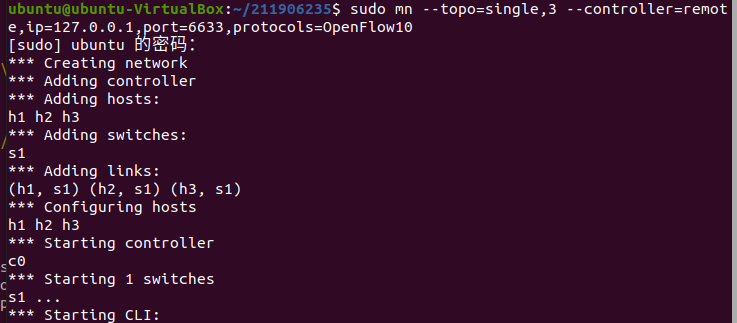
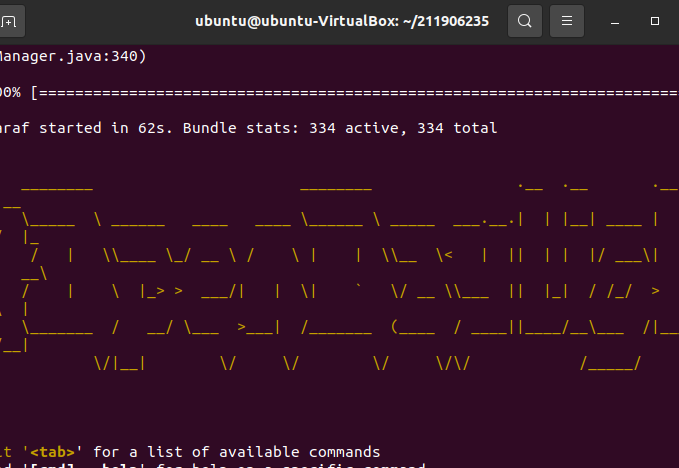
(1) 利用Mininet平台搭建下图所示网络拓扑,并连接OpenDaylight;![]()
![]()
![]()
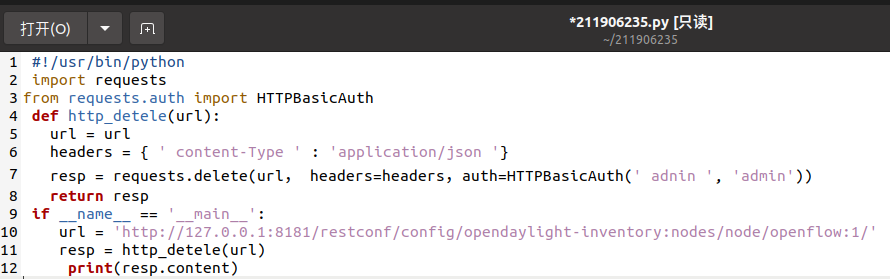
(2) 编写Python程序,调用OpenDaylight的北向接口下发指令删除s1上的流表数据。![]()
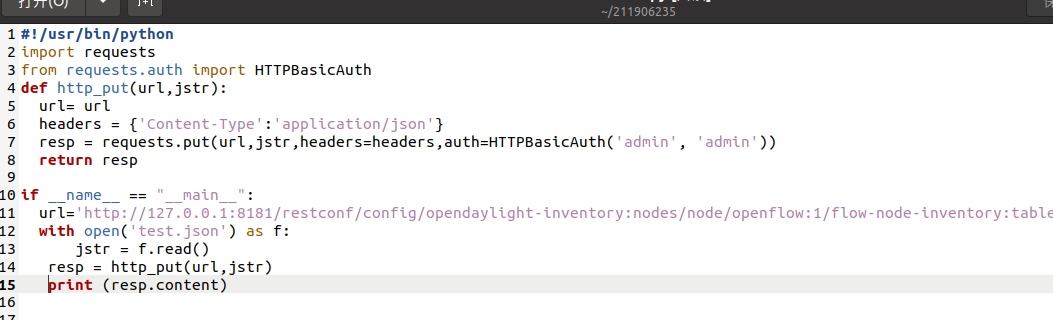
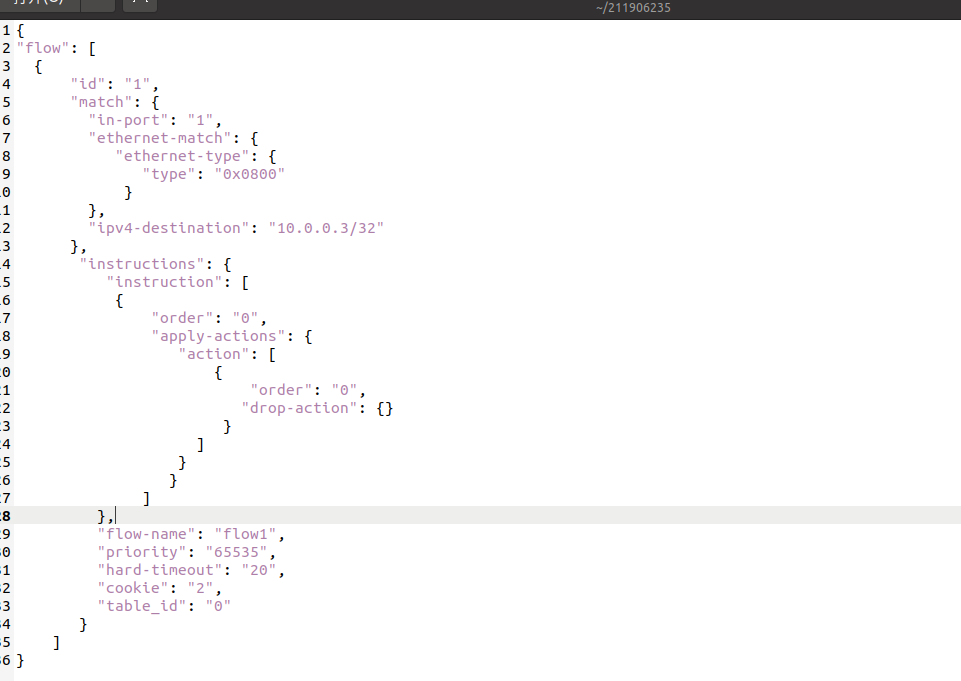
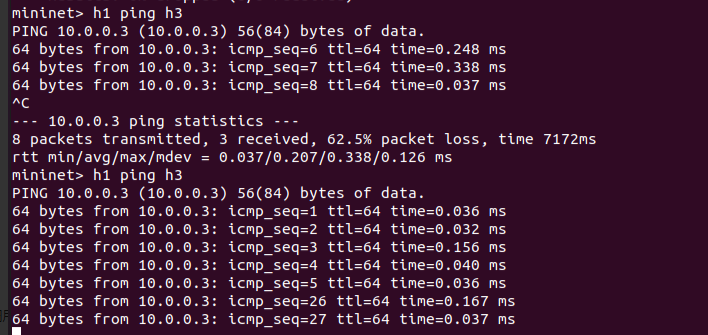
(3) 编写Python程序,调用OpenDaylight的北向接口下发硬超时流表,实现拓扑内主机h1和h3网络中断20s。![]()
![]()
![]()
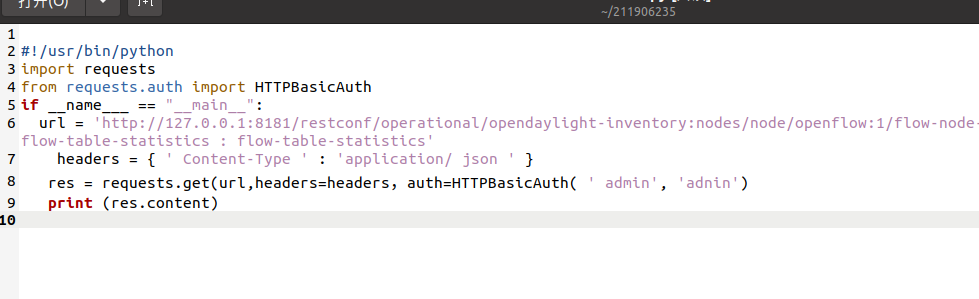
(4) 编写Python程序,调用OpenDaylight的北向接口获取s1上活动的流表数。![]()
- Ryu
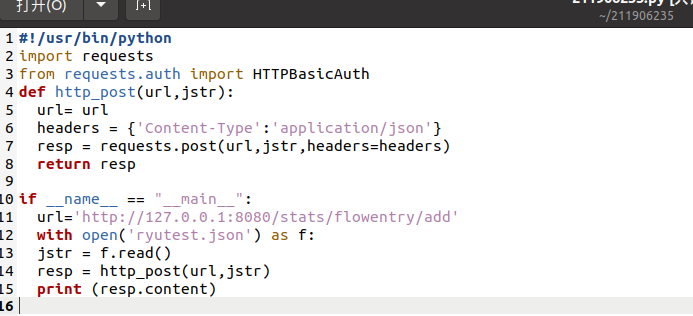
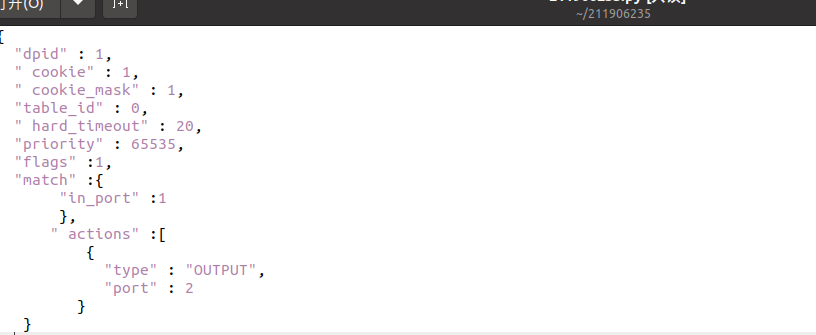
(1) 编写Python程序,调用Ryu的北向接口,实现上述OpenDaylight实验拓扑上相同的硬超时流表下发。![]()
![]()
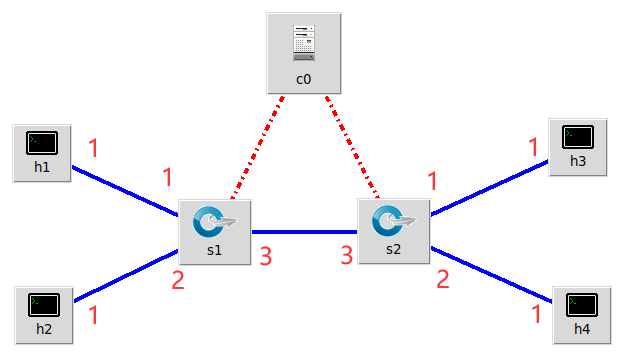
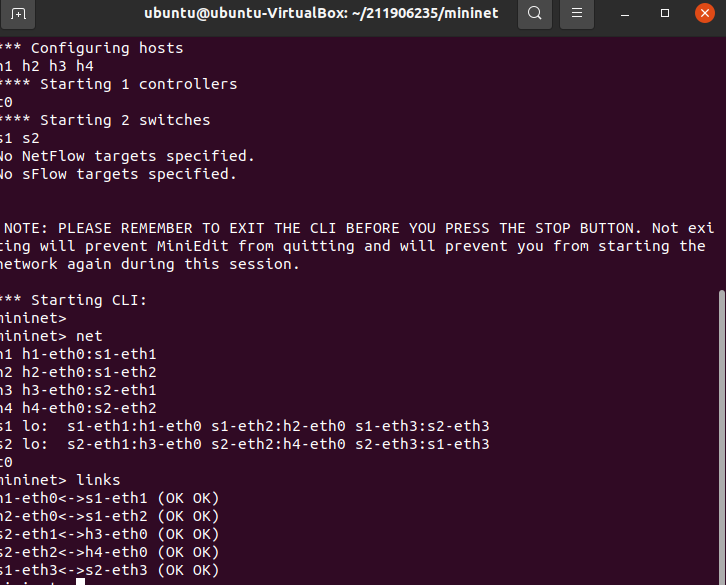
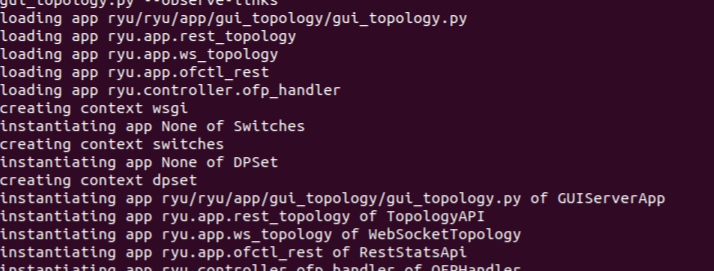
(2) 利用Mininet平台搭建下图所示网络拓扑,要求支持OpenFlow 1.3协议,主机名、交换机名以及端口对应正确。拓扑生成后需连接Ryu,且Ryu应能够提供REST API服务。![]()
![]()
![]()
(3) 整理一个Shell脚本,参考Ryu REST API的文档,利用curl命令,实现和实验2相同的VLAN。 -
|VLAN_ID|Hosts|
# scripts.sh
curl -X POST -d '{
    "dpid": 1,
    "priority": 1,
    "match":{
        "in_port": 1
    },
    "actions":[
        {
            "type": "PUSH_VLAN",     # Push a new VLAN tag if a input frame is non-VLAN-tagged
            "ethertype": 33024       # Ethertype 0x8100(=33024): IEEE 802.1Q VLAN-tagged frame
        },
        {
            "type": "SET_FIELD",
            "field": "vlan_vid",     # Set VLAN ID
            "value": 4096            # Describe sum of vlan_id(e.g. 6) | OFPVID_PRESENT(0x1000=4096)
        },
        {
            "type": "OUTPUT",
            "port": 3
        }
    ]
 }' http://localhost:8080/stats/flowentry/add

 curl -X POST -d '{
    "dpid": 1,
    "priority": 1,
    "match":{
        "in_port": 2
    },
    "actions":[
        {
            "type": "PUSH_VLAN",     # Push a new VLAN tag if a input frame is non-VLAN-tagged
            "ethertype": 33024       # Ethertype 0x8100(=33024): IEEE 802.1Q VLAN-tagged frame
        },
        {
            "type": "SET_FIELD",
            "field": "vlan_vid",     # Set VLAN ID
            "value": 4097            # Describe sum of vlan_id(e.g. 6) | OFPVID_PRESENT(0x1000=4096)
        },
        {
            "type": "OUTPUT",
            "port": 3
        }
    ]
 }' http://localhost:8080/stats/flowentry/add

 curl -X POST -d '{
    "dpid": 1,
    "priority": 1,
    "match":{
        "vlan_vid": 0
    },
    "actions":[
        {
            "type": "POP_VLAN",     # Push a new VLAN tag if a input frame is non-VLAN-tagged
            "ethertype": 33024       # Ethertype 0x8100(=33024): IEEE 802.1Q VLAN-tagged frame
        },
        {
            "type": "OUTPUT",
            "port": 1
        }
    ]
 }' http://localhost:8080/stats/flowentry/add

 curl -X POST -d '{
    "dpid": 1,
    "priority": 1,
    "match":{
        "vlan_vid": 1
    },
    "actions":[
        {
            "type": "POP_VLAN",     # Push a new VLAN tag if a input frame is non-VLAN-tagged
            "ethertype": 33024       # Ethertype 0x8100(=33024): IEEE 802.1Q VLAN-tagged frame
        },
        {
            "type": "OUTPUT",
            "port": 2
        }
    ]
 }' http://localhost:8080/stats/flowentry/add

 curl -X POST -d '{
    "dpid": 2,
    "priority": 1,
    "match":{
        "in_port": 1
    },
    "actions":[
        {
            "type": "PUSH_VLAN",     # Push a new VLAN tag if a input frame is non-VLAN-tagged
            "ethertype": 33024       # Ethertype 0x8100(=33024): IEEE 802.1Q VLAN-tagged frame
        },
        {
            "type": "SET_FIELD",
            "field": "vlan_vid",     # Set VLAN ID
            "value": 4096            # Describe sum of vlan_id(e.g. 6) | OFPVID_PRESENT(0x1000=4096)
        },
        {
            "type": "OUTPUT",
            "port": 3
        }
    ]
 }' http://localhost:8080/stats/flowentry/add

 curl -X POST -d '{
    "dpid": 2,
    "priority": 1,
    "match":{
        "in_port": 2
    },
    "actions":[
        {
            "type": "PUSH_VLAN",     # Push a new VLAN tag if a input frame is non-VLAN-tagged
            "ethertype": 33024       # Ethertype 0x8100(=33024): IEEE 802.1Q VLAN-tagged frame
        },
        {
            "type": "SET_FIELD",
            "field": "vlan_vid",     # Set VLAN ID
            "value": 4097            # Describe sum of vlan_id(e.g. 6) | OFPVID_PRESENT(0x1000=4096)
        },
        {
            "type": "OUTPUT",
            "port": 3
        }
    ]
 }' http://localhost:8080/stats/flowentry/add

 curl -X POST -d '{
    "dpid": 2,
    "priority": 1,
    "match":{
        "vlan_vid": 0
    },
    "actions":[
        {
            "type": "POP_VLAN",     # Push a new VLAN tag if a input frame is non-VLAN-tagged
            "ethertype": 33024       # Ethertype 0x8100(=33024): IEEE 802.1Q VLAN-tagged frame
        },
        {
            "type": "OUTPUT",
            "port": 1
        }
    ]
 }' http://localhost:8080/stats/flowentry/add

 curl -X POST -d '{
    "dpid": 2,
    "priority": 1,
    "match":{
        "vlan_vid": 1
    },
    "actions":[
        {
            "type": "POP_VLAN",     # Push a new VLAN tag if a input frame is non-VLAN-tagged
            "ethertype": 33024       # Ethertype 0x8100(=33024): IEEE 802.1Q VLAN-tagged frame
        },
        {
            "type": "OUTPUT",
            "port": 2
        }
    ]
 }' http://localhost:8080/stats/flowentry/add
|:--|:--|
|0|h1 h3|
|1|h2 h4| -
![]()

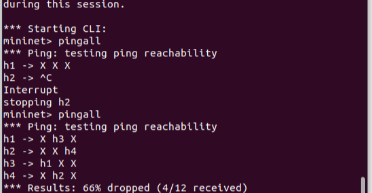
(二)进阶要求
编程实现基本要求第2部分Ryu(3)中的VLAN划分。
importjsonimportrequestsif__name__=="__main__":url='http://127.0.0.1:8080/stats/flowentry/add'flow1= { "dpid":1, "priority":1, "match":{ "in_port":1 }, "actions":[ { "type":"PUSH_VLAN", "ethertype":33024 }, { "type":"SET_FIELD", "field":"vlan_vid", "value":4096 }, { "type":"OUTPUT", "port":3 } ] } flow2= { "dpid":1, "priority":1, "match":{ "in_port":2 }, "actions":[ { "type":"PUSH_VLAN", "ethertype":33024 }, { "type":"SET_FIELD", "field":"vlan_vid", "value":4097 }, { "type":"OUTPUT", "port":3 } ] } flow3= { "dpid":1, "priority":1, "match":{ "vlan_vid":0 }, "actions":[ { "type":"POP_VLAN", "ethertype":33024 }, { "type":"OUTPUT", "port":1 } ] } flow4= { "dpid":1, "priority":1, "match": { "vlan_vid":1 }, "actions": [ { "type":"POP_VLAN", "ethertype":33024 }, { "type":"OUTPUT", "port":2 } ] } flow5= { "dpid":2, "priority":1, "match": { "in_port":1 }, "actions": [ { "type":"PUSH_VLAN", "ethertype":33024 }, { "type":"SET_FIELD", "field":"vlan_vid", "value":4096 }, { "type":"OUTPUT", "port":3 } ] } flow6= { "dpid":2, "priority":1, "match": { "in_port":2 }, "actions": [ { "type":"PUSH_VLAN", "ethertype":33024 }, { "type":"SET_FIELD", "field":"vlan_vid", "value":4097 }, { "type":"OUTPUT", "port":3 } ] } flow7= { "dpid":2, "priority":1, "match": { "vlan_vid":0 }, "actions": [ { "type":"POP_VLAN", "ethertype":33024 }, { "type":"OUTPUT", "port":1 } ] } flow8= { "dpid":2, "priority":1, "match": { "vlan_vid":1 }, "actions": [ { "type":"POP_VLAN", "ethertype":33024 }, { "type":"OUTPUT", "port":2 } ] } res1=requests.post(url,json=flow1)res2=requests.post(url,json=flow2)res3=requests.post(url,json=flow3)res4=requests.post(url,json=flow4)res5=requests.post(url,json=flow5)res6=requests.post(url,json=flow6)res7=requests.post(url,json=flow7)res8=requests.post(url,json=flow8)
(三)实验报告
- 请用Markdown排版;
- 将所有本实验相关文件保存在目录/home/用户名/学号/lab7/中;
- (一)只需要提交实现相应Python代码和执行结果截图,其余文字请勿赘述;
- (二)不做必须要求,有完成的同学请提交Python代码和运行结果,文件保存目录参照要求2。
- 个人总结:本次实验难度较大,结合了前几次的实验内容和操作,通过上网查询资料以及询问同学解决了部分问题但还是一知半解,这次实验可以让我熟悉流表的硬超时,实验中出现了代码“-”的遗漏,未打开odl控制台的报错,以及python代码运行出现问题,问了室友才得以解决,还有就是连接ryu的时候要使用ryu-manager ryu.app.simple_switch_13 ryu.app.ofctl_rest 感觉自己的知识储备还不够,还有很多地方要去深入学习。


 浙公网安备 33010602011771号