
在Powershell环境下,命令行调用BmpCvt,转换png图片为c文件
环境版本
powershell: 5.1.19041.5607
BmpCvt: V5.36c
目标
转换png为 rgb565格式
例如000.png 转化为000.c
软件自带的命令行参考
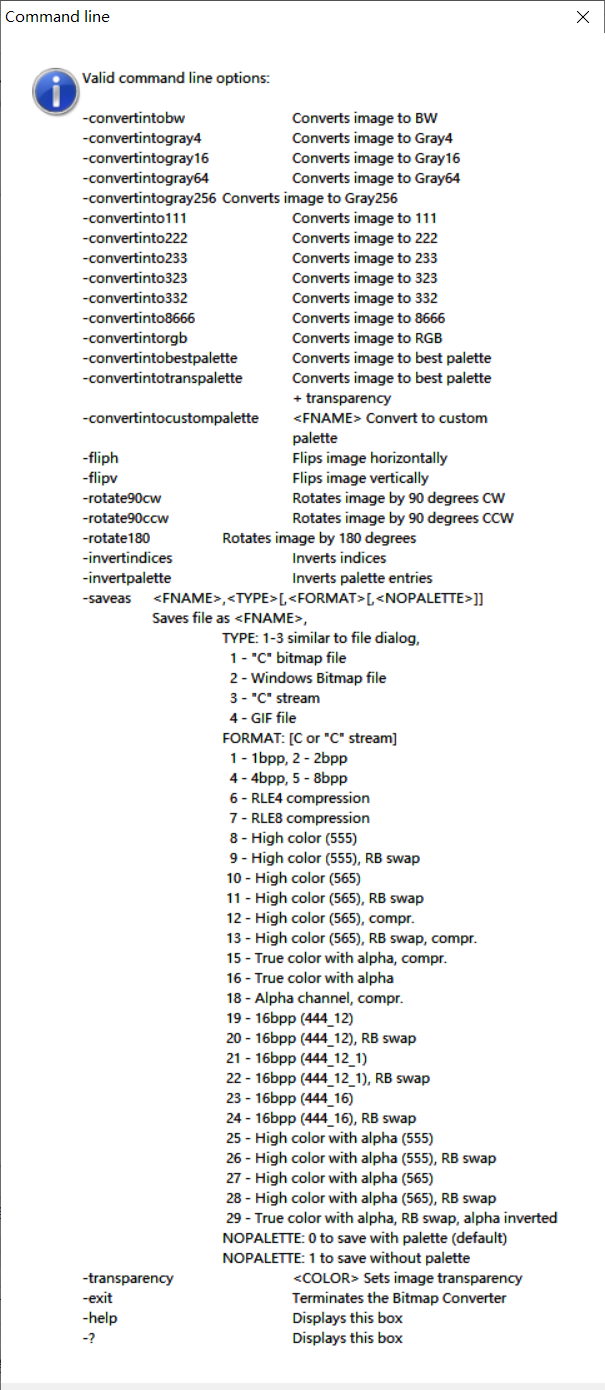
在powershell中调用
.\BmpCvt.exe .\000.png -convertintorgb "-saveas000.c,1" -exit
带参数的ps1文件
文件名 convert.ps1
$input = $args[0]
$output = $args[1]
.\BmpCvt.exe ${input} -convertintorgb "-saveas${output},1" -exit
调用
.\convert.ps1 .\000.png .\000.c
说明
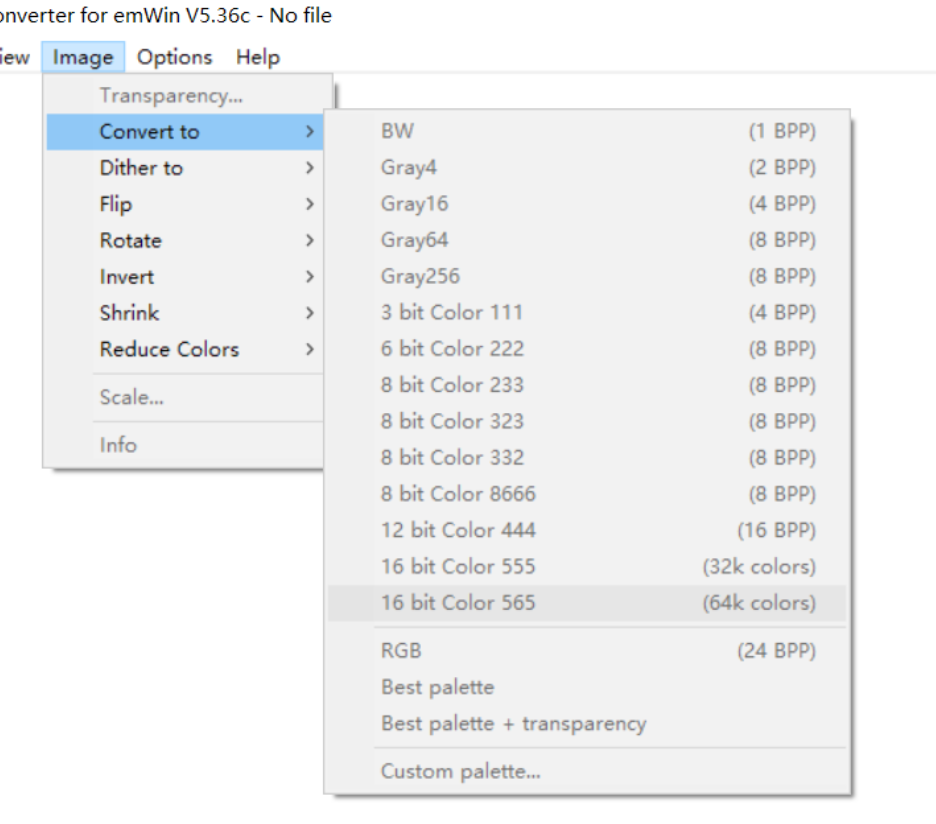
- 虽然在软件gui中叫做16bit Color 565,但在命令行中叫做convertintorgb
![image]()
- 由于saveas参数中带".",因此需要用引号括起

 浙公网安备 33010602011771号