【解决异常】无法通过localhost:8080进入
1.问题:不能进入localhost界面
解决方法:
1)在控制面板中进入“程序和功能”
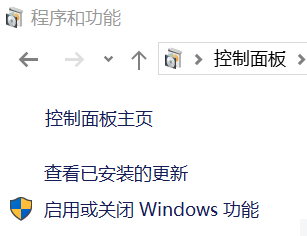
2)进入Windows功能面板,将下面三项勾上

3)可进入localhost页面

2.无法通过localhost:8080进入Tomcat
1)启动时发现报错信息:

原因是8080端口被占用(使用' netstat -aon|findstr"8080" '查看)

使用' taskkill -PID 9520 -F '终止PID为9520的进程
重新启动Tomcat:


 浙公网安备 33010602011771号