

使用maven中tomcat插件运行web应用程序
是这样的,在我学习springmvc的时候,第一次按照教程使用maven中的tomcat插件运行web应用程序,然后就遇到下面类似的问题:
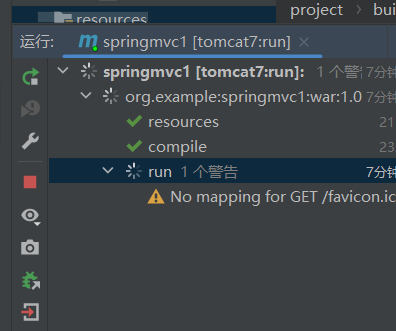
他这里一直在run,搞得很难受(一直认为时运行失败导致的),经过查询https://blog.csdn.net/Spy10086/article/details/111189001
后才发现他就是这样(运行成功的样子)。
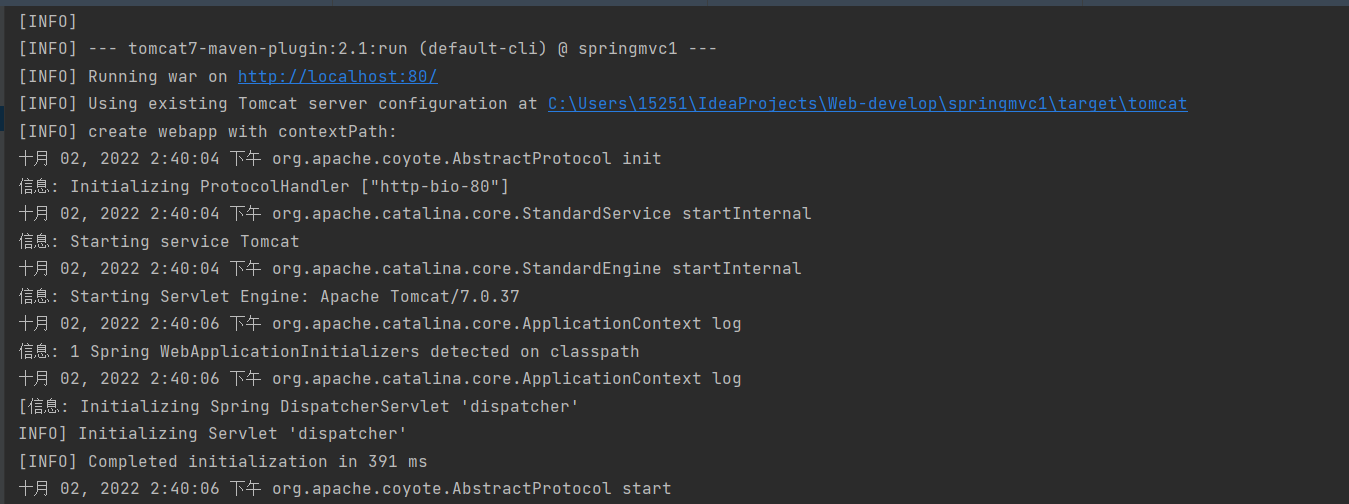
点击蓝色的 http://localhost:80/即可进入。
补充:
第一次使用SpringMvc(及其方便)步骤总结:
(1)导入springmvc坐标和servlet坐标:
<dependency>
      <groupId>javax.servlet</groupId>
      <artifactId>javax.servlet-api</artifactId>
      <version>3.1.0</version>
      <scope>provided</scope>
    </dependency>
    <dependency>
      <groupId>org.springframework</groupId>
      <artifactId>spring-webmvc</artifactId>
      <version>5.3.1</version>
    </dependency>
(2)创建springmvc的控制器(相当于servlet)
import org.springframework.stereotype.Controller;
import org.springframework.web.bind.annotation.RequestMapping;
import org.springframework.web.bind.annotation.ResponseBody;

@Controller
public class UserController {

    @RequestMapping("/save")
    @ResponseBody
    public String save(){
        System.out.println("user was saved ...");
        return "{'module':'springmvc'}";
    }
}
(3)创建SpringMvcConfig配置类,在spring环境中加载控制器对应的bean
package com.rsh.config;

import org.springframework.context.annotation.ComponentScan;
import org.springframework.context.annotation.Configuration;

@Configuration
@ComponentScan("com.rsh.controller")
public class SpringMvcConfig {
}
package com.rsh.controller;

import org.springframework.stereotype.Controller;
import org.springframework.web.bind.annotation.RequestMapping;
import org.springframework.web.bind.annotation.ResponseBody;

@Controller
public class UserController {

    @RequestMapping("/save")
    @ResponseBody
    public String save(){
        System.out.println("user was saved ...");
        return "{'module':'springmvc'}";
    }
}
(4)初始化servlet容器,加载springmvc的环境,设置springmvc的处理请求
package com.rsh.config;

import org.springframework.web.context.WebApplicationContext;
import org.springframework.web.context.support.AnnotationConfigWebApplicationContext;
import org.springframework.web.servlet.support.AbstractDispatcherServletInitializer;

public class ServletContainerInitConfig extends AbstractDispatcherServletInitializer {
    protected WebApplicationContext createServletApplicationContext() {
        AnnotationConfigWebApplicationContext ctx = new AnnotationConfigWebApplicationContext();
        ctx.register(SpringMvcConfig.class);
        return ctx;
    }

    protected String[] getServletMappings() {
        return new String[]{"/"};
    }

    protected WebApplicationContext createRootApplicationContext() {
        return null;
    }
}
(5)配置maven的运行环境。
在Pom.xml中加载tomcat插件
<plugins>
      <plugin>
        <groupId>org.apache.tomcat.maven</groupId>
        <artifactId>tomcat7-maven-plugin</artifactId>
        <version>2.1</version>
        <configuration>
          <port>80</port>
          <path>/</path>
        </configuration>
      </plugin>
    </plugins>
配置maven
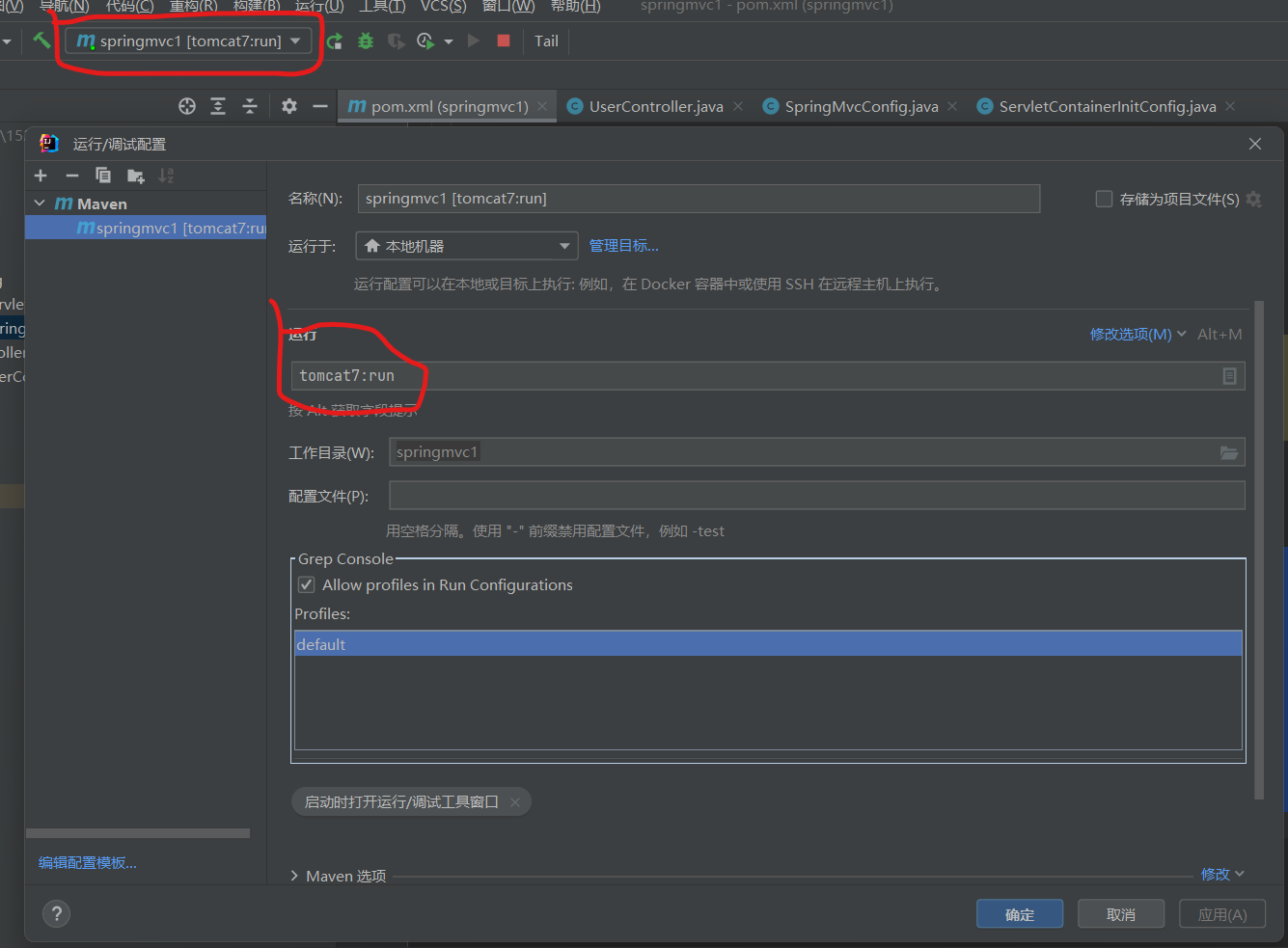
运行即可。

 浙公网安备 33010602011771号