


线程同步
我们在设计应用程序时应尽量避免使用线程同步,因为会产生一些问题:
1.它的使用比较繁琐,因为我们要用额外的代码把线程同时访问的数据包围起来,并获取和释放一个线程同步锁,如果我们在一个代码块忘记获取锁,就有可能造成数据损坏。
2.使用线程同步会影响性能,获取和释放一个锁肯定是需要时间的吧,因为我们在决定哪个线程先获取锁时候, CPU必须进行协调,进行这些额外的工作就会对性能造成影响
3.因为线程同步一次只允许一个线程访问资源,这样就会阻塞线程,阻塞线程会造成更多的线程被创建,这样CPU就有可能要调度更多的线程,同样也对性能造成了影响
所以在实际的设计中还是要尽量避免使用线程同步,因此我们要避免使用一些共享数据,例如静态字段。
using System;
using System.Diagnostics;
using System.Threading;

namespace InterlockedSample
{
    // 比较使用锁和不使用锁锁消耗的时间
    // 通过时间来说明使用锁性能的影响
    class Program
    {
        static void Main(string[] args)
        {
            int x = 0;
            // 迭代次数为500万
            const int iterationNumber = 5000000;
            // 不采用锁的情况
            // StartNew方法 对新的 Stopwatch 实例进行初始化,将运行时间属性设置为零,然后开始测量运行时间。
            Stopwatch sw = Stopwatch.StartNew();
            for (int i = 0; i < iterationNumber; i++)
            {
                x++;
            }

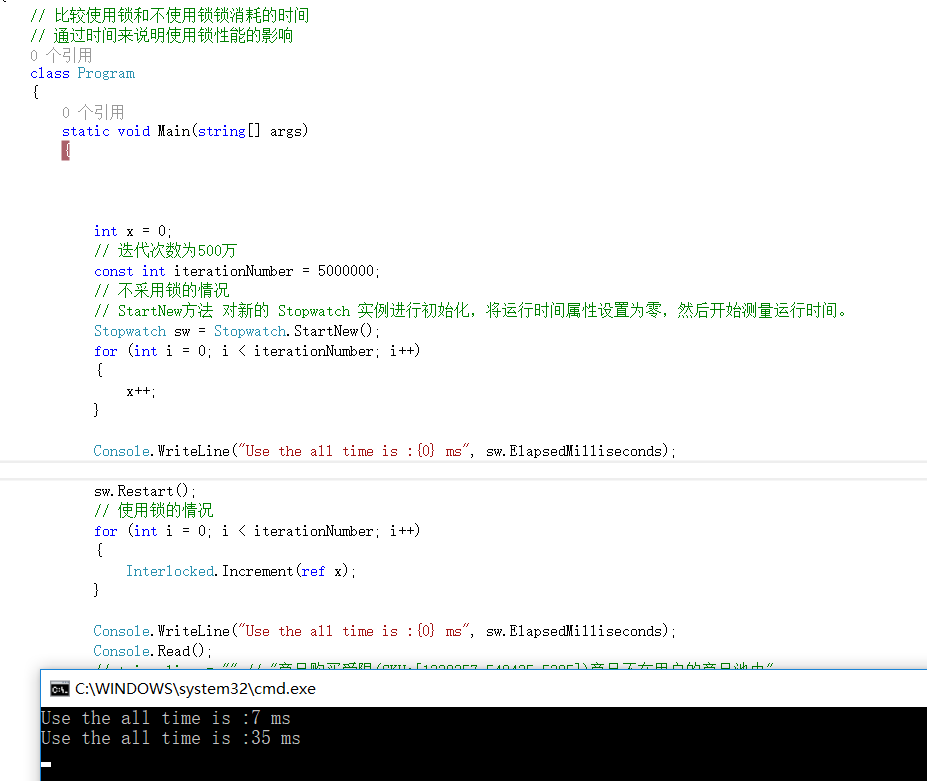
            Console.WriteLine("Use the all time is :{0} ms", sw.ElapsedMilliseconds);

            sw.Restart();
            // 使用锁的情况
            for (int i = 0; i < iterationNumber; i++)
            {
                Interlocked.Increment(ref x);
            }

            Console.WriteLine("Use the all time is :{0} ms", sw.ElapsedMilliseconds);
            Console.Read();
        }
    }
}
运行结果:
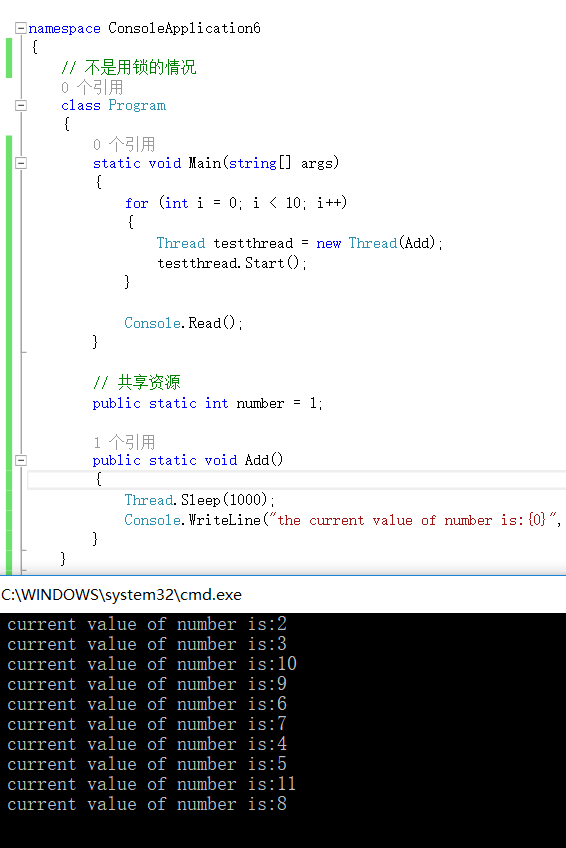
不加锁的情况,得不到预期的结果:
使用Monitor实现线程同步
using System;
using System.Threading;

namespace MonitorSample
{
    class Program
    {
        static void Main(string[] args)
        {
            for (int i = 0; i < 10; i++)
            {
                Thread testthread = new Thread(Add);
                testthread.Start();
            }

            Console.Read();
        }

        // 共享资源
        public static int number = 1;

        public static void Add()
        {
            Thread.Sleep(1000);
            //获得排他锁
            Monitor.Enter(number);

            Console.WriteLine("the current value of number is:{0}", number++);

            // 释放指定对象上的排他锁。
            Monitor.Exit(number);
        }
    }
}

使用ReaderWriterLock实现线程同步
using System;
using System.Collections.Generic;
using System.Threading;

namespace ReaderWriterLockSample
{
    class Program
    {
        public static List<int> lists = new List<int>();

        // 创建一个对象
        public static ReaderWriterLock readerwritelock = new ReaderWriterLock();
        static void Main(string[] args)
        {
            //创建一个线程读取数据
            Thread t1 = new Thread(Write);
            t1.Start();
            // 创建10个线程读取数据
            for (int i = 0; i < 10; i++)
            {
                Thread t = new Thread(Read);
                t.Start();
            }

            Console.Read();

        }

        // 写入方法
        public static void Write()
        {
            // 获取写入锁,以10毫秒为超时。
            readerwritelock.AcquireWriterLock(10);
            Random ran = new Random();
            int count = ran.Next(1, 10);
            lists.Add(count);
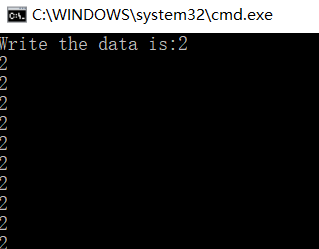
            Console.WriteLine("Write the data is:" + count);
            // 释放写入锁
            readerwritelock.ReleaseWriterLock();
        }

        // 读取方法
        public static void Read()
        {
            // 获取读取锁
            readerwritelock.AcquireReaderLock(10);

            foreach (int li in lists)
            {
                // 输出读取的数据
                Console.WriteLine(li);
            }

            // 释放读取锁
            readerwritelock.ReleaseReaderLock();
        }
    }
}

 浙公网安备 33010602011771号