
连接码云方法通过ssh
1,在git bash here终端执行
配置信息
 git config --global user.name "bobo"
 git config --global user.email "dengpbs@163.com"
关联Gitee码云
ssh-keygen -t rsa -C "dengpbs@163.com"
生成对应的公钥和私钥,在用户目录下
$ ssh-keygen -t rsa -C "dengpbs@163.com"
Generating public/private rsa key pair.
Enter file in which to save the key (/c/Users/dpb/.ssh/id_rsa):
Enter passphrase (empty for no passphrase):
Enter same passphrase again:
Your identification has been saved in /c/Users/dpb/.ssh/id_rsa
Your public key has been saved in /c/Users/dpb/.ssh/id_rsa.pub
The key fingerprint is:
SHA256:O+fr8mOR1GSB0GHJXS5s3ZYbq3qX9vvkCq4immGzCv8 dengpbs@163.com
The key's randomart image is:
+---[RSA 3072]----+
|        .+o=.o.  |
|         .=.+o ..|
|           ++ ooo|
|          .... .+|
|        S. .   o |
|         .o   .  |
|.   +   o ....  o|
| o . =. o+o..o * |
|  ooE. . **=o +oB|
+----[SHA256]-----+
然后把公钥中的内容复制到码云中去
公钥所在目录(文件名:id_rsa.pub)
C:\Users\tomel\.ssh
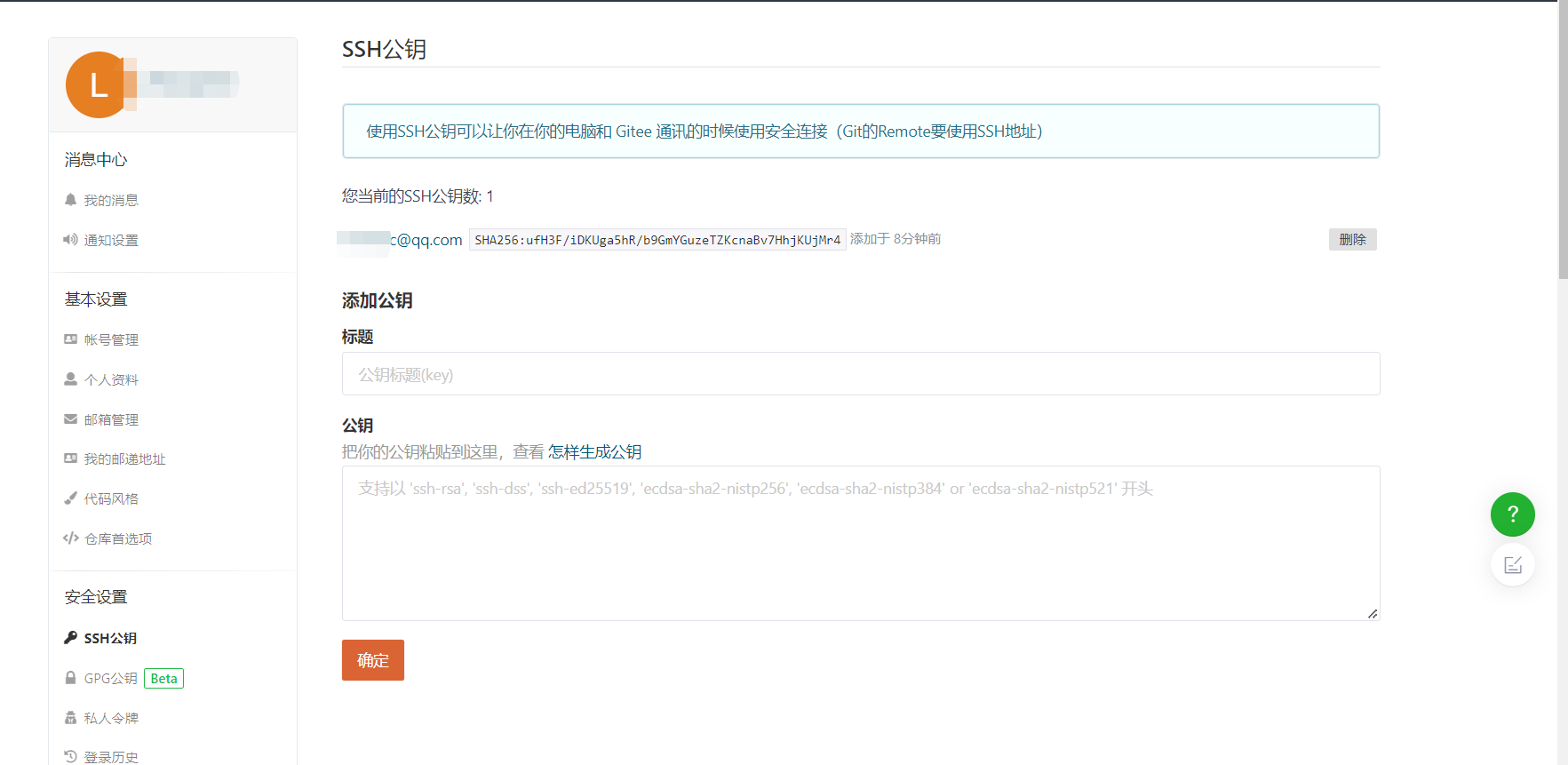
保存即可
然后通过 ssh -T git@gitee.com来连接测试
dpb@DESKTOP-NM4KFCE MINGW64 /d/desktop
$ ssh -T git@gitee.com
The authenticity of host 'gitee.com (180.97.125.228)' can't be established.
ED25519 key fingerprint is SHA256:+ULzij2u99B9eWYFTw1Q4ErYG/aepHLbu96PAUCoV88.
This key is not known by any other names
Are you sure you want to continue connecting (yes/no/[fingerprint])? yes
Warning: Permanently added 'gitee.com' (ED25519) to the list of known hosts.
Hi xxx You've successfully authenticated, but GITEE.COM does not provide shell access.

 浙公网安备 33010602011771号