wcf系列学习5天速成--第三天 事务的使用
今天是速成的第三天,在分享一个WCF中比较常用的一种技术,也就是“事务”。
在B2B的项目中,一般用户注册后,就有一个属于自己的店铺,此时,我们就要插入两张表Uder和Shop表。
当然,要么插入成功,要么全失败。
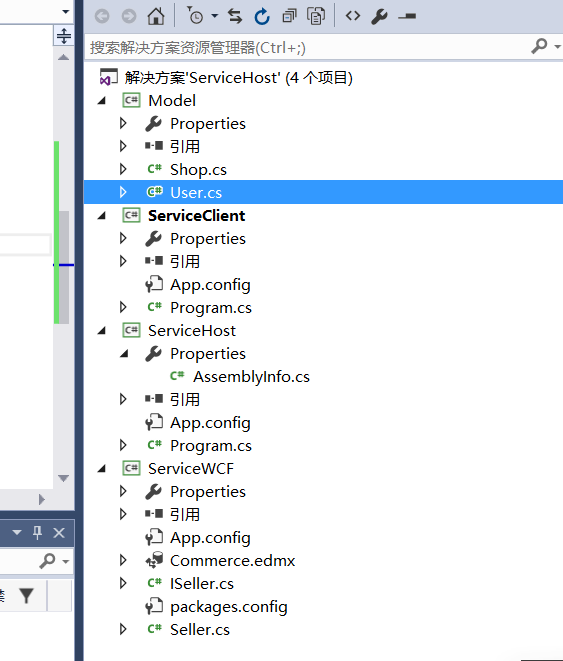
第一步:首先看一下项目的结构图:
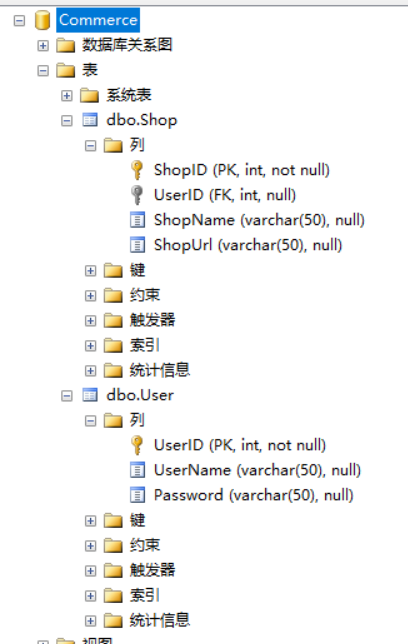
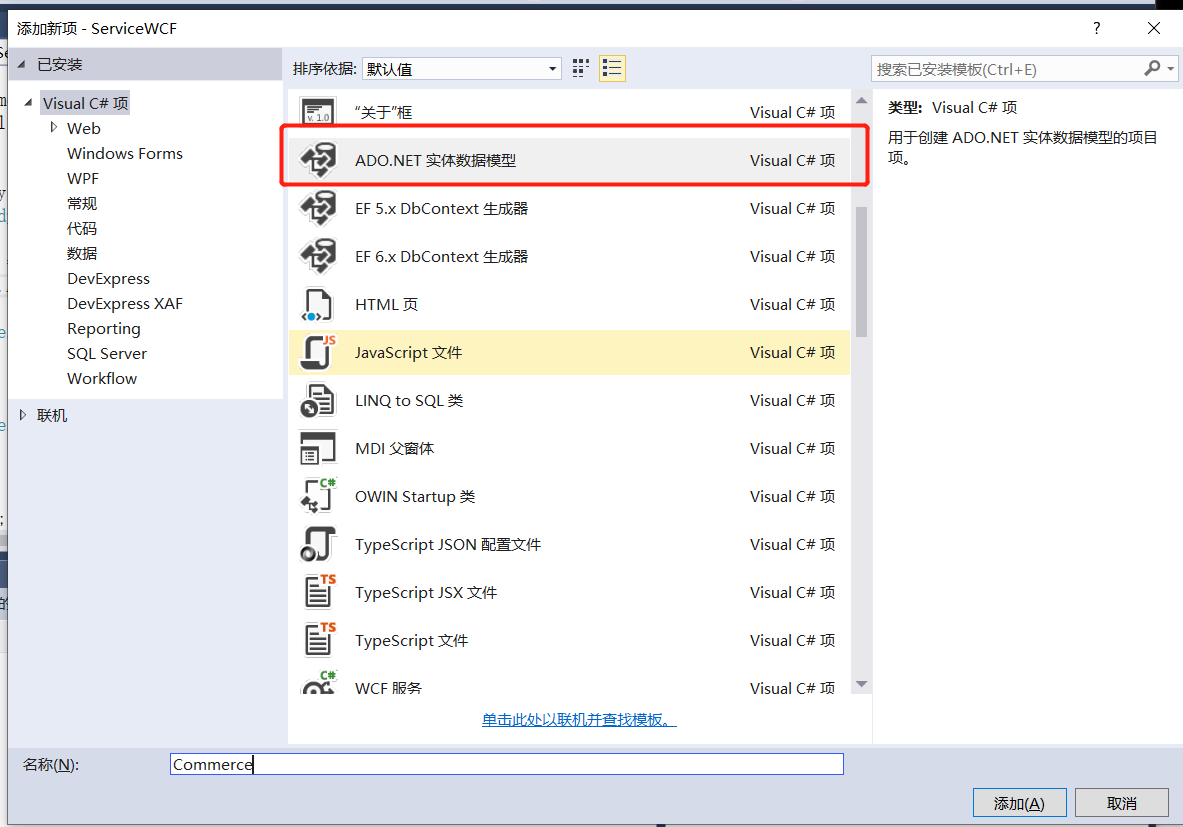
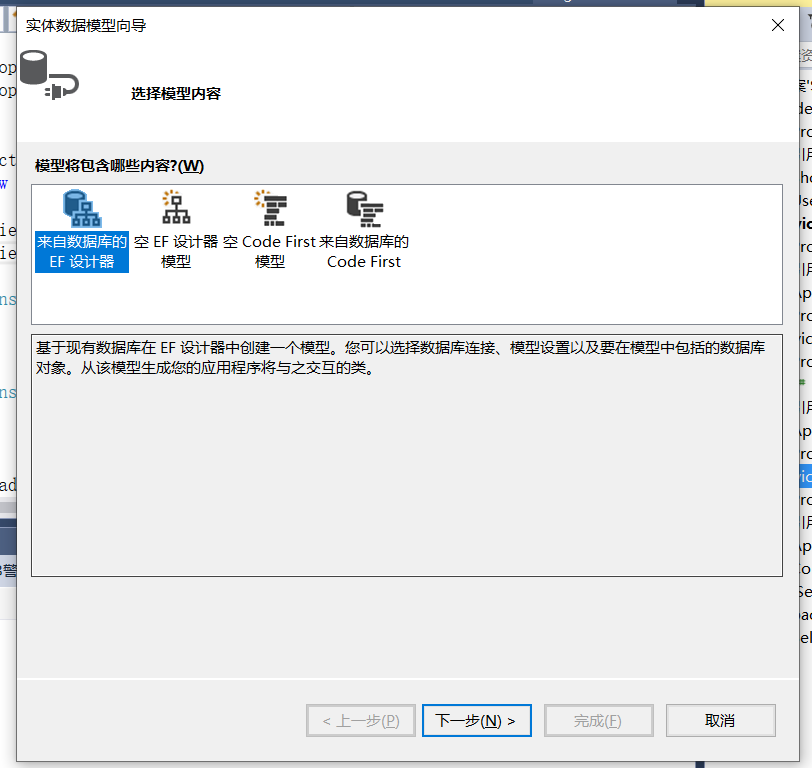
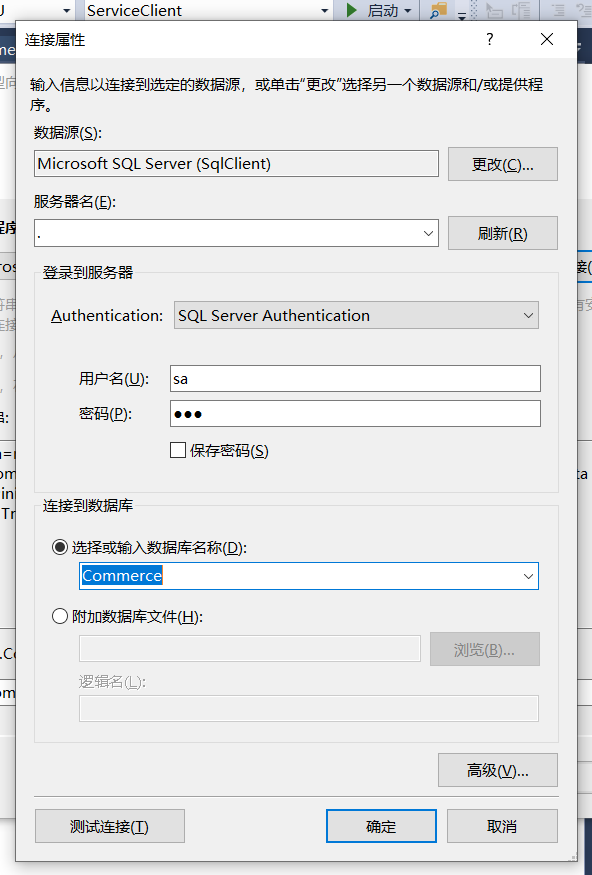
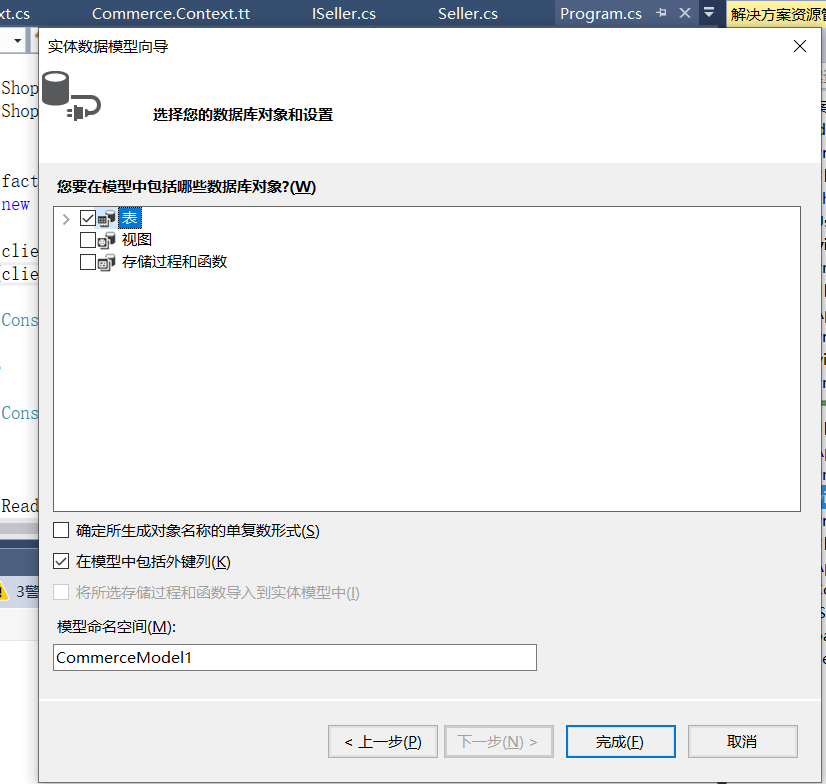
第二步:准备工作,我们新建Commerce数据库,创建User,Shop表,然后新建ServiceWCF类,用EF去映射,添加一个Commerce实体,具体步骤
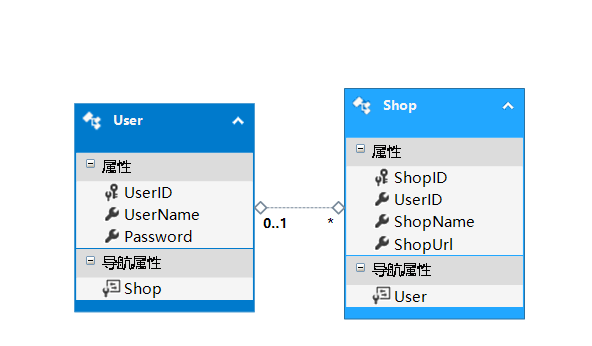
第三步:新建一个Model类库。建立两个实体类Shop和User,当然自定义类型在WCF中传输,
必须在类上加上【DataContract】,属性上加【DataNumber】。
Shop.cs
using System;
using System.Collections.Generic;
using System.Linq;
using System.Runtime.Serialization;
using System.Text;
using System.Threading.Tasks;

namespace Model
{
    [DataContract]
    public  class Shop
    {
        [DataMember]
        public Nullable<int> ShopID { get; set; }
        [DataMember]
        public Nullable<int> UserID { get; set; }
        [DataMember]
        public string ShopName { get; set; }
        [DataMember]
        public string ShopUrl { get; set; }

    }
}
User.cs
using System;
using System.Collections.Generic;
using System.Linq;
using System.Runtime.Serialization;
using System.Text;
using System.Threading.Tasks;

namespace Model
{
    [DataContract]
    public   class User
    {
        [DataMember]
        public Nullable<int> UserID { get; set; }
        [DataMember]
        public string UserName { get; set; }
        [DataMember]
        public string Password { get; set; }


    }
}
第四步: 然后在ServiceWCF类库中新建 两个文件Seller.cs和ISeller.cs。
ISeller.cs:
using System;
using System.Collections.Generic;
using System.Linq;
using System.ServiceModel;
using System.Text;
using System.Threading.Tasks;

namespace ServiceWCF
{
    [ServiceContract]
   public interface ISeller
    {
        [OperationContract(Name = "AddUser")]
        bool Add(Model.User user, out Nullable<int> userID);

        [OperationContract(Name = "AddShop")]
        bool Add(Model.Shop shop, out Nullable<int> shopID);

        [OperationContract]
        bool Add(Model.User user,Model.Shop shop);
    }
}
Seller.cs:
using System;
using System.Collections.Generic;
using System.Linq;
using System.Text;
using System.Threading.Tasks;
using Model;
using System.ServiceModel;

namespace ServiceWCF
{
    public class Seller : ISeller
    {
        /// <summary>
        /// user,shop的插入操作
        /// </summary>
        /// <param name="user"></param>
        /// <param name="shop"></param>
        /// <returns></returns>
        ///
        [OperationBehavior(TransactionScopeRequired =true,TransactionAutoComplete =true)]
        public bool Add(Model.User user, Model.Shop shop)
        {
            Nullable<int> shopID;
            Nullable<int> userID;
            //注意,这个方法操作了两个数据库实例,为AddUser和AddShop,所以晋升为分布式事务
            if (Add(user,out userID))
            {
                //注意,在addUser成功的情况下,抛出异常,看是否回滚
                //throw new Exception();

                shop.UserID = userID;
                return Add(shop,out shopID);
            }
            return false;
        }
        /// <summary>
        /// shop插入操作
        /// </summary>
        /// <param name="shop"></param>
        /// <param name="shopID"></param>
        /// <returns></returns>
        public bool Add(Model.Shop shop, out Nullable<int> shopID)
        {
            using (CommerceEntities2 db = new CommerceEntities2())
            {
                try
                {
                    Shop shopModel = new Shop()
                    {
                        ShopName = shop.ShopName,
                        ShopUrl = shop.ShopUrl,
                        UserID= shop.UserID
                    };
                    db.Shop.Add(shopModel);
                    db.SaveChanges();
                    shopID = shopModel.ShopID;
                    return true;
                }
                catch (Exception)
                {
                    shopID = 0;
                    throw;
                }
            }
        }
        /// <summary>
        /// user插入操作
        /// </summary>
        /// <param name="user"></param>
        /// <param name="userID"></param>
        /// <returns></returns>
        public bool Add(Model.User user, out Nullable<int> userID)
        {
            using (CommerceEntities2 db = new CommerceEntities2())
            {
                try
                {
                    User userModel = new User()
                    {
                        UserName = user.UserName,
                        Password = user.Password
                    };
                    db.User.Add(userModel);
                    db.SaveChanges();
                    userID = userModel.UserID;
                    return true;
                }
                catch (Exception)
                {
                    userID = 0;
                    throw;
                }
            }
        }
    }
}
TransactionScopeRequired:告诉ServiceHost自托管服务,进入我的方法,必须给我加上事务。
TransactionAutoComplete:方法执行中,如果没有抛出异常,则自动提交。
第五步:新建Host来承载了,配置AppConfig,这些细节就不说了。
<?xml version="1.0" encoding="utf-8" ?> <configuration> <startup> <supportedRuntime version="v4.0" sku=".NETFramework,Version=v4.5.2" /> </startup> <system.serviceModel> <services> <service name="ServiceWCF.Seller"> <endpoint address="" binding="wsHttpBinding" contract="ServiceWCF.ISeller"> <identity> <dns value="localhost" /> </identity> </endpoint> <endpoint address="mex" binding="mexHttpBinding" contract="IMetadataExchange" /> <host> <baseAddresses> <add baseAddress="http://localhost:8732/Seller/"/> </baseAddresses> </host> </service> </services> <behaviors> <serviceBehaviors> <behavior> <!--为避免泄露元数据信息, 请在部署前将以下值设为false并删除上面的元数据的终结点--> <serviceMetadata httpGetEnabled="true" /> <!--要接收故障异常详细信息以进行调试, 请将以下值设置为true,在部署前设置为false, 以避免泄露异常信息--> <serviceDebug includeExceptionDetailInFaults="true"/> </behavior> </serviceBehaviors> </behaviors> </system.serviceModel> <connectionStrings> <add name="CommerceEntities2" connectionString="metadata=res://*/Commerce.csdl|res://*/Commerce.ssdl|res://*/Commerce.msl;provider=System.Data.SqlClient;provider connection string="data source=.;initial catalog=Commerce;persist security info=True;user id=sa;password=123;MultipleActiveResultSets=True;App=EntityFramework"" providerName="System.Data.EntityClient" /> </connectionStrings> </configuration>
第六步:开启WCF服务,新建ServiceClient类库,然后用信道生成实例。
using ServiceWCF;
using System;
using System.Collections.Generic;
using System.Linq;
using System.ServiceModel;
using System.Text;
using System.Threading.Tasks;

namespace ServiceClient
{
    class Program
    {
        static void Main(string[] args)
        {
            for (int i = 0; i < 10; i++)
            {
                var user = new Model.User()
                {
                    UserName = "yanfeifei"+i,
                    Password = "yan3812127"

                };

                var shop = new Model.Shop()
                {
                    ShopName = "shopex"+i,
                    ShopUrl = "http://www.shopx.cn"

                };
                var factory = new ChannelFactory<ISeller>(new WSHttpBinding(),
                    new EndpointAddress("http://localhost:8732/Seller/"));

                var client = factory.CreateChannel();
                if (client.Add(user, shop))
                {
                    Console.WriteLine("yanfeifei,恭喜你,数据插入成功!"+i);
                }
                else
                {
                    Console.WriteLine("yanfeifei,呜呜,数据插入失败!");
                }
            }

            Console.Read();
        }
    }
}
最后就是测试了:
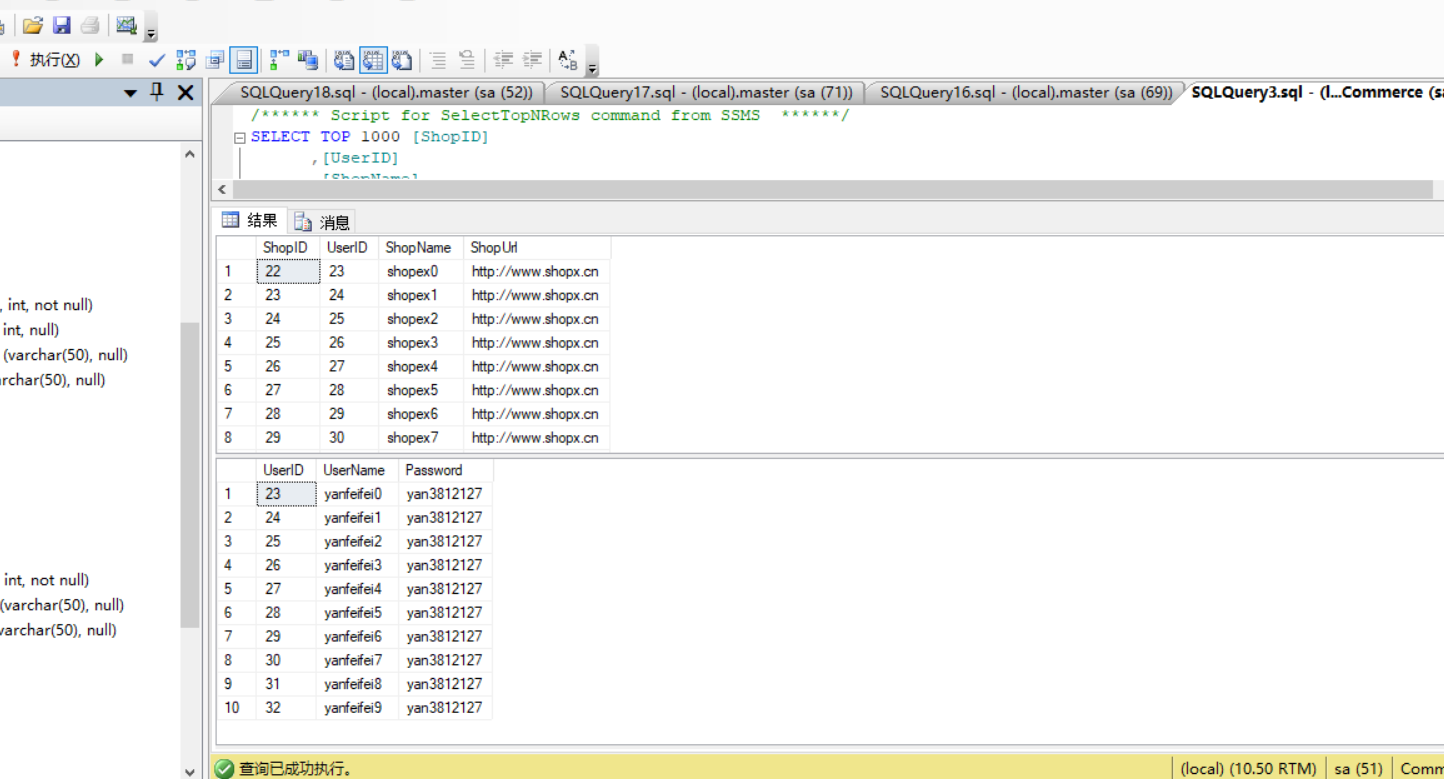
首先,走正常流程。client.Add方法调用服务器,运行效果如图所示:
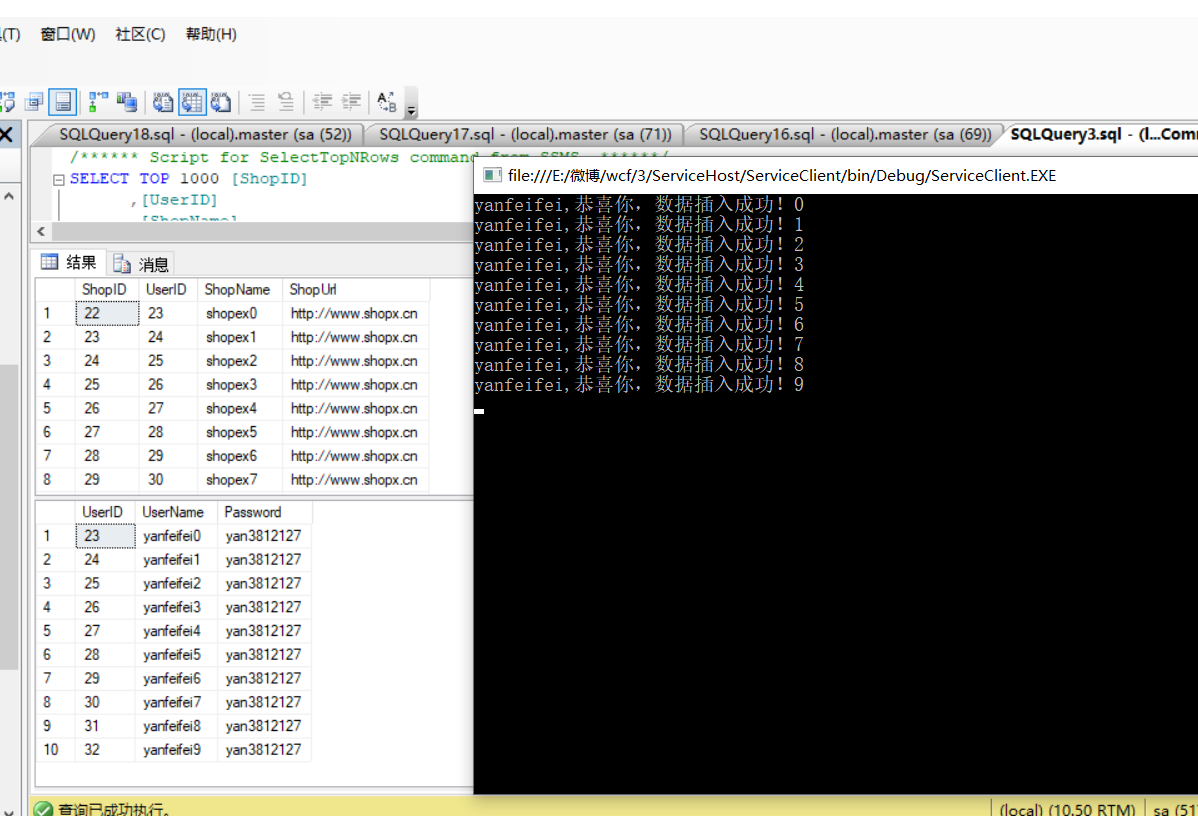
是的 ,数据已经正常插入成功,对Client端而言,这个操作是透明的,
然后:我们在Seller类中的Add方法中故意加入异常。看效果怎么样。
 1         /// <summary>
 2         /// user,shop的插入操作
 3         /// </summary>
 4         /// <param name="user"></param>
 5         /// <param name="shop"></param>
 6         /// <returns></returns>
 7         ///
 8         [OperationBehavior(TransactionScopeRequired =true,TransactionAutoComplete =true)]
 9         public bool Add(Model.User user, Model.Shop shop)
10         {
11             Nullable<int> shopID;
12             Nullable<int> userID;
13             //注意,这个方法操作了两个数据库实例,为AddUser和AddShop,所以晋升为分布式事务
14             if (Add(user,out userID))
15             {
16                 //注意,在addUser成功的情况下,抛出异常,看是否回滚
17                 throw new Exception();
18
19                 shop.UserID = userID;
20                 return Add(shop,out shopID);
21             }
22             return false;
23         }
截图如下:

哈哈,抛出异常了,我的Exception起效果了,再来看下一数据库,大家都知道发生了什么,对的,异常不在产生数据了,
还是先前产生了那条数据,说明起到效果了。


 浙公网安备 33010602011771号