


今天上午了上了web开发和数据库原理课,下午上了英语,上完英语后写完了概率论作业
晚上又去上数学建模课了,课有点多没打多少代码
今日代码:
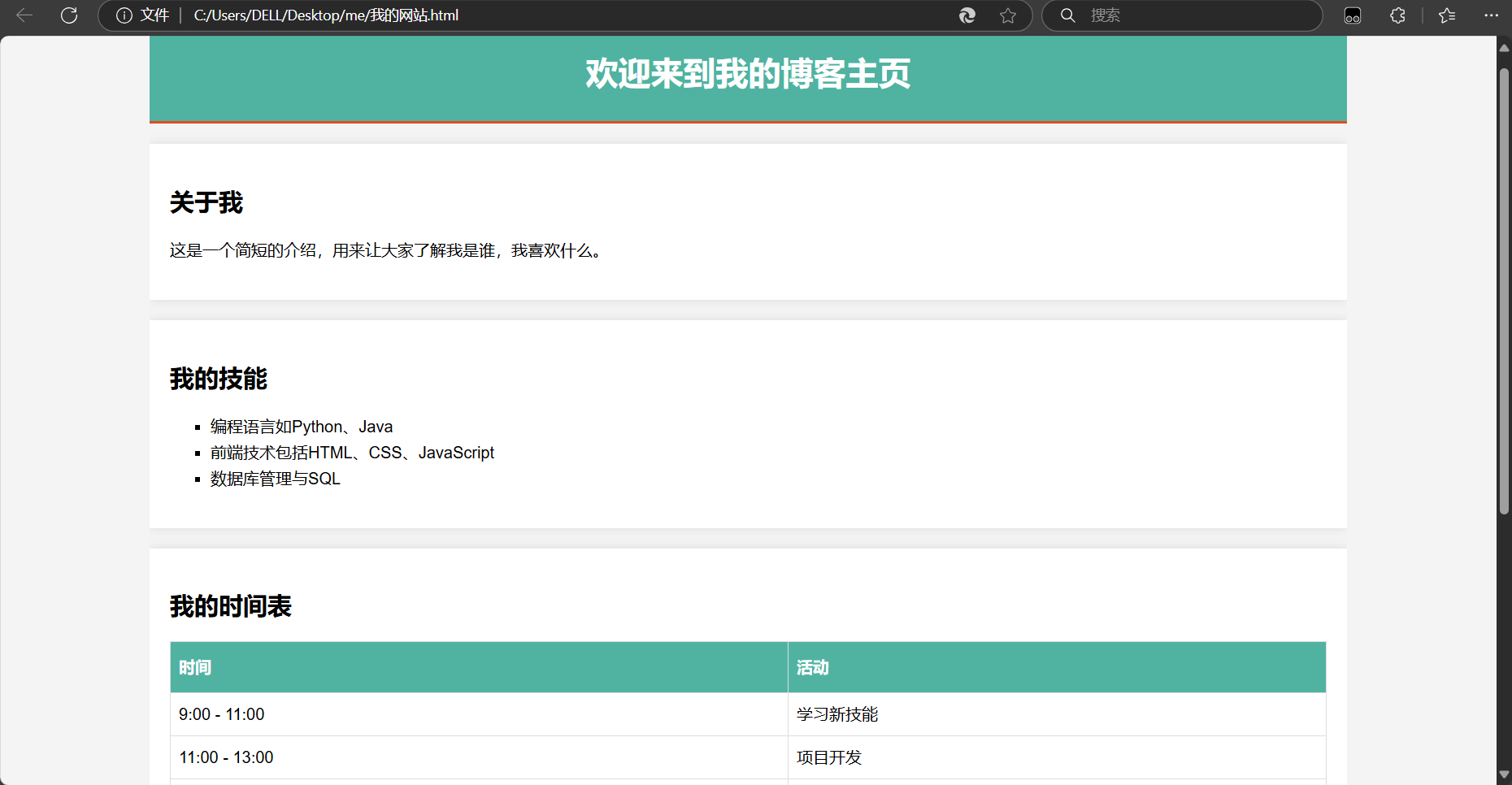
web课学习了css更多的相关内容,并且课下自己写了一篇个人介绍网站,学会了一点设计网页的方法
css格式如下:
body {
    font-family: Arial, sans-serif;
    background-color: #f4f4f4;
    margin: 0;
    padding: 0;
}

.container {
    width: 80%;
    margin: auto;
    overflow: hidden;
}

header {
    background: #50b3a2;
    color: #fff;
    padding-top: 30px;
    min-height: 70px;
    border-bottom: #e8491d 3px solid;
}

header h1 {
    text-align: center;
    text-transform: uppercase;
    margin: 0;
}

.module {
    background: white;
    padding: 20px;
    margin: 20px 0;
    box-shadow: 0 0 10px rgba(0, 0, 0, 0.1);
}

.about-me p, .skills ul, .schedule table, .contact form {
    line-height: 1.6em;
}

.skills ul {
    list-style-type: square;
}

.schedule table {
    width: 100%;
    border-collapse: collapse;
}

.schedule td, .schedule th {
    border: 1px solid #ddd;
    padding: 8px;
}

.schedule th {
    padding-top: 12px;
    padding-bottom: 12px;
    text-align: left;
    background-color: #50b3a2;
    color: white;
}

.contact input[type="text"], .contact input[type="email"], .contact textarea {
    width: 100%;
    padding: 10px;
    margin-bottom: 10px;
    border: 1px solid #ccc;
    border-radius: 4px;
}

.contact input[type="submit"] {
    padding: 10px 20px;
    background: #50b3a2;
    color: white;
    border: none;
    cursor: pointer;
格式:font-family: 设置字体。
background-color, color: 设置背景色和文字颜色。
padding, margin: 控制元素内部和外部的空间。
box-shadow: 给模块添加阴影效果。
list-style-type: 定义无序列表的标记类型。
border, border-radius: 设置边框样式和圆角。
效果:


 浙公网安备 33010602011771号