


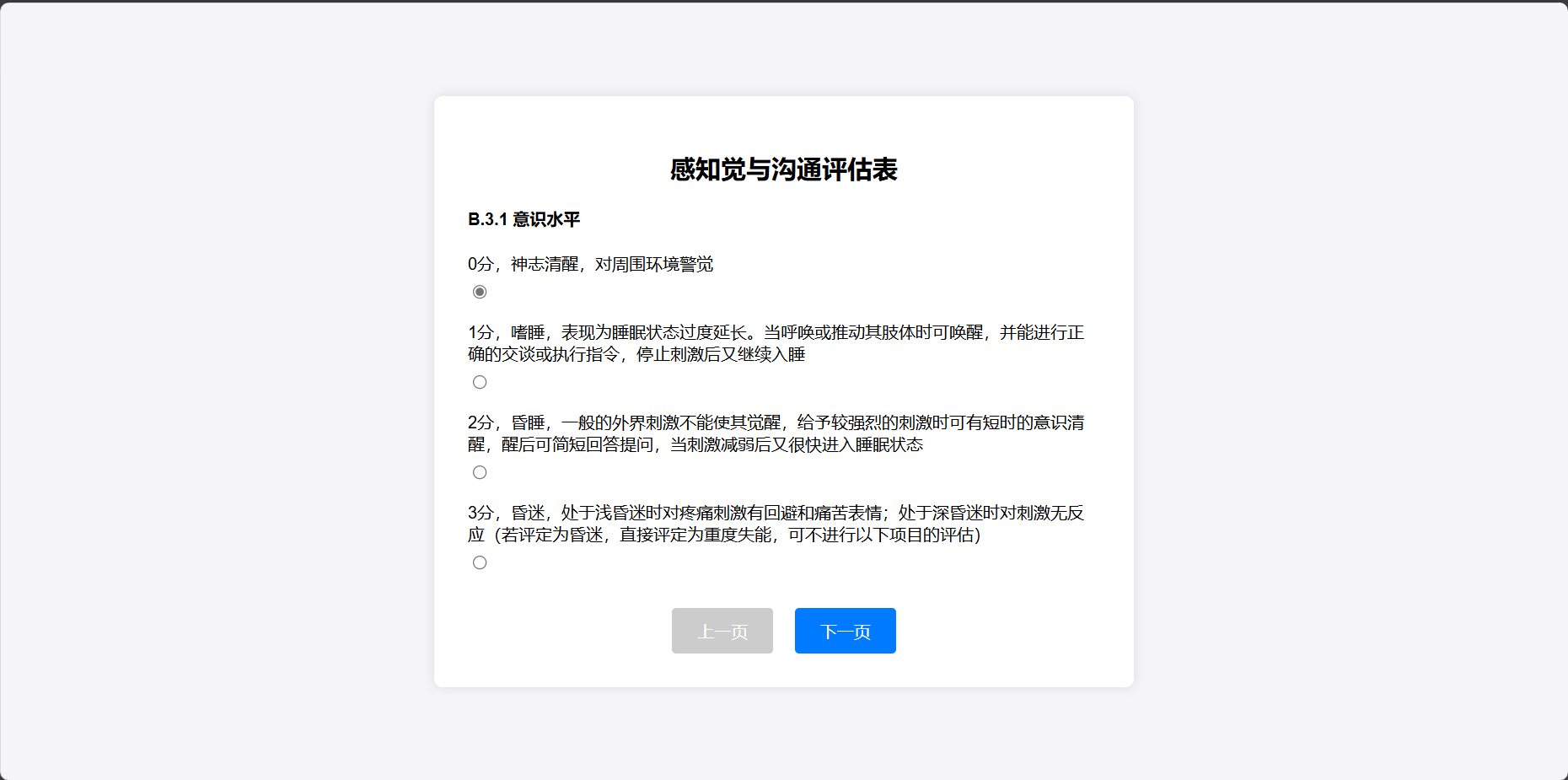
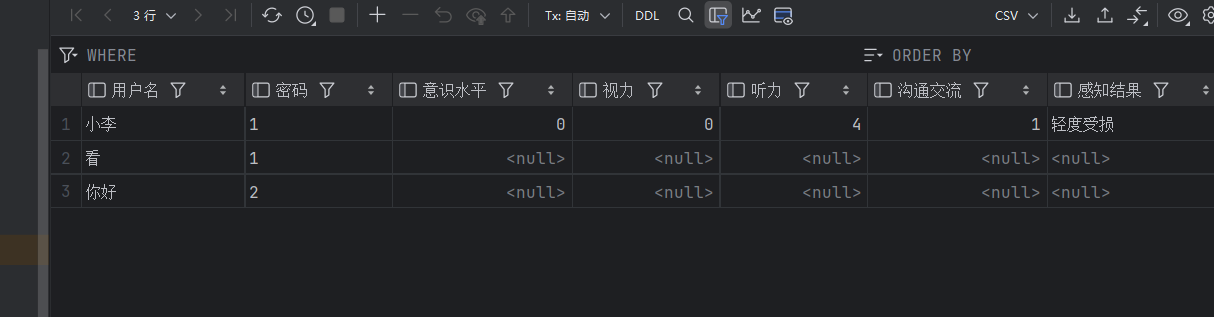
今日总结:学习网页显示的分页,完成感知评估报表的数据库信息录入。
分页功能:
<script>
   let currentSection = 1;
   const totalSections = document.querySelectorAll('.section').length;//currentSection: 这是一个变量,表示当前显示的章节或部分,默认值为 1
totalSections: 这是一个常量,表示总共有多少个章节或部分

   function showCurrentSection() {
       document.querySelectorAll('.section').forEach((section, index) => {
           section.classList.toggle('active', index + 1 === currentSection);
       });
       updatePagination();
   }

   function updatePagination() {
       document.getElementById('prevBtn').classList.toggle('disabled', currentSection === 1);
       document.getElementById('nextBtn').classList.toggle('disabled', currentSection === totalSections);
       document.getElementById('submitButton').style.display = currentSection === totalSections ? 'block' : 'none';//根据 currentSection 是否等于 totalSections 来设置提交按钮的显示状态。如果是最后一个章节,则显示提交按钮;否则隐藏
   }

   function goToNextSection() {//切换下一个章节
       if (currentSection < totalSections) {
           currentSection++;
           showCurrentSection();
       }
   }

   function goToPreviousSection() {//切换上一个章节
       if (currentSection > 1) {
           currentSection--;
           showCurrentSection();
       }
   }

   showCurrentSection();// 初始化显示第一部分
</script>

<div class="pagination">
           <button id="prevBtn" onclick="goToPreviousSection()" class="disabled">上一页</button>
           <span id="pageIndicator"></span>//把两个按钮隔开
           <button id="nextBtn" onclick="goToNextSection()">下一页</button>
       </div>
效果:
信息库录入:
dao:
 public void AddUser_Feel(int consciousnessLevel,int vision,int hearing,int communication,String FeelResult,String Username)
    {
        Connection connection =util.getConnection();
        PreparedStatement preparedStatement=null;

        try {
            String sql = "update 用户基本信息表 set 意识水平=?,视力=?,听力=?,沟通交流=?,感知结果=? where 用户名=?";
            preparedStatement=connection.prepareStatement(sql);
            preparedStatement.setInt(1, consciousnessLevel);
            preparedStatement.setInt(2, vision);
            preparedStatement.setInt(3, hearing);
            preparedStatement.setInt(4, communication);
            preparedStatement.setString(5, FeelResult);
            preparedStatement.setString(6, Username);
            preparedStatement.executeUpdate();

        } catch (SQLException  e) {
            e.printStackTrace();
        }finally{
            util.close(preparedStatement);
            util.close(connection);
        }
    }
Feel_result.jsp新增:
     // 创建 bean 对象并设置属性
      bean bean = new bean();
      String Username = (String) session.getAttribute("Username");
      bean.setConsciousnessLevel(consciousnessLevel);
      bean.setVision(vision);
      bean.setHearing(hearing);
      bean.setCommunication(communication);
      bean.setTotalScore(totalScore);
      bean.setFeelResult(FeelResult);

      // 添加用户到数据库
      dao dao = new dao();
      dao.AddUser_Feel(consciousnessLevel,vision,hearing,communication,FeelResult,Username);
      out.print("<script type='text/javascript'>alert('录入成功!');</script>");
效果:


 浙公网安备 33010602011771号