


学习了何为HTML和大概使用其框架的方法,在网站上找到了一个心仪的框架,后续对这个框架关于老年人状态评估系统进行了大概的改写。
下午在b站学到了创建一个前端网页的方法,学到了HTML内容对网页画面的影响。
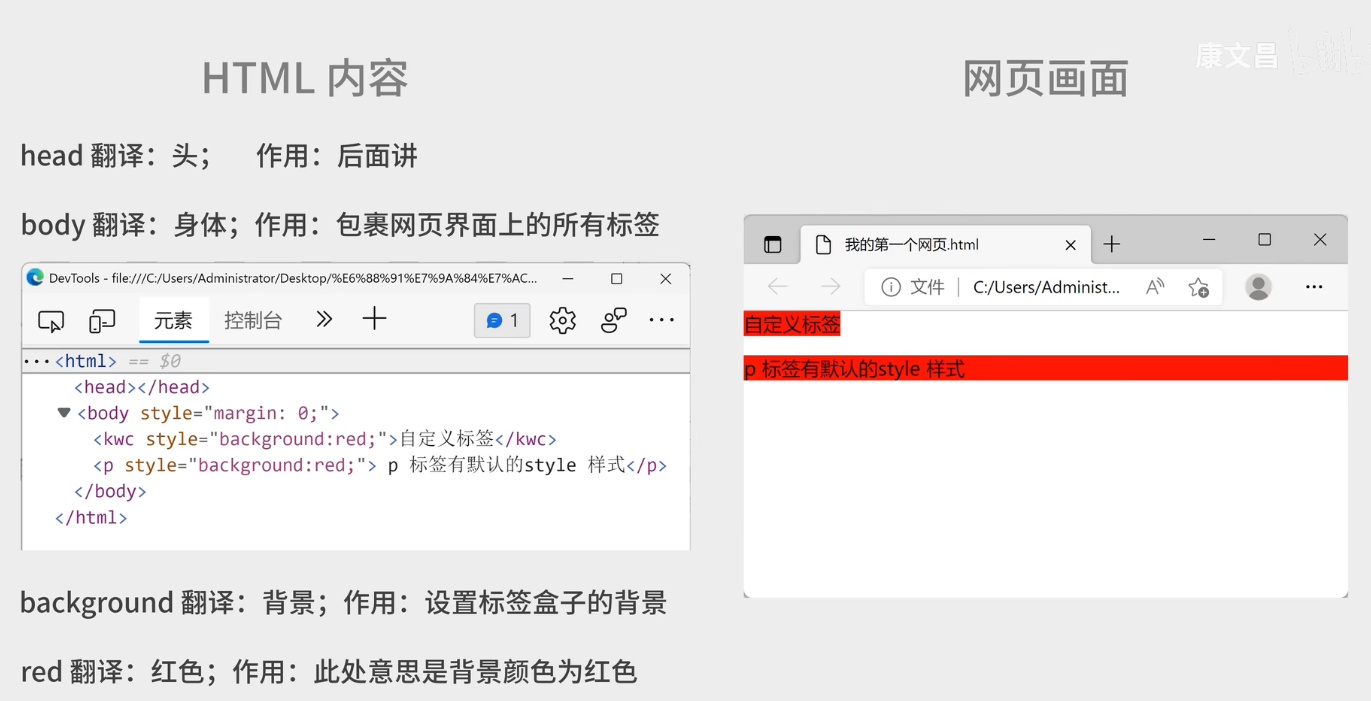
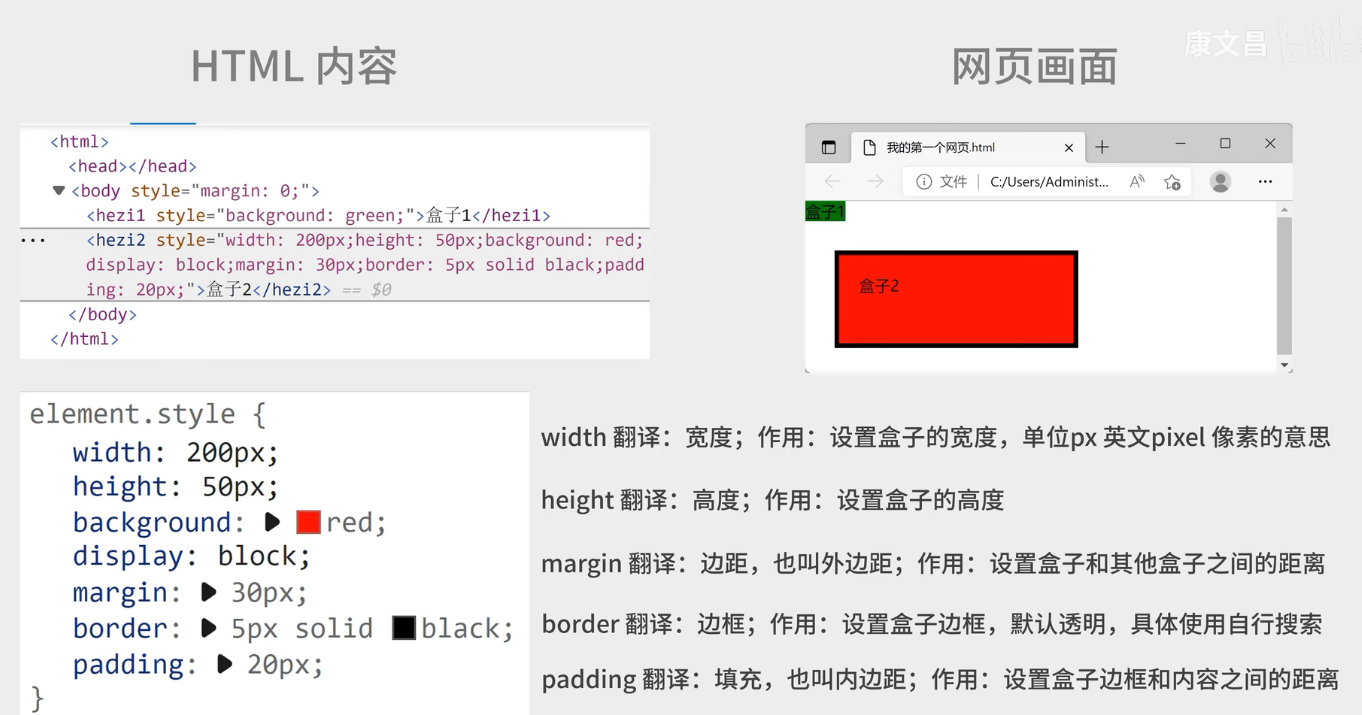
进行对网站的练习书写:
代码:
<%@ page contentType="text/html;charset=UTF-8" language="java" %>
<!DOCTYPE html>
<html lang="zh-CN">

<head>
  <meta charset="UTF-8">
  <meta name="viewport" content="width=device-width, initial-scale=1.0">
  <title>登录页面</title>
  <style>
    body {
      position: relative;
      min-height: 100vh;
      margin: 0;
    }
    .login-wrapper {
      position: absolute;
      top: 50%;
      left: 50%;
      width: 300px;
      height: 200px;
      margin-top: -100px; /* 高度的一半 */
      margin-left: -150px; /* 宽度的一半 */
      padding: 20px;
      border: 1px solid #ccc;
      border-radius: 5px;
      background-color: #f9f9f9;
    }
    .login-wrapper h2{
      text-align:center;
    }
    input{
      text-align: center;
    }
    button{
      margin-top:10px;//与上一行的间距
      width:20%;//这样就能使其另起一行
      text-align:center;
    }
  </style>
</head>

<body>
<div class="login-wrapper">
  <h2>用户登录</h2>
  <form>
    <input type="text" placeholder="用户名">
    <input type="password" placeholder="密码">
    <button type="submit">登录</button>
  </form>
</div>
</body>

</html>
效果:
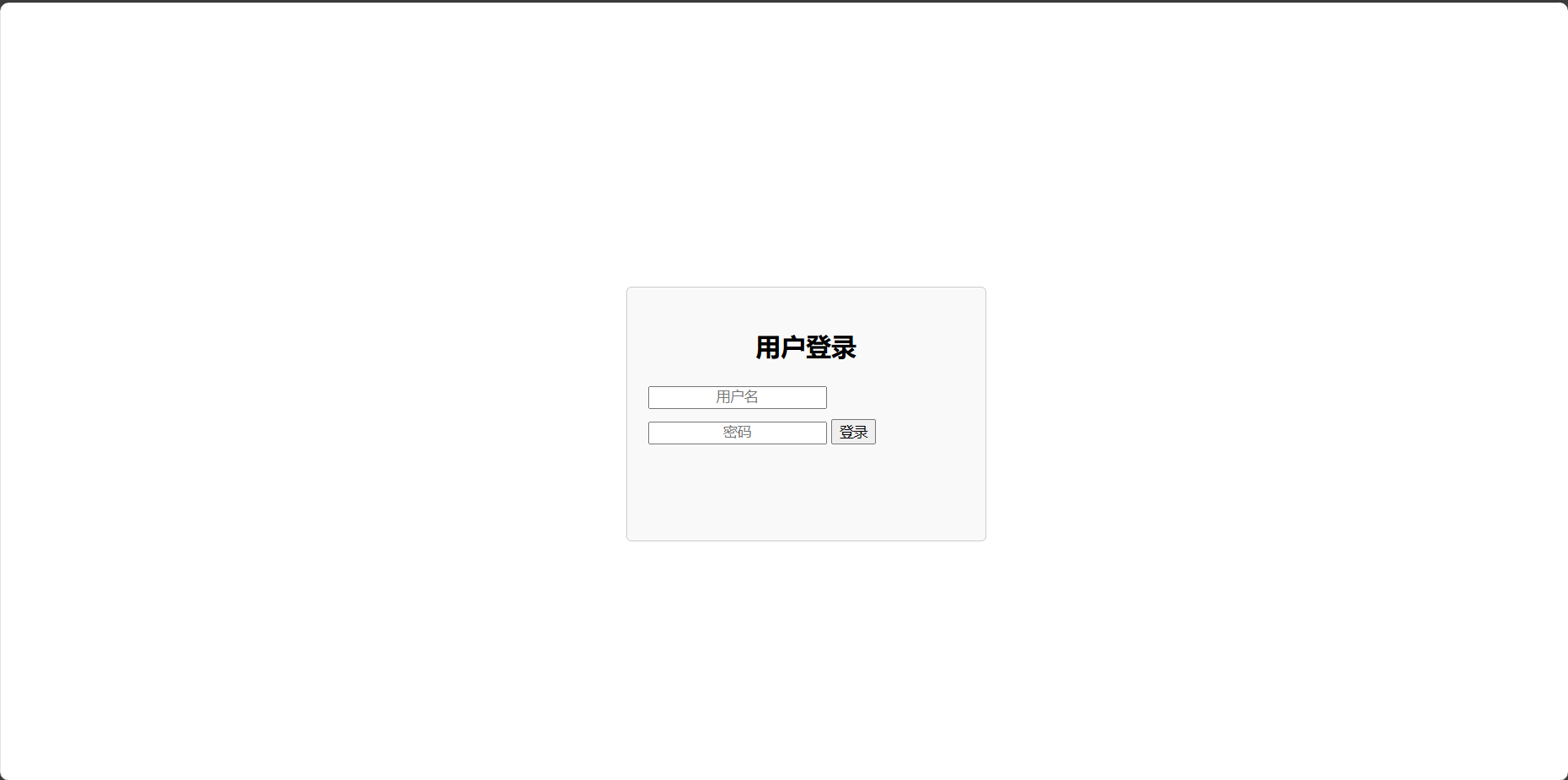
注意:CSS样式规则 .login-wrapper 为带有 login-wrapper 类名的
元素设置了宽度、外边距、内边距、边框、圆角和背景颜色等样式,让登录区域呈现出特定的外观。


 浙公网安备 33010602011771号