20201022-软件工程-01-微信小程序
微信小程序:摇骰子
博客班级 https://edu.cnblogs.com/campus/zjcsxy/SE2020/
作业要求 https://edu.cnblogs.com/campus/zjcsxy/SE2020/homework/11334
作业目标
编写一个小程序,可以全新编写,也可以学习别人的小程序进行修改
熟悉git代码管理流程,将源代码上传到到github
在博客园班级中写一篇相应的博文
作业源代码 https://github.com/wlj98/wljdapp.git
学号 31601167
姓名 吴林骏
院系 浙大城市学院计算机系
开发工具:微信开发者工具
借鉴代码:https://blog.csdn.net/hl_java/article/details/81877301
https://github.com/lzc-alioo/weiapp2
界面展示:
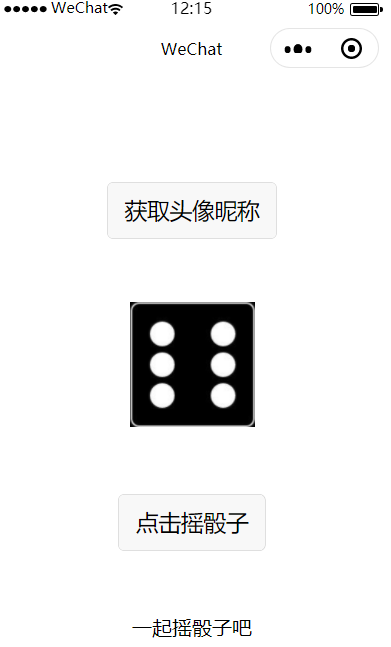
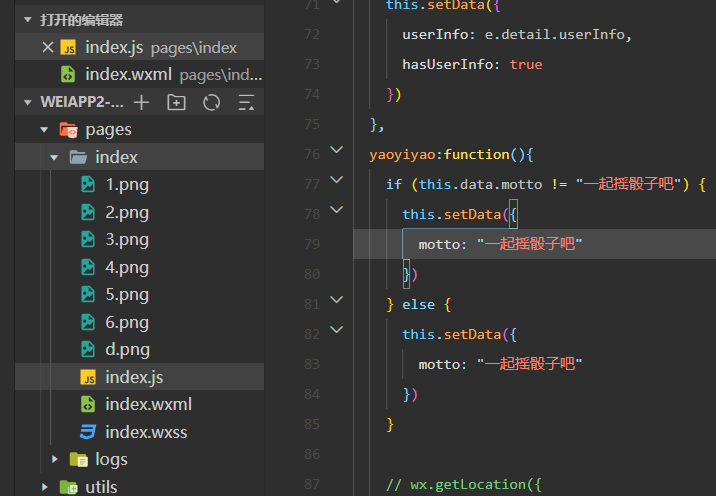 ````
````
`//index.js
//获取应用实例
const app = getApp()
var mytimer =null;
Page({
data: {
motto: '一起摇骰子吧',
avatarUrl: 'd.png',
opacity:0,
threshold:50,
winH:50,
userInfo: {},
hasUserInfo: false,
canIUse: wx.canIUse('button.open-type.getUserInfo')
},
//事件处理函数
bindViewTap: function() {
wx.navigateTo({
url: '../logs/logs'
})
},
onLoad: function() {
if (app.globalData.userInfo) {
this.setData({
userInfo: app.globalData.userInfo,
hasUserInfo: true
})
} else if (this.data.canIUse) {
// 由于 getUserInfo 是网络请求,可能会在 Page.onLoad 之后才返回
// 所以此处加入 callback 以防止这种情况
app.userInfoReadyCallback = res => {
this.setData({
userInfo: res.userInfo,
hasUserInfo: true
})
}
} else {
// 在没有 open-type=getUserInfo 版本的兼容处理
wx.getUserInfo({
success: res => {
app.globalData.userInfo = res.userInfo
this.setData({
userInfo: res.userInfo,
hasUserInfo: true
})
}
})
}
var that=this;
wx.onCompassChange(function (res) {
  //debugger
  if(res.direction>100){
    console.log("=======" + res.direction + ",mytimer=" + mytimer);
    if (mytimer==null){
      that.yaoyiyao();
    }

  }


})
wx.startCompass();
},
getUserInfo: function(e) {
console.log(e)
app.globalData.userInfo = e.detail.userInfo
this.setData({
userInfo: e.detail.userInfo,
hasUserInfo: true
})
},
yaoyiyao:function(){
if (this.data.motto != "一起摇骰子吧") {
this.setData({
motto: "一起摇骰子吧"
})
} else {
this.setData({
motto: "一起摇骰子吧"
})
}
var idx = 0;
var that = this;
mytimer = setInterval(function () {
  idx++;
  var tmp = that.randomNum(1, 6);
  var opacity = that.data.opacity + 0.1;
  if (opacity > 0.5) {
    opacity = 0;
  }
  console.log("idx=" + idx + ",opacity=" + opacity);

  // debugger
  that.setData({
    avatarUrl: tmp + ".png",
    opacity: opacity
  });
  if (idx >= 10) {
    clearInterval(mytimer);
    mytimer=null;
    console.log("...mytimer="+mytimer) ;
  }
}, 100);
},
clickMe: function() {
this.yaoyiyao();
},
//生成从minNum到maxNum的随机数
randomNum: function (minNum, maxNum) {
switch (arguments.length) {
case 1:
return parseInt(Math.random() * minNum + 1, 10);
break;
case 2:
return parseInt(Math.random() * (maxNum - minNum + 1) + minNum, 10);
break;
default:
return 0;
}
}
});
`
总结:第一次做微信小程序,像刚用上智能机的老奶奶,啥也不会,啥也不懂,github也没用过,博客也没有,网上找了一份代码模板,看起来挺少的好像很简单,再看一眼脑壳疼,只有稍微改了一下

 浙公网安备 33010602011771号