
内网搭建KMS激活windows与office
-
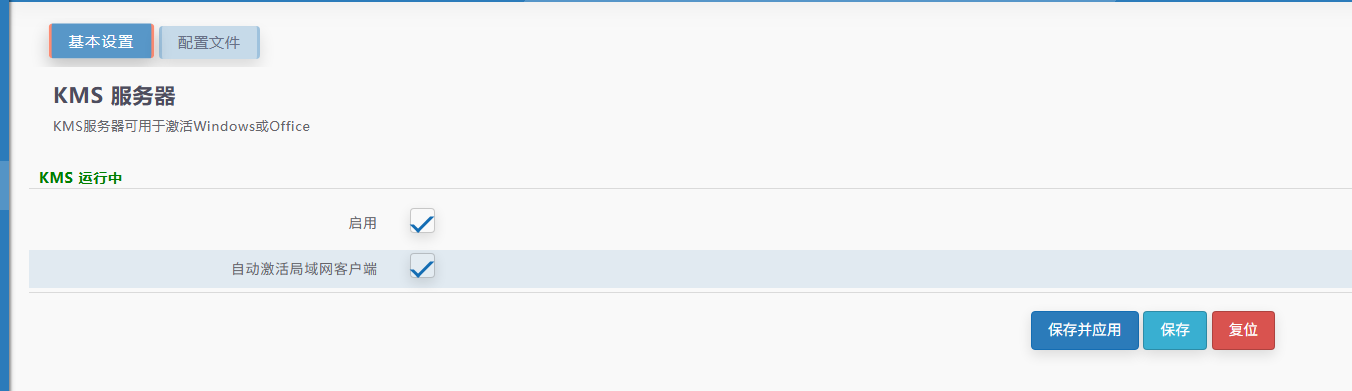
搭建KMS
-
这里使用iStoreOS一键搭建KMS
-
-
-
激活windows
-
slmgr.vbs -upk
slmgr.vbs -ipk XXXXX-XXXXX-XXXXX-XXXXX-XXXXX //设置windows密钥
slmgr.vbs -skms KMS_IP  //设置kms服务器地址
slmgr.vbs -ato //自动激活
slmgr.vbs -dlv //查看激活信息
-
Windows离线KMS服务器适用密钥
附:windows离线KMS服务器适用秘钥 - 预览版需先切换为正式版(以Windows server 2022和2019为例)
-
Windows Server 2022 Standard
dism /online /set-edition:serverstandard /productkey:VDYBN-27WPP-V4HQT-9VMD4-VMK7H /accepteula
Windows Server 2022 Datacenter:
dism /online /set-edition:serverdatacenter /productkey:WX4NM-KYWYW-QJJR4-XV3QB-6VM33 /accepteula
Windows Server 2019 Standard
dism /online /set-edition:ServerStandard /productkey:N69G4-B89J2-4G8F4-WWYCC-J464C /accepteula
Windows Server 2019 Datacenter:
dism /online /set-edition:ServerDatacenter /productkey:WMDGN-G9PQG-XVVXX-R3X43-63DFG /accepteula
-
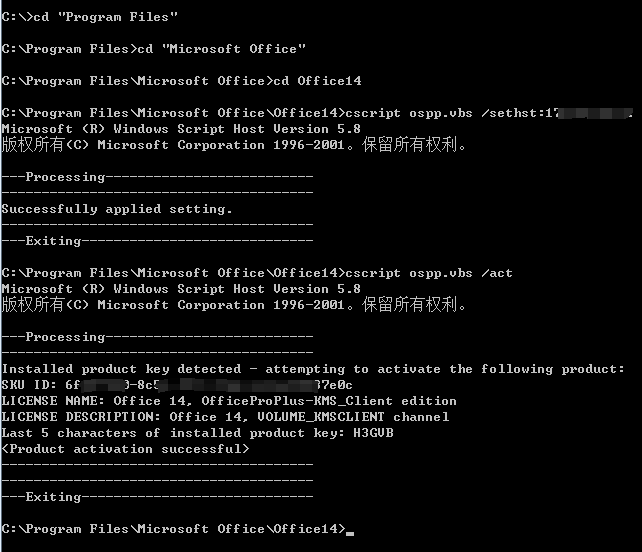
激活Office
-
# 进入到Office的安装目录
cd C:\Program Files\Microsoft Office\Office14

# 替换KMS激活地址,根据实际情况替换
cscript ospp.vbs /sethst:xx.xx.xx

# 开始激活
cscript ospp.vbs /act
-
-

 浙公网安备 33010602011771号