
开始Flask项目*
- 新建Flask项目。
- 设置调试模式。
- 理解Flask项目主程序。
- 使用装饰器,设置路径与函数之间的关系。
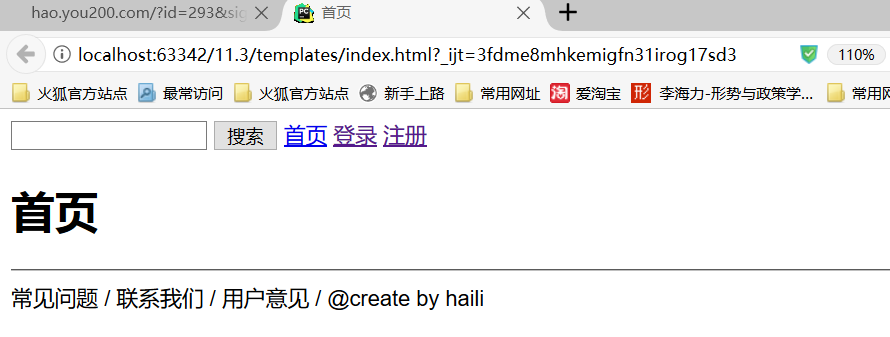
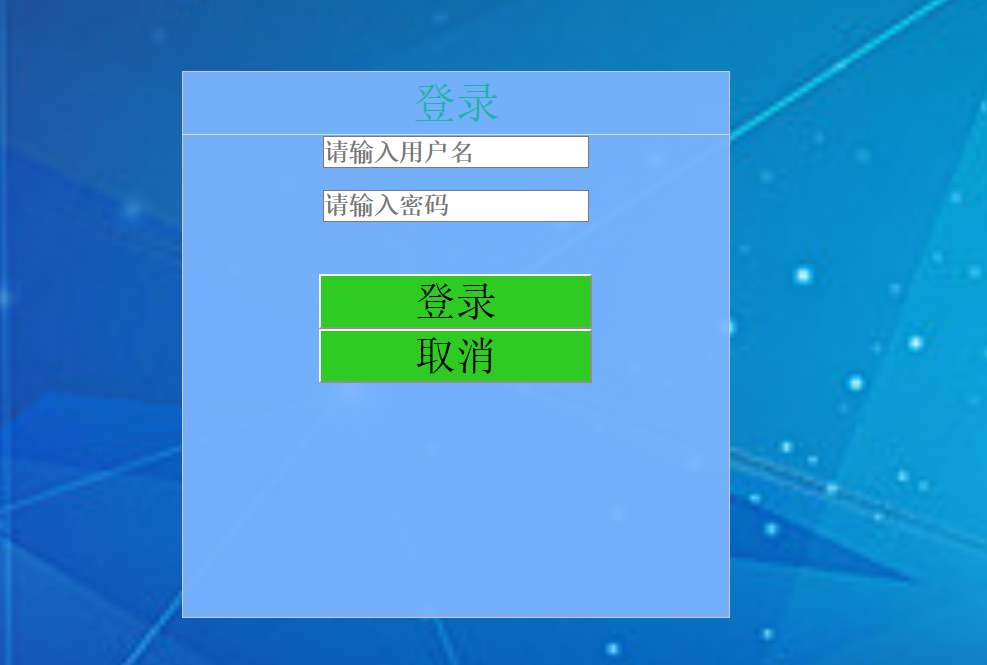
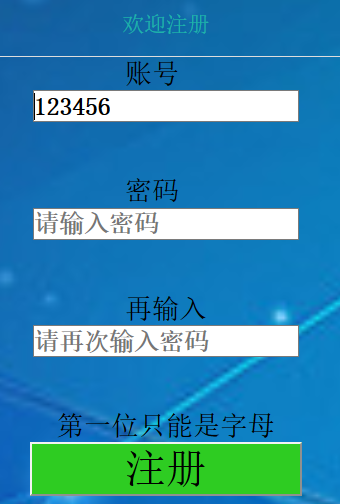
- 使用Flask中render_template,用不同的路径,返回首页、登录员、注册页。
- 用视图函数反转得到URL,{{url_for(‘login’)}},完成导航条里的链接
py:
from flask import Flask, render_template

app = Flask(__name__)

@app.route('/')
def index():
    return render_template('index.html')

@app.route('/test/')
def test():
    return 'test'

@app.route('/login/')
def login():
    return render_template('login.html')

@app.route('/regist/')
def regist():
    return render_template('regist.html')

if __name__ == '__main__':
    app.run(debug=True)
html:
login
<!DOCTYPE html>
<html lang="en">
<head>
    <meta charset="UTF-8">
    <title>登录</title>
    <link href="../static/login.css" rel="stylesheet" type="text/css">
    <script src="../static/wow.js"></script>

</head>
<body class="bg" style="text-align: center;>
<div id="container">
    <div class="box">
        <h2 id="denglu">欢迎登录</h2>

        <div class="input_box">
            <input type="text" id="uname" placeholder="请输入用户名">
        </div>
        <div class="input_box">
            <input type="password" id="upass" placeholder="请输入密码">
        </div>
        <div class="error" id="error_box"><br></div>
        <div class="input_box">
            <button id="login" type="submit" onclick="fnLogin()">登录</button>
            <button id="cancel" type="cancel" onclick="fnLogin()">取消</button>
        </div>

    </div>
</body>
</html>
regist
<!DOCTYPE html>
<html lang="en">
<head>
    <meta charset="UTF-8">
    <title>注册</title>
    <link href="../static/bg.css" rel="stylesheet" type="text/css">
    <script src="../static/bg.js"></script>

</head>
<body class="bg" style="text-align: center;>

    <div class="box" >
            <h2 id="zhuce">欢迎注册</h2>

        <div class="input_box">
            账号      <input id="name" type="text" placeholder="请输入用户名">   </div><br>
        <div class="input_box">
            密码      <input id="password" type="password" placeholder="请输入密码"></div><br>
         <div class="input_box">
            再输入     <input id="passwordagain" type="password" placeholder="请再次输入密码"></div><br>
        <div id="error_box"><br></div>
         <div class="ja">
            <button onclick="fnLogin()" >注册</button></div>
</div>
    </div>
</div>
</body>
</html>
text
<!DOCTYPE html>
<html lang="en">
<head>
    <meta charset="UTF-8">

    <title>首页</title>
</head>
<body>

    <input type="text"name="search">
    <button type="submit">搜索</button>

    <a href="http://127.0.0.1:5000/">首页</a>
    <a href="http://127.0.0.1:5000/login">登录</a>
    <a href="{{ url_for('regist') }}">注册</a>


<h1>首页</h1>

 <hr>
 <a id="a">常见问题 / </a><a class="textblue">联系我们 / </a><a>用户意见 / </a><a>@create by haili</a>
</body>

</html>

 浙公网安备 33010602011771号