
SPA项目开发之动态树以及数据表格和分页
首先我们来看下数据库
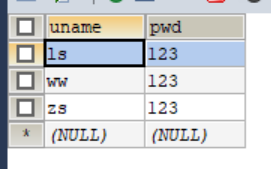
t_vue_user
t_vue_tree_node

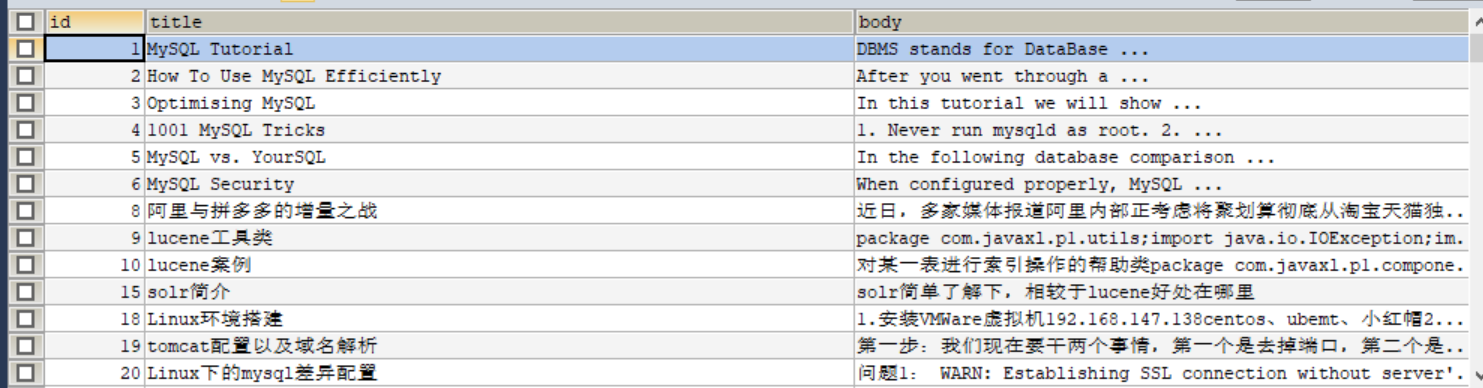
t_vue_articles
2. 动态生成NavMenu导航菜单(只支持2级菜单)
<el-menu key="" index="">
        <el-submenu>
          <template slot="title">
            <i class="el-icon-location"></i>
            <span>导航一</span>
          </template>
          <template slot="title">分组一</template>
          <el-menu-item route="">
2.2 vue+element的el-menu组件实现路由跳转及当前项的设置
<el-menu router :default-active="$route.path">
        <el-menu-item index="/company/userManager">用户管理</el-menu-item>
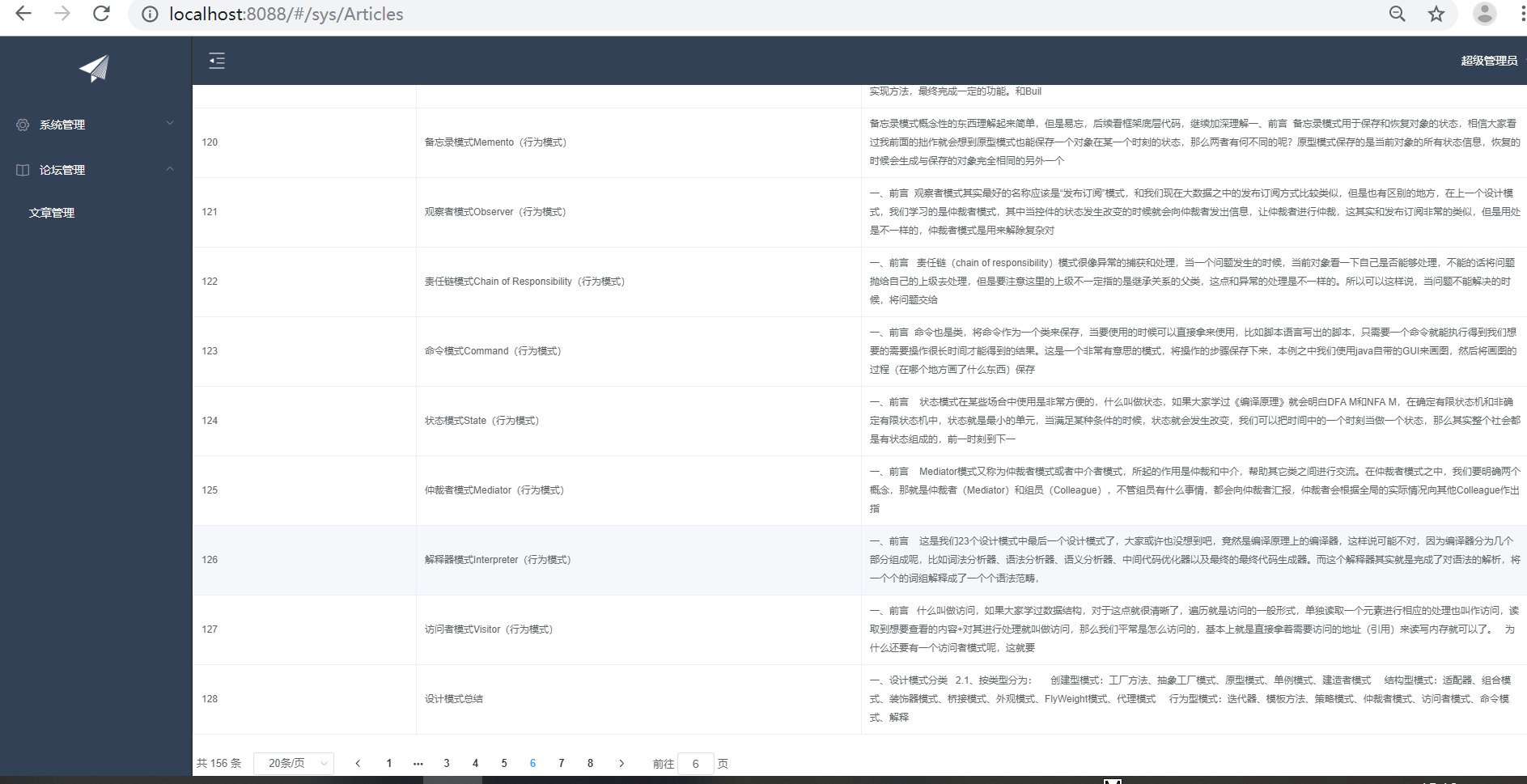
2.3 数据表格
    <el-table :data="result" style="width: 100%;" :border="true" max-height="550">
      <el-table-column prop="id" label="ID"  min-width="10" align="center"></el-table-column>
      <el-table-column prop="title" label="标题" min-width="20"></el-table-column>
      <el-table-column prop="body" label="内容" min-width="70"></el-table-column>
    </el-table>
<!-- 分页条 -->
    <el-pagination style="margin-top: 20px;" @size-change="handleSizeChange" @current-change="handleCurrentChange"
        :current-page="formInline.page" :page-sizes="[10, 20, 30, 50]" :page-size="100" layout="total, sizes, prev, pager, next, jumper"
        :total="formInline.total">
        </el-pagination>

            handleSizeChange(rows) {
                this.formInline.page = 1;
                this.formInline.rows = rows;
                this.search();
            },
            handleCurrentChange(page) {
                this.formInline.page = page;
                this.search();
            }
下面来看下
LeftNav.vue
<template>
    <el-menu router :default-active="$route.path" default-active="2" class="el-menu-vertical-demo"  background-color="#334157"
     text-color="#fff" active-text-color="#ffd04b" :collapse="collapsed" >
        <!-- <el-menu default-active="2" :collapse="collapsed" collapse-transition router :default-active="$route.path" unique-opened class="el-menu-vertical-demo" background-color="#334157" text-color="#fff" active-text-color="#ffd04b"> -->
        <div class="logobox">
            <img class="logoimg" src="../assets/img/logo.png" alt="">
        </div>
        <el-submenu :index="'id_'+m.treeNodeId" v-for="m in menus">
            <template slot="title">
                <i :class="m.icon"></i>
                <span>{{m.treeNodeName}}</span>
            </template>
                <el-menu-item :key="'id_'+m.treeNodeId" :index="m2.url" v-for="m2 in m.children">
                    <i :class="m2.icon"></i>
                    <span>{{m2.treeNodeName}}</span>
                </el-menu-item>
        </el-submenu>
    </el-menu>
</template>
<script>
    export default {
        data(){
            return{
                collapsed:false,
                menus:[]
            }
        },
        //
        created(){
            this.$root.Bus.$on('collapsed-side',(v)=>{
                this.collapsed=v;
            })
                let url = this.axios.urls.SYSTEM_MENU_TREE;
            // let url = 'http://localhost:8080/T226SSH/vue/userAction_login.action';
            this.axios.post(url, {}).then((response)=> {
                console.log(response);
                this.menus=response.data.result;
            }).catch(function(error) {
                console.log(error);
            });
        }
    }
</script>
<style>
    .el-menu-vertical-demo:not(.el-menu--collapse) {
        width: 240px;
        min-height: 400px;
    }

    .el-menu-vertical-demo:not(.el-menu--collapse) {
        border: none;
        text-align: left;
    }

    .el-menu-item-group__title {
        padding: 0px;
    }

    .el-menu-bg {
        background-color: #1f2d3d !important;
    }

    .el-menu {
        border: none;
    }

    .logobox {
        height: 40px;
        line-height: 40px;
        color: #9d9d9d;
        font-size: 20px;
        text-align: center;
        padding: 20px 0px;
    }

    .logoimg {
        height: 40px;
    }
</style>
Articles.vue
<template>
    <div>
        <!-- 搜索筛选 -->
    <el-form :inline="true" :model="formInline" class="user-search">
      <el-form-item label="搜索:">
        <el-input size="small" v-model="formInline.title" placeholder="输入文章标题"></el-input>
      </el-form-item>
      <el-form-item>
      <el-button size="small" type="primary" icon="el-icon-search" @click="search">搜索</el-button>
      </el-form-item>
    </el-form>
    <!--列表-->
    <el-table size="small" :data="listData" border element-loading-text="拼命加载中" style="min-width: 1;">
        <el-table-column sortable prop="id" label="ID" min-width="1">
        </el-table-column>
        <el-table-column sortable prop="title" label="文章标题" min-width="2">
        </el-table-column>
        <el-table-column sortable prop="body" label="文章内容" min-width="3">
        </el-table-column>
    </el-table>
    <!-- 分页条 -->
        <el-pagination style="margin-top: 20px;" @size-change="handleSizeChange" @current-change="handleCurrentChange"
        :current-page="formInline.page" :page-sizes="[10, 20, 30, 50]" :page-size="formInline.rows" layout="total, sizes, prev, pager, next, jumper"
        :total="pageBean.total">
        </el-pagination>
    </div>
</template>

<script>
    export default {
        data() {
            return {
               listData:[],
               pageBean:{
                   total:0
               },
               formInline:{
                   title:'',
                   page:1,
                   rows:10,
                   total:0
               }
            };
        },
        methods:{

            doSearch(params){
                let url=this.axios.urls.SYSTEM_ARTICLE_LIST;
                this.axios.post(url, params).then((response) => {
                    console.log(response);
                    this.listData=response.data.result;
                    this.pageBean=response.data.pageBean;
                }).catch((response) => {
                    console.log(response);
                });
            },
            handleSizeChange(rows) {
                console.log('页码大小发生改变的时候触发');
                this.formInline.page = 1;
                this.formInline.rows = rows;
                this.search();
            },
            handleCurrentChange(page) {
                console.log('当前页页码发生改变的时候触发');
                this.formInline.page = page;
                this.search();
            },
            search(){
                this.doSearch(this.formInline);
            },
        },
        created() {
            this.doSearch({});
        }
    }
</script>

<style>

</style>

 浙公网安备 33010602011771号