

Unix编程实践教程笔记(二)用户,文件操作,联机帮助,实现who,cp
命令也是程序
在unix中,将自己写的程序的可执行文件放到/bin,/usr/bin,/usr/local/bin任一目录中即可增加新的命令
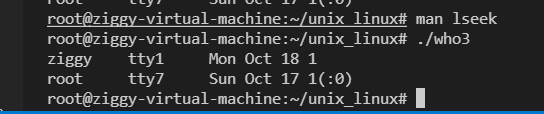
who命令
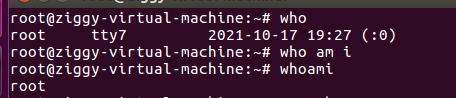
从第一列开始分别为:用户名,终端名,登录时间
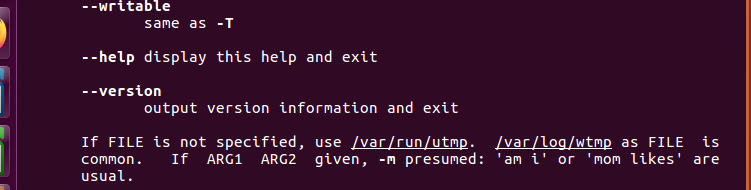
通过查询man who,得知已登录用户的信息放在/var/run/utmp中
使用man -k xxx可以根据关键字搜索联机帮助
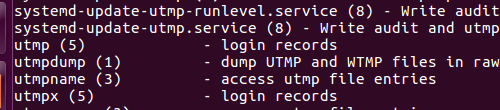
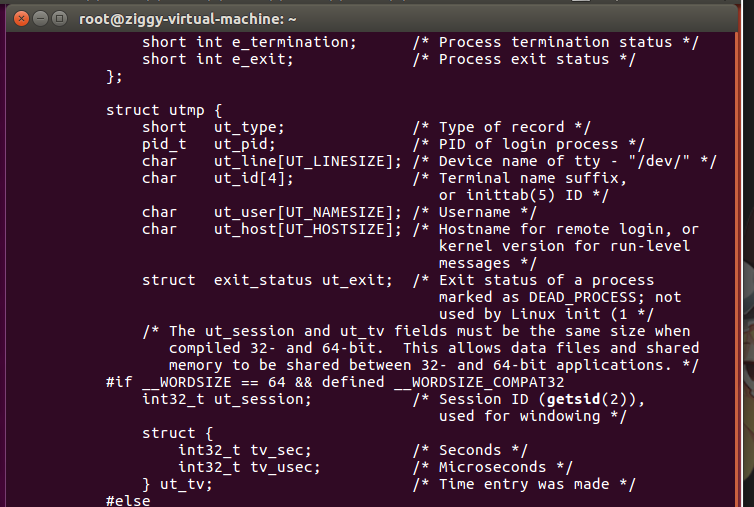
由查询可知,utmp文件中保存的是结构体数组,数组元素是utmp类型的结构
who命令的工作方式:
已登录的文件信息放在utmp中
who执行时,打开utmp->读取记录->显示记录->关闭utmp文件
所以需要从文件中读取一个整个数据结构
一次读出整个数据结构(这里是结构体)
使用getc是逐个字节读取
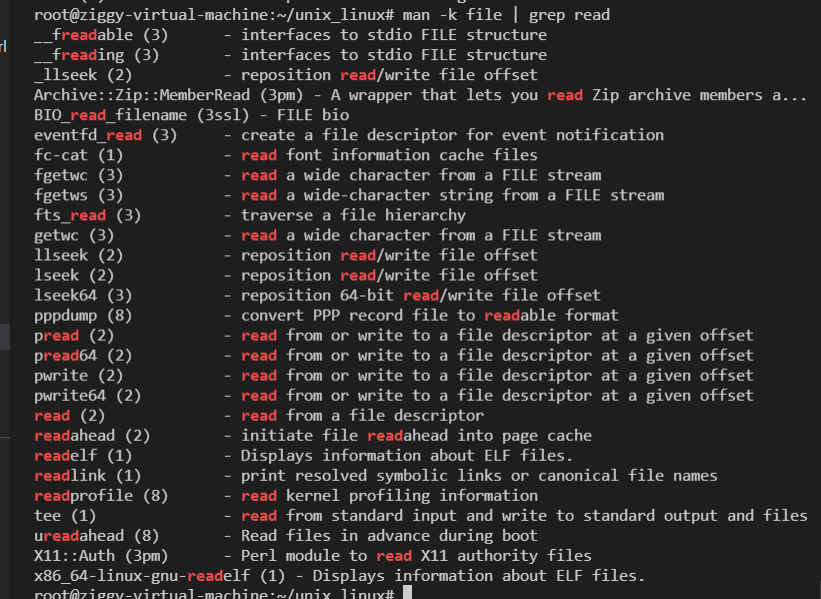
man -k file | grep read
-k选项只支持一个关键字
配合grep来查找file相关的主题中与read相关的主题
一次读取一个数据结构的方法:read系统调用
//read函数传入一个文件描述符,读取文件,将文件中一定数目的字节读入一个缓冲区
//成功返回读取到的字节数
//On  error, -1 is returned, and errno is set appropriately.
#include <unistd.h>

       ssize_t read(int fd, void *buf, size_t count);
使用open打开文件,获取文件描述符
       #include <sys/types.h>
       #include <sys/stat.h>
       #include <fcntl.h>

       int open(const char *pathname, int flags);
最后使用close系统调用关闭进程和文件fd之间的连接
过滤用户名为空和非真实用户的条目:
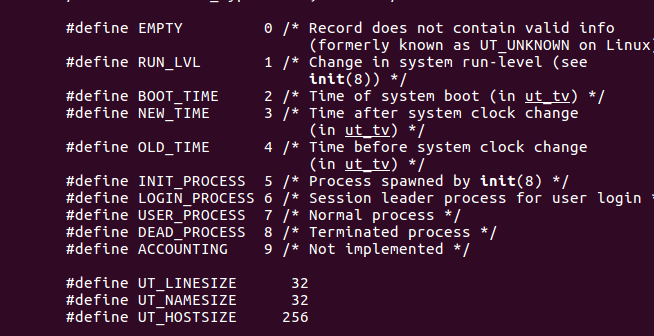
当ut_type为7时,代表这是已经登录的用户
显示可读的时间:
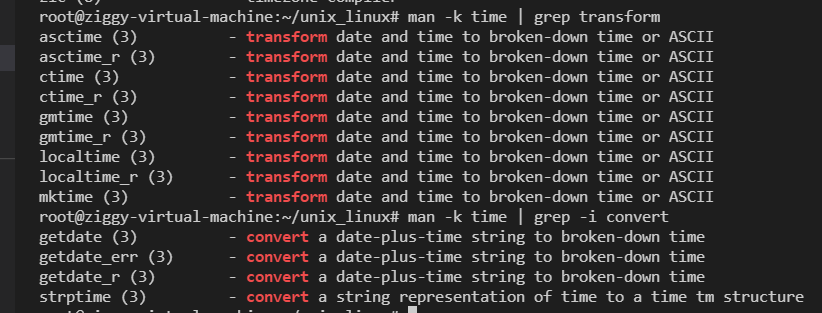

unix存储时间使用的是time_t类型,时间用一个整数表示(long int)
       #include <time.h>

       char *asctime(const struct tm *tm);
       char *asctime_r(const struct tm *tm, char *buf);

       char *ctime(const time_t *timep);
       char *ctime_r(const time_t *timep, char *buf);
ctime将表示时间的整数值转化为字符串类型
#include<time.h>
#include<stdio.h>
#include<unistd.h>
#include<utmp.h>
#include<fcntl.h>
#include<stdlib.h>

void showtime(long timeval)
{
	char* cp;
	cp = ctime(&timeval);
	printf("%12.12s",cp);
}
void show_info(struct utmp *utbufp)
{
	if(utbufp->ut_type!=USER_PROCESS)return;
	printf("%-8.8s",utbufp->ut_name);
	printf(" ");
	printf("%-8.8s",utbufp->ut_line);
	printf(" ");
	showtime(utbufp->ut_tv.tv_sec);
	if(utbufp->ut_host[0]!='\0')
	{
		printf("(%s)",utbufp->ut_host);

	}
	printf("\n");
}
int main()
{
	struct utmp utbuf;
	int fd;
	if((fd = open(UTMP_FILE,O_RDONLY))==-1){
		perror(UTMP_FILE);
		exit(1);
	}
	while(1)
	{
		if(read(fd,&utbuf,sizeof(utbuf))!=sizeof(utbuf))
		{
			break;
		}
		else{
			show_info(&utbuf);
		}

	}
	close(fd);
	return 0;
}
cp命令
   #include <sys/stat.h>
   #include <fcntl.h>

   int open(const char *pathname, int flags);
   int open(const char *pathname, int flags, mode_t mode);

   int creat(const char *pathname, mode_t mode);
通过读写来复制文件
//create告知内核创建一个名为pathname的文件,如果不存在则创建,存在则将内容情况,文件长度设为0
//文件许可位被设置为第二个参数指定的值
write函数返回写入文件的字节数
从源文件中读取数据存入缓冲,将缓冲中的数据写入目标文件
#include<stdio.h>
#include<unistd.h>
#include<fcntl.h>
#include<stdlib.h>

#define BUF 4096
#define MODE 0644

void print_errors(char *s1,char* s2)
{
    fprintf(stderr,"error:%s",s1);
    perror(s2);
    exit(1);
}
int main(int argc,char *argv[])
{
    int fd,out_fd,chars;
    char buf[BUF];
    if(argc!=3)
    {
        fprintf(stderr,"usage:%s source destination\n",argv[0]);
        exit(1);
    }
    if((fd=open(argv[1],O_RDONLY))==-1)
    {
        print_errors("can't open ",argv[1]);
    }

    if((out_fd=creat(argv[2],MODE))==-1)
    {
        print_errors("can't creat ",argv[2]);
    }
    while((chars=read(fd,buf,BUF))>0)
    {
        if(write(out_fd,buf,chars)!=chars)
        {
            print_errors("write error to ",argv[2]);
        }
    }
    if(chars==-1)
    {
        print_errors("read error from ",argv[1]);
    }
    if(close(fd)==-1||close(out_fd)==-1)
    {
        print_errors("error closing files","");
    }
    return 0;
}
使用缓存提高文件I/O效率
防止频繁的系统调用
磁盘只能被内核访问,系统调用时,要执行内核代码,系统调用结束时,CPU要切换回用户模式,环境的切换花费很多时间
运用缓冲,对于who1.c:一次读取多个记录写入缓冲中
当缓冲中所有记录都被取走,才再次调用内核服务重新读取数据
#include<stdio.h>
#include<fcntl.h>
#include<sys/types.h>
#include<utmp.h>
#include<fcntl.h>
#include<time.h>
#include<stdlib.h>
#define NRECS 16
#define UTSIZE (sizeof(struct utmp))

static char utmpbuf[NRECS*UTSIZE];

static int num_recs;
static int cur_rec;
static int fd = -1;


void showtime(long timeval)
{
	char* cp;
	cp = ctime(&timeval);
	printf("%12.12s",cp);
}
void show_info(struct utmp *utbufp)
{
	if(utbufp->ut_type!=USER_PROCESS)return;
	printf("%-8.8s",utbufp->ut_name);
	printf(" ");
	printf("%-8.8s",utbufp->ut_line);
	printf(" ");
	showtime(utbufp->ut_tv.tv_sec);
	if(utbufp->ut_host[0]!='\0')
	{
		printf("(%s)",utbufp->ut_host);

	}
	printf("\n");
}

int utmp_open(char * filename)
{
    fd = open(filename,O_RDONLY);
    cur_rec = num_recs = 0;
    return fd;
}

struct utmp* utmp_next()
{
    struct utmp* recp;
    if(fd==-1)
    {
        return NULL;
    }
    if((cur_rec==num_recs)&&utmp_load()==0)
    {
        return NULL;
    }
    recp = (struct utmp*)&utmpbuf[cur_rec*UTSIZE];
    cur_rec++;
    return recp;
}
//一次读num_recs个,cur_rec用在从缓存中取数据的时候来计数
int utmp_load()
{
    int amt_read;
    amt_read = read(fd,utmpbuf,NRECS*UTSIZE);
    num_recs = amt_read/UTSIZE;
    cur_rec = 0;
    return num_recs;
}

void utmp_close()
{
    if(fd!=-1)
    {
        close(fd);
    }
}

int main()
{
    struct utmp* utbufp;
    struct utmp* ut = utmp_next();
    if(utmp_open(UTMP_FILE)==-1)
    {
        perror(UTMP_FILE);
        exit(1);
    }
    while((utbufp = utmp_next())!=NULL)
    {
        show_info(utbufp);
    }
    utmp_close();
    return 0;
}
内核缓冲技术
相比内核和用户模式之间的切换,I/O更花时间
内核会将磁盘上的数据复制到内核缓冲区中,一个用户空间中的进程要从磁盘读取数据时,不直接读磁盘
而是将内核缓冲区中的数据复制到进程的缓冲区中
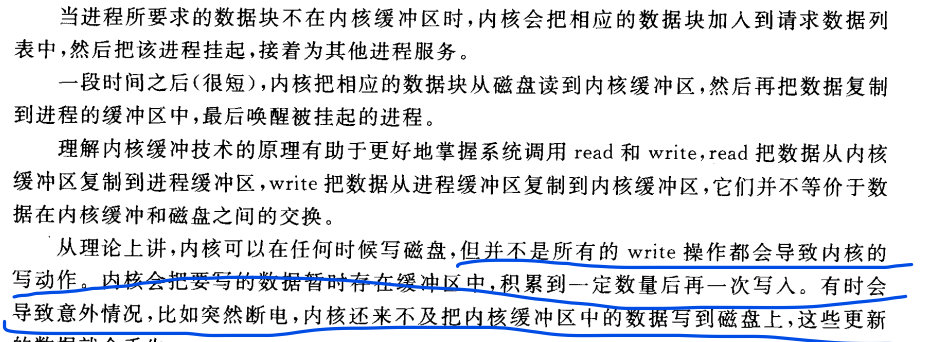
文件读写
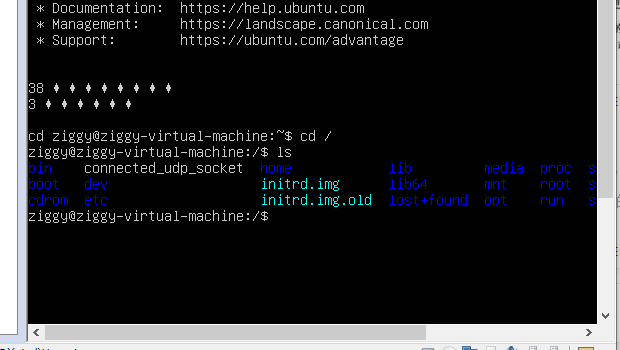
注销过程的工作
打开utmp->找到所在终端的登录记录->修改记录->关闭文件
找到:while循环,每次读入一条记录,作比较
修改记录:将ut_type改为DEAD_PROCESS,tv改为注销时间
使用系统调用lseek,(找到当前文件位置的指针)
系统每次打开一个文件,都会保存一个指向文件当前位置的指针,当读写操作完成时,指针会移到下一个记录位置
这个指针与文件描述符相关联。在这种情况下,指针是指向下一条登录记录的头一个字节
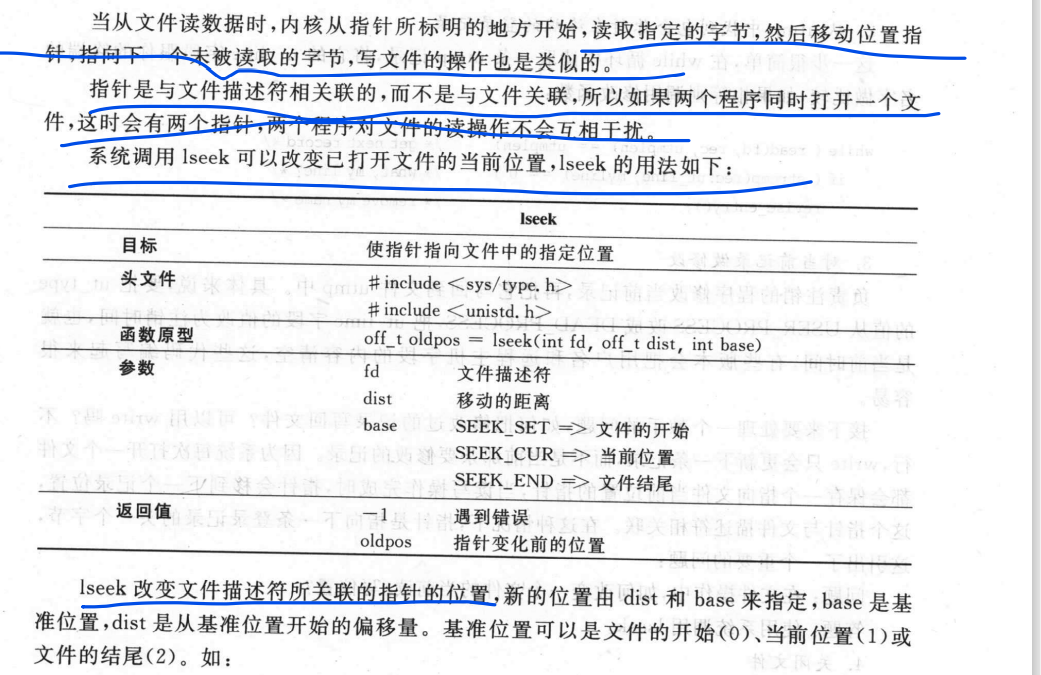
lseek(fd,10*sizeof(struct utmp),SEEK_SET);//将指针指向第11个记录的开始位置
lseek(fd,0,SEEK_END);//指向末尾
write(fd,"hello",strlen("hello"));//将一个字符串写入文件末尾
lseek(fd,0,SEEKK_CUR);//返回指针指向的当前位置
//注意偏移量可以为负数
lseek(fd,-(sizeof(struct utmp)),SEEK_CUR);
//终端注销代码:
#include<stdio.h>
#include<fcntl.h>
#include<sys/types.h>
#include<utmp.h>
#include<fcntl.h>
#include<time.h>
#include<stdlib.h>
#include<string.h>
int logout_tty(char *line)
{
    int fd;
    struct utmp rec;
    int len = sizeof(struct utmp);
    int retval = -1;
    if((fd=open(UTMP_FILE,O_RDWR))==-1)
        return -1;
    while(read(fd,&rec,len)==len)
    {
        if(strncmp(rec.ut_line,line,sizeof(rec.ut_line))==0)
        {
            rec.ut_type = DEAD_PROCESS;
            // if(time(&rec.ut_tv.tv_sec)!=-1)
            // {
                //回到此记录的开头
                if(lseek(fd,-len,SEEK_CUR)!=-1)
                {
                    //更新
                    if(write(fd,&rec,len)==len)
                    {
                        retval=0;
                    }
                }
            // }
            break;
        }
    }
    if(close(fd)==-1)
        retval = -1;
    return retval;
}
int main(int argc,char *argv[])
{
    logout_tty(argv[1]);
    printf("%s\n",argv[1]);
    return 0;
}
系统调用中的错误处理
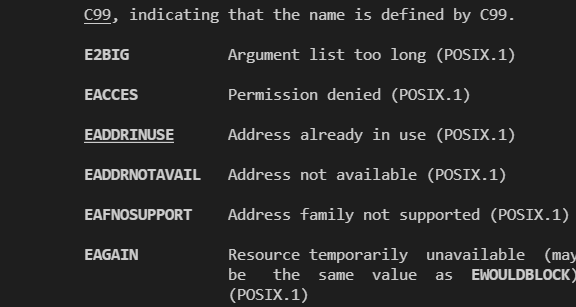
errno
用于确定发生什么种类的错误
#include<errno.h>
perror
用于显示错误信息
#include<stdio.h>
#include<fcntl.h>
#include<sys/types.h>
#include<utmp.h>
#include<fcntl.h>
#include<time.h>
#include<stdlib.h>
#include<string.h>

int main()
{
    int fd;
    fd = open("file",O_RDONLY);
    if(fd==-1)
    {
        perror("cannot open file");
    }
    return 0;
}


 浙公网安备 33010602011771号