

stf设备管理平台-如何进行远程连接?
1.官方文档获取shell脚本
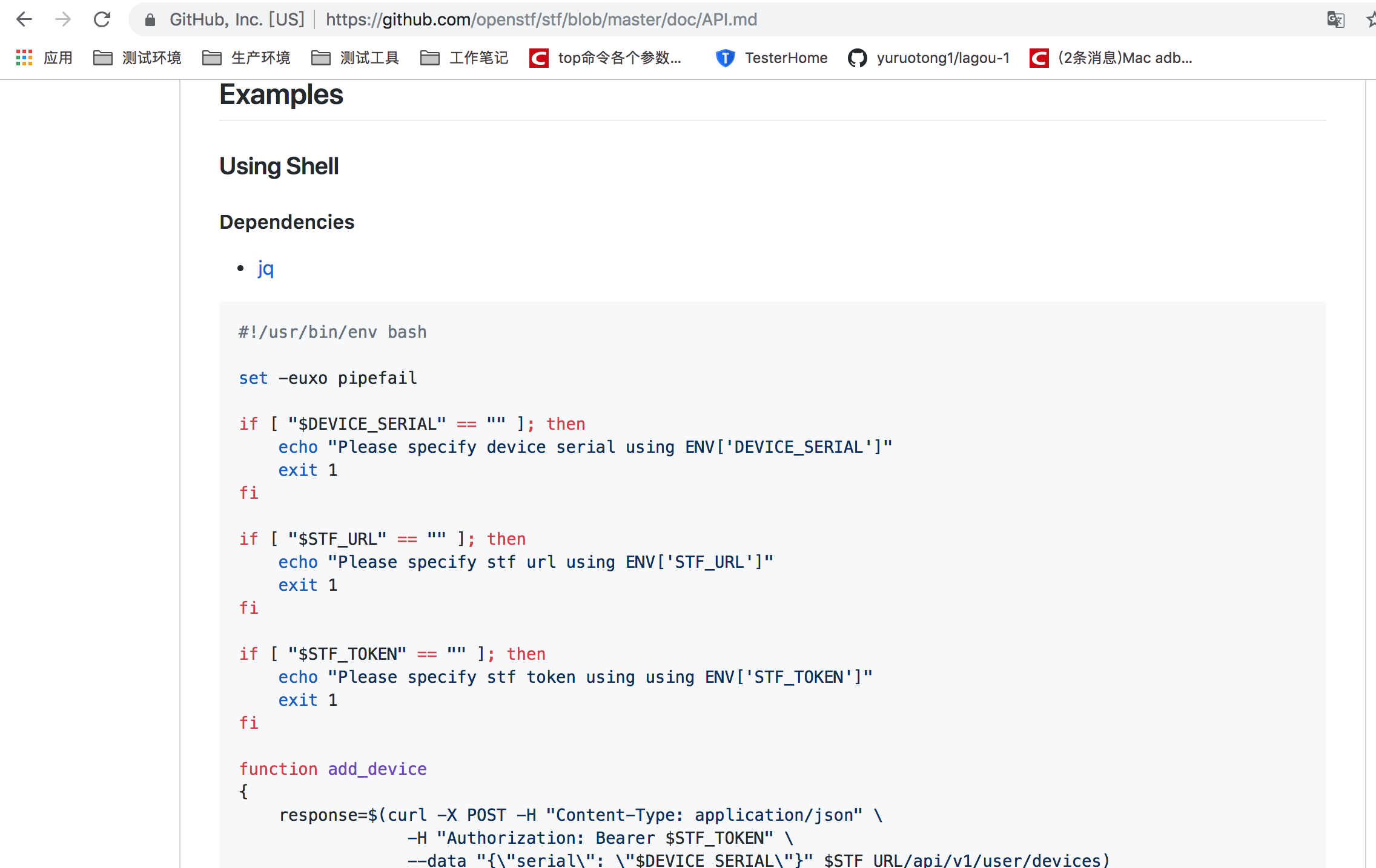
1)检测是否有设备,如果没有就退出;检测是否有stf平台链接,如果没有就退出;
2) add_device就是设备的授权操作
3) remote_connect把已经授权的设备拉到本地,进行使用,本质就是adb connect操作

就是把远程设备拉到本地
4)remove_device取消授权
5) set -euxo pipefail 去掉e,因为加e的话如果返回错误就会关掉终端, -x就是把代码执行的详细信息打印出来
在此基础上我们可以增加一些自己的方法,可以对脚本进行改造:
exit 1要换成return 1,exit1 执行错误会将终端都给关了
:% s/exit 1/return 1/g

添加获取设备名称的方法:

添加token、stfurl、device_serial如下:

修改后脚本如下
#!/usr/bin/env bash

set -euxo pipefail
STF_TOKEN="5dbab0d78eaf424d810f0e624a360925bb9b35103f284b1c994c0ea758b14"
STF_URL=http://localhost:7100
DEVICE_SERIAL=emulator-5554
if [ "$DEVICE_SERIAL" == "" ]; then
    echo "Please specify device serial using ENV['DEVICE_SERIAL']"
    return 1
fi

if [ "$STF_URL" == "" ]; then
    echo "Please specify stf url using ENV['STF_URL']"
    return 1
fi

if [ "$STF_TOKEN" == "" ]; then
    echo "Please specify stf token using using ENV['STF_TOKEN']"
    return 1
fi
function get_device
{
    curl -H "Authorization: Bearer $STF_TOKEN" $STF_URL/api/v1/devices |jq -c '.devices[]|[.serial,.present,.remoteConnectUrl]'|grep true|awk -F \" '{print $2}'
}
function add_device
{
    response=$(curl -X POST -H "Content-Type: application/json" \
                 -H "Authorization: Bearer $STF_TOKEN" \
                 --data "{\"serial\": \"$DEVICE_SERIAL\"}" $STF_URL/api/v1/user/devices)

    success=$(echo "$response" | jq .success | tr -d '"')
    description=$(echo "$response" | jq .description | tr -d '"')

    if [ "$success" != "true" ]; then
        echo "Failed because $description"
        return 1
    fi

    echo "Device $DEVICE_SERIAL added successfully"
}

function remote_connect
{
    response=$(curl -X POST \
                 -H "Authorization: Bearer $STF_TOKEN" \
                $STF_URL/api/v1/user/devices/$DEVICE_SERIAL/remoteConnect)

    success=$(echo "$response" | jq .success | tr -d '"')
    description=$(echo "$response" | jq .description | tr -d '"')

    if [ "$success" != "true" ]; then
        echo "Failed because $description"
        return 1
    fi
    remote_connect_url=$(echo "$response" | jq .remoteConnectUrl | tr -d '"')
    adb connect $remote_connect_url

    echo "Device $DEVICE_SERIAL remote connected successfully"
}

function remove_device
{
    response=$(curl -X DELETE \
                 -H "Authorization: Bearer $STF_TOKEN" \
                $STF_URL/api/v1/user/devices/$DEVICE_SERIAL)

    success=$(echo "$response" | jq .success | tr -d '"')
    description=$(echo "$response" | jq .description | tr -d '"')

    if [ "$success" != "true" ]; then
        echo "Failed because $description"
        return 1
    fi

    echo "Device $DEVICE_SERIAL removed successfully"
}
最后运行脚本,获取设备名称

我们还可以对脚本进行优化,执行adb monkey命令
function get_device
{
  curl -H "Authorization: Bearer $STF_TOKEN" $STF_URL/api/v1/devices  | jq -c '.devices[]|[.serial,.present,.remoteConnectUrl]'
}
function get_remote_device
{
  get_device | grep true | awk -F \" {'print $4'}
}

function run
{
  get_remote_device|while read line; do { nohup adb -s $line shell monkey 1000 &};done
}
首先要执行. stf.sh 然后执行get_device,查看设备是否授权,若没有则执行add_device,连接设备remote_connect,最后run就可以执行monkey命令了
查看设备会发现多了一个localhost名称的设备,代表远程连接成功


 浙公网安备 33010602011771号