
Vercel deploy environment variables All In One
Vercel deploy environment variables All In One
.envfile vsENV_API_KEYvariables

docs
Environment Variables/ 环境变量
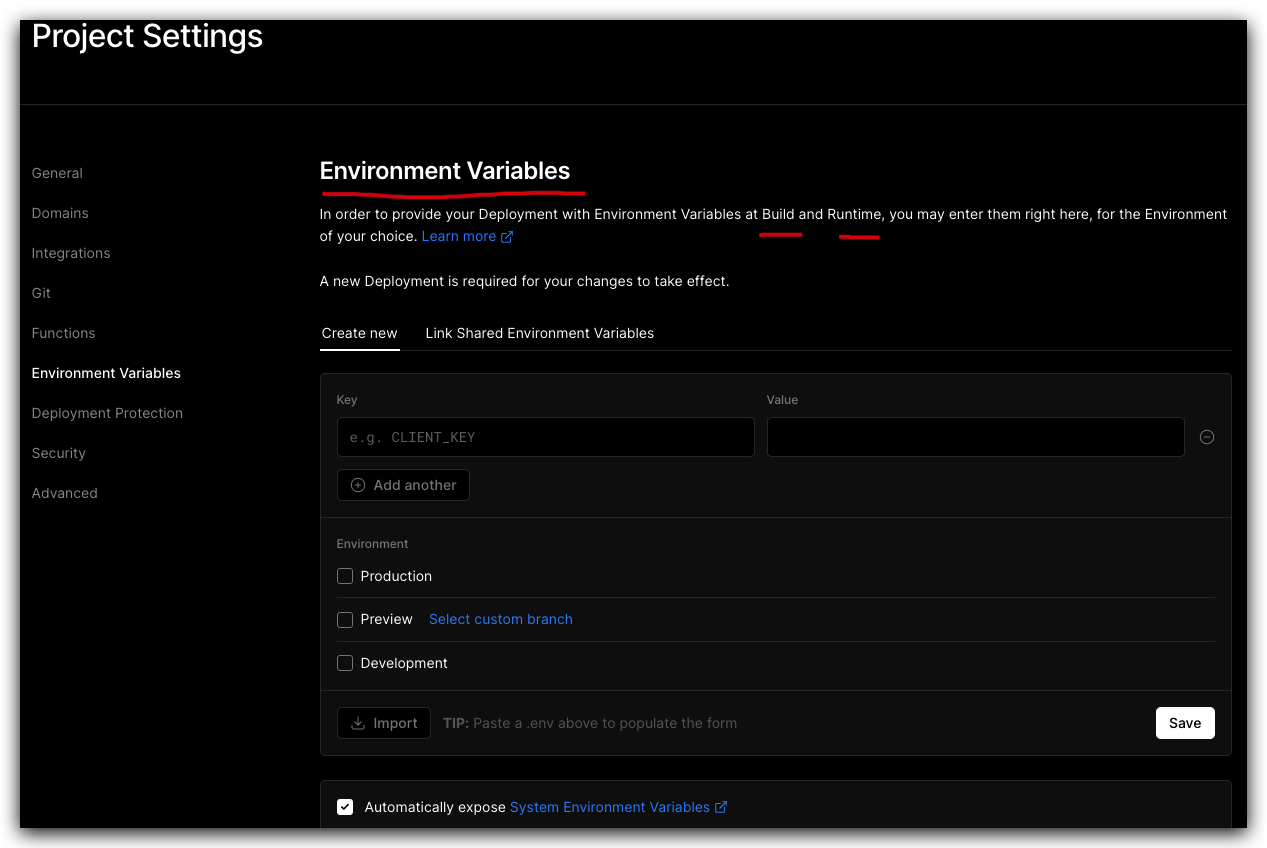
To declare an Environment Variable for your deployment, go to the Environment Variables page of your Project Settings.
Enter the desired Name for your Environment Variable. For example, if you are using Node.js and you create an Environment Variable named API_KEY, it will be available under process.env.API_KEY in your code.
// Node.js
process.env.API_KEY;
https://vercel.com/docs/concepts/projects/environment-variables
Environments/ 环境
对于每个环境变量,您可以选择一个或多个环境以将变量应用于
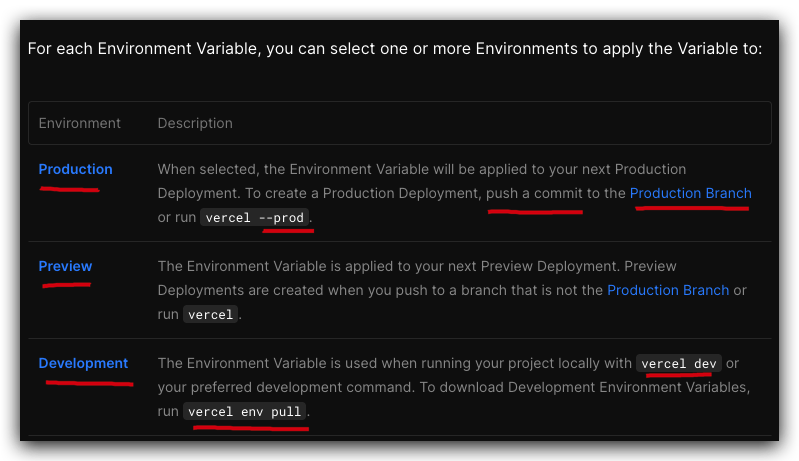
https://vercel.com/docs/concepts/projects/environment-variables#environments
Integration Environment Variables/ 集成环境变量

https://vercel.com/integrations/mongodbatlas
https://vercel.com/docs/concepts/projects/environment-variables#integration-environment-variables
Reserved Environment Variables/ 保留的环境变量
https://vercel.com/docs/concepts/projects/environment-variables#reserved-environment-variables
System Environment Variables/ 系统环境变量
Automatically exposing System Environment Variables in the Project Settings.
在项目设置中自动公开系统环境变量。

Frameworks typically use a prefix in order to expose Environment Variables to the browser.
框架通常使用前缀来向浏览器公开环境变量。
Next.js
Nuxt.js
Create React App
Gatsby.js
Astro
SolidStart
Vue.js
RedwoodJS
Vite
Sanity
https://vercel.com/docs/concepts/projects/environment-variables#system-environment-variables
vercel env
https://vercel.com/docs/cli/env
https://www.npmjs.com/package/vercel
Q & A
FQA
Accessing Environment Variables
访问环境变量
process.env.CLIENT_ID & process.env.CLIENT_SECRET
import fetch from 'node-fetch';

export default async function handler(request, response) {
  const res = await fetch('https://...', {
    method: 'POST',
    body: JSON.stringify({
      client_id: process.env.CLIENT_ID,
      client_secret: process.env.CLIENT_SECRET,
    }),
    headers: { 'Content-Type': 'application/json' },
  });

  const data = await res.json();
  return response.status(200).json({ data });
}
Some frontend frameworks like Next.js require environment variable access on client side to be explicitly defined through the NEXT_PUBLIC_ prefix.
https://vercel.com/guides/how-to-add-vercel-environment-variables
https://vercel.com/guides/set-up-a-staging-environment-on-vercel
(🐞 反爬虫测试!打击盗版⚠️)如果你看到这个信息, 说明这是一篇剽窃的文章,请访问 https://www.cnblogs.com/xgqfrms/ 查看原创文章!
demos
https://github.com/xgqfrms/chatgpt
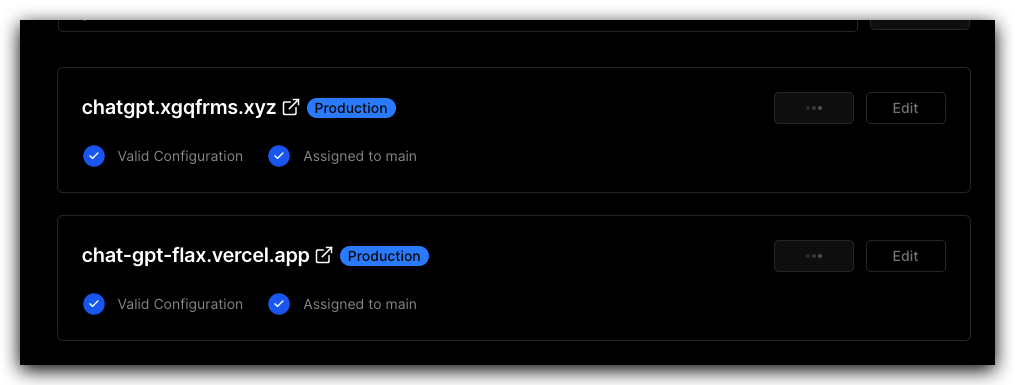
custom domain

refs
https://vercel.com/web-full-stack
https://vercel.com/web-full-stack/nextjs-ssr
https://github.com/web-full-stack/nextjs-ssr/tree/main
©xgqfrms 2012-2021
www.cnblogs.com/xgqfrms 发布文章使用:只允许注册用户才可以访问!
原创文章,版权所有©️xgqfrms, 禁止转载 🈲️,侵权必究⚠️!
本文首发于博客园,作者:xgqfrms,原文链接:https://www.cnblogs.com/xgqfrms/p/17121243.html
未经授权禁止转载,违者必究!

 浙公网安备 33010602011771号