

文件操作补充 函数 昨日作业回顾
今日内容概要
-
作业讲解
-
文件操作补充
-
文件操作补充
# 方法补充
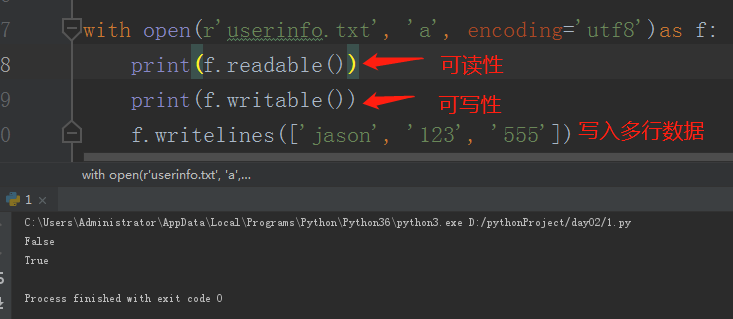
with open(r'userinfo.txt','a',encoding='utf8') as f:
    print(f.readable())  # True
    print(f.writable())  # False
    f.writelines(['jason','123','555'])
"""
1.flush()
    将内存中的数据立刻刷到硬盘 相当于保存文件
2.readable() writeable()
    判断文件是否可读可写
3.writelines()
    括号内放列表 多个元素都会被依次写入
"""
# 文件光标移动 及 文件修改
"""
seek方法可以控制光标的移动
    seek(offset,whence)
        offset用来控制移动的位数
        whence是操作模式
            0:既可以用在文本模式也可以用在二进制模式
                文件开头
            1:只可以在二进制模式下使用
                当前位置
            2:只可以在二进制模式下使用
                文件末尾
"""
# with open(r'a.txt', 'r', encoding='utf8') as f:
#     data = f.read()
#     print(data)
#     # 控制光标移动
#     f.seek(1, 0)  # 移动到文件开头并往后再移动一个字符
#     print(f.read())


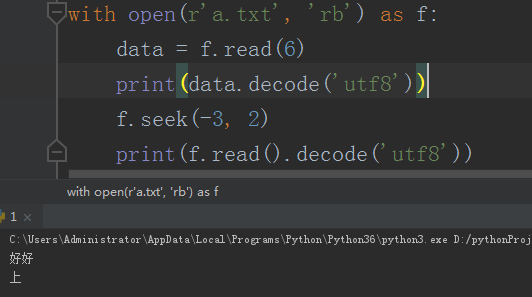
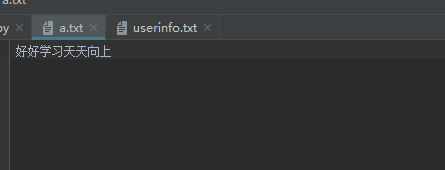
# with open(r'a.txt', 'rb') as f:
#     data = f.read(4)
#     print(data.decode('utf8'))
#     # 控制光标移动
#     f.seek(-3, 2)  # 二进制模式下移动的是字节数,一个中文字符为三个字节
#     print(f.read().decode('utf8'))
![]()
# 文件修改
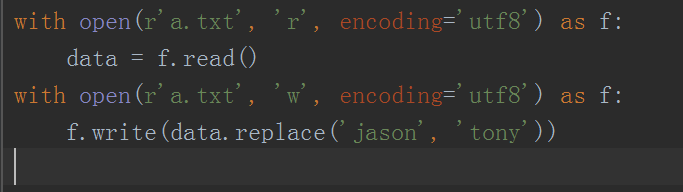
# with open(r'a.txt','r',encoding='utf8') as f:
#     data = f.read()
# with open(r'a.txt','w',encoding='utf8') as f:
#     f.write(data.replace('jason','tony'))
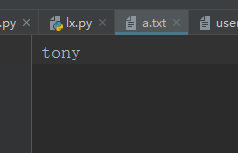
# 创建一个新文件 将老文件内容写入新文件 过程中完成修改
# 之后将老文件删除 将新文件命名成老文件 从而达到修改的效果
import os
with open(r'a.txt','r',encoding='utf8') as f,open(r'a.txt.backend','w',encoding='utf8') as f1:
    for line in f:
        f1.write(line.replace('tony','jason'))
os.remove(r'a.txt')
os.rename(r'a.txt.backend',r'a.txt')
函数就相当于是工具
    提前定义好后续可以反复使用,避免了代码冗余的情况
        eg:修理工与工具的案例

函数的语法结构
    def 函数名(参数1,参数2):
        '''函数的注释'''
        函数体代码
        return 函数的返回值
"""
1.def
    定义函数的关键字
2.函数名
    函数名的命名与变量名保持一致 见名知意
3.参数
    函数在使用之前还可以接收外部传入的参数
4.函数的注释
    类似于产品说明书
5.函数体代码
    整个函数主要功能逻辑 是整个函数的核心
6.return
    执行完函数之后可以给调用者一个反馈结果
"""

函数的基本使用
    # 函数的使用一定要先定义后使用!!!
昨日练习回顾
第一题
利用文件操作编写一个简易的文件拷贝系统
让用户输入需要拷贝的文件路径
然后再获取即将拷贝到哪儿的路径
source_file_path = input('source_path>>>:').strip()
target_file_path = input('target_path>>>:').strip()
with open(r'%s' % source_file_path, 'rb')as read_f, open(r'%s' % target_file_path, 'wb')as write_f:
    for line in read_f:
        write_f.write(line)
第二题
while True:
    print("""
    1.注册
    2.登录
    """)
    choice = input("请选择想要执行的功能>>>:").strip()
    if choice == '1':
        username = input('username>>>:').strip()
        password = input('password>>>:').strip()
        with open(r'userinfo.txt', 'w', encoding='utf8')as f:
            f.write('%s|%s' % (username, password))
        print('%s注册成功' % username)
    elif choice == '2':
        username = input('username>>>:').strip()
        password = input('password>>>:').strip()
        with open(r'userinfo.txt', 'r', encoding='utf8')as f:
            data = f.read()
        real_name, real_pwd = data.split('|')
        if real_name == username and real_pwd == password:
            print('登录成功')
            break
        else:
            print('用户名或密码错误')
    else:
        print('输入不合法 暂时没有该功能')
第三题
flag = True
while flag:
    username = input('username>>>:').strip()
    password = input('password>>>:').strip()
    with open(r'userinfo.txt', 'r', encoding='utf8')as f:
        for line in f:
            real_name = line.split('|')[0]
            if real_name == username:
                print('用户名已存在')
                flag = False
    if flag:
        with open(r'userinfo.txt', 'a', encoding='utf8')as f:
            f.write('%s|%s\n' % (username, password))
        print('%s注册成功' % username)
    # 登录
    username = input('username>>>:').strip()
    password = input('password>>>:').strip()
    with open(r'userinfo.txt', 'r', encoding='utf8')as f:
        for line in f:
            real_name, real_pwd = line.split('|')
            if username == real_name and password == real_pwd.strip('\n'):
                print('登陆成功')
                break
            else:
                print('用户名或密码错误')

 浙公网安备 33010602011771号