
第七周作业
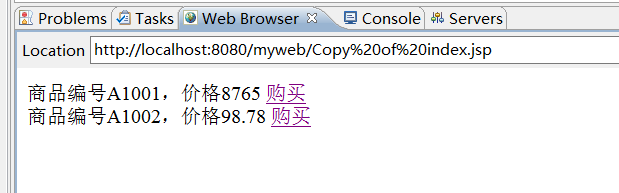
1.教材P78-79 例4-9
<%@ page language="java" import="java.util.*" pageEncoding="utf-8"%>
<html>
  <head>
  </head>

  <body>
  <%
  double price=98.78;
   %>
   商品编号A1001,价格8765
   <a href="index.jsp?id=A1001&price=8765">购买</a><br>
   商品编号A1002,价格<%=price %>
   <a href="index.jsp?id=A1002&price=<%=price %>">购买</a><br>
  </body>
</html>
<%@ page language="java" import="java.util.*" pageEncoding="utf-8"%>

<html>

  </head>

  <body>
  <%
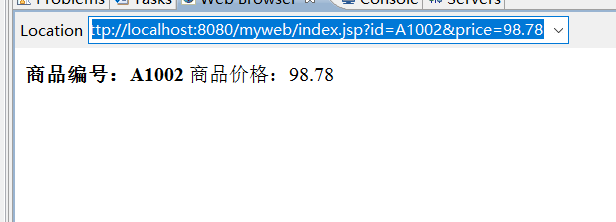
  String id=request.getParameter("id");
  String price=request.getParameter("price");
   %>
   <b>商品编号:<%= id %></b>
   商品价格:<%= price %>
  </body>
</html>

2.教材P97 实验2
<%@ page language="java" import="java.util.*" pageEncoding="UTF-8"%>

 <%
    request.setCharacterEncoding("UTF-8");
    response.setCharacterEncoding("UTF-8");
    %>
<!DOCTYPE HTML PUBLIC "-//W3C//DTD HTML 4.01 Transitional//EN">
<html>

  <body>
  <form action="index.jsp">
    <p style="font-family: 宋体;font-size: 18; color:yellow">
    输入运算数,选择运算符号:
    <input type="text" name="one" size=6/>
    <select name="op">
        <option value="+">加</option>
        <option value="-">减</option>
        <option value="*">乘</option>
        <option value="/">除</option>
    </select>
    <input type="text" name="two" size=6/>
    <br><input type="submit" value="提交"/>
  </form>


  </body>
</html>
<%@ page language="java" import="java.util.*" pageEncoding="UTF-8"%>

 <%
    request.setCharacterEncoding("UTF-8");
    response.setCharacterEncoding("UTF-8");
    %>
<!DOCTYPE HTML PUBLIC "-//W3C//DTD HTML 4.01 Transitional//EN">
<html>

  <body>
    <p style="font-family: 宋体;font-size: 18; color:black">
    <%
    String one=request.getParameter("one");
    String two=request.getParameter("two");
    String op=request.getParameter("op");
    if(one==null||one.length()==0){
        response.sendRedirect("Copy of index.jsp");
        return;
    }
    else if(two==null||two.length()==0){
        response.sendRedirect("Copy of index.jsp");
        return;
    }
        double a=Double.parseDouble(one);
        double b=Double.parseDouble(two);
        double r=0;
        try{
        if(op.equals("+")){
            r=a+b;
        }
        else if(op.equals("-")){
            r=a-b;
        }else if(op.equals("*")){
            r=a*b;
        }else if(op.equals("/")){
            r=a/b;

        }
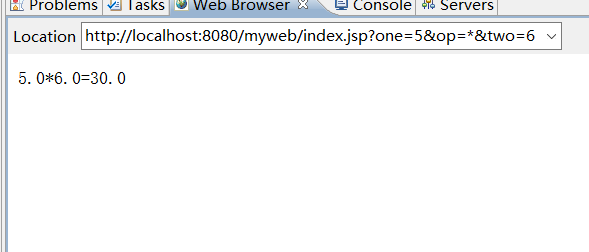
        out.print(a+op+b+"="+r);
        }
        catch(Exception e){
         out.print("输入数字字符");
        }
     %>
  </body>
</html>

3.制作一个登陆表单,输入账号和密码,如果账号密码相同,跳转到“登录成功”页面,否则跳转到“登录失败”页面。(加上JS非空验证)(选做,加验证码)
4.在上题的表单中增加一个checkbox,让用户选择“是否注册为会员",如果注册为会员,则在显示时增加文本“欢迎您注册为会员”。
<%@ page language="java" import="java.util.*" pageEncoding="utf-8"%>

<html>
<head>
</head>

<body>
    <script type="text/javascript">
        function validate() {
            if (loginForm.account.value == "") {
                alert("账号不能为空!");
                return;
            } else if (loginForm.password.value == "") {
                alert("密码不能为空!");
                return;
            }
            loginForm.submit();
        }
    </script>
    <form action="index.jsp" name="loginForm" method="post">
    <p style="font-family: 宋体;font-size: 18; color:blue">
        输入账号:<input name="account" type="text" /><br>
        输入密码:<input name="password" type="password" /><br>
        是否注册会员:
        <input type="checkbox" name="yes" value="1"/>注册
        <input type="checkbox" name="yes" value="2"/>不注册<br>
        <input type="button" value="登录"onClick="validate()">
    </form>
</body>
</html>
<%@ page language="java" import="java.util.*" pageEncoding="utf-8"%>

<html>
  <head>
  </head>

  <body>
    <h1>登录成功</h1>
    <%
    String []yes=request.getParameterValues("yes");
    for(int i=0;i<yes.length;i++){
    if(yes[i].equals("1")){
    out.print("注册为会员");
    }
    }
     %>
  </body>
</html>


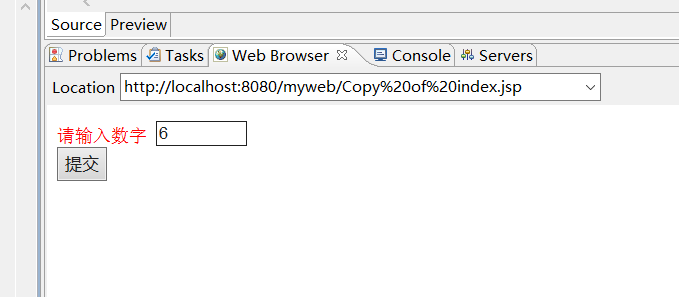
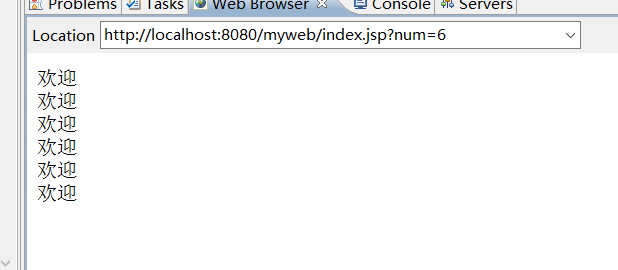
5.在页面1的表单内输人一个数字N,提交,能够在另一个页面打印N个“欢迎”字符串。
<%@ page language="java" import="java.util.*" pageEncoding="UTF-8"%>

 <%
    request.setCharacterEncoding("UTF-8");
    response.setCharacterEncoding("UTF-8");
    %>
<!DOCTYPE HTML PUBLIC "-//W3C//DTD HTML 4.01 Transitional//EN">
<html>

  <body>

  <form action="index.jsp" name ="logindo">
    <p style="font-family: 宋体;font-size: 18; color:red">
    请输入数字
    <input type="text" name="num" size=6/>
    <br><input type="submit" value="提交"/>
  </form>
  </body>
</html>
<%@ page language="java" import="java.util.*" pageEncoding="UTF-8"%>

 <%
    request.setCharacterEncoding("UTF-8");
    response.setCharacterEncoding("UTF-8");
    %>
<!DOCTYPE HTML PUBLIC "-//W3C//DTD HTML 4.01 Transitional//EN">
<html>

  <body>
      <%
        String num=request.getParameter("num");
        int n=Integer.parseInt(num);

       for(int i=0;i<n;i++){
            out.print("欢迎"+"</br>");
       }
       %>
  </body>
</html>
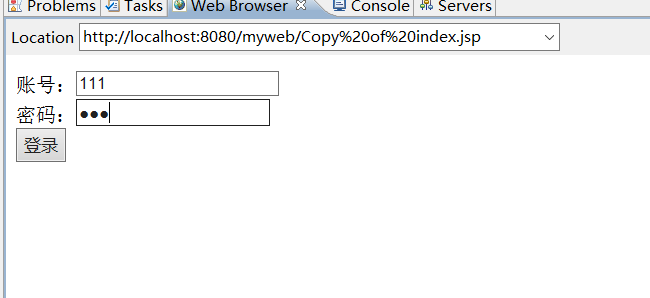
6.在页面1中输入账号和密码,进行登录,
如果账号和密码相同,则认为成功登录到页面2,
在页面2中显示一个文本框输人用户姓名,输人之后提交,
在页面3中显示用户的账号和姓名。
(转发)request.getRequestDispacher.....forward
<%@ page language="java" import="java.util.*" pageEncoding="utf-8"%>
<!DOCTYPE HTML PUBLIC "-//W3C//DTD HTML 4.01 Transitional//EN">
<html>
  <head>
  </head>
  <body>
   <script>

        function lg() {
               if (form.user.value == "") {
                alert("用户名不能为空!");
                form.user.focus();
                return;
            }
            if (form.password.value == "") {
                alert("密码不能为空!");
                form.password.focus();
                return;
            }
        }
    </script>
    <form action="index.jsp" method="post" name="form">
    账号:<input type="text" name="user"/><br>
    密码:<input type="password" name="password"/><br>
    <input type="submit" value="登录"/>
    </form>

  </body>
</html>
<%@ page language="java" import="java.util.*" pageEncoding="utf-8"%>
<!DOCTYPE HTML PUBLIC "-//W3C//DTD HTML 4.01 Transitional//EN">
<html>
  <head>
  </head>
  <body>
    <%
    request.setCharacterEncoding("UTF-8");
    String user=request.getParameter("user");
    String password=request.getParameter("password");

    if(user.equals(password)){
        request.getRequestDispatcher("index1.jsp").forward(request, response);

    }
    else{
        request.getRequestDispatcher("index2.jsp").forward(request, response);
    }
   %>
  </body>
</html>
<%@ page language="java" import="java.util.*" pageEncoding="utf-8"%>
<!DOCTYPE HTML PUBLIC "-//W3C//DTD HTML 4.01 Transitional//EN">
<html>
  <head>
  </head>
  <body>
      <%
request.setCharacterEncoding("UTF-8");
String user=request.getParameter("user");
 %>

    <h1> 登陆成功!</h1>
    <form action="index3.jsp" method="post" name="form">
        用户姓名:<input type="text" name="username"/><br>
        <input type="submit" value="提交"/><br>
        <input type="hidden" name="user" value="<%= user %>"/>
     </form>
  </body>
</html>
<%@ page language="java" import="java.util.*" pageEncoding="utf-8"%>
<%
String path = request.getContextPath();
String basePath = request.getScheme()+"://"+request.getServerName()+":"+request.getServerPort()+path+"/";
%>

<!DOCTYPE HTML PUBLIC "-//W3C//DTD HTML 4.01 Transitional//EN">
<html>
    <head>
  </head>
  <body>
  <%
    request.setCharacterEncoding("UTF-8");

    %>
      <h1> 登陆失败!</h1>
  </body>
</html>
<%@ page language="java" import="java.util.*" pageEncoding="utf-8"%>
<!DOCTYPE HTML PUBLIC "-//W3C//DTD HTML 4.01 Transitional//EN">
<html>
<head>
</head>
<body>
<%
request.setCharacterEncoding("UTF-8");
String user=request.getParameter("user");
String username=request.getParameter("username");
out.print("账号:"+user+"</br>"+"用户姓名:"+"   "+username);
%>
</body>
</html>


 浙公网安备 33010602011771号