
linux下安装docker
1.更新yum源
yum -y update
2.安装依赖
yum install -y yum-utils device-mapper-persistent-data lvm2
3.添加repository
yum-config-manager --add-repo https://download.docker.com/linux/centos/docker-ce.repo
4.查看有哪些docker源可以安装
yum list docker-ce --showduplicates | sort -r
5.更新并安装指定版本docker
yum makecache fast
yum -y install docker-ce  #不指定版本
#ce指社区版 指定版本
yum -y install docker-ce-18.06.1.ce-3.el7
6.如安装较慢,可以更换国内云
yum-config-manager --add-repo https://mirrors.aliyun.com/docker-ce/linux/centos/docker-ce.repo
7.启动docker
systemctl start docker
8.查看进程
ps -ef | grep docker

9.设置开机自启动
systemctl enable docker
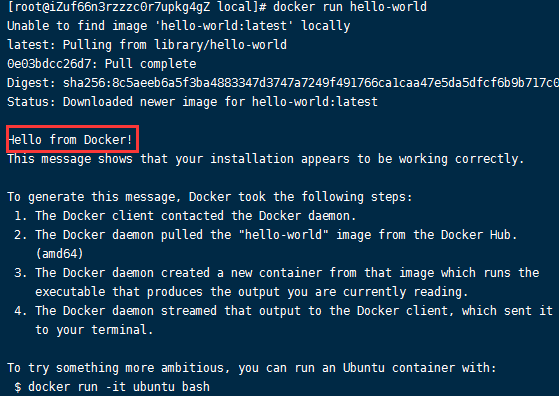
10.运行一个hello world
docker run hello-world
-------------------------------------------
个性签名:代码过万,键盘敲烂!!!
如果觉得这篇文章对你有小小的帮助的话,记得在右下角点个“推荐”哦,博主在此感谢!

 浙公网安备 33010602011771号