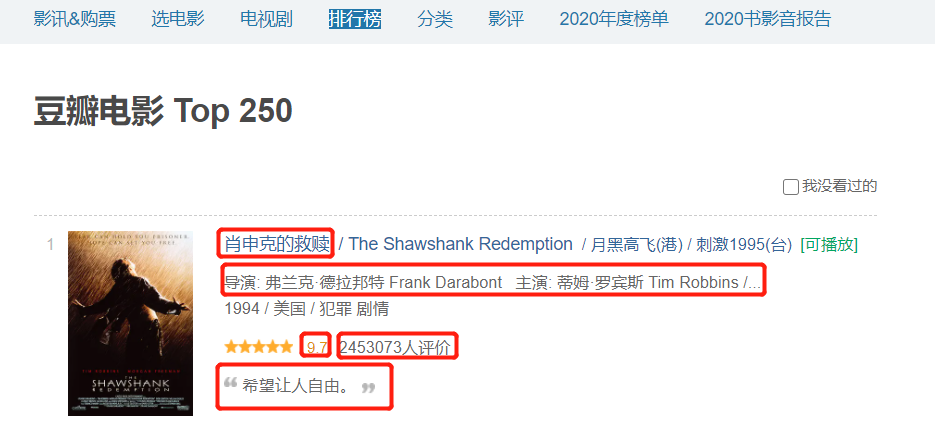
豆瓣top250网页信息爬取
![]()
代码
import re

import requests
from openpyxl import Workbook
from bs4 import BeautifulSoup
import time

wb = Workbook()
wb1 = wb.active
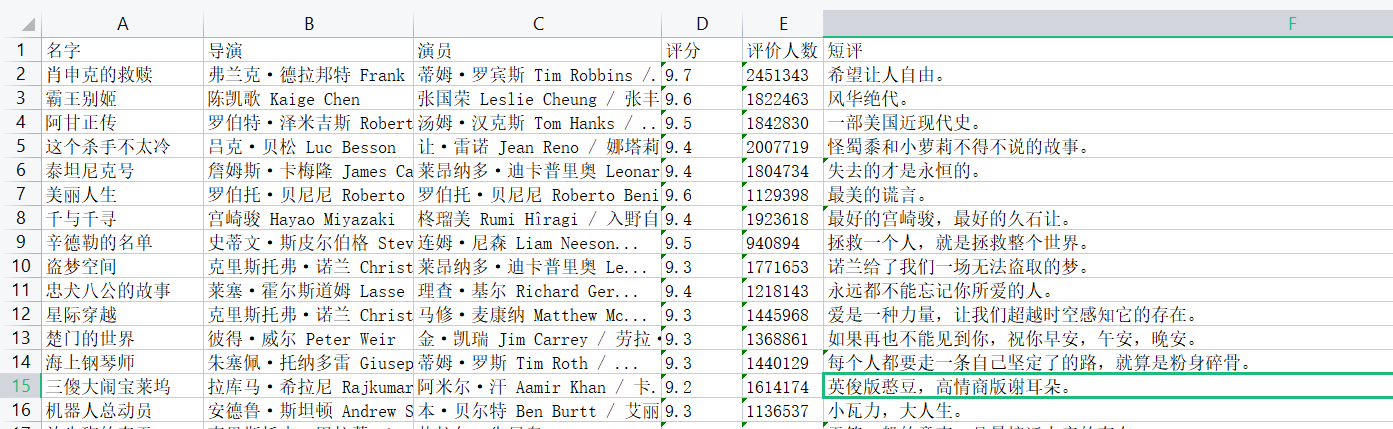
wb1.append(['名字', '导演', '演员', '评分', '评价人数', '短评'])
count = 1
for n in range(0, 226, 25):

    url = 'https://movie.douban.com/top250?start=%s&filter=' % n
    headers = {
        'User-Agent': 'Mozilla/5.0 (Windows NT 10.0; Win64; x64) AppleWebKit/537.36 (KHTML, like Gecko) Chrome/93.0.4577.63 Safari/537.36'}
    res = requests.get(url, headers=headers)
    soup = BeautifulSoup(res.text, 'lxml')

    # 名字
    name = re.findall(r'<img width="100" alt="(.*?)"', res.text)
    # for cn_name in name:
    #     print(cn_name)

    # 成员
    staff = re.findall(r'导演: (.*?) ', res.text)
    # for host in staff:
    #     print(host)
    actor = re.findall(r'主演: (.*?)<br>', res.text)
    # for main_actor in actor:
    #     print(main_actor)

    # 评分
    score = re.findall(r'<span class="rating_num" property="v:average">(.*?)</span>', res.text)
    # for real_score in score:
    #     print(real_score)

    '''评价人数'''
    comment = re.findall(r'<span>(.*?)人评价</span>', res.text)
    # for num in comment:
    #     print(num)

    # 短评
    data = []
    for i in range(0, 25):
        movieList = soup.find('ol', attrs={'class': "grid_view"})
        movie = movieList.find_all('li')
        quote = movie[i].find('span', class_="inq")
        if quote is None:
            quote = 'none'
        else:
            quote = quote.string
        data.append(quote)
    # for shortcut in data:
    #     pre = shortcut
    #     print(pre)

    # r'<span class="inq">(.*?)</span>'
    time.sleep(1)
    res2 = zip(name, staff, actor, score, comment, data)
    for i in res2:
        info = i

        wb1.append(info)
    print('搞定%s页了' % count)
    count += 1
wb.save(r'info.xlsx')
![]()
爬取链家二手房信息
![]()
代码
import requests
from bs4 import BeautifulSoup
from openpyxl import Workbook
import time

wb = Workbook()
wb1 = wb.create_sheet('二手房数据')
# 先定义表头
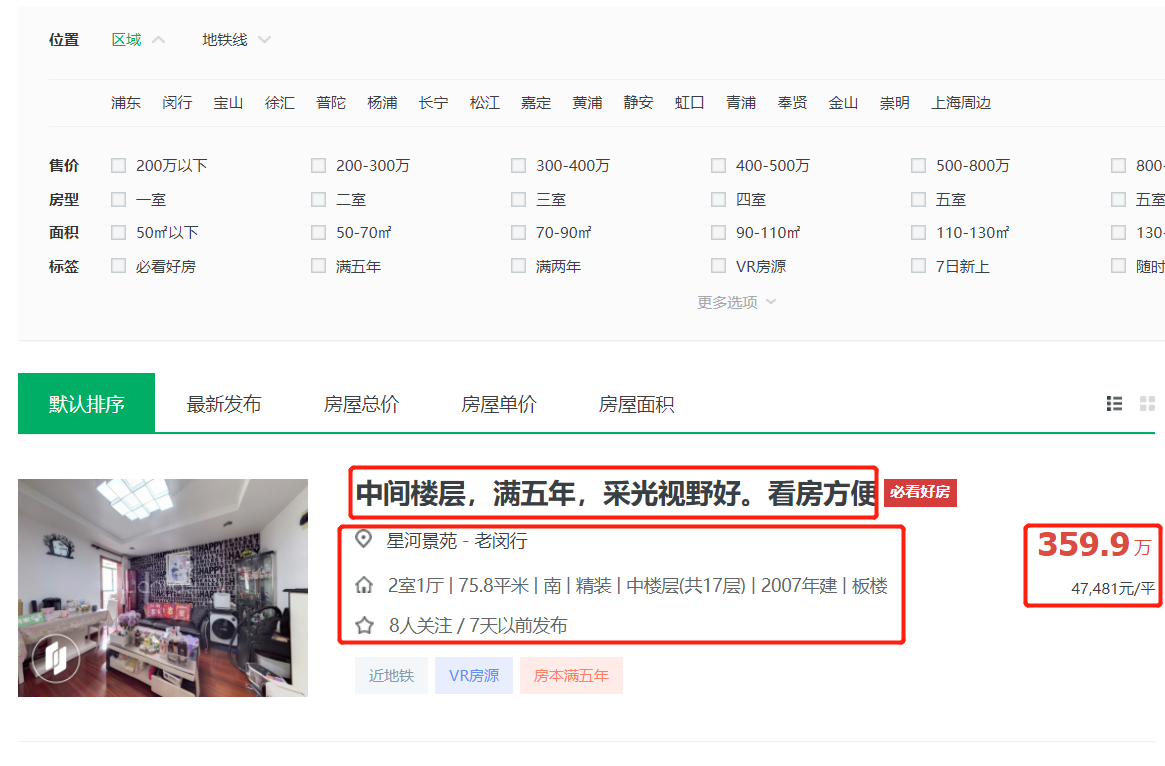
wb1.append(['房屋名称', '详情链接', '小区名称', '区域名称', '详细信息', '关注人数', '发布时间', '总价', '单价'])


def get_info(num):
    # 1.经过分析得知页面数据直接加载
    res = requests.get('https://sh.lianjia.com/ershoufang/pudong/pg%s/' % num)
    # print(res.text)  # 2.查看是否有简单的防爬以及页面编码问题
    # 3.利用解析库筛选数据
    soup = BeautifulSoup(res.text, 'lxml')
    # 4.分析数据特征 采取相应解析措施
    # 先整体后局部 先查找所有li标签
    li_list = soup.select('ul.sellListContent>li')
    # 然后循环获取每一个li标签 再去内部筛选一个个数据
    for li in li_list:
        # 依次获取所需数据 select与findall返回的结果都是列表 find返回的是标签对象
        a_tag = li.select('div.title>a')[0]
        # 房屋名称
        title = a_tag.text
        # 详情链接
        link = a_tag.get('href')

        div_tag = li.select('div.positionInfo')[0]
        # 地址信息
        address = div_tag.text  # xxx - xxx
        res = address.split('-')
        if len(res) == 2:
            xq_name, xq_pro = res
        else:
            xq_name = xq_pro = res[0]

        div_tag1 = li.select('div.houseInfo')[0]
        # 详细信息
        # TODO:该项数据也可以做详细拆分 并且需要考虑缺失情况
        info = div_tag1.text

        div_tag2 = li.select('div.followInfo')[0]
        # 关注度及发布时间
        focus_time = div_tag2.text  # xxx / xxx
        people_num, publish_time = focus_time.split('/')

        div_tag3 = li.select('div.totalPrice')[0]
        # 总价
        total_price = div_tag3.text

        div_tag4 = li.select('div.unitPrice')[0]
        # 单价
        unit_price = div_tag4.text

        time.sleep(1)
        wb1.append(
            [title, link, xq_name.strip(), xq_pro.strip(), info, people_num.strip(), publish_time.strip(), total_price,
             unit_price])


for i in range(1, 10):
    get_info(i)

wb.save(r'二手房数据.xlsx')
汽车之家新闻数据爬取
![]()
单页代码
import requests
from bs4 import BeautifulSoup
from openpyxl import Workbook

res = requests.get('https://www.autohome.com.cn/news/',
                   headers={
                       "User-Agent": "Mozilla/5.0 (Windows NT 10.0; Win64; x64) AppleWebKit/537.36 (KHTML, like Gecko) Chrome/93.0.4577.82 Safari/537.36"
                   }
                   )
res.encoding = 'gbk'
soup = BeautifulSoup(res.text, 'lxml')
# 1.先查找所有的li标签
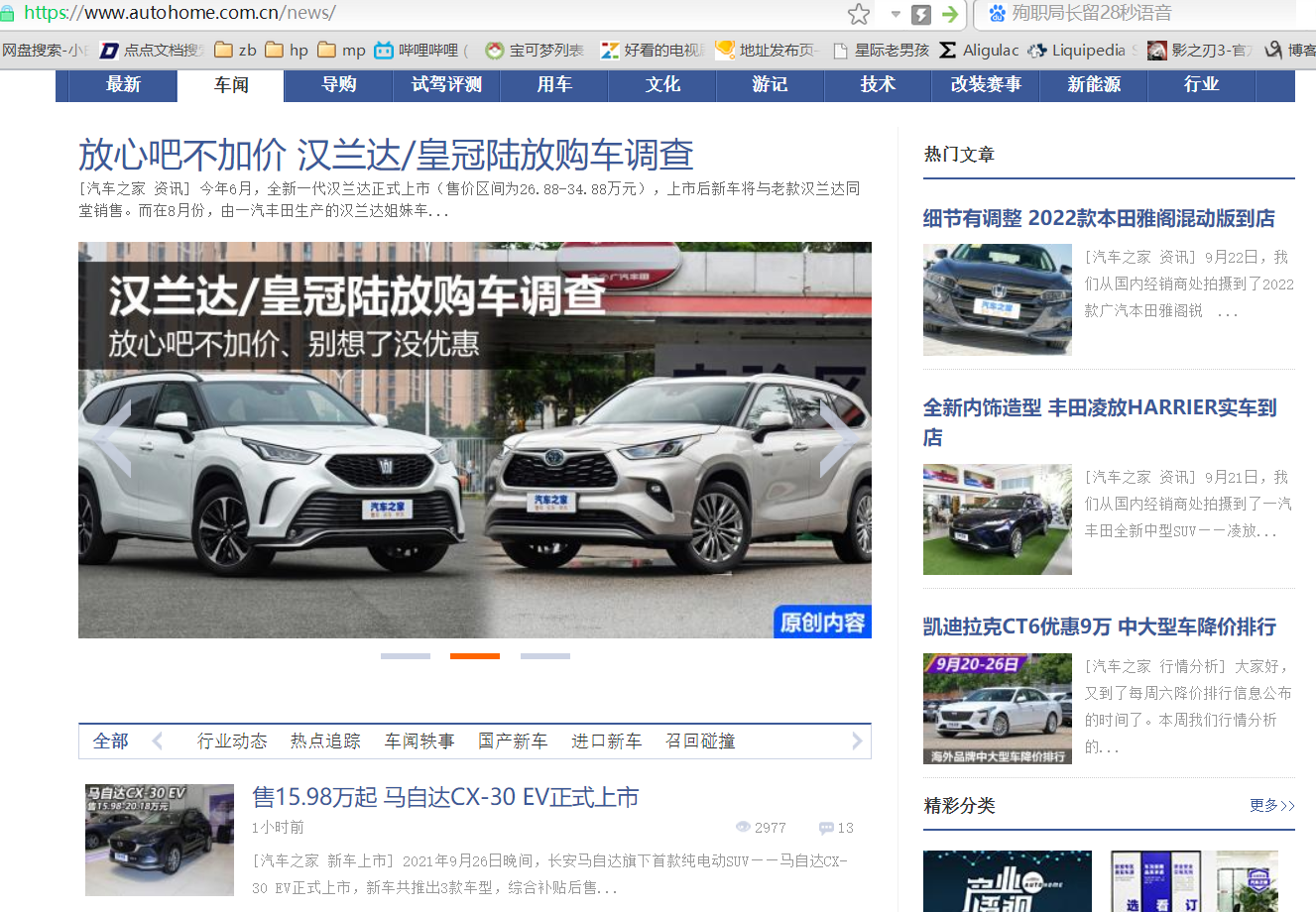
li_list = soup.select("ul.article>li")
# 2.循环li标签 获取内部所需数据
for li in li_list:
    a_tag = li.find('a')
    if not a_tag:
        # 当该标签内部无法获取到其他标签时 说明往下再获取其他标签就没有意义了
        continue
    # 新闻详情页链接
    link = 'https:' + a_tag.get('href')
    h3_tag = li.find('h3')
    if not h3_tag:
        continue
    # 获取新闻标题
    title = h3_tag.text
    # 简写
    # title = li.find('h3').text
    # img_tag = li.find('img')
    # 获取新闻图标
    # src = img_tag.get('src')
    # 简写
    src = li.find('img').get('src')
    # span_tag = li.find('span')
    # 获取发布时间
    # publish_time = span_tag.text
    # 简写
    publish_time = li.find('span').text
    # p_tag = li.find('p')
    # 获取文字简介
    # desc = p_tag.text
    # 简写
    desc = li.find('p').text
    # em_tag = li.find('em')
    # 获取观看次数
    # watch_num = em_tag.text
    # 简写
    watch_num = li.find('em').text
    # em1_tag = li.select('em.icon12')
    # 获取评论次数
    # comment_num = em1_tag[0].text
    # 简写
    comment_num = li.find('em', attrs={'data-class': 'icon12 icon12-infor'}).text
![]()





 浙公网安备 33010602011771号